60,500/mo
monthly searches
85-95%
transcription accuracy
< 5 min
avg setup time
Free plans
available from all 6 tools
Start with a free plan. Every tool in this guide has one. Run it on your real meetings for two weeks before deciding whether to pay. Most people are satisfied with free for individual use.
AI note taking is the process of using artificial intelligence to automatically capture, transcribe, and summarize spoken conversation during meetings. Instead of writing notes manually during a call, a software bot joins your meeting, records the audio, converts it to text using speech recognition, and then processes that text with a language model to produce structured meeting notes, action items, and summaries.
In 2026, AI note taking has moved from a niche productivity tool to standard practice in many organizations. The core technology has matured, accuracy has improved substantially, and the best tools now integrate directly with CRM platforms, project management tools, and communication channels.
How AI Note Taking Works
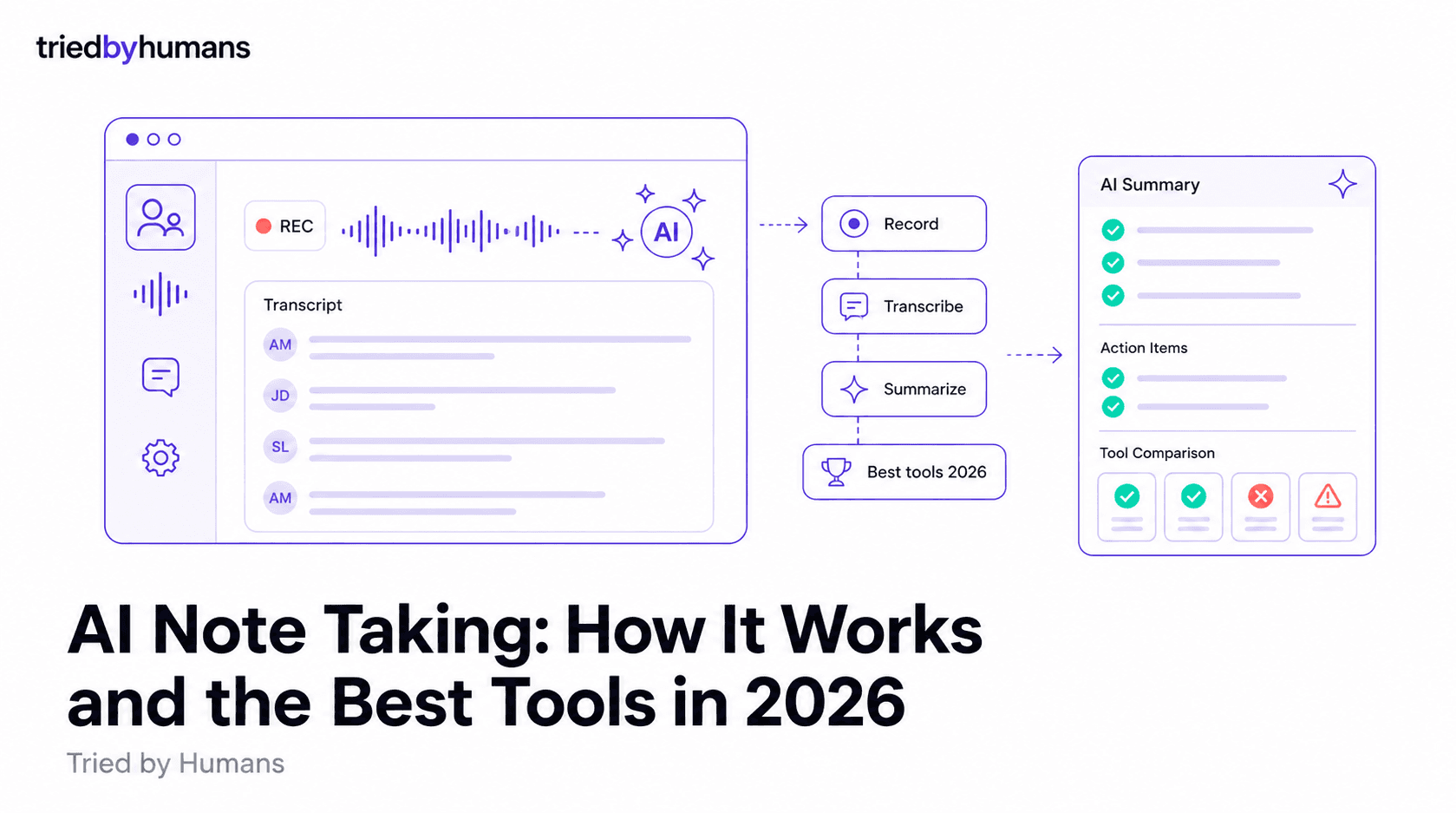
The process has four distinct stages that happen automatically after you set up the tool:
1. Meeting Join
The tool receives a calendar invite, identifies the meeting platform (Zoom, Google Meet, Microsoft Teams), and sends a bot to join the call. Most tools do this automatically based on calendar sync. The bot appears as a participant and announces it is recording.
2. Audio Recording and Transcription
The meeting audio is captured and sent to a speech recognition model. Modern AI note taking tools use large language model-based transcription that handles multiple speakers, background noise, accents, and technical vocabulary better than older rule-based systems. Speaker diarization separates who said what. Accuracy typically ranges from 85% to 95% depending on audio quality and language.
3. AI Processing
The raw transcript is processed by a language model that identifies structure: topic sections, decisions made, action items assigned, questions asked. This processing generates the summary document. Quality varies significantly between tools - the best tools produce summaries that require minimal editing; the worst produce verbose transcripts with weak summaries tacked on.
4. Delivery and Integration
The finished notes are delivered to your inbox, uploaded to a shared workspace, and pushed to connected integrations - Slack, Notion, HubSpot, Salesforce, or wherever your team manages follow-up. The best tools make notes available within two to five minutes of the meeting ending.
What to Look For in an AI Note Taking Tool
Transcription Accuracy
The most important factor is how accurately the tool transcribes speech. Poor transcription produces summaries that require correction before you can share them. Test any tool you are evaluating on a real call with multiple speakers in a realistic environment before committing.
Summary Quality
Transcription accuracy and summary quality are different things. A tool can transcribe accurately but still produce a poor summary. Look for summaries that are concise, correctly identify action items with assigned owners, and separate decisions from discussion. Read the full output after your first few test meetings before trusting the tool to replace your manual notes.
Meeting Platform Compatibility
Not all tools support all platforms equally. Some were built for Zoom and handle Google Meet and Teams as secondary support. If your team uses multiple platforms, verify that the tool works consistently across all of them before deploying it widely.
Language Support
If your team conducts meetings in languages other than English, language support is a primary criterion. Tools vary from three supported languages to over a hundred. English-first tools with limited language support will produce poor results on multilingual calls.
Integration Depth
Meeting notes that live in a separate application lose value quickly. The most useful tools push summaries and action items directly into the tools your team already uses - Notion, Slack, CRM platforms, project management tools. Evaluate the integration quality, not just the number of integrations listed.
Privacy and Data Storage
Meeting recordings contain sensitive business conversations. Understand where recordings are stored, how long they are retained, who can access them, and what data processing agreements are in place. For European organizations, EU data storage is often a hard requirement.
Free Plan Generosity
The free plans vary dramatically. Some tools offer genuinely unlimited recording on free tiers. Others cap free usage at a few hours per month or impose hard meeting-length limits. If you are evaluating multiple tools, run each on real meetings using the free plan before paying.
The Best AI Note Taking Tools in 2026
We tested six tools across 100+ real meetings. For the full comparison with scores and verdicts, see the best AI note takers in 2026.
The short version:
Fireflies.ai is the best choice for sales teams and CRM-heavy organizations. 100+ language support, 50+ integrations, and the AskFred AI search across your meeting history make it the most capable tool for business workflows.
Fathom produces the fastest and cleanest summaries. The free plan is unlimited for individual Zoom users. Best summary quality in the category in our testing.
Otter.ai is the only tool with real-time transcription visible during meetings. Best for live caption use and English-language individual users.
Sembly AI is the best choice for European organizations and multilingual teams. GDPR-compliant data residency in the EU and support for 40+ languages, with a free plan covering 4 hours of meetings per month.
Fireflies.ai adds meeting analytics and conversation insights that lighter tools lack. Best for managers tracking meeting quality across a team via the Coaching dashboard and SmartSearch.
Avoma is purpose-built for sales teams with deal intelligence and call coaching. The most expensive but most specialized tool for revenue teams.
Free plans: Fathom and tl;dv offer unlimited free recording. Fireflies free plan includes 800 minutes/month. Otter.ai: 300 minutes/month free. Paid plans start at $10-$19/user/month. For teams, budget $15-$30/user/month.
For anyone who spends 4+ hours/week in video meetings, the time savings justify the cost within the first week. Start with a free plan. Run it on real meetings for two weeks before deciding to pay. The main risk is over-relying on AI summaries without verifying decisions - always check action items manually.
Fireflies.ai
Best for sales teams and CRM-heavy workflows. 100+ languages, 50+ integrations, AskFred AI search across meeting history.
Fathom
Fastest summaries (30 sec after call). Unlimited free plan for Zoom. Best overall summary quality in testing.
Otter.ai
Only tool with real-time transcription visible during the meeting. Best for live captions and English-first teams.
tl;dv
EU data storage by default. Unlimited free recordings in 30+ languages. Best for European and multilingual teams.
MeetGeek
Meeting analytics and structured templates on top of transcription. Best for managers tracking meeting quality.
Avoma
Deal intelligence and call coaching built in. Most expensive but most specialized for revenue teams.
All prices and plans verified April 2026. Plans change frequently - check each tool directly before purchasing.
What Is an AI Meeting Summary?
An AI meeting summary is a structured document generated automatically from a meeting transcript. The AI reads the full transcript and produces a condensed version that highlights what matters: topics covered, decisions made, action items with owners, and key points of discussion.
AI meeting summaries are different from raw transcripts. A transcript is a word-for-word record of everything said - accurate but long. A summary extracts meaning and presents it in a format that takes two minutes to read instead of thirty.
The process: the tool transcribes the meeting audio, then passes the transcript to a language model that identifies decisions ("we agreed", "the plan is"), action items ("you will handle", "by next week"), and topic transitions. Output is formatted with a summary paragraph, action items, decisions, and discussion notes - typically delivered within 2-5 minutes of the meeting ending.
The best summaries: identify action items with the person responsible and a deadline; separate decisions from discussion; are readable in under 2 minutes for a 30-minute meeting; do not hallucinate. The worst are either too verbose (a reformatted transcript) or too vague (generic bullets that apply to any meeting). Test on your actual calls before committing.
Fathom - fastest summaries
Consistently produces the cleanest output in testing. Available within 30 seconds of the meeting ending, with clear action item and decision sections that rarely need editing. Best for Zoom users on any plan.
Fireflies.ai - best summary search
Strong summaries across all platforms plus AskFred, which lets you ask questions about any past meeting in natural language. Best for teams who need to reference past meeting summaries frequently.
MeetGeek - best structured templates
Define what a summary looks like for each meeting type. For recurring standups, client calls, or project reviews, the template-based summaries are consistently structured in a way other tools do not match.
For a full comparison with test results across all tools, see the best AI note takers in 2026.
Recommended tools



Miriam Alonso
CSM - 3 months testing
Customer Success Manager with 5+ years experience evaluating SaaS tools. Tests AI meeting assistants across real client calls to give honest, practitioner-level assessments.
See all my reviews →