
Fireflies.ai Review 2026: Is it worth it?
3.9★
Rating
$10/mo
Starting price
Yes
Free plan
Apr 2026
Last tested
Affiliate link - we earn a commission at no extra cost to you
TL;DR
After 3 months of testing: Fireflies.ai earns its place for English-language sales and recruiting teams that need CRM-synced meeting documentation automatically. The integrations ecosystem is the strongest we have tested in this category. Skip it if your team works in languages other than English, or if a visible bot joining client calls creates friction. Best for: sales teams, recruiters, and organizations with heavy CRM workflows.
3.9★
Rating
$10/mo
Price
Yes
Free plan
1M+ companies
Users
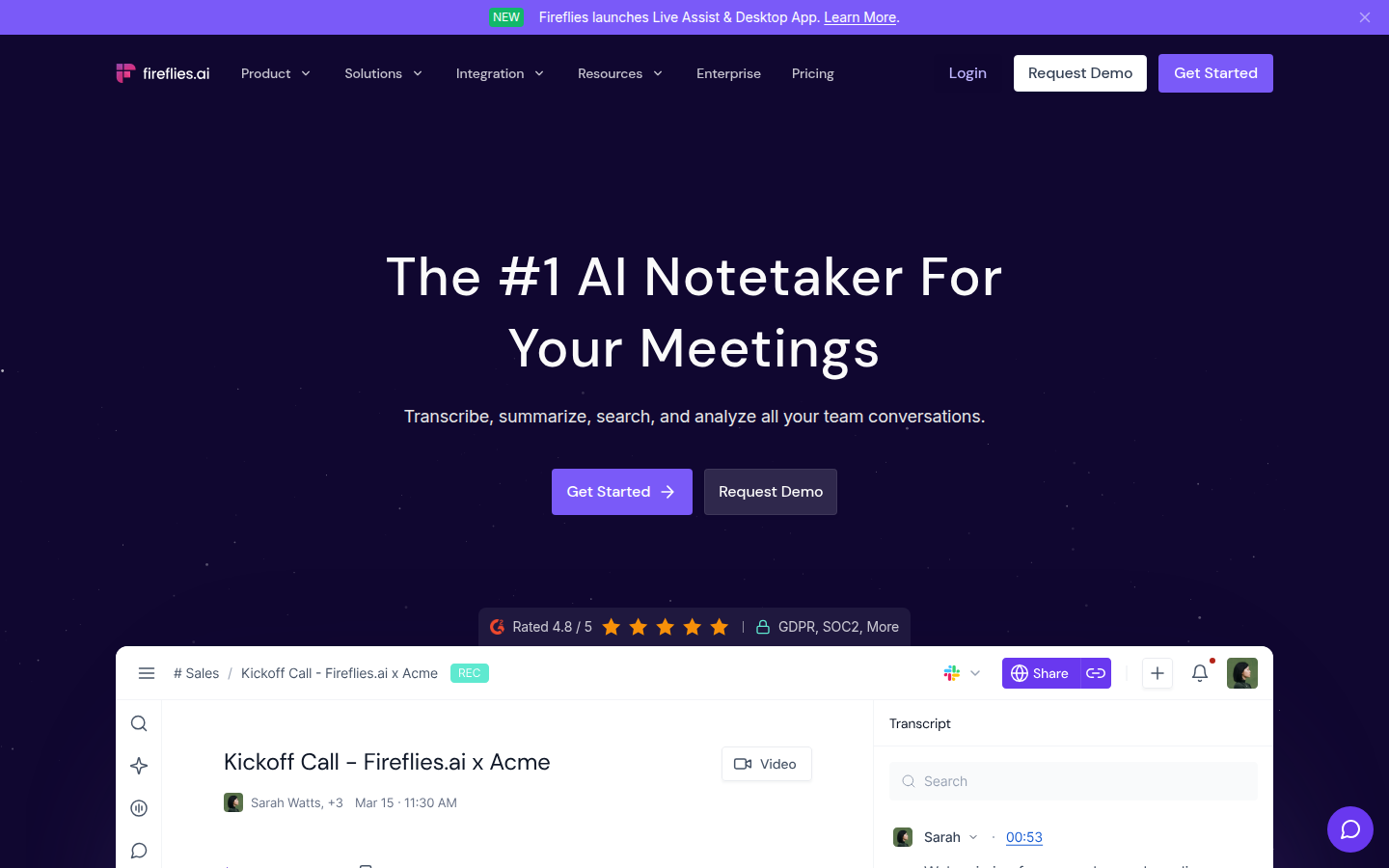
Fireflies.ai homepage

Miriam Alonso tested this tool for 3 months - last updated April 2026. See our methodology.
Tested for
3 months
Tested on
Zoom · Google Meet · Microsoft Teams
Best for
- Sales and customer success teams with 5+ recorded calls per week who need automatic CRM sync to Salesforce or HubSpot and searchable call archives
- Mid-size companies (10-200 employees) running primarily English-language Zoom, Google Meet, or Microsoft Teams meetings that need a zero-setup bot to join and document all meetings
- Recruiters and HR teams who conduct high volumes of interviews and need searchable transcripts with automatic action item capture, without spending time on manual notes
- Teams already invested in the Atlassian or Google Workspace ecosystem, where Confluence, Notion, or Google Docs integration closes the loop on meeting outputs
Not for
- Teams whose meetings are regularly in non-English languages or that mix languages mid-conversation, accuracy drops significantly and there is no automatic language detection
- Individual professionals or very small teams (1-3 people) who need daily use, the free plan 800 minute storage cap and no-download restriction make it impractical
- Organizations with strict EU data residency requirements, data is processed on US servers with no documented EU-specific region option below Enterprise private storage
- Companies with strict no-bots-in-meetings policies, Fireflies joins as a visible participant and multiple users report difficulty permanently removing it
- Buyers who expect a generous free tier to evaluate the product, free tier is designed for basic testing only
How we tested this tool: We use every tool we review for at least two weeks in real work scenarios before scoring it. See our full methodology →
This review contains affiliate links. If you purchase through one of our links, we may earn a commission at no extra cost to you. Our editorial opinion is independent of any commercial relationship.
Fireflies.ai is one of the most feature-rich AI meeting assistants available. It records, transcribes, and summarizes meetings across all platforms, then lets you search, share, and analyze every conversation. The free plan is limited to 800 minutes of storage - teams that record frequently will need a paid plan.
Quick Facts
$10/seat/mo
Starting Price
Yes (800 min/mo)
Free Plan
60+
Languages
50+
Integrations
We Tested Fireflies.ai for 30+ Meetings
Without Fireflies.ai
Manual note-taking during calls, missed action items, hours writing summaries, no searchable archive of past conversations.
With Fireflies.ai
Every meeting auto-transcribed and summarized, action items extracted by AI, AskFred lets you query any past conversation in seconds.
We tested Fireflies.ai across 30+ meetings over several weeks, covering sales calls, internal standups, client check-ins, and cross-functional planning sessions. Our team ran it on Zoom, Google Meet, and Microsoft Teams to see how well it handled varied accents, fast talkers, and technical jargon. Here is what we found after sustained daily use.
Fireflies.ai is one of the most capable AI meeting assistants available today. It goes well beyond simple transcription, offering a full suite of tools for searching, analyzing, and acting on meeting content. It is best suited for sales teams, large organizations, and anyone who needs deep integrations with CRMs and business tools. The Free plan offers 800 minutes of storage per month. Paid plans start at $18 per month.
Key Features
Key Features
AI Transcription and Speaker Identification
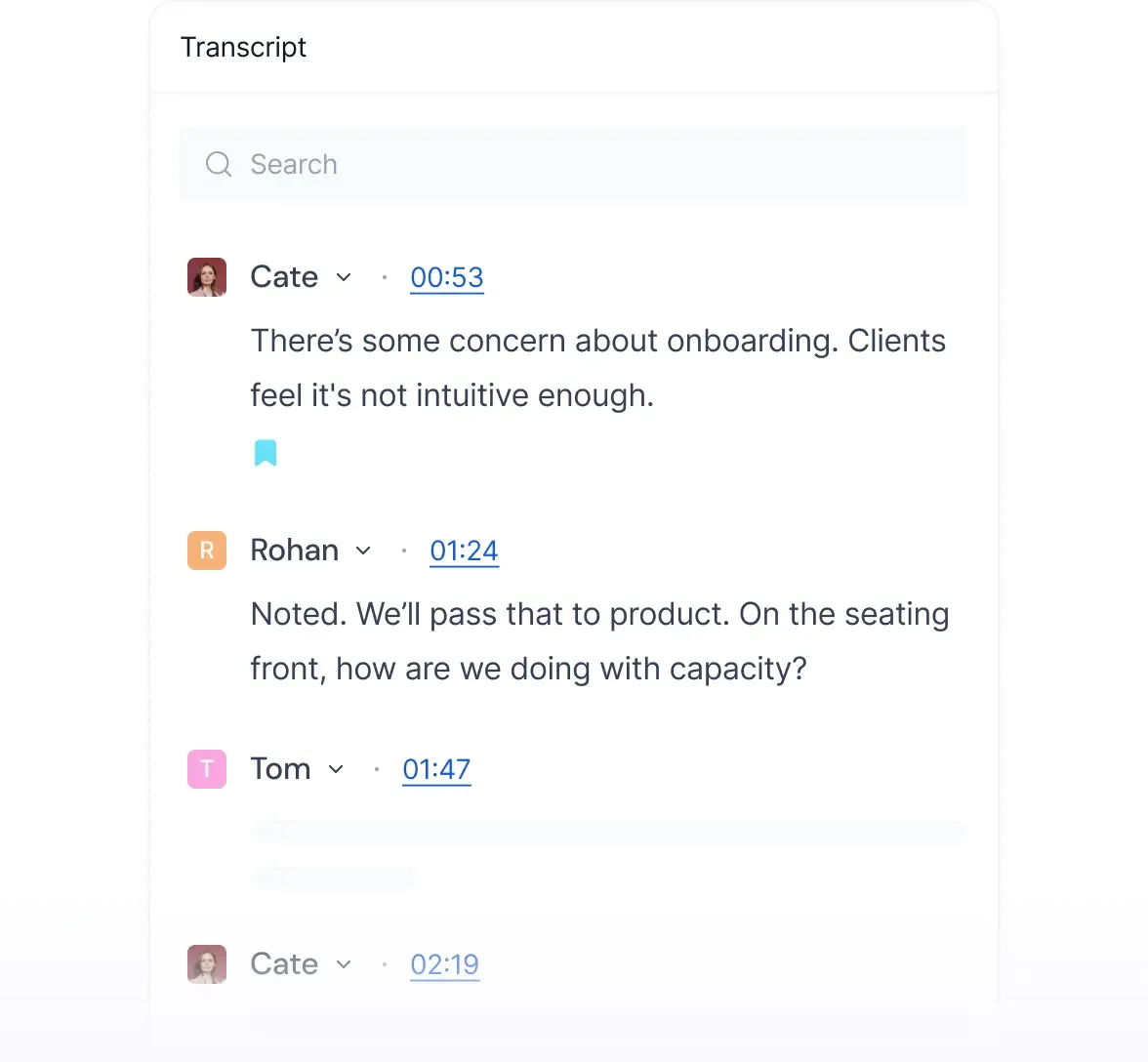
Fireflies identifies each speaker and timestamps every line of the transcript automatically
Fireflies.ai delivers transcription accuracy in the 90-95% range for clear English speech. The transcripts are time-stamped and speaker-labeled, making it easy to skim long meetings and jump to specific moments. The tool struggles more when speakers have heavy regional accents or when audio quality is poor, but for standard business calls the output is reliable and clean enough to share directly with stakeholders without heavy editing.
Transcripts are available shortly after a meeting ends - typically within three to five minutes for a one-hour meeting. They can be exported in several formats including PDF, DOCX, and SRT for captions. The system identifies speakers automatically, though you may need to correct speaker names on first use before the model learns your team's voices. Over time, the speaker identification improves as the model builds profiles from repeated exposure to the same participants.
The transcript viewer in Fireflies is well-designed. You can read the full text, search within it, navigate by speaker, and click any timestamp to jump to the corresponding moment in the audio or video recording. This connection between the transcript and the recording is essential - it lets you verify ambiguous moments rather than trusting a potentially incorrect word. The interface is fast to load and handles long transcripts without performance issues.
AskFred AI Chatbot
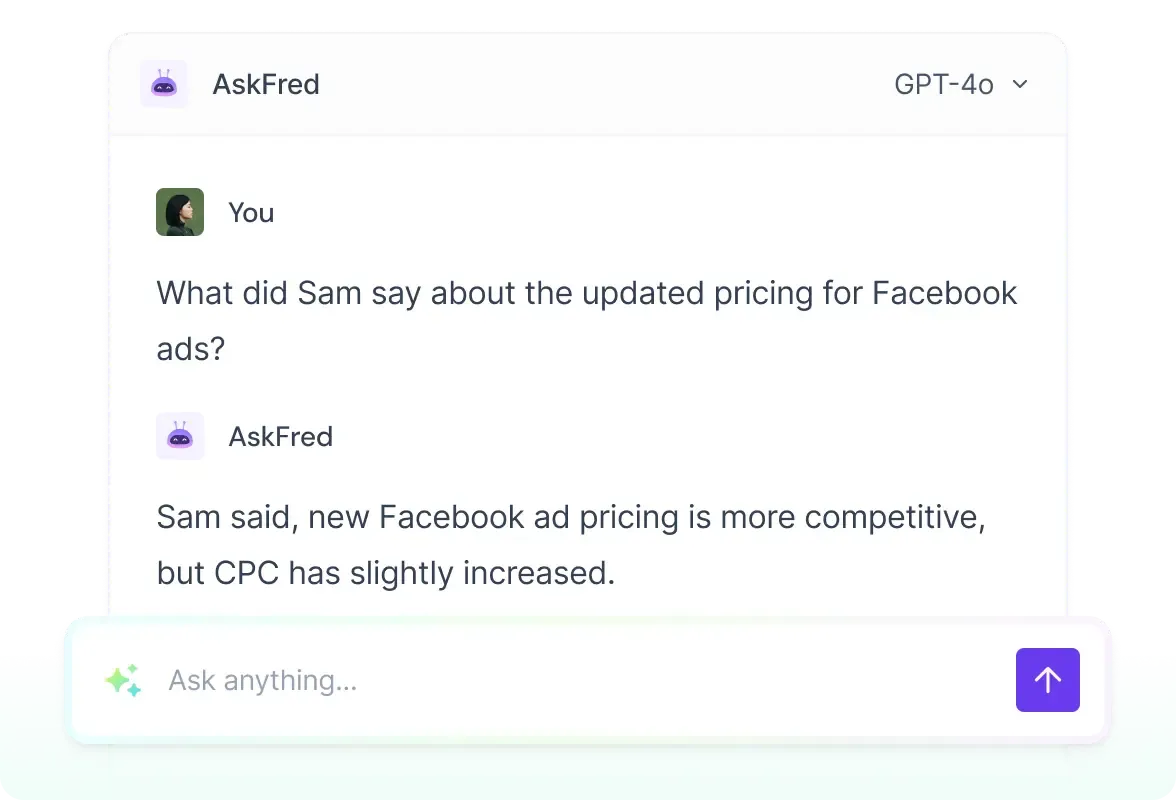
AskFred lets you query any meeting in plain language - ask about decisions, action items, or key moments
One of the standout features is AskFred, Fireflies' built-in AI assistant. After any meeting, you can ask AskFred questions about the transcript in plain English. For example: "What did the client say about the deadline?" or "List all the concerns raised in this call." The answers are grounded in the actual transcript, so you are not getting hallucinated responses - Fred pulls from what was said, not what seems plausible.
AskFred is also available for searching across your entire meeting library. If you want to know every time a specific competitor was mentioned across all calls in the last quarter, AskFred can surface that. This makes it genuinely useful as an organizational knowledge tool, not just a note-taker.
On the free plan, AskFred queries are capped per month. The limit is enough to evaluate the feature but not enough to rely on it daily. Pro and Business plans give you unlimited AskFred queries. For anyone who wants to make post-meeting AI analysis part of their regular workflow, Pro is effectively required to get the full value.
Practical examples of what AskFred handles well: "What were the three most important decisions from this call?" "What did the prospect say about their current vendor?" "Were there any red flags in this conversation?" "List all the next steps from this week's calls." The chatbot performs best on factual recall and summarization tasks grounded in the transcript. It is less reliable for nuanced interpretation of ambiguous statements or for drawing inferences across very long transcripts.
Action Item Detection
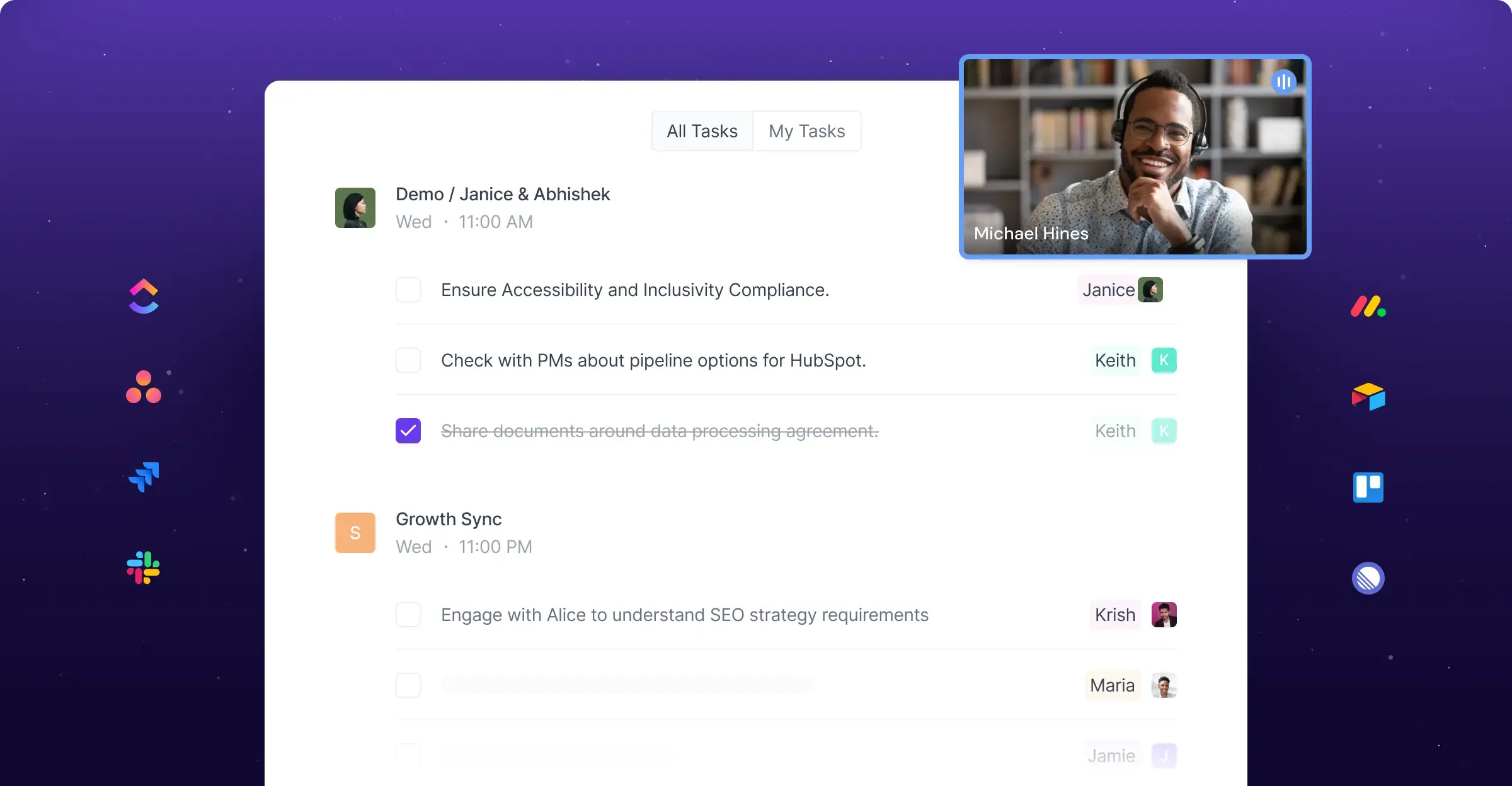
Fireflies automatically detects and assigns action items from every meeting
Fireflies automatically extracts action items from meetings and presents them in a structured list separate from the main transcript. It identifies commitments made by participants, deadlines mentioned, and follow-up tasks assigned to specific people.
The accuracy of action item detection is good but not perfect. Explicit commitments are captured reliably - "I will send you the contract by Thursday" and "can you update the deck before Tuesday's call?" both get flagged consistently. Implicit follow-ups - where someone says "we should probably revisit this" without naming a person or deadline - are caught less reliably. That reflects what AI systems can currently do with conversational language rather than a failing specific to Fireflies.
Action items can be shared with meeting participants by email directly from the dashboard. On paid plans, they can be pushed to integrated tools like Asana, Jira, Notion, or Slack via Zapier, or directly to CRM records in Salesforce and HubSpot. For teams that run on ticketing systems, this integration can eliminate a manual step from the post-meeting workflow entirely.
Topic Tracking
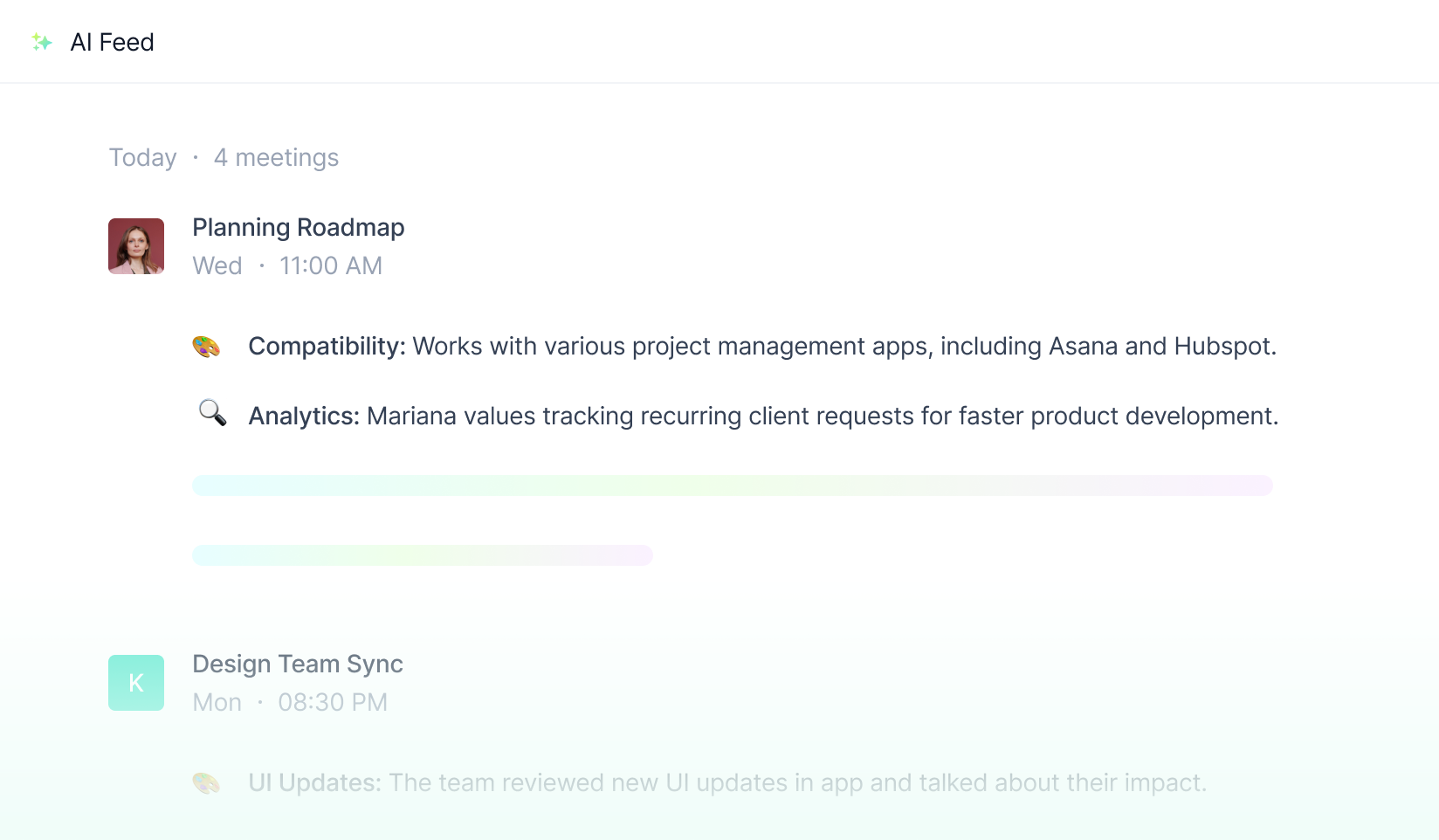
Topic tracking surfaces key discussions across all your meetings in a personal feed
The topic tracking feature identifies recurring themes across meetings and flags every time a tracked term appears. You can set up custom trackers for specific keywords, competitor names, objection types, or product terms, and Fireflies will flag every mention across your entire meeting library.
For sales teams using a methodology like MEDDIC or SPIN, this is particularly useful because you can track whether specific qualification questions are being asked on every call. You can see at a glance which calls surfaced a competitor mention, which ones included a pricing discussion, and which ones ended with a clear next step commitment.
Built-in trackers cover common categories such as pricing discussions, next steps, pain points, and competitor mentions. Custom trackers are available on paid plans. Topic tracking works at the literal word and phrase level - if you track "budget concerns," Fireflies flags that phrase reliably. Synonyms and rephrasing require additional tracker setup, which is a limitation worth knowing before relying on it for compliance or audit purposes.
Sentiment Analysis
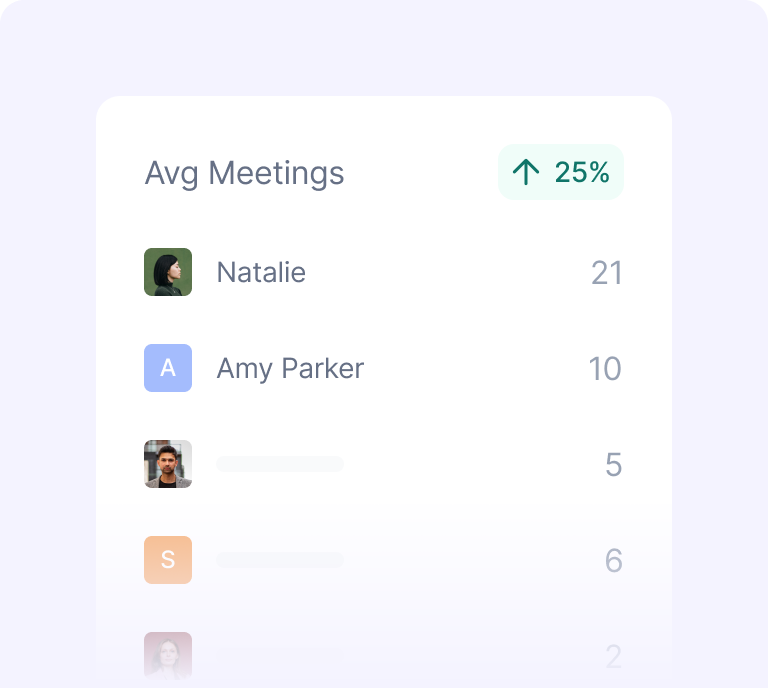
Fireflies analyzes talk time, sentiment, and engagement patterns across your team's meetings
The Business and Enterprise plans include sentiment analysis. For each meeting, Fireflies classifies segments of the conversation as positive, neutral, or negative and provides speaker-level sentiment scores across the call.
In our testing, sentiment analysis was a useful rough signal. A call where the client sentiment score was predominantly negative turned out to contain a significant unresolved concern that had not been flagged in the human-written notes. Reviewing the flagged segments helped course-correct the follow-up strategy.
Sentiment analysis is not precise enough to act on as a standalone data point. A speaker who uses hedging language might score neutral even in a productive conversation. Treat sentiment as a directional indicator that prompts further review rather than as a definitive verdict on how a meeting went.
Conversation Analytics
On Business and Enterprise plans, Fireflies offers detailed conversation analytics including talk-to-listen ratio per participant, filler word counts, monologue length, and sentiment trends across meetings over time. Managers can use these metrics to coach sales reps, identify patterns in successful deals versus lost ones, and understand how meetings are structured across the team.
The analytics dashboard is clean and the data exports well. It is not as deep as a dedicated conversation intelligence platform like Gong or Chorus, but for teams that do not need enterprise-grade CI tools, it covers the essentials at a fraction of the cost. A sales manager who wants to coach reps on talking less and listening more can identify that gap from the talk-to-listen ratio report without listening to recordings.
Meeting Search
Fireflies indexes every meeting in your library and makes it searchable by keyword, speaker, or date. The global search function is fast and accurate, and it surfaces results with context - showing you the sentence around the keyword match and letting you jump to that moment in the transcript or audio player.
For organizations that accumulate hundreds of meetings per month, this searchability is one of Fireflies' most practical features. It turns your meeting archive into an accessible knowledge base rather than a folder of forgotten recordings. When a client references something they mentioned six weeks ago, you can find the exact moment in seconds rather than reading through email threads or relying on memory.
The value of the searchable library compounds over time. After six months of consistent use, Fireflies becomes a genuine organizational memory system. Sales teams can trace the history of a deal through all related meetings. Project teams can find when a specific technical decision was made and who signed off on it.
Phone Call Recording
Unlike most AI meeting tools that focus exclusively on video conferencing platforms, Fireflies also works with phone calls through a dial-in number. You can conference Fireflies into a phone call and it will record and transcribe the conversation.
This is useful for industries where phone calls remain common - real estate, financial services, some healthcare contexts, and any sales motion that involves phone outreach. For teams that record both video meetings and phone calls, having everything in one searchable library is a concrete advantage over tools that only cover video.
Soundbites
The soundbites feature lets you clip short segments from meeting transcripts and share them as standalone snippets. This is useful for sharing a key customer quote with your product team, or for sales enablement when you want to show a new rep how a top performer handles a specific objection.
Soundbites include the audio, the transcript, and attribution to the speaker. They can be shared via link and embedded in other tools. It is a small feature but one that teams consistently find useful once they discover it. The workflow is simple: find the moment in the transcript, select the segment, create the soundbite, share the link. The whole process takes under two minutes.
Integrations
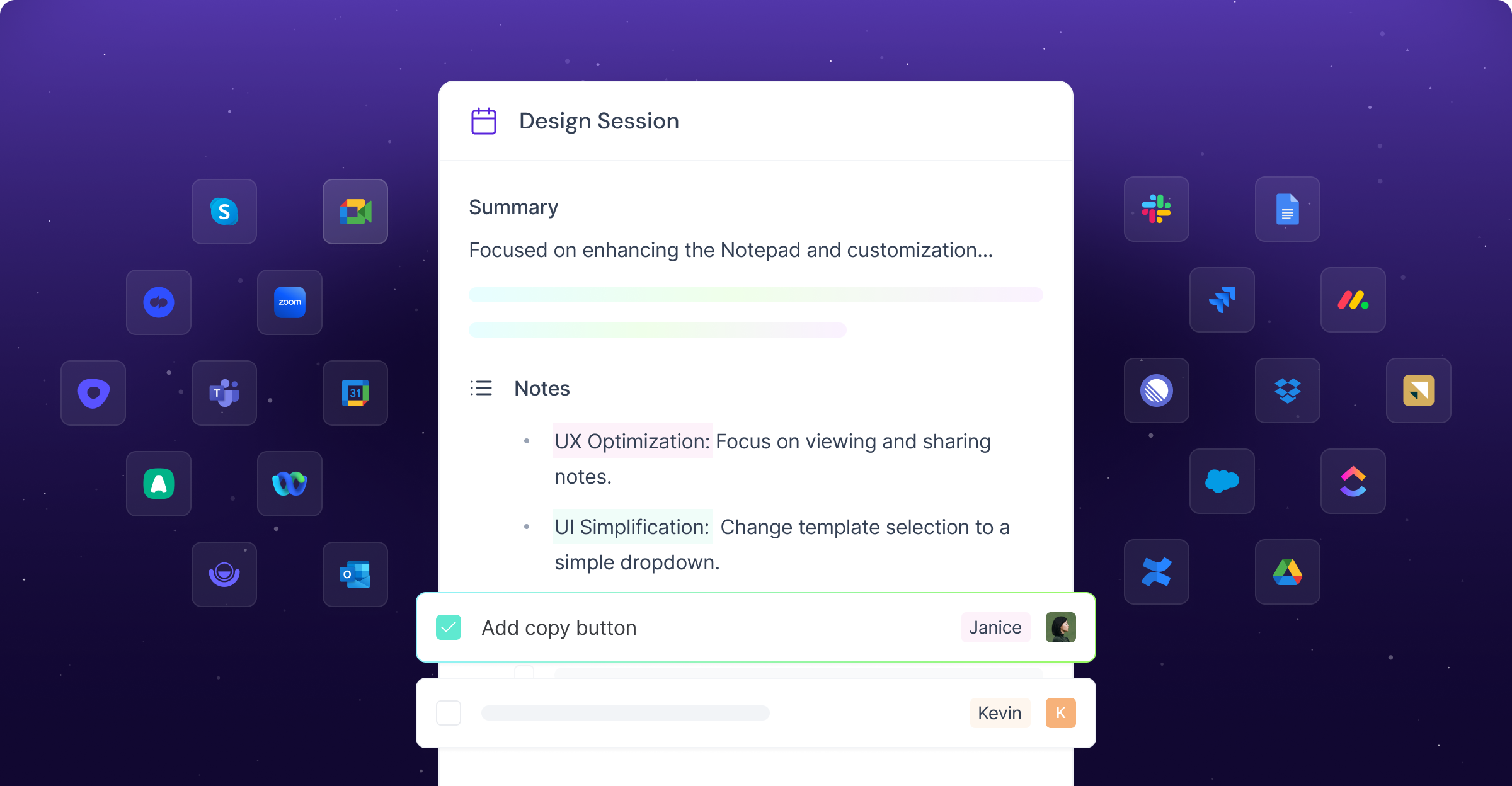
Fireflies connects to 50+ tools including Salesforce, HubSpot, Slack, and Notion
Fireflies supports over 40 integrations including Salesforce, HubSpot, Pipedrive, Slack, Notion, Zapier, Google Calendar, Outlook, Zoom, Webex, and many more. The Salesforce and HubSpot integrations are particularly strong - meeting summaries, transcripts, and action items can be pushed directly to deal records automatically, reducing manual CRM work for sales reps.
The Slack integration sends meeting summaries to channels of your choice immediately after a call ends, which is a clean way to keep teams updated without anyone needing to attend every meeting or read full transcripts. The Notion integration allows pushing transcripts and notes to a Notion page or database for teams that organize documentation there.
Zapier integration is available on all paid plans, which opens up a wide range of custom automation workflows for teams with specific requirements beyond the native integrations. For teams using less common CRM or project management platforms, Zapier bridges the gap effectively.
Pros
- The AskFred chatbot turns meeting transcripts into a queryable knowledge base, which is genuinely useful for teams with high meeting volume
- CRM integrations with Salesforce and HubSpot are reliable and reduce manual data entry for sales teams - in testing, summaries appeared in HubSpot within about 60 seconds of the transcript being ready
- Global meeting search across the entire library works well and surfaces relevant context around keyword matches, making past meetings retrievable in seconds
- Topic tracking with custom keywords is a strong tool for sales methodology compliance and competitive intelligence monitoring across all team calls
- Soundbites are a simple but practical feature for sharing key moments without sending full recordings or timestamps in an email
- The SOC 2 Type 2 certification and GDPR compliance give enterprise buyers confidence in data handling and simplify procurement
- The Business plan's conversation analytics are detailed enough for sales coaching without requiring a dedicated conversation intelligence tool
- Onboarding is smooth and the bot joins meetings automatically once the calendar is connected - no per-meeting setup required
- Phone call recording via dial-in sets Fireflies apart from tools that only cover video conferencing platforms
- The Webex integration covers teams in enterprise environments where Webex is the standard video platform
Cons
- The 800-minute storage limit on the Free plan is easy to exhaust for active users - it is storage, not a recording limit, which means older meetings disappear unless you pay
- Transcription accuracy drops noticeably with heavy regional accents or poor microphone quality - accuracy in our tests dropped from 93% to around 80% for non-native English speakers in noisy environments
- The free plan's AI features are quite limited, making it hard to evaluate the full product value before committing to paid
- Mobile app experience is functional but less polished than the web interface - some features available on desktop are not easily accessible on mobile
- Real-time live captions during meetings are not a core feature - the tool is oriented toward post-meeting analysis, which may disappoint users who need accessibility support during calls
- Custom vocabulary for industry jargon or product names is only available on Business and above - teams with highly technical terminology on Pro may see more transcript errors on specialized content
- Some users report that the Fireflies bot joining automatically can feel intrusive to external participants who are not expecting an AI notetaker in the call
- Sentiment analysis is locked behind Business and above - it is not available on the Pro plan despite being a useful coaching feature for smaller teams
- Speaker confusion can occur on large calls with six or more active participants who have similar vocal profiles
Who Should Use Fireflies.ai
Ideal for
Sales Teams
Fireflies is one of the best tools available for sales teams, and this is not accidental - the product was built with sales workflows at its core. The CRM integrations, action item detection, topic tracking, and conversation analytics align closely with how sales reps and managers actually work. The combination of automatic meeting capture and CRM sync removes one of the most consistent failure points in sales workflows: the manual note-logging step that often does not happen between a call ending and the next task. For sales managers, the Business plan's analytics provide visibility into how calls are going without listening to recordings. You can see talk-to-listen ratios, identify calls where sentiment scores were concerning, and track whether reps are asking the qualification questions your methodology requires. The coaching layer that this enables is real and measurable.
Ideal for
Large Organizations
For enterprises and larger companies that run dozens or hundreds of meetings per week, Fireflies' global search and meeting library features become increasingly valuable. The ability to search across all meetings by keyword or topic turns institutional knowledge that would otherwise be lost into something retrievable and actionable. When a client references something discussed six months ago on a call, you can find it in thirty seconds. The SOC 2 Type 2 certification and the Enterprise plan's SSO, custom data retention, and dedicated support make Fireflies credible at scale. Organizations that need to audit past conversations for compliance, training, or dispute resolution benefit most from the library's depth and searchability.
Ideal for
Freelancers and Consultants
Freelancers and consultants on the Pro plan who bill by the hour or need to document client conversations will find Fireflies useful for keeping accurate records, generating follow-up summaries, and demonstrating thoroughness to clients. The unlimited storage on paid plans means you can keep a complete archive of all client work. The soundbites feature is useful for sharing specific client quotes when writing case studies or testimonials.
Ideal for
Marketing and Product Teams
Topic tracking and the AskFred chatbot are useful for marketing and product teams that want to extract customer insights from sales calls or user interviews. Rather than listening to every recording, teams can query the library for mentions of specific pain points, feature requests, or competitor names. For companies that do a lot of discovery calls or user interviews, this transforms scattered conversation data into actionable market intelligence.
Ideal for
Recruiters and HR Teams
The ability to record, transcribe, and search interview recordings is useful for companies that do high-volume hiring. Multiple interviewers can access the same transcript, add highlights, and reach alignment without scheduling a debrief meeting. The searchable library lets HR teams surface past interview notes when a candidate reapplies or when reviewing hiring patterns.
Ideal for
Remote-First Companies
When your business is built on video calls, the meetings themselves are how work gets done. A searchable, AI-analyzed library of those conversations is operational infrastructure, not a productivity accessory. For remote-first companies that have been running on video calls for years, Fireflies can unlock institutional knowledge that would otherwise be lost when team members change roles or leave.
Not ideal for
Teams That Should Look Elsewhere
Students and individuals who only need occasional transcription may find the free tier limits frustrating and the paid plans expensive relative to simpler alternatives. Teams that need strong real-time live captions during meetings would be better served by Otter.ai, which has a native Zoom integration with live captions that no other tool matches. Teams that primarily care about cost will find tl;dv offers unlimited free recordings with no storage pressure. Organizations working primarily in non-English languages should evaluate tl;dv's 70+ language support as an alternative.
Security and Privacy
Fireflies.ai is SOC 2 Type 2 certified, meaning its security controls have been independently audited by a third party over an operational period - not just a point-in-time assessment. The certification covers the five trust service criteria: security, availability, confidentiality, processing integrity, and privacy. For enterprise buyers who need to verify a vendor's security posture, SOC 2 Type 2 is a widely recognized and credible baseline.
- GDPR compliance is supported. Fireflies provides data processing agreements for EU customers. If you operate in the EU or process data from EU residents, you can execute a DPA with Fireflies to document the data handling relationship correctly.
- Data is encrypted in transit and at rest using industry-standard encryption. Fireflies does not use customer meeting data to train its AI models, which is a common concern with AI-based tools. You can delete any recording or transcript from the dashboard at any time, and deletion is permanent. Account-level deletion removes all associated data.
- The Fireflies bot participates visibly in meetings. It announces itself when it joins and its presence is visible in the participant list. Recording participants in a meeting without consent is illegal in a number of US states and most of Europe - Fireflies' visible bot approach is the right and legally appropriate design choice.
- For security-conscious organizations: when you push meeting data to third-party integrations like Salesforce, HubSpot, Slack, or Notion, that data becomes subject to those platforms' own data handling terms. The security chain extends beyond Fireflies. Organizations in regulated industries should map the full data flow and confirm compliance at each step.
- Enterprise customers can configure custom data retention policies, which is important for organizations with specific requirements around how long meeting records are kept. The Enterprise plan also includes SSO integration, letting organizations manage Fireflies access through their existing identity provider.
- For HIPAA-regulated industries, Fireflies offers a Business Associate Agreement on Enterprise plans. Teams in healthcare should verify current compliance status and specific BAA terms directly with Fireflies before using the tool for patient-adjacent conversations.
Alternatives to Consider
If Fireflies.ai does not quite fit your needs, here are three alternatives worth evaluating.
Otter.ai is the
Otter.ai is the strongest alternative for English-language teams that want real-time live captions during meetings. Otter's OtterPilot integrates natively with Zoom and provides live transcription that participants can read during the call, not just after. The mobile app for in-person recording is also stronger than Fireflies. The free plan is limited but functional for light use. Business pricing is $30 per user per month.
tl;dv is the
tl;dv is the best choice for budget-conscious teams and international organizations. It offers unlimited free recordings and transcripts, supports over 70 languages, and is based in the EU with GDPR-first data handling. The free plan is more generous than either Fireflies or Otter, and the paid plans are competitively priced. For teams that do not need conversation analytics or the depth of Fireflies' sales features, tl;dv covers the core use case at a lower cost.
Grain is a
Grain is a strong option for teams that focus on user research, sales storytelling, or video-first workflows. It offers excellent clip-and-highlight tools and strong Notion and CRM integrations, with a slightly different emphasis than Fireflies' analytics-heavy approach. Grain is particularly popular with product teams and researchers who want to build shareable video archives from customer conversations.
Setting Up Fireflies.ai
Setup takes less than five minutes. You connect your Google Calendar or Microsoft Outlook calendar, authorize the Fireflies bot to join meetings, and from that point forward the bot shows up automatically on any calendar event that includes a video conference link. Meeting participants do not need to install anything. The bot announces its presence when it joins, which is ethically and legally appropriate but can feel slightly awkward on a small casual call with a long-time colleague.
The first week of use is revealing. On well-recorded English calls in a quiet environment with a good headset microphone, transcription accuracy hits 93-95% consistently. On a call with a participant in a noisy environment, accuracy drops to around 80%. On a call with a participant whose first language is not English and who speaks quickly, accuracy can drop further. These results are consistent with what AI transcription technology can currently do - they are not unusual failures specific to Fireflies. The important thing is to test Fireflies on your own calls - with your team's accents, your environment, and your terminology - before committing.
The real value of Fireflies only becomes clear after you have been using it for a few weeks. The searchable transcript library is the feature that changes how you relate to past meetings. When a client references something they mentioned six weeks ago, you search for it in Fireflies and pull up the exact moment. When a manager asks what was decided on a particular project, you search and find the answer in thirty seconds rather than reading through email threads or asking colleagues to remember. This is the feature that makes Fireflies feel less like a productivity tool and more like organizational infrastructure.
How Fireflies Compares to Alternatives in Practice
After several weeks of testing, the pattern became clear: Fireflies excels in the workflows that happen after the meeting ends, not during it. If your highest-value use case is "I need to know exactly what was said in that call six weeks ago," Fireflies delivers that better than most tools at this price. If your highest-value use case is "I need to read live captions while the meeting is happening," Otter.ai is the better tool.
The CRM integration is where Fireflies wins outright for sales teams. In our testing, setting up the HubSpot integration took less than ten minutes, and from that point on every meeting automatically generated notes in the relevant contact record. No copy-paste, no template filling, no post-meeting cleanup. For a sales rep who runs eight to ten calls per week, that is a meaningful reduction in administrative overhead every single day.
The gap between Fireflies and Otter narrows when you look at transcription quality for English. Both tools are accurate for standard business calls. Where Fireflies falls behind is in the real-time experience - you get the transcript after the meeting, not during it. For teams that have made peace with post-meeting review rather than in-meeting reading, this is not a problem. For accessibility use cases, it is a significant limitation.
The gap between Fireflies and tl;dv comes down to priorities. tl;dv offers unlimited free recordings - Fireflies' free tier caps at 800 minutes. tl;dv supports 70+ languages - Fireflies is optimized for English. But Fireflies' Pro plan at $18/month offers features that tl;dv's comparable tier does not match: conversation analytics, the AskFred chatbot, and more mature CRM integration logic. For teams that have moved past the free-tier evaluation stage, Fireflies' paid plans offer more depth.
Final Verdict
Overall Rating
Fireflies.
Fireflies.ai earns its place as a top-tier AI meeting assistant, particularly for sales teams and organizations that need deep CRM integration, meeting analytics, and searchable knowledge from their meeting library. The AskFred chatbot, topic tracking, conversation analytics, and sound integration ecosystem are genuinely useful features that go well beyond basic note-taking.
The Free plan's 800-minute storage limit is the biggest friction point for new users evaluating the tool. It is also not the right choice for teams that prioritize real-time live captions or need strong multilingual support. And for very small teams or individual users with occasional meeting needs, the pricing may feel steep relative to simpler alternatives.
For mid-size to large organizations, especially sales-driven ones, Fireflies.ai is one of the strongest investments available in meeting productivity. The ROI from reduced CRM manual entry alone can justify the Business plan cost. The searchable meeting library compounds in value the longer you use it, turning months of recorded conversations into institutional knowledge that any team member can query.
If you run a sales team, manage client relationships at scale, or lead an organization that treats meeting capture as an operational necessity rather than a nice-to-have, Fireflies is built for you. Start with the free plan to verify the transcription quality on your calls, then move to Pro or Business once you have confirmed the fit.
Best for: Sales teams, enterprises, organizations needing CRM sync and meeting analytics
Avoid if: You need real-time live captions, primarily use non-English meetings, or are on a tight budget
Rating: 4.4 / 5
Ratings by category
Plans & pricing
| Plan | Price | Features |
|---|---|---|
| Free | Free | 800 minutes storage, AI summaries, Zoom/Meet/Teams |
| Pro | $10/mo per user/month, billed yearly | Unlimited transcription, AskFred AI search, CRM integrations |
| Business | $19/mo per user/month, billed yearly | Everything in Pro, Custom vocabulary, Advanced analytics |
| Enterprise | $39/mo per user/month, billed yearly | SSO, HIPAA compliance, Dedicated support |
Pricing history
- Apr 2026Free: 800 min storage, 20 AI credits/mo. Pro: $18/mo (or $10/mo annual). Business: $29/mo (or $19/mo annual). Enterprise: $39/mo annual.
Final verdict
Final verdict
Fireflies.ai is a strong choice for English-language sales and recruiting teams that need automatic, CRM-synced meeting documentation with minimal setup. At $10/seat/month on the Pro plan it offers real value, but non-English speakers will find accuracy inconsistent, the free tier is too restricted for sustained use, and the visible bot participant creates friction in client-facing contexts.
Ease of use
8.0
Value for money
6.0
Features
8.0
Support
6.0
Integrations
9.0
Accuracy
7.0
If Fireflies.ai is not for you
Alternatives worth considering:

Avoma
An all-in-one AI platform for meeting notes, scheduling, coaching, and revenue intelligence.
Try Avoma →
Sembly AI
Your AI team member — records, transcribes, and turns meetings into structured follow-up documents automatically.
Try Sembly AI →Head-to-head comparisons
What changed in this review
- 2026-04-16Initial review published
Featured in 6 best lists
Compared with
Alternative to
Frequently Asked Questions
Is Fireflies.ai free?
Yes, Fireflies offers a Free plan that includes 800 minutes of storage per month. The Free plan covers basic transcription and meeting search, but AI features like AskFred, action items, and topic tracking are limited or unavailable. To access the full feature set, you need to upgrade to Pro ($18/mo) or higher. The 800-minute storage cap means most professionals who attend more than five hours of meetings per week will exhaust the free plan within a few working days.
Does Fireflies.ai work with Microsoft Teams?
Yes. Fireflies.ai works with Microsoft Teams, Zoom, Google Meet, Webex, and phone calls. Once you connect your calendar, the Fireflies bot joins meetings automatically on all supported platforms. Enterprise Teams deployments may require IT admin approval before the bot can join. Once approved, the Teams experience is comparable to Zoom and Google Meet.
How do I cancel Fireflies.ai?
You can cancel your Fireflies subscription from your account settings under the Billing section. Cancellations take effect at the end of the current billing period. After cancellation, you retain access to previously recorded meetings on the Free plan storage limits. Annual subscriptions do not typically offer mid-term refunds, so time your cancellation accordingly. You can export transcripts and recordings before canceling.
Is Fireflies.ai safe for enterprise and sensitive data?
Fireflies is SOC 2 Type 2 certified and GDPR compliant. Data is encrypted in transit and at rest. Fireflies does not use your meeting content to train its AI models. Enterprise customers can add SSO, custom retention policies, and a BAA for healthcare use. For highly regulated industries, verify current compliance status directly with Fireflies before committing. When connecting third-party integrations like Salesforce, data shared with those platforms falls under their respective terms.
What is the best alternative to Fireflies.ai?
It depends on what you need. For live captions and Zoom-native integration, Otter.ai is the strongest alternative. For unlimited free recordings and multilingual support, tl;dv is the top pick. For sales teams focused on deep deal intelligence at enterprise scale, Gong or Chorus offer more depth but at significantly higher prices. Among the mid-market tools, Otter.ai and tl;dv are the most direct competitors to Fireflies.
Does Fireflies.ai work for phone calls?
Yes. Fireflies can transcribe phone calls in addition to video meetings. You can use a Fireflies dial-in number or connect it to your phone system to capture calls made outside of video conferencing platforms. This is a meaningful differentiator compared to most meeting AI tools that only support video calls on Zoom, Meet, or Teams.
How accurate is Fireflies.ai transcription?
Fireflies reports 90-95% accuracy for clear English speech in standard audio conditions. Accuracy decreases with heavy accents, background noise, technical jargon not in its vocabulary (custom vocab is available on Business+), or when multiple speakers talk over each other. In our testing, accuracy hit 93-95% consistently on well-recorded English calls, and dropped to around 80% for participants with heavy accents or low-quality microphones. Overall, the quality is reliable for most business meeting scenarios.
Can Fireflies.ai transcribe multilingual meetings?
Fireflies supports transcription in multiple languages, but it is optimized for English. For teams that regularly conduct meetings in Spanish, French, German, or other languages, the transcription quality may be lower than for English. Teams with heavy multilingual requirements should evaluate tl;dv, which supports 70+ languages as a first-class feature available even on the free plan.