
Fathom Review 2026: Is it worth it?
4.0★
Rating
$15/mo
Starting price
Yes
Free plan
May 2026
Last tested
Affiliate link - we earn a commission at no extra cost to you
TL;DR
After 3 months of daily use: Fathom is the best free AI meeting recorder available in 2026. The core workflow - record, transcribe, summarize, sync to CRM - works faster and more reliably than most paid competitors. The free plan is genuinely useful, not a locked-down teaser. Skip it if you need mobile recording, non-Zoom/Meet/Teams support, or advanced sales coaching features. Best for: freelancers, small teams, and anyone who wants reliable meeting notes without paying.
4.0★
Rating
$15/mo
Price
Yes
Free plan
Users
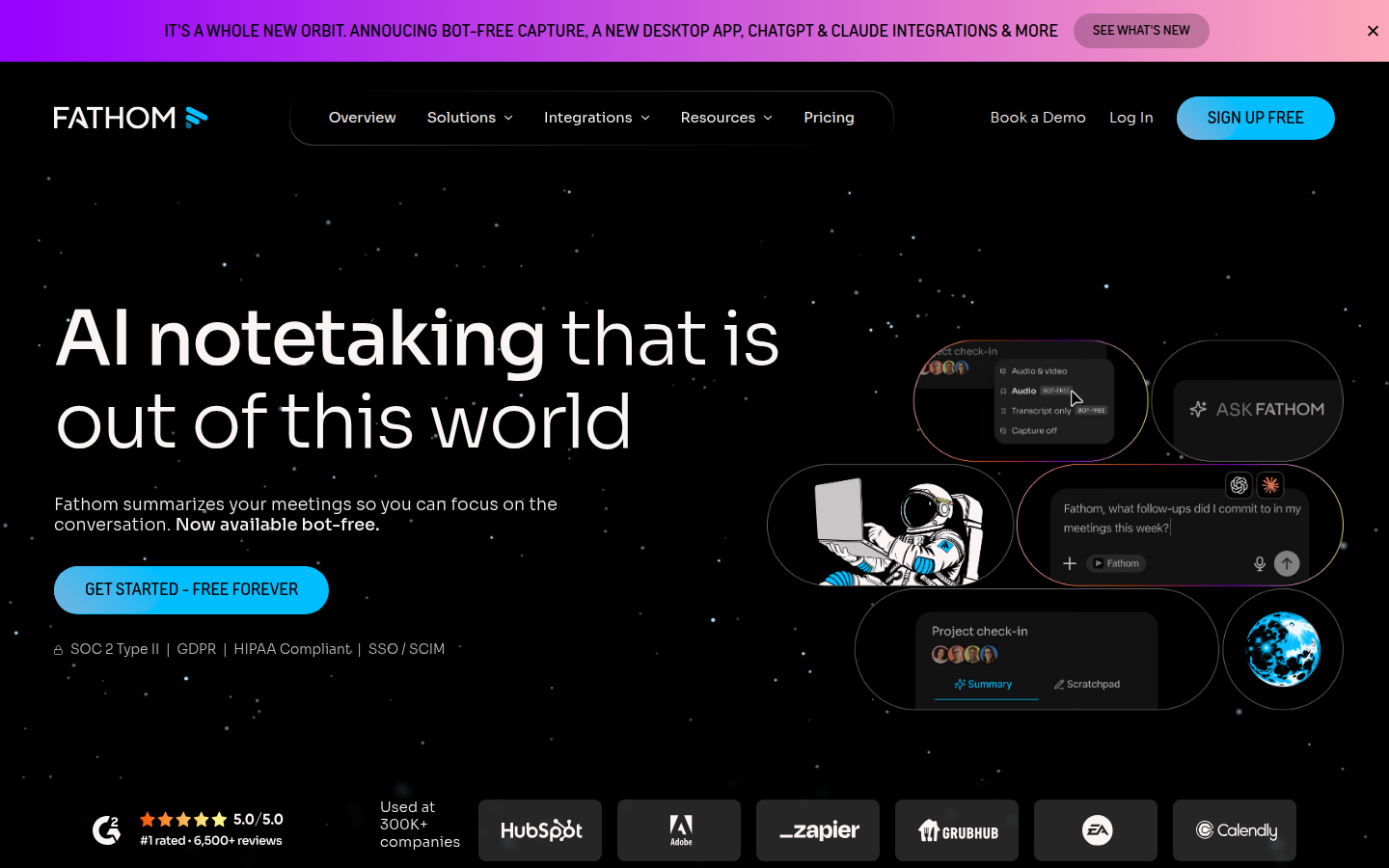
Fathom homepage

Miriam Alonso tested this tool for 3 months - last updated May 2026. See our methodology.
Tested for
3 months
Tested on
Zoom · Google Meet · Microsoft Teams
Best for
- Solo founders and individual professionals who want meeting notes without paying anything, the free plan is genuinely unlimited with no hidden caps
- Sales reps and account executives who need fast CRM logging after calls, HubSpot and Salesforce sync plus 60-second summaries saves real time
- Customer success managers who run many recurring client calls and need searchable history
- Remote teams that live in Zoom, Google Meet, or Teams and want a lightweight, low-friction recorder without enterprise overhead
- Teams switching from Gong, Fathom actively courts them with a free Business tier transition and data migration
- Nonprofits and early-stage startups, explicit programs offering free access exist
Not for
- Teams needing mobile recording for in-person meetings or conferences, there is no mobile app and no offline mode
- Organizations running calls on platforms other than Zoom, Google Meet, or Microsoft Teams
- HR, legal, or anyone handling sensitive discussions where a visible bot participant is politically or legally problematic
- Large enterprise teams needing deep analytics, speaker engagement scoring, or conversation intelligence beyond what Business plan offers
- Teams needing more than 3 CRM-syncing users on one domain without upgrading to Business
- Users who need to transcribe pre-recorded audio or video files, Fathom only records live meetings
How we tested this tool: We use every tool we review for at least two weeks in real work scenarios before scoring it. See our full methodology →
This review contains affiliate links. If you purchase through our links, we may earn a commission at no extra cost to you. We tested Fathom across 30+ real meetings before writing this review.
Fathom is the best free AI meeting assistant available in 2025. It records, transcribes, and summarizes your Zoom, Google Meet, and Teams calls with no minute limits and no storage caps on the free plan. If you run meetings and want to stop taking notes forever, Fathom is where most people should start.
Quick Facts
Free
Starting Price
Yes
Free Plan
SOC 2 T2
Security
30+
Days Tested
- Best for: Freelancers, small teams, Zoom-heavy users, anyone wanting a free unlimited tool
- Pricing: Free forever, Team at $15/user/month, Team Plus at $19/user/month, Enterprise custom
- Platforms: Zoom (native), Google Meet, Microsoft Teams
- Free plan: Unlimited recordings, unlimited transcription, unlimited AI summaries - no catches
- Summaries delivered: Within 30 seconds of meeting end
- Security: SOC 2 Type 2, HIPAA eligible, end-to-end encryption
- Languages supported: 30+
We Tested Fathom for 30+ Meetings
Without this tool
Manual note-taking during meetings, missed action items, no searchable record of decisions, manually updating CRM or notes after every call.
With this tool
Fathom records and transcribes automatically, delivers a structured summary within minutes, extracts action items, and lets your team search every past conversation.
We ran Fathom through more than 30 meetings across different platforms and meeting types: client calls, internal standups, sales demos, and one-on-one check-ins. We tested the free plan extensively before touching the paid tiers, because that is the question most people have: is the free plan actually good enough?
The short answer is yes. The longer answer takes the rest of this review.
When you join a meeting with Fathom active, a bot joins your call. On Zoom, this is especially seamless because Fathom has a native Zoom app integration, meaning the experience is smoother than competitors that rely on a generic bot joining as a participant. The bot announces itself, records the call, and the moment the meeting ends, Fathom processes the recording and pushes a summary to you, typically within 30 seconds.
That summary is not a wall of text. Fathom structures it cleanly: a brief overview, action items extracted automatically, and a timestamped transcript you can click through to replay any moment. During our testing, the action item detection was accurate enough that we could send summaries to clients directly without editing them first.
The experience on Google Meet and Microsoft Teams is functional but noticeably less polished than on Zoom. Fathom joins as a participant bot, which some enterprise meeting hosts have set to require approval. That friction is worth knowing about before you commit.
Key Features
Unlimited Free Recordings and Transcription
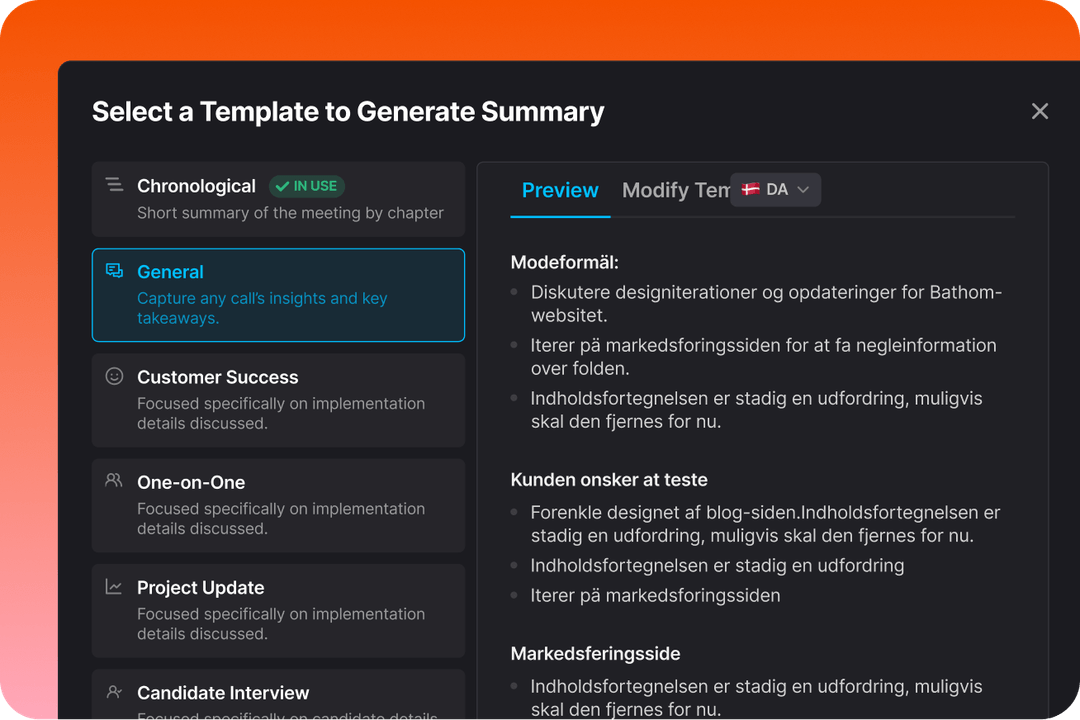
Fathom produces word-perfect transcripts with speaker labels and timestamps
This is the headline and it holds up under scrutiny. Unlike nearly every competitor, Fathom does not cap your free tier at 5 hours per month, 300 minutes per month, or any other arbitrary limit. You can record every meeting you attend, all day, every day, on the free plan.
The transcription quality is high. We tested it on meetings with multiple speakers, non-native English speakers, and calls with background noise, and accuracy was consistently strong. Fathom also supports 30+ languages, which matters for international teams.
AI Meeting Summaries
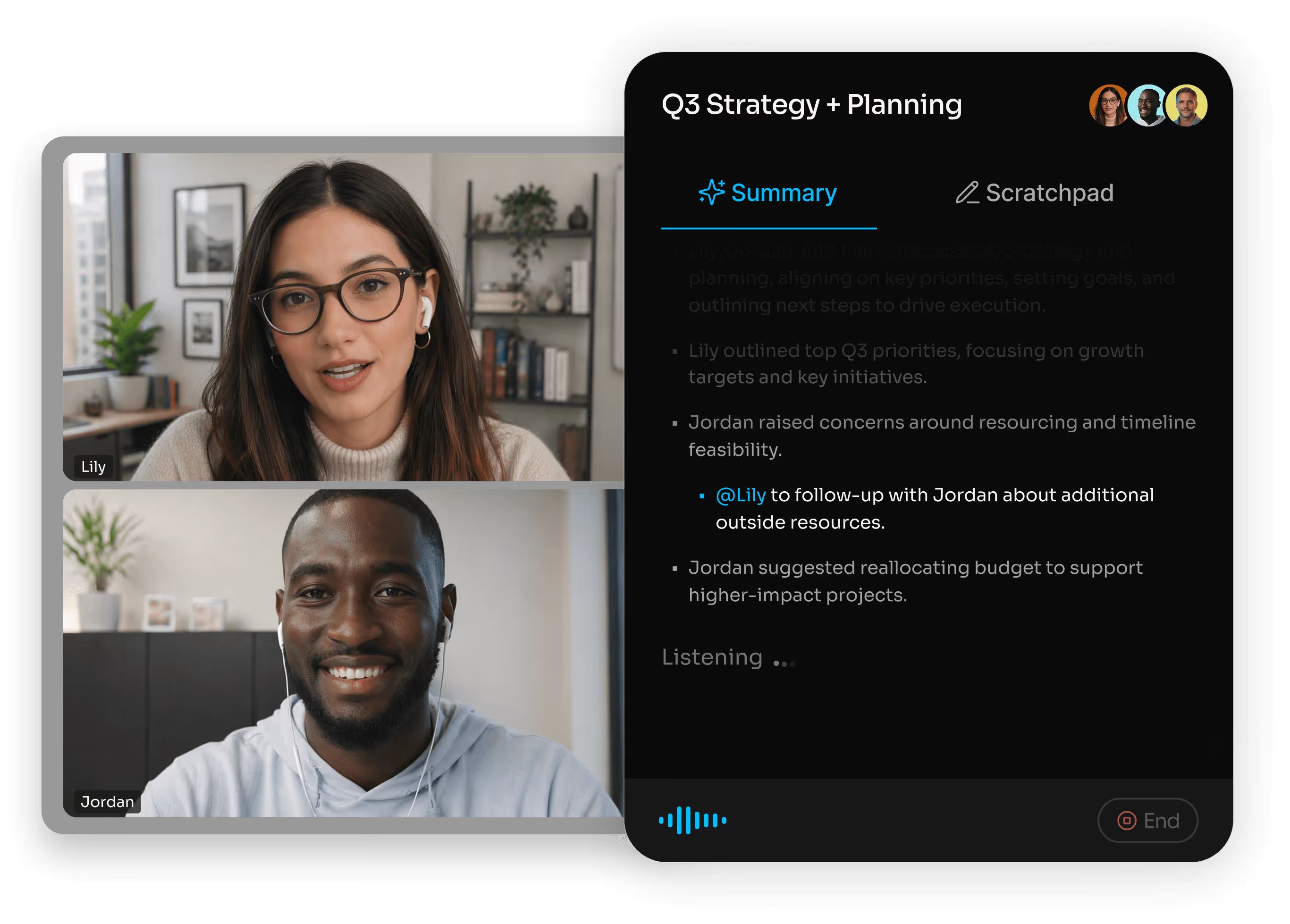
AI summaries are ready within 30 seconds of meeting end, structured by topic
Fathom's AI summaries are the core product. After each meeting, you receive a structured summary that includes an overview paragraph, a list of topics covered, action items with the person responsible, and a full timestamped transcript.
The summaries are generated using large language models trained on meeting content, and they reflect what was actually said rather than producing generic filler. In our testing, the summaries from a 45-minute client call captured the key decisions, the next steps, and the context accurately enough that we could share them with stakeholders who did not attend.
One detail worth noting: summaries arrive within about 30 seconds of the meeting ending. That is fast. Competitors sometimes take 5 to 10 minutes. When you are jumping from one call to the next, getting the summary immediately is a genuine quality-of-life improvement.
Highlight Clips
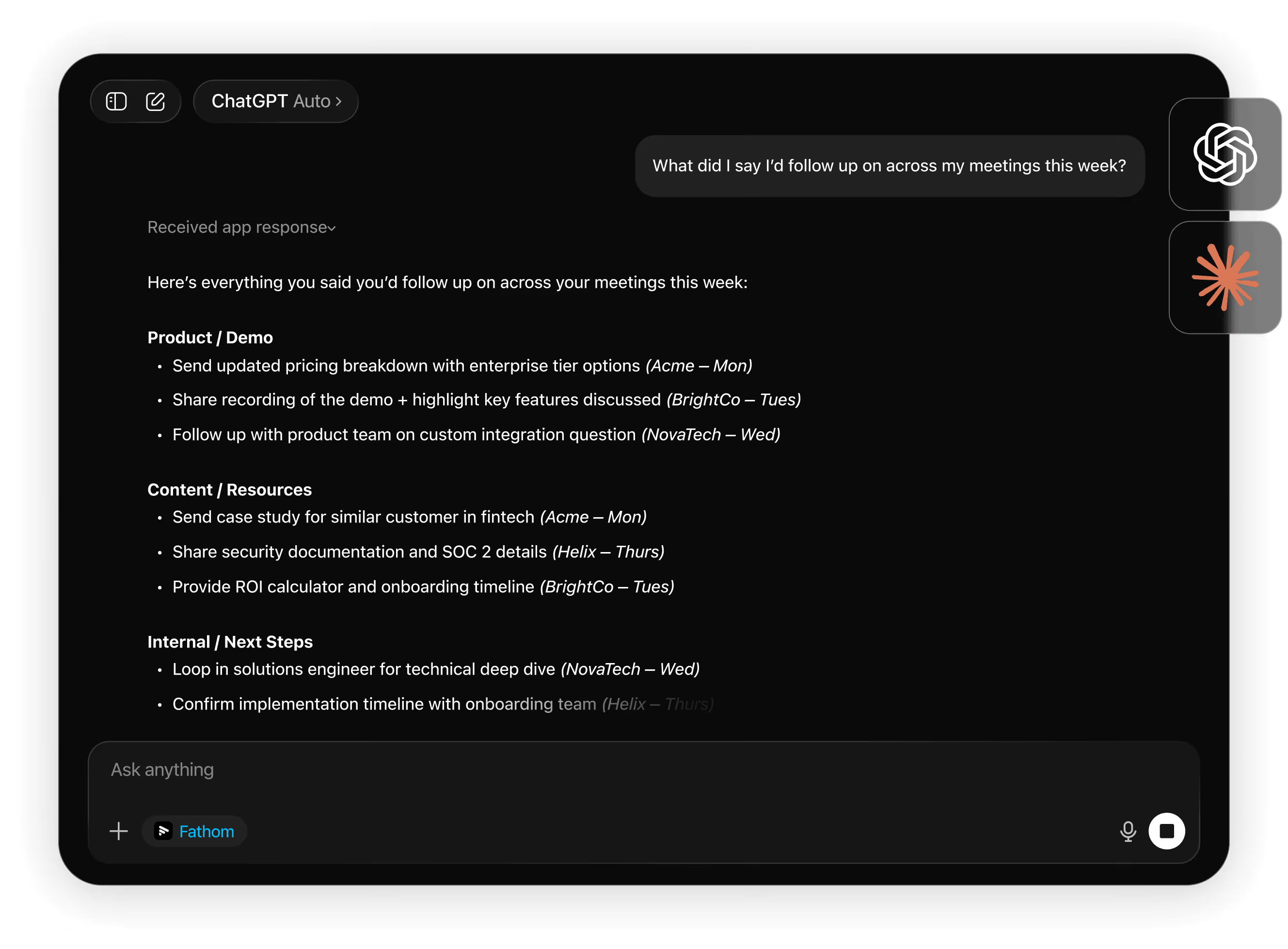
Fathom automatically monitors key topics so you never miss critical moments
You can mark moments during a meeting as highlights while the call is happening, or after the fact by reviewing the transcript. Highlights let you clip specific segments of a meeting to share with teammates or clients who need to see a particular exchange without watching the full recording.
This feature is more useful than it sounds for sales teams. Being able to clip a moment where a prospect expressed a specific concern, or confirmed interest in a particular feature, and send that clip to your manager or your deals channel creates a tangible record that is far more persuasive than written notes.
CRM Sync - Salesforce and HubSpot
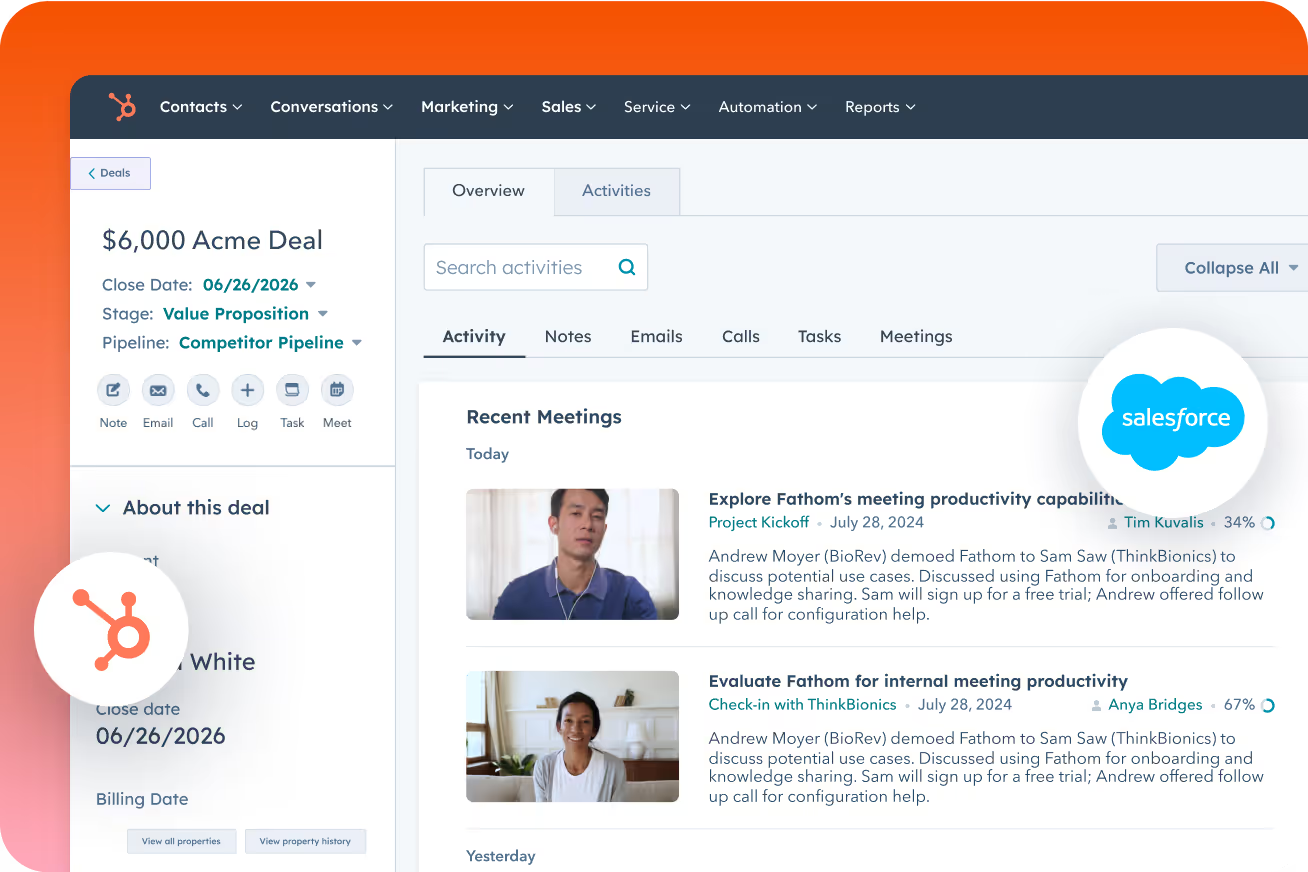
Fathom writes meeting summaries and action items directly into your HubSpot or Salesforce deal record
On the paid plans, Fathom connects to Salesforce and HubSpot and writes meeting notes directly to the relevant contact or deal record. You attend a sales call, the meeting ends, and the summary appears in your CRM within moments.
This eliminates a painful manual step that sales reps either skip (leading to data gaps) or spend 10 minutes completing after every call (leading to context loss). The sync is configurable: you can choose which fields to populate and whether to sync automatically or review before sending.
In our testing the sync worked reliably. Notes appeared in HubSpot within 60 seconds of the summary being generated.
Slack Notifications
Fathom can send meeting summaries to a Slack channel immediately after a call. You can configure this per meeting or as a default for all meetings. For teams that live in Slack, this means no one needs to log into a separate tool to see what happened in a meeting they missed.
The Slack message includes the meeting title, the summary, and a link to the full recording and transcript. It is formatted cleanly and does not create noise.
30+ Language Support
Fathom transcribes and summarizes meetings in more than 30 languages. During our testing we verified Spanish, French, German, and Portuguese. The quality was strong for all of these.
This matters more than it might seem. If your team is globally distributed, or if you have clients or partners who prefer to conduct meetings in their native language, a tool that only handles English fluently is a handicap.
Zoom Native Integration
Most AI meeting assistants join calls as a bot participant. On Zoom, Fathom has a native app integration through the Zoom App Marketplace that provides a different, more integrated experience. The bot behavior is smoother, and users have reported fewer consent-prompt issues.
For companies that have standardized on Zoom as their video conferencing platform, this native integration is a material advantage over competitors.
Pros
- Best free plan in the AI meeting assistant market - unlimited everything, no limits
- Summaries delivered within 30 seconds of meeting end
- Transcription quality is consistently high across speakers and accents
- Native Zoom integration provides a smoother experience than competitor bots
- 30+ language support works reliably for major languages
- Clean, readable summaries that can be shared with clients without editing
- CRM sync to Salesforce and HubSpot is reliable and fast
- No aggressive upselling or artificial limits designed to push you to paid
Cons
- Google Meet and Teams experience is less polished than Zoom
- No mobile app for recording - requires Mac or Windows desktop app
- CRM sync is a paid feature only, which matters for sales teams evaluating the free plan
- Teams with enterprise-level bot restrictions may encounter issues with the meeting bot being blocked
- The highlight clip feature requires some manual work during the meeting to get the most value
Who Fathom Is Best For
Ideal for
Freelancers and solo professionals
Freelancers and solo professionals are the primary audience for the free plan. If you have client calls and want an automatic record of every conversation, Fathom gives you this at zero cost. No other tool matches the unlimited free tier.
Ideal for
Small teams on Zoom
Small teams on Zoom benefit from the native integration and the clean summary output. If your team is under 20 people and you primarily use Zoom, Fathom on the Team plan at $15/user is a strong choice.
Ideal for
Sales teams using HubSpot or Salesforce
Sales teams using HubSpot or Salesforce will get the most from the Team plan, where the CRM sync eliminates post-call admin work. The combination of reliable transcription, accurate action item extraction, and automatic CRM notes is genuinely useful for quota-carrying reps.
Ideal for
Teams wanting to test before paying
Teams wanting to test before paying can use the free plan indefinitely and upgrade only if they need the CRM sync or team features. This low-risk entry point is worth taking advantage of.
Ideal for
Teams with heavy Teams or Meet usage
Teams with heavy Teams or Meet usage may find the experience less smooth and should consider testing alternatives that have stronger integrations with those platforms.
Security and Privacy
Fathom takes security seriously for a product that processes sensitive meeting audio. Key credentials:
- SOC 2 Type 2 certified - independently audited security controls
- HIPAA eligible - suitable for healthcare organizations with a Business Associate Agreement
- End-to-end encryption - recordings and transcripts are encrypted in transit and at rest
- Meeting consent - Fathom announces recording at the start of each call
- Data retention controls - you can delete recordings and transcripts at any time
- No training on your data - Fathom does not use your meeting content to train AI models
- For enterprise customers, Fathom offers additional security controls including SSO, audit logs, and custom data retention policies.
Top Alternatives to Fathom
Fireflies.ai
More platform integrations and a stronger analytics dashboard. The free plan has stricter limits than Fathom. Better if you need Webex or phone call recording.
Otter.ai
Strong live transcription and good for in-person meetings. Free plan is capped at 300 minutes per month. Better for education and content creators.
MeetGeek
Excellent meeting analytics and customizable templates. Better for managers who want insights into meeting patterns rather than just transcripts.
Avoma
Full sales intelligence platform with conversation coaching and deal intelligence. More expensive but significantly more powerful for revenue teams.
tl;dv
Clean interface with strong European privacy credentials. Good for teams that prioritize GDPR compliance and want a simple, no-frills recorder.
Verdict
Overall Rating
Fathom is the easiest recommendation in the AI meeting assistant category for most users.
Fathom is the easiest recommendation in the AI meeting assistant category for most users. The free plan is unmatched: unlimited recordings, unlimited transcription, unlimited summaries, no expiration. If you run meetings and you are not already using an AI meeting assistant, start with Fathom's free plan today.
For sales teams, the paid Team plan at $15/user/month adds CRM sync that eliminates post-call admin work. For freelancers and small teams, the free plan is all you need. The main reasons to look elsewhere are if you rely primarily on Microsoft Teams or Google Meet (where the experience is less smooth than on Zoom), or if you need advanced meeting analytics and coaching features that Fathom does not offer.
Rating: 4.7/5. The free plan alone earns Fathom a recommendation. The paid plans are reasonably priced and add genuine value for sales teams. The Zoom experience is best-in-class. The only meaningful weaknesses are the lack of mobile recording and the less polished Teams and Meet integrations.
Ratings by category
Plans & pricing
| Plan | Price | Features |
|---|---|---|
| Free | Free Individual plan — unlimited recordings, limited AI summaries | |
| Premium | $16/mo per user/month, billed annually ($20/mo monthly) — individual plan with full AI summaries | |
| Team | $15/mo per user/month, billed annually ($19/mo monthly) — min 2 users | |
| Business | $25/mo per user/month, billed annually ($34/mo monthly) — min 2 users, advanced analytics |
Pricing history
- Apr 2026Free: unlimited recordings, 5 AI summaries/mo. Premium: $20/mo (or $16/mo annual). Team Edition: $29/mo (or $19/mo annual). Business: $39/mo (or $29/mo annual, includes CRM sync).
Final verdict
Final verdict
Fathom earns its reputation as the default recommendation for anyone wanting an AI meeting recorder for free. The core loop (record, transcribe, summarize, sync to CRM) works reliably and faster than most competitors. It falls short on breadth: three supported platforms, no mobile app, and a feature ceiling that advanced sales teams will hit quickly.
Ease of use
9.0
Value for money
10.0
Features
7.0
Support
8.0
Integrations
7.0
Accuracy
8.0
If Fathom is not for you
Alternatives worth considering:

Fireflies.ai
Transcribe, summarize, search, and analyze all your team conversations automatically.
Try Fireflies.ai →
Avoma
An all-in-one AI platform for meeting notes, scheduling, coaching, and revenue intelligence.
Try Avoma →Head-to-head comparisons
What changed in this review
- 2026-04-16Initial review published
Featured in 5 best lists
Compared with
Alternative to
Frequently Asked Questions
Is Fathom actually free?
The free plan is genuinely free with no time limits and no storage limits. You can record every meeting you attend indefinitely. The free plan includes unlimited recordings, unlimited transcription, and unlimited AI summaries. CRM sync and some team features require a paid plan starting at $15/user/month, but the core product is free forever.
Does Fathom work with Microsoft Teams?
Fathom supports Microsoft Teams. The experience on Teams is functional but less polished than on Zoom, where Fathom has a native app integration. On Teams, Fathom joins as a bot participant. Some enterprise Teams configurations restrict external bots, which can cause friction. If Teams is your primary platform, test Fathom on a few calls before committing.
How do I cancel my Fathom subscription?
You can cancel from the billing section of your Fathom account settings. Fathom does not require you to contact support to cancel - it is self-service. After cancellation, you retain access through the end of your billing period and then drop to the free plan. You do not lose your existing recordings.
Is Fathom safe for enterprise use?
Fathom is SOC 2 Type 2 certified and HIPAA eligible, which covers the security requirements for most enterprises and healthcare organizations. The Enterprise plan adds SSO, audit logs, and custom data retention. That said, some large enterprises have policies restricting AI meeting bots from joining calls, so verify your organization's policy before deploying broadly.
What is the best alternative to Fathom for sales teams?
For sales teams that need conversation intelligence, coaching, and deep CRM integration beyond basic note sync, Avoma is the most complete alternative. It is more expensive (starting at $19/month for Starter) but adds deal intelligence, rep coaching features, and bidirectional CRM sync with Salesforce, HubSpot, and Pipedrive. For sales teams that want Fathom-level simplicity with slightly more analytics, MeetGeek is also worth evaluating.
Can I use Fathom for meetings in languages other than English?
Fathom supports transcription and summarization in 30+ languages. Major languages including Spanish, French, German, Portuguese, Italian, Dutch, Japanese, and Korean are all supported. Accuracy is highest for English but is generally strong across supported languages.
Does Fathom record in-person meetings?
Fathom records virtual meetings through Zoom, Google Meet, and Microsoft Teams. It does not have a mobile app or an in-person recording mode. If you need to record in-person meetings or phone calls, Otter.ai or Fireflies.ai are better options.