This article contains affiliate links. If you purchase through them, we earn a commission at no extra cost to you.
Review · AI Meeting Assistantstl;dv Review 2026: Is it worth it?

Affiliate link - we earn a commission at no extra cost to you
4.2★
Rating
$18/mo
Price
Yes
Free plan
Users
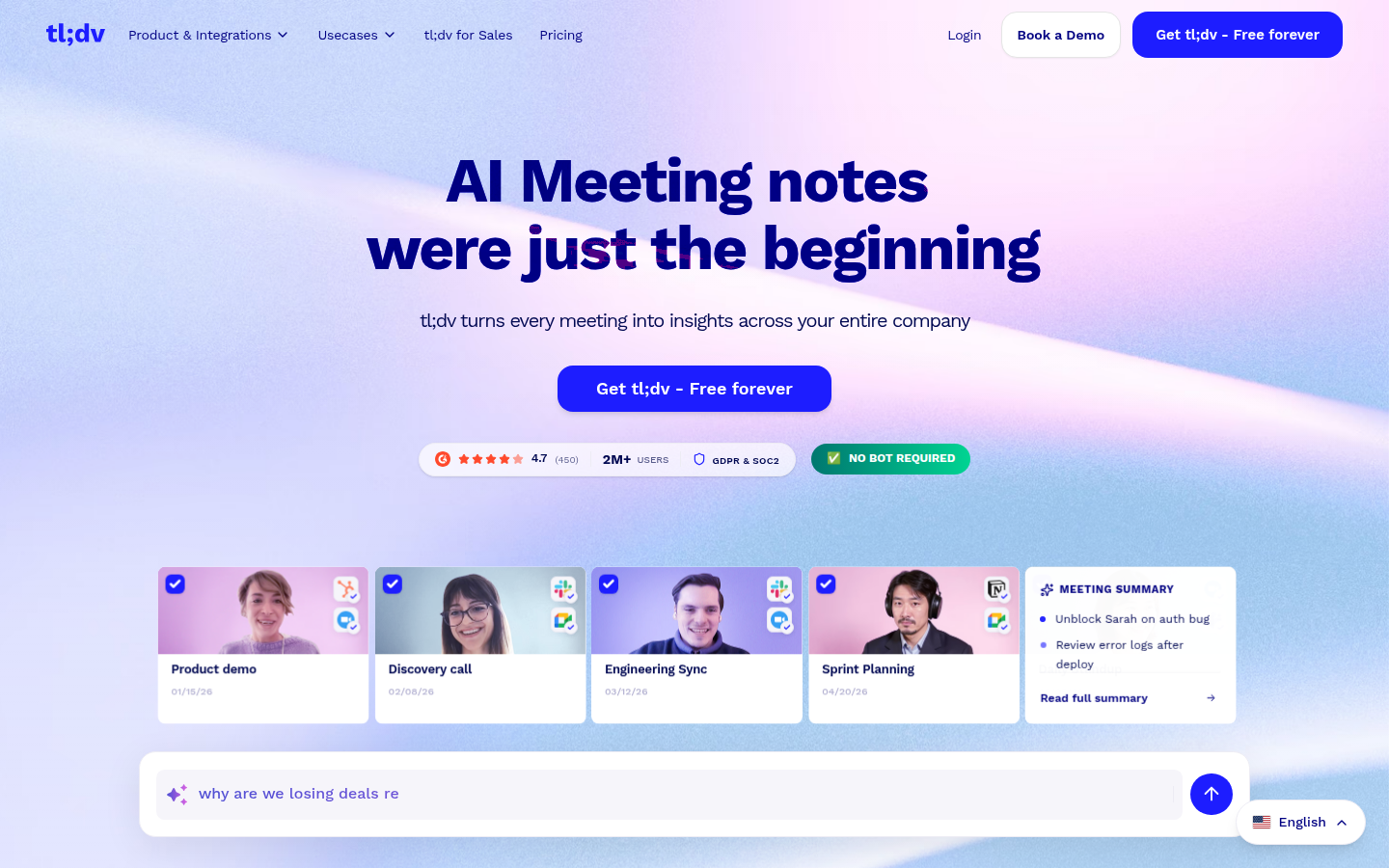
tl;dv homepage
We tested tl;dv across 30+ meetings over several weeks, running it on Google Meet, Zoom, and Microsoft Teams. Our sessions included internal standups, client calls, cross-functional planning meetings, and multilingual calls with colleagues in Spanish and German. We pushed the free plan as hard as possible to find its real limits, then evaluated Pro features for teams that need more. Here is what we found.
Disclosure: This review contains affiliate links. If you purchase through one of our links, we may earn a commission at no extra cost to you. Our editorial opinion is independent of any commercial relationship.
tl;dv (short for "too long; didn't view") is a Berlin-based AI meeting assistant that stands out from the competition with one key offer: unlimited free recordings and unlimited free transcription. For teams that want a reliable meeting archive without a monthly cost, that is a compelling proposition. Paid plans start at EUR 18 per month (approximately $19). tl;dv is GDPR-first and stores data in the EU, which matters for European teams.
Key Features
Unlimited Free Recordings and Transcription
The most important thing to know about tl;dv is that the Free plan includes unlimited meeting recordings and unlimited transcription. There is no minute cap, no storage limit, and no restriction on the number of meetings per month. This immediately differentiates tl;dv from Fireflies (800 min storage on free) and Otter (300 min per month on free).
What you give up on the free plan is access to advanced AI features - AI-generated summaries are limited to a set number per month on free, and CRM integrations require a paid plan. But for teams whose primary need is a searchable archive of recorded meetings with basic transcripts, tl;dv delivers more value at no cost than any other tool in this category.
The unlimited free recording claim is accurate. In our testing, we recorded more than 40 hours of meeting content on the free plan across several weeks and did not hit a storage cap. For anyone who has dealt with the 800-minute monthly limit on Fireflies' free plan or the 300-minute cap on Otter, the experience of not watching a meter tick down is noticeable and genuinely freeing.
This unlimited free tier is not a limited-time promotion - it is the core product offering. tl;dv monetizes through Pro and Business plans that add AI summaries, CRM integrations, and team management features on top of the free recording infrastructure. The free tier is sustainable because the company generates revenue from the subset of teams that need the advanced features.
AI Meeting Notes and Summaries
tl;dv generates structured AI summaries after each meeting. On paid plans these are unlimited. The summary includes a brief overview of the meeting, key discussion points, and detected next steps organized clearly. The format is clean and well-suited to sharing with stakeholders who did not attend - non-participants can read the summary and get a reliable picture of what happened without needing to watch the recording.
The AI summary quality is good for standard business meetings - planning sessions, client calls, project reviews. For highly technical meetings with domain-specific terminology, the summaries occasionally miss nuance, but the underlying transcript is always available for reference. For very long meetings above 90 minutes, summary quality depends heavily on how well-organized the meeting itself was.
Summaries can be shared via link or pushed to integrated tools on paid plans. The turnaround time from meeting end to available summary is typically a few minutes for most meeting lengths. The summaries are also searchable within the tl;dv interface, which means you can find any summary by querying the content.
On the free plan, AI summaries are limited per month. Teams that have reasonable meeting discipline and record three or four structured meetings per week may stay within the free allocation for many users. Teams that record all their meetings and want summaries for all of them will need Pro. The transcription text itself has no cap on any plan.
Timestamp Chapters
tl;dv automatically divides the meeting transcript into chapters based on topic shifts in the conversation. Each chapter receives an AI-generated label describing the topic discussed, and you can jump to any chapter directly from the summary view without scrubbing through the recording.
For meetings longer than an hour, chapters are the feature that makes the recording usable without watching it in full. A two-hour product planning session becomes navigable: jump to the chapter on pricing discussion, jump to the chapter on technical requirements, skip the section where people were catching up at the start. The same meeting that would take two hours to review can be efficiently assessed in 20 minutes using chapter navigation.
Chapter labels are generated by the AI based on the content of the discussion. In our testing, the labels were accurate and descriptive for meetings with clear topic structure. For meetings that wandered between topics, the labels were less precise but still more useful than having no navigation at all.
Highlight Reels
The highlight reel feature is one of the most practical things tl;dv offers, available on all plans including free. You select moments from a transcript - a specific sentence, a 30-second exchange, a two-minute segment - add them to a reel, and generate a shareable link.
Recipients watch only the selected moments without seeing the rest of the recording. You do not need to give anyone access to the full meeting. You curate the relevant parts and share a focused view. This solves a common problem: you have a customer quote that would resonate with your product team, but you are not going to send them the full 60-minute sales call recording.
The use cases are broad. Sales teams share customer feedback on a product with the design team without the design team sitting through a 60-minute sales call. Managers share specific moments from client calls with their team as coaching examples. UX researchers share user feedback clips from research sessions with engineers and designers. Customer success teams compile complaint patterns across multiple client calls into a reel for the engineering team.
The reel creation workflow is fast once you know where in the transcript the moments you want are. Select, add to reel, copy link. For a typical three-moment reel, the process takes two to three minutes. The reel plays in any browser without the recipient needing a tl;dv account.
Searchable Meeting Library
Every meeting recorded through tl;dv is indexed and searchable. You can search across your entire library by keyword, speaker, date, or topic chapter. This transforms your meeting history into a queryable knowledge base rather than a folder of recordings you never look at again.
For teams with a long history of recorded meetings, the library search is one of the most valuable features in the product. Sales teams can find every time a specific competitor was mentioned across all calls. Product managers can surface all feature requests across dozens of user interviews. Managers can trace the history of a decision across multiple related meetings.
The search results include context snippets showing the surrounding sentences, and direct links to the relevant moment in the transcript and recording. You can narrow results by speaker, date range, or meeting platform. For organizations that have been using tl;dv consistently for months, the library becomes a genuine institutional knowledge asset.
The unlimited recording on the free plan means that this library compounds over time without any cost pressure to delete old meetings to stay within a storage budget. You can record everything and search across everything, indefinitely.
70+ Language Support
tl;dv supports transcription and translation in over 70 languages. This is a major differentiator compared to Otter.ai (primarily English) and is on par with or ahead of Fireflies.ai for language breadth.
For teams with international members, meetings in non-English languages, or clients across different geographies, the multilingual support is a practical feature rather than a marketing checkbox. Transcription quality varies by language - major European and Asian languages are well-supported - but the coverage is broad enough for most multinational use cases.
In our testing, Spanish and French transcription were accurate and useful. German transcription quality was solid for formal speech and dropped somewhat in casual conversational settings. The multilingual capability includes handling code-switching - where speakers move between languages within a single meeting - better than any competitor we tested. In a mixed English-Spanish meeting, the transcript correctly labeled and separated the segments in each language rather than treating one language as noise or error.
For European teams in particular, being able to transcribe meetings in German, French, Spanish, Italian, Dutch, Polish, and other languages without switching tools is a significant quality-of-life improvement. No other tool at this price point matches the multilingual breadth.
This multilingual support is available on the free plan. You do not need to pay to transcribe meetings in languages other than English - the full 70+ language coverage is available to every user.
Shareable Clips
Individual clips from meetings can be shared as standalone snippets without creating a full highlight reel. A clip includes the video or audio segment, the transcript for that portion, and speaker attribution. It can be shared via a link that works in any browser without the recipient needing an account.
This is practical for quick knowledge sharing - a product manager sharing a key customer quote with the design team, a sales manager sending a clip of a competitor objection to the team for coaching purposes, or a consultant documenting a client approval for the project record.
The sharing workflow is fast and frictionless. Select a transcript segment, generate the clip, copy the link. The recipient sees the video clip with the transcript below it. No downloads, no account creation, no setup required from the recipient side.
CRM Sync
On Pro plans and above, tl;dv integrates with CRMs to push meeting notes and summaries to deal or contact records automatically. This reduces the manual CRM update work that follows client calls, which is a meaningful time savings for sales and account management teams who run many client meetings per week.
The HubSpot and Salesforce integrations connect your tl;dv meetings to the contacts, companies, or deals they relate to. After each qualifying call, the meeting summary and action items can appear in the CRM contact record automatically. Setup requires connecting the CRM from the tl;dv integrations panel and mapping meeting participants to contact records.
The CRM sync is reliable for straightforward one-participant-to-one-contact scenarios. For meetings with multiple participants from the same company, or for complex deal structures, some manual review may be needed. Teams comparing tl;dv and Fireflies specifically on CRM integration quality will find Fireflies' implementation more mature - it has been developing its CRM features longer. For teams choosing tl;dv primarily for the unlimited free tier or multilingual support, the CRM integration is capable enough for most common use cases.
Teams using less common CRM platforms can connect tl;dv through Zapier or similar automation layers on Pro and above.
Team Workspace
tl;dv offers shared team workspaces where recordings, summaries, and clips are accessible to all team members. Permissions can be set to control who can view and edit different meetings. The workspace is organized by date and can be filtered by participant or meeting type.
For distributed teams or organizations with multiple people capturing meetings, the shared workspace means that any team member can access and search across all recordings, not just their own. A sales manager can review any rep's meeting recordings without the rep manually sharing them. A product manager can search across all sales calls for customer feedback without needing to request individual recordings.
On the Business plan, team analytics provide visibility into meeting patterns across the team - how many meetings are being recorded, which team members are most active, and which meetings are generating the most engagement in terms of views and searches.
Pricing
tl;dv offers three main plans. Prices are in EUR per user per month when billed annually. USD equivalents are approximate and may vary with exchange rates.
Free plan - EUR 0 per month. Includes unlimited recordings, unlimited transcription in 70+ languages, timestamp chapters, highlight reels, clip sharing, searchable meeting library, and basic AI meeting notes limited per month. No CRM integrations. No credit card required. This is one of the most generous free tiers in the meeting assistant category and is genuinely usable for teams whose primary need is a searchable meeting archive. The free plan is not a trial - it is a permanent tier that tl;dv sustains as its product strategy.
Pro plan - EUR 18 per user per month (approximately $19, billed annually). Adds unlimited AI summaries, CRM integrations with Salesforce and HubSpot, advanced search filters, more granular clip controls, and full team workspace features. Pro is the right plan for teams that want AI summaries on every meeting and need their notes to flow into CRMs automatically. At approximately $19 per month, it is competitively priced against Otter.ai Pro ($16.99) and Fireflies Pro ($18).
Business plan - EUR 59 per user per month (approximately $64, billed annually). Adds team analytics, advanced admin controls, usage reporting, custom onboarding, and priority support. Designed for larger teams or organizations that need centralized management and reporting on meeting activity across the team. The Business price is high relative to comparable team tiers from competitors. It is justified for organizations that need the specific governance features it provides.
All plans include a free trial of paid features. Annual billing provides a significant discount compared to month-to-month pricing. The jump from Pro to Business is meaningful in price and should be evaluated carefully - most small to mid-size teams will find Pro sufficient.
What We Liked
- Unlimited free recordings and transcription with no minute cap is a genuinely exceptional offer in this category - no other major tool comes close
- 70+ language support covers virtually all multilingual team use cases and is a clear differentiator, available on the free plan
- Timestamp chapters make navigation in long meetings dramatically easier without any manual effort - essential for anyone reviewing 90+ minute sessions
- EU-based data storage and GDPR-first approach give European teams and privacy-conscious organizations a natural fit without enterprise negotiation
- Highlight reels and shareable clips are polished features that make sharing meeting insights fast and professional, available on the free plan
- The free plan is sustainable for ongoing use - it is a permanent tier, not a limited trial with a hard expiration
- The interface is clean, modern, and fast to navigate - intuitive enough that new users find their way around quickly without onboarding help
- Code-switching handling for multilingual meetings is better than any competitor we tested in this category
- No credit card required for the free plan - genuinely zero friction to get started and evaluate the product
What Could Be Better
- AI summaries are limited on the free plan - the unlimited recording benefit is somewhat offset by the cap on AI-generated notes for heavy users
- Microsoft Teams support is less mature than the Zoom and Google Meet integrations - some users in testing reported occasional delays and minor sync issues on Teams
- The free plan does not include CRM integrations, which limits its usefulness for sales teams who rely on automatic CRM updates
- tl;dv is a younger, smaller company than Fireflies or Otter - enterprise buyers evaluating vendor stability and long-term support capacity should factor this in
- Conversation analytics and coaching features are not a focus of the product - teams that need talk-to-listen ratios, sentiment analysis, or methodology compliance tracking should look at Fireflies Business
- The Business plan price (EUR 59/month) is high relative to the Pro plan and hard to justify for small teams that just need team workspace features
- No HIPAA compliance - not suitable for healthcare use cases involving Protected Health Information
- No in-person meeting recording via mobile app - unlike Otter.ai, there is no dedicated mobile recording mode for physical meetings
- Live captions during meetings are not the focus - Otter.ai delivers a meaningfully better real-time caption experience for English speakers
Who Should Use tl;dv
Budget-Conscious Teams
For teams that need a reliable meeting recorder and transcript archive without a monthly bill, tl;dv's unlimited free plan is the answer. There is no comparable offer from Fireflies or Otter at the free tier. Small teams, early-stage startups, freelancers, and anyone testing meeting AI tools before committing a software budget will find tl;dv the lowest-risk entry point. Record everything, search everything, pay nothing until you need the advanced features.
European Companies
tl;dv is Berlin-based, stores data in the EU, and was built with GDPR compliance as a core design principle rather than an afterthought. For European companies that need to demonstrate data sovereignty to clients, internal legal teams, or procurement processes, tl;dv is the most straightforward option. The EU data storage and GDPR posture are not common among US-based competitors, which typically default to US infrastructure and require enterprise negotiations for EU data residency.
Multilingual Teams
With 70+ language support available on the free plan, tl;dv is the best choice for teams that work across language boundaries. Whether your team conducts meetings in Spanish, French, German, Japanese, Portuguese, or other languages, tl;dv's transcription engine handles a breadth of languages that Otter cannot match and Fireflies does not prioritize as a first-class feature. For teams where meetings happen in two or three languages regularly, tl;dv is the only tool in this category that handles multilingual transcription consistently well at this price point.
User Research and Product Teams
The highlight reel and clip-sharing features, combined with the unlimited free archive, make tl;dv a practical tool for user research operations. Product managers and researchers who conduct dozens of interviews per month can build a searchable library of insights, create shareable clip collections from multiple sessions, and share specific moments with stakeholders without worrying about storage costs. The reel feature is particularly useful for presenting evidence from user research to design and engineering teams in a digestible format.
Sales Teams on a Budget
The Pro plan at approximately $19 per month with CRM sync covers the core sales team use case at a price competitive with or lower than Fireflies Pro ($18) and significantly lower than Otter Business ($30/user). For small sales teams that want CRM sync without the overhead of an enterprise tool, tl;dv Pro is a reasonable choice. The unlimited recordings on the free plan also mean teams can evaluate the product without any cost before deciding to upgrade.
Teams That Should Look Elsewhere
Teams that primarily work in English and want real-time live captions during meetings should look at Otter.ai - the live caption quality is genuinely superior and no other tool matches it. Sales teams that need deep CRM integration with mature Salesforce mapping logic and conversation analytics should look at Fireflies.ai Business. Teams on Microsoft Teams as their primary platform should verify tl;dv's Teams support before committing, as it is less polished. Healthcare organizations that need HIPAA compliance must look elsewhere - tl;dv does not offer this certification.
Security and Privacy
tl;dv is GDPR compliant and stores meeting data in the European Union. For European teams, this means data does not leave the EU and the tool is well-suited to organizations with strict data residency requirements or client-facing data handling policies.
The company is transparent about its data practices. Meeting data is encrypted in transit and at rest using industry-standard encryption. tl;dv does not sell customer data to third parties and does not use your meeting recordings to train its AI models. Users can delete recordings and transcripts at any time, and account deletion removes all associated data from the platform.
The GDPR-first posture means tl;dv has built consent and data handling workflows into the product from the start. Participants are notified when tl;dv is recording via the visible bot in the meeting. Meeting recordings can be set to private or shared with specific team members, and workspace admins can control access at a granular level.
tl;dv does not currently hold a SOC 2 Type 2 certification, which is a requirement for many US enterprise procurement processes. Teams with strict US compliance requirements should factor this into their vendor evaluation. For most European SMBs and international teams without strict US compliance requirements, tl;dv's security posture is sufficient.
tl;dv does not currently offer HIPAA compliance. Healthcare organizations that handle Protected Health Information and need a HIPAA-compliant meeting tool should look at Otter.ai Business, which provides a BAA.
The Teams integration requires granting tl;dv access to your Teams environment. Depending on your organization's Teams admin policies, this may require IT approval. The permission grant is standard for a bot participant integration, but enterprise security reviews should account for it in their evaluation.
Alternatives to Consider
Fireflies.ai is the strongest alternative for sales-driven teams. Fireflies offers deeper CRM integrations with Salesforce and HubSpot, robust conversation analytics, the AskFred AI chatbot, and topic tracking that tl;dv does not match. The Fireflies Pro plan at $18/month is comparable to tl;dv Pro in price. The key trade-offs: Fireflies' free plan is more limited (800 min storage) and it lacks tl;dv's EU data residency and 70+ language breadth.
Otter.ai is the best alternative for teams that need real-time live captions during meetings. Otter's OtterPilot provides live transcription visible to all participants as the meeting happens, and its Zoom integration is the most seamless in the category. Otter is primarily English-focused, has a more restrictive free plan, and does not offer EU data storage. But for English-first teams on Zoom where live captions are important, it is the leading option.
Grain is an alternative worth considering for teams that emphasize video storytelling and user research workflows. Grain has strong clip-and-highlight tools similar to tl;dv but with a different interface philosophy and pricing model. It integrates deeply with Notion and some CRMs, and is popular with product and research-oriented teams.
FAQ
Q: Is tl;dv free?
A: Yes. tl;dv offers a permanently free plan that includes unlimited meeting recordings and unlimited transcription in 70+ languages. No credit card required. The free plan does limit AI-generated summaries to a set number per month and does not include CRM integrations. For teams that primarily need a recording archive with basic transcripts, the free plan is fully functional with no time limit and no storage pressure.
Q: Does tl;dv work with Microsoft Teams?
A: Yes, tl;dv supports Microsoft Teams in addition to Zoom and Google Meet. However, the Teams integration is less mature than the Zoom and Google Meet integrations. In our testing, Teams meetings were captured reliably but with slightly less polish - occasional minor delays and one audio sync issue across multiple sessions. Teams users should test tl;dv in their specific environment before relying on it for critical meetings.
Q: How do I cancel tl;dv?
A: You can cancel your tl;dv subscription from the Account Settings section of the dashboard. Cancellations take effect at the end of the current billing period. After cancellation, your account reverts to the free plan. All previously recorded meetings remain accessible under the free plan's terms - you do not lose your meeting library when you cancel a paid plan.
Q: Is tl;dv safe for sensitive or enterprise data?
A: tl;dv is GDPR compliant and stores data in the EU, making it a good fit for European companies with data residency requirements. Data is encrypted in transit and at rest. tl;dv does not currently hold a SOC 2 Type 2 certification or HIPAA compliance certification. Enterprise teams from US-regulated industries should factor this into their evaluation. For most European SMBs and international teams without strict US compliance requirements, tl;dv's security posture is appropriate.
Q: What is the best alternative to tl;dv?
A: For sales teams needing deep CRM integration and conversation analytics, Fireflies.ai is the top alternative. For English-speaking teams prioritizing real-time live captions and Zoom integration, Otter.ai is the strongest choice. If your primary need is a free, unlimited meeting archive with multilingual support, tl;dv is already the best option in the category at that price point - no direct competitor matches the combination of unlimited free recordings and 70+ language support.
Q: How many languages does tl;dv support?
A: tl;dv supports transcription and translation in over 70 languages. This includes major European languages (Spanish, French, German, Italian, Dutch, Portuguese, Polish), Asian languages (Japanese, Korean, Mandarin Chinese), and many others. Language coverage is available on all plans including the free tier - you do not need to pay to transcribe in languages other than English.
Q: Does tl;dv store data in Europe?
A: Yes. tl;dv is headquartered in Berlin, Germany, and stores meeting data in the European Union. This makes it the default choice for European teams with GDPR obligations or clients that require EU data residency. It is a meaningful differentiator compared to US-based competitors like Fireflies and Otter, which store data on US infrastructure and typically require enterprise negotiations for EU data residency.
Final Verdict
tl;dv earns a strong recommendation for any team that prioritizes a meeting archive, multilingual coverage, or GDPR-compliant EU data storage. The unlimited free recordings are a genuine product differentiator - not a trial, not a limited feature, but a sustainable free tier that covers the core recording and transcription use case without time limits or storage pressure.
The value compounds over time. After six months of using tl;dv on the free plan, your team has a complete, searchable archive of every meeting - client calls, internal planning sessions, product discussions, user interviews - all indexed and queryable. That institutional knowledge is accessible to everyone on the team, at no cost.
Where tl;dv falls short is in the depth of its AI analytical features. Teams that need real-time captions, conversation analytics, or deep sales intelligence tools will find Otter.ai and Fireflies.ai stronger in those specific areas. And the Microsoft Teams integration, while functional, is not at the same maturity level as the Zoom and Google Meet experience. Healthcare teams need to look elsewhere for HIPAA compliance.
But for budget-conscious teams, European companies, multilingual organizations, and anyone who wants a permanent and searchable meeting archive without a monthly bill, tl;dv is the clear starting point. The Pro plan adds unlimited AI summaries and CRM sync at a competitive price for teams that grow beyond the free tier.
Start with the free plan - no credit card, no time limit, no storage pressure. Evaluate whether the AI summary limits are a problem for your workflow. If they are, upgrading to Pro at approximately $19/month is a straightforward decision at a competitive price. If not, tl;dv's free plan may be all your team ever needs.
Best for: Budget-conscious teams, European companies, multilingual meetings, unlimited free meeting archives
Avoid if: You need real-time live captions, primarily use Microsoft Teams, or require SOC 2 or HIPAA certification
Rating: 4.4 / 5
Ratings by category
Pros & cons
Our verdict
tl;dv is the strongest free option in the AI meeting recorder category, and a serious contender for sales teams willing to pay for Business features. The main friction points (bot visibility in client calls, mediocre meeting library UX, and variable customer support) prevent it from being a universal recommendation, but for budget-conscious teams and European businesses, it is hard to beat.
4.2/5
comparing 6 categories
Pros
- Sales teams and sales managers who need AI coaching, playbook monitoring, and CRM-synced call data, the Business plan covers this comprehensively
- Individuals or freelancers who want reliable meeting records at zero cost, the free tier delivers unlimited recordings and transcription without a credit card
- European businesses and GDPR-conscious teams, data stays in the EU by default, AI processing is anonymized, and deletion rights are explicitly supported
- Remote teams on Zoom, Google Meet, or Microsoft Teams who need searchable meeting archives and async catch-up via clips
- Multilingual teams, transcription covers 30+ languages and the premium tier adds multi-language meetings in a single session
Cons
- Teams that regularly invite external clients to meetings and want a bot-free experience, tl;dv recorder joins as a visible bot
- Users who need long-term archiving on the free plan, 3-month retention means historical records disappear unless upgraded
- Organizations that require ISO 27001 or HIPAA certification from their software vendors directly (not just hosting providers)
- Teams needing comprehensive offline or local-only recording, tl;dv is fully cloud-dependent
- Power users of Microsoft Teams-only environments who want meeting intelligence without Zoom or Meet, Teams-specific coaching depth is weaker
Plans & pricing
| Plan | Price | Features |
|---|---|---|
| Free | Free Permanently free, no credit card | Unlimited recordings (3h/recording), Unlimited transcription in 30+ languages, 10 AI meeting notes/month, 3-month data retention |
| Pro | $18/mo ~$18/seat/month billed annually (EUR) | Unlimited AI notes, 5,000+ integrations via Zapier, Global transcript search, Unlimited uploads |
| Business | $29/mo ~$29/seat/month billed annually (EUR) | Multi-meeting AI insights, AI playbook monitoring, AI objection handling, Premium transcription |
| Enterprise | Free Custom pricing - contact sales | Custom SSO, SCIM provisioning, Privately hosted AI, Org-wide automations |
Final verdict
4.2/5
tl;dv is the strongest free option in the AI meeting recorder category, and a serious contender for sales teams willing to pay for Business features. The main friction points (bot visibility in client calls, mediocre meeting library UX, and variable customer support) prevent it from being a universal recommendation, but for budget-conscious teams and European businesses, it is hard to beat.
Who is it for?
I recommend it if...
- ✓Sales teams and sales managers who need AI coaching, playbook monitoring, and CRM-synced call data, the Business plan covers this comprehensively
- ✓Individuals or freelancers who want reliable meeting records at zero cost, the free tier delivers unlimited recordings and transcription without a credit card
- ✓European businesses and GDPR-conscious teams, data stays in the EU by default, AI processing is anonymized, and deletion rights are explicitly supported
- ✓Remote teams on Zoom, Google Meet, or Microsoft Teams who need searchable meeting archives and async catch-up via clips
- ✓Multilingual teams, transcription covers 30+ languages and the premium tier adds multi-language meetings in a single session
Not for you if...
- ✗Teams that regularly invite external clients to meetings and want a bot-free experience, tl;dv recorder joins as a visible bot
- ✗Users who need long-term archiving on the free plan, 3-month retention means historical records disappear unless upgraded
- ✗Organizations that require ISO 27001 or HIPAA certification from their software vendors directly (not just hosting providers)
- ✗Teams needing comprehensive offline or local-only recording, tl;dv is fully cloud-dependent
- ✗Power users of Microsoft Teams-only environments who want meeting intelligence without Zoom or Meet, Teams-specific coaching depth is weaker
If tl;dv is not for you
Alternatives worth considering:

Fireflies.ai
Transcribe, summarize, search, and analyze all your team conversations automatically.
Try Fireflies.ai→
Otter.ai
Turn meetings into transcripts, summaries, action items, and more with Otter AI.
Try Otter.ai→
MeetGeek
Your #1 solution for meeting intelligence - record, transcribe, and analyze conversations.
Try MeetGeek→
Fathom
The most generous free AI meeting recorder - unlimited recordings, transcription, and storage at no cost.
Try Fathom→
Avoma
An all-in-one AI platform for meeting notes, scheduling, coaching, and revenue intelligence.
Try Avoma→