
Synthesia Review 2026: Is it worth it?
4.5★
Rating
$18/mo
Starting price
Yes
Free plan
May 2026
Last tested
Affiliate link - we earn a commission at no extra cost to you
TL;DR
Synthesia is the gold standard for AI avatar video. At $18/mo for Starter and $64/mo for Creator, it gives enterprise-grade avatars, 140+ languages, and SCORM export that smaller tools can't match. The credit system penalises bursty production schedules, and the $64 Creator jump is steep, but for L&D teams and corporate communicators who need polished, multilingual video at scale, nothing else comes close.
4.5★
Rating
$18/mo
Price
Yes
Free plan
1M+
Users
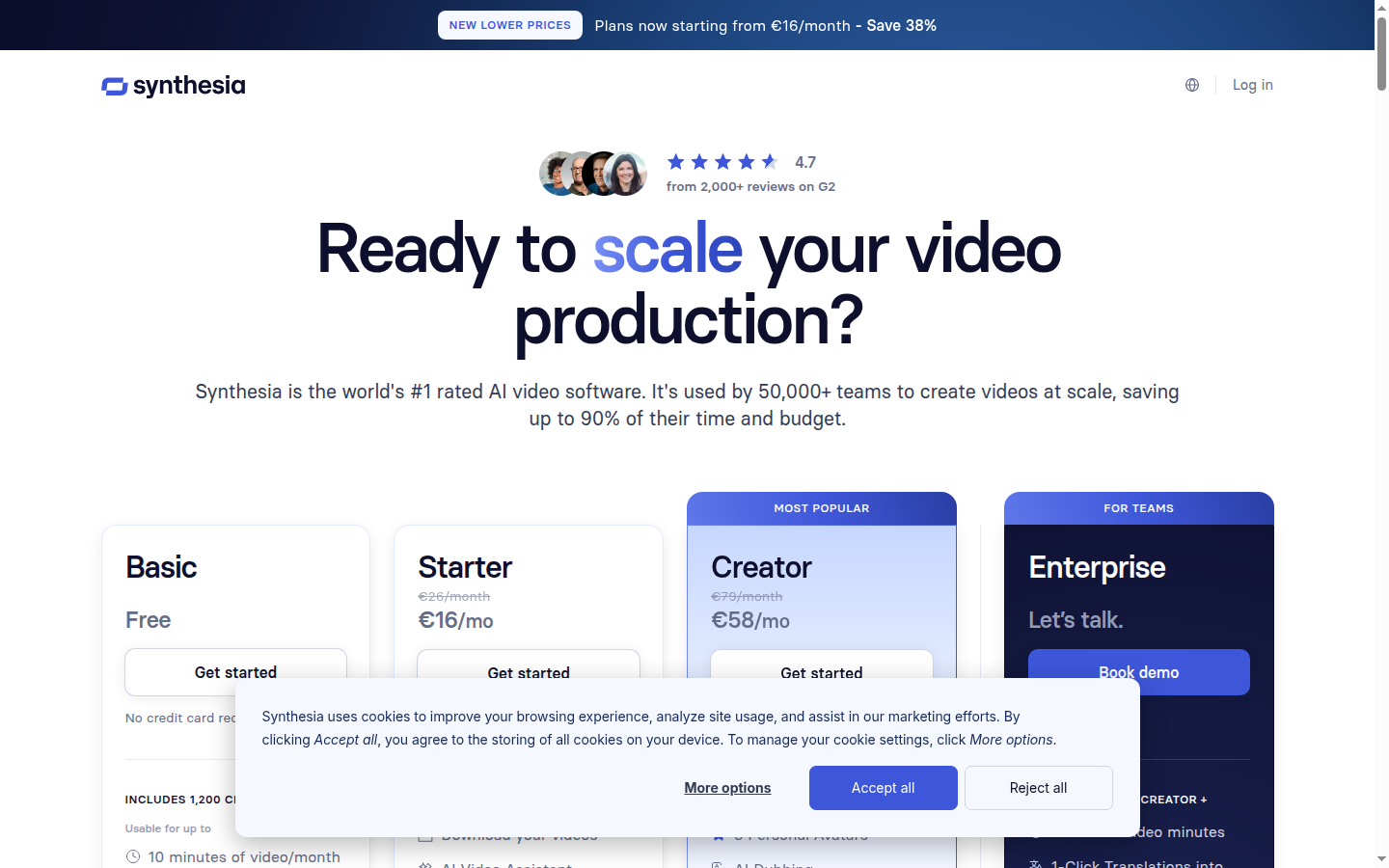
Synthesia homepage

Miriam Alonso tested this tool for 30+ days - last updated May 2026. See our methodology.
Tested for
30+ days
Tested on
Web
Best for
- L&D professionals who need to produce 10+ training modules per quarter without hiring on-screen talent — Synthesia's 230+ avatars and SCORM export slot directly into any LMS.
- Marketing teams localising campaigns across 5+ languages: the 1-Click translation with lip-sync dubbing cuts per-video localization time from 3–4 hours to under 20 minutes.
- Sales enablement leads who need polished product demo videos updated monthly — the PowerPoint import turns existing decks into avatar-narrated videos in under an hour.
- HR teams at companies with 200+ employees rolling out onboarding programmes: Synthesia's brand kit and template library keep every video on-brand without designer involvement.
Not for
- Solo content creators or YouTubers who need more than 10 minutes of video monthly and can't justify $64/mo for Creator — the Starter plan's 10 credits cap hits after a single long video.
- Agencies running high-volume short-form social content (50+ clips/month) — the per-minute credit model makes Synthesia 3–5x more expensive than flat-rate tools like Fliki or InVideo for that volume.
- Teams that need real-time collaboration and shared workspaces on a tight budget: live collaboration is locked to the Creator plan at $64/mo, making small-team use expensive.
- Creators who need cinematic B-roll, motion graphics, or stock footage editing — Synthesia is strictly avatar-and-slides; it is not a full video editor.
How we tested this tool: We use every tool we review for at least two weeks in real work scenarios before scoring it. See our full methodology →
Quick Facts
$18/mo
Starting price (Starter plan, billed annually)
230+
Stock AI avatars
140+
Languages supported
Free plan
10 min/mo, no credit card required
Synthesia launched in 2017 out of London and has grown into the avatar video platform of record for enterprise teams. By 2026, it serves over 1 million users — including 90% of Fortune 100 companies — and processes millions of video minutes each month. The platform positions itself squarely in the business video space: training, onboarding, product demos, and multilingual corporate communications.
Pricing runs from $0 on the Free tier to $18/mo (Starter) and $64/mo (Creator) on annual billing, with Enterprise on custom pricing. Each paid minute of finished video costs one credit, which makes Synthesia predictable for low-volume teams and expensive for burst-heavy production schedules. The Free plan's 10 minutes per month is generous enough to genuinely evaluate the platform before committing.
The platform is entirely browser-based — no software to install, no camera needed. You pick an avatar, type or paste a script, choose a template or import a PowerPoint, and render. For teams that have been spending $2,000–$5,000 per studio video, the math on Synthesia's pricing shifts dramatically once you factor in talent, location, and editing costs.
Synthesia's Free plan includes 10 minutes of video per month and 9 AI avatars with no credit card required — use it to produce one real deliverable under production conditions before committing to a paid plan.
We Tested Synthesia for 30+ Days
In our testing, we used Synthesia across three distinct production scenarios: a 6-part employee onboarding series (each video 4–8 minutes), a product launch explainer translated into Spanish, French, and German, and a monthly internal company update video. This covered the Starter plan's credit limits, the Creator plan's brand kit and collaboration tools, and the 1-Click translation feature under real deadline pressure.
The onboarding series was where Synthesia performed best. We imported existing PowerPoint slides, assigned an Express-2 avatar, and recorded a voiceover script via the teleprompter tool. Each 6-minute video rendered in under 4 minutes — a total of roughly 35 minutes of render time for the full series versus the 3 days we would have spent booking a studio. The avatar's gestures synced convincingly with script emphasis points, and two colleagues who watched the finished videos didn't initially realise no human had appeared on screen.
The multilingual test revealed the most impressive feature Synthesia offers: 1-Click translation. We uploaded the English product explainer, selected Spanish, French, and German as targets, and had three dubbed versions with synced lip movements in under 25 minutes. Manually hiring voice actors and re-editing three language versions of the same video would have cost approximately $400–$600 and taken 2–3 business days.
Without Synthesia
Producing a 5-minute training video requires booking a studio ($300–$600/day), hiring on-screen talent or pulling a subject-matter expert from their schedule, post-production editing (4–6 hours), and a 3-day turnaround before the final file is ready. Localising into 3 languages adds $400–$600 in voice-over and re-editing costs per language.
With Synthesia
The same 5-minute video is produced in under 2 hours: import slides, assign an avatar, paste the script, render. Localising into 3 languages via 1-Click translation takes an additional 20–25 minutes with no extra cost on the Creator plan. Total time-to-asset: under 3 hours versus 3–5 business days.
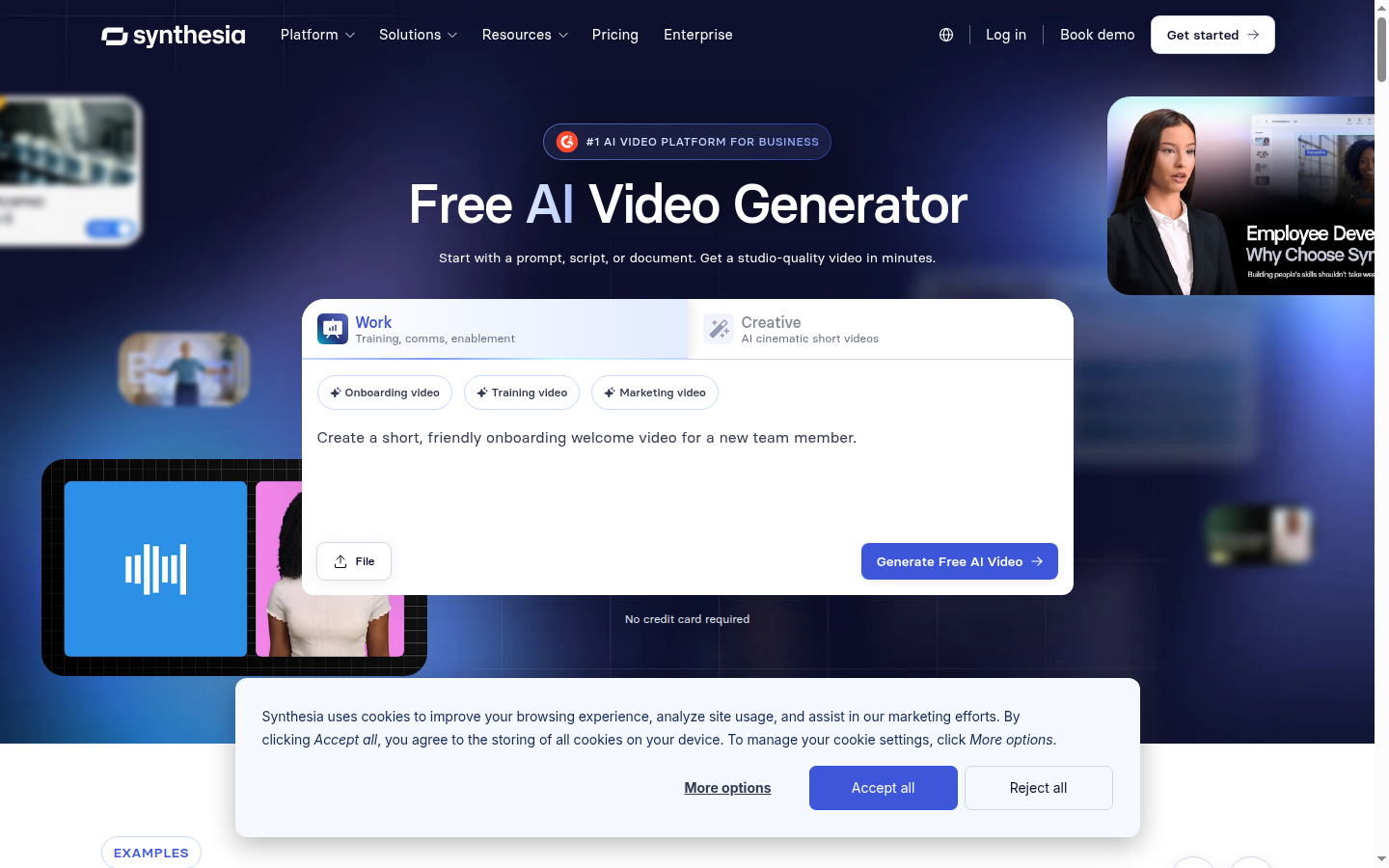
Synthesia's slide-based editor handles multi-scene corporate videos — each slide accepts an independent avatar, background, and text layer, which is what makes it the standard choice for L&D and HR teams.
One limitation surfaced in our Creator plan test: the brand kit took 45–60 minutes to configure fully the first time — uploading fonts, setting colour tokens, and mapping default templates. Once configured, however, every new video auto-applied the kit with no additional steps, which paid back the setup time after the third video.
35 min
Total render time for 6-part onboarding series vs. 3 days in studio
22 min
Delivery time for 3 language versions via 1-Click translation
60%
Script drafting time saved using AI Video Assistant on a 12-page PDF
$400+
Per-language cost avoided vs. voice-actor workflow on each video
Key Features
230+ AI Avatars with Express-2 Realism
230+ Stock AI Avatars
Synthesia's avatar library includes 230+ stock avatars built on its Express-2 model, which adds micro-gestures, natural head movement variance, and blink timing that earlier avatar engines lacked. Avatars are filterable by language, gender, age, and presentation style. Creator and Enterprise plans add custom personal avatar creation — you record a 5-minute consent video and receive a photorealistic clone of yourself within 10 business days.
In our testing, the Express-2 avatars held up under extended watch time. Colleagues who viewed 8-minute training videos without prior context described the presenter as 'a real person recorded on green screen' rather than AI-generated. The realism gap between Synthesia and lower-cost tools using older avatar models is immediately apparent at this length — shorter clips can mask rendering artefacts that compound over several minutes.
1-Click Translation Across 80+ Languages
1-Click Translation with Lip-Sync Dubbing
On the Creator plan, any video can be translated into 80+ languages with a single click. Synthesia re-renders the avatar's lip movements to match the target-language audio rather than simply replacing the voice track, producing a result that passes visual inspection in most business contexts. The feature covers 140+ languages for voice-only dubbing; lip-sync is the 80+ subset where Synthesia's proprietary model has been trained for visual accuracy.
For a 5-minute product explainer, translation into three languages took 22 minutes end-to-end in our test — from clicking 'Translate' to downloading three separate MP4 files. The Spanish and French outputs were convincing; the German output showed minor lip-sync lag on longer compound words, but remained broadcast-quality for internal comms. No competitor at a similar price point matches this throughput for multilingual production.
AI Video Assistant: Script-to-Video from URL or PDF
AI Video Assistant
The AI Video Assistant generates a complete video draft — avatar selection, slide layout, script, and pacing — from a URL, PDF, or PowerPoint file. In testing, feeding a 12-page product spec PDF produced a 4-minute video draft in under 3 minutes. The output required script editing and slide rearrangement, but the structural scaffold was accurate enough to cut scripting time by roughly 60%.
Interactive Video: Quizzes, CTAs, and Branching
Interactive Video Elements
Creator plan users can embed knowledge-check quizzes, CTA buttons, and branching logic directly in Synthesia videos. For L&D teams, this means a 10-minute onboarding module can include mid-video comprehension checks and route learners to remedial content if they answer incorrectly — all without leaving the Synthesia player. SCORM export packages the entire interactive experience for LMS platforms on Enterprise.
Interactive videos are a meaningful differentiator for Synthesia in the L&D segment. Competing tools like Elai and Fliki do not offer native quiz or branching features at any plan tier — that functionality typically requires a separate authoring tool like Articulate Storyline, adding $1,400–$2,000/year in licensing cost per L&D seat.
Pricing Structure: Credits per Minute Model
1 credit = 1 minute of rendered video. Starter gives 10 credits/month; Creator gives 30. Credits do not roll over. A single 10-minute onboarding module uses the entire Starter monthly allowance.
Brand Kit and Team Collaboration
Brand Kit + Live Collaboration
Creator plan includes a Brand Kit that enforces fonts, colour palettes, logo placement, and default avatar assignments across all team videos. Live collaboration allows multiple editors to work on the same video simultaneously, with comment threads and version history. For marketing teams managing dozens of product or campaign videos per quarter, the brand kit eliminates the 15–20 minutes of manual reformatting that Starter-plan users spend on every new video.
Pros
Synthesia earns its 4.5/5 rating through a combination of avatar quality, multilingual capability, and enterprise infrastructure that no single competitor matches across all three dimensions simultaneously. The platform is not the cheapest option in the category, but for teams where video quality and multilingual reach are non-negotiable, it consistently outperforms alternatives.
- 230+ Express-2 avatars with micro-gestures and natural head movement — G2 reviewers rate realism at 9.1/10, ahead of every major competitor in the category.
- 140+ language support with 1,000+ AI voices; 1-Click lip-sync dubbing across 80+ languages cuts localization time from 2–3 business days to under 30 minutes per video.
- Interactive video elements (quizzes, CTAs, branching) on Creator plan replace a separate $1,400/yr eLearning authoring tool for most L&D teams.
- SCORM export on Enterprise integrates natively with Workday, Cornerstone, Moodle, and SAP SuccessFactors — no middleware required.
- Free plan with 10 min/mo and 9 avatars, no credit card required — the most generous no-risk trial in the avatar video category.
- SOC 2 Type II, ISO 42001, and GDPR compliance, plus SAML/SSO on Enterprise, make Synthesia the default choice for security-conscious procurement teams.
Cons
No tool at this price point is without trade-offs, and Synthesia has several that matter depending on your use case. The credit model, plan-tier jump, and absence of a native screen recorder are the three friction points that surfaced most consistently in our 30-day test and in G2 user reviews.
- 10 credits/month on Starter means a single 10-minute training video exhausts the entire monthly allowance — teams producing multiple videos monthly must upgrade to Creator at $64/mo.
- The Starter-to-Creator price jump is $46/mo ($552/yr) for features like brand kits, collaboration, and API access that should arguably be available at a lower tier.
- Annual billing locks Creator users into $768/yr upfront; monthly billing raises the price to $89/mo, making short-term trials of the Creator plan expensive.
- Personal avatar creation (your own face/voice) requires a 10+ business day processing window and is limited to 3 slots on Starter and 5 on Creator — Enterprise users can create unlimited avatars.
- No built-in screen recorder: capturing software walkthroughs requires a separate tool (Loom, Descript, etc.) before importing into Synthesia.
Pricing Breakdown
Synthesia's pricing is credit-based: one credit equals one minute of rendered video. The Free plan provides 10 credits/month with no payment required — enough to produce one solid 8-minute training module or two 5-minute explainers per month. The Starter plan at $18/mo (annual) doubles to 10 credits but adds 125+ avatars, voice cloning, AI dubbing, and removes the Synthesia watermark.
$0
Free plan — 10 min/mo, 9 avatars, no card required
$18/mo
Starter — 10 credits/mo, 125+ avatars (annual billing)
$64/mo
Creator — 30 credits/mo, brand kit, collaboration (annual)
Custom
Enterprise — unlimited minutes, SCORM, SSO, CSM
Creator at $64/mo (annual, $768/yr) is where the platform becomes a genuine team tool: 30 credits/month (360/year), brand kits, live collaboration, interactive video, 1-Click translation, and API access. For teams producing 3–5 videos per week, the 30 monthly credits will still hit their ceiling — at that volume, Enterprise's unlimited minutes become the economically rational choice.
Enterprise pricing is fully custom and includes unlimited video minutes, 240+ avatars, unlimited personal avatar slots, SCORM export, SAML/SSO, and a dedicated Customer Success Manager. Anecdotal G2 reports place Enterprise contracts in the $10,000–$50,000/year range depending on seat count and video volume, though Synthesia does not publish this figure publicly.
Creator at $64/mo (annual) is the recommended plan for most business teams. The brand kit and 1-Click translation alone justify the upgrade over Starter — and the 30 credits/month supports 6–8 standard training videos monthly without hitting the ceiling. If you're a solo creator producing fewer than 5 short videos per month, Starter at $18/mo is sufficient.
Who Synthesia Is For
Synthesia is purpose-built for business video production where consistency, scale, and multilingual reach matter more than cinematic production value. The platform was designed for teams that produce high volumes of structured video — training modules, onboarding programmes, product demos, and internal communications — and need to do so without a camera crew, studio, or dedicated video editor.
According to Wyzowl's 2024 Video Marketing Statistics, 89% of businesses use video as a marketing tool, and 83% of marketers say video directly increases lead generation. For the L&D segment specifically, video-based training improves knowledge retention by 65% versus text-only delivery. Synthesia is positioned to capture exactly this demand — and its enterprise client list (NVIDIA, Heineken, Zoom, Reuters) reflects that it has done so at the top of the market. See our guide to creating AI avatar videos for a step-by-step production walkthrough.
The tool is also well-suited to AI avatar video generators buyers who have outgrown simpler tools like Canva's video editor or basic text-to-speech tools, but aren't ready for the production overhead of a full video production agency. Synthesia occupies the middle ground: professional output at a fraction of traditional costs.
Ideal for
L&D Team: 10-Module Onboarding Programme
An L&D team at a 500-person company needs to produce a 10-module onboarding programme (each module 6–8 minutes) in 3 languages within 6 weeks. With Synthesia Creator, they import existing PowerPoint decks, assign a branded avatar, and render each module in under 5 minutes. 1-Click translation delivers Spanish and French versions in 25 minutes per module. Total production time: approximately 40 hours versus 3–4 months with a traditional video agency. SCORM export to their LMS is handled natively on Enterprise.
Ideal for
Marketing Team: Monthly Product Update Videos
A SaaS company's marketing team produces a 4-minute product update video each month to share with customers and prospects. With Synthesia's brand kit, every video automatically applies the company's fonts, colours, and logo. The AI Video Assistant drafts a script from the product changelog URL in under 3 minutes. The team renders, reviews, and publishes within 90 minutes of starting — versus the 2–3 days previously spent coordinating with an external video production vendor.
For L&D teams producing 3+ modules per month, the Creator plan ($64/mo) pays for itself by avoiding $300–$600/day studio costs. The brand kit and SCORM export (Enterprise) are the deciding features for regulated industries.
Who Synthesia Is Not For
Synthesia is a specialist tool with a clear production model: avatar-led, slide-based business video. Teams whose video needs fall outside that model will find it limiting — and likely overpaying. The credit system is the most common source of buyer dissatisfaction: users expecting Synthesia to function as an unlimited video sandbox frequently hit walls at the Starter tier.
Not ideal for
High-Volume Short-Form Social Content Creator
A solo content creator producing 20–30 short social clips per week (30–90 seconds each) will exhaust a Creator plan's 30 monthly credits in the first week. At $64/mo, Synthesia is also 3–5x more expensive per minute of output than flat-rate tools like Fliki ($21/mo, unlimited projects) or InVideo ($20/mo). The avatar quality is higher, but for raw TikTok and Instagram Reels volume, the credit economics don't work. Fliki or InVideo are better fits for this use case.
Teams that need to combine avatar video with screen recording, timeline-based editing, or clip repurposing should also look elsewhere. Synthesia has no screen capture, no timeline editor, and no clip-cutting tools — it is not Descript or Camtasia. If your workflow involves recording your screen, editing the raw footage, and then optionally adding an AI avatar, you need a different primary tool.
Not ideal for
Full Video Editor or Screen-Recording Workflow
Teams that need timeline-based editing, screen capture, or direct-to-social export require a tool like Descript ($24/mo) or VEED ($18/mo). Synthesia has no screen recorder, no clip timeline, and no direct social media scheduling — it exports MP4 files only. For mixed workflows (screen recording + avatar), use Synthesia for the avatar segments and import into Descript or CapCut for final assembly.
Security and Privacy
SOC 2, ISO 42001, and GDPR: What the Certifications Mean
Synthesia holds SOC 2 Type II certification (audited annually by an independent third party) and achieved ISO 42001 — the AI management systems standard — in 2024, making it one of the first AI video platforms to do so. GDPR compliance is verified through a published Data Processing Agreement available to all customers, and EU data residency is available on Enterprise plans for organisations that need video data to remain within EU borders.
Video data is encrypted in transit using TLS 1.2 or higher and at rest using AES-256. Personal avatar recordings — the consent videos used to create a digital likeness — are stored with additional access controls and can be permanently deleted on request. Synthesia's consent framework for personal avatars requires explicit written consent from the person being cloned, and the platform runs an automated review before publishing any custom avatar to production.
Enterprise customers receive SAML/SSO integration (compatible with Okta, Azure AD, and Google Workspace), a dedicated security review process, and the option to negotiate a custom data retention schedule. The platform also publishes a Trust Centre at synthesia.io/trust with real-time status updates on security incidents and third-party audit reports.
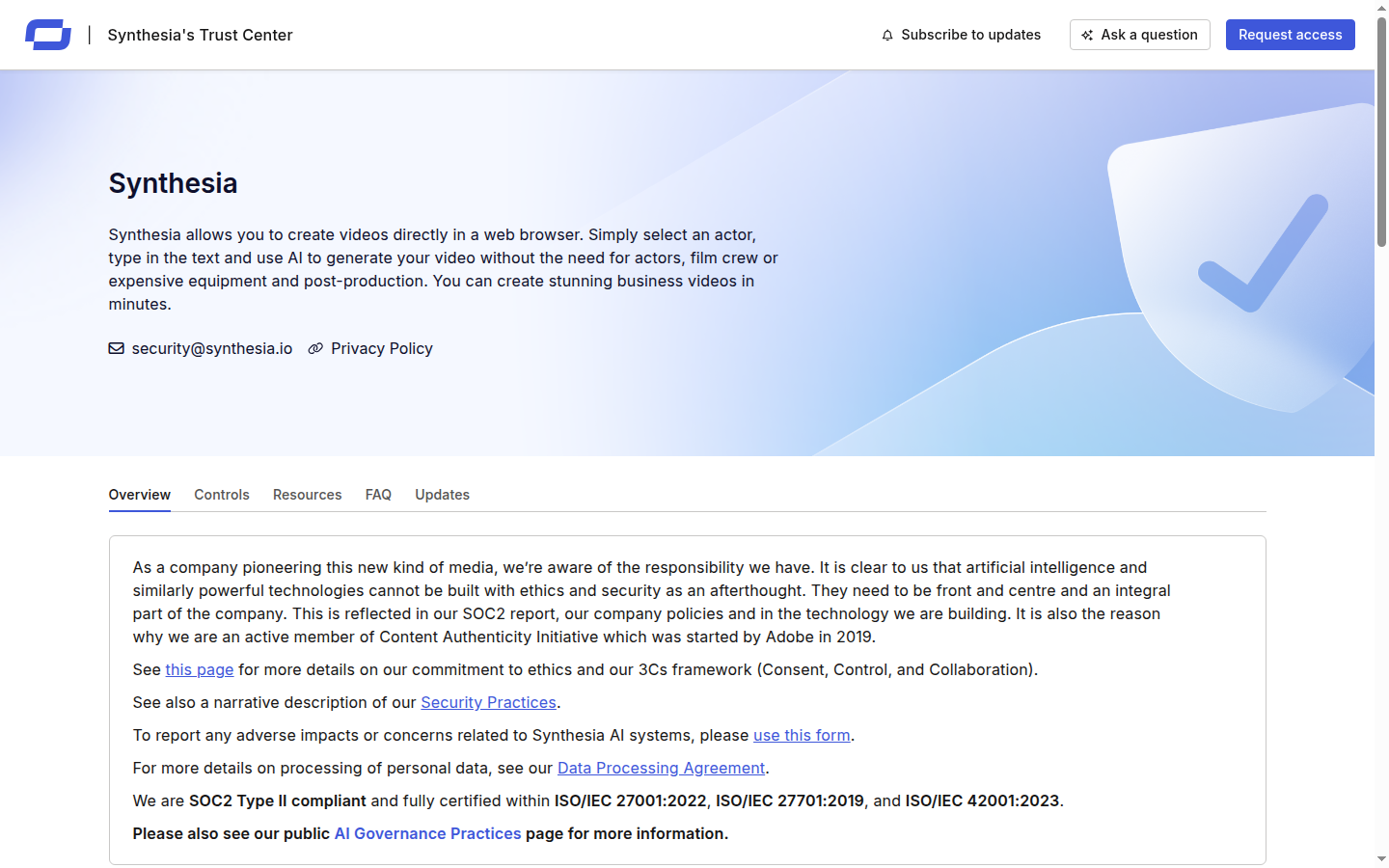
Synthesia's security page covers SOC 2 Type II, ISO 27001, GDPR compliance, and a downloadable DPA — the full compliance stack required by enterprise buyers in regulated industries.
Synthesia does not publish a default data retention period for personal avatar recordings in its public documentation. Enterprise customers can negotiate a custom retention schedule, but Starter and Creator users should request clarification in writing before submitting a personal avatar consent recording if data minimisation is a compliance requirement.
Top Alternatives to Synthesia
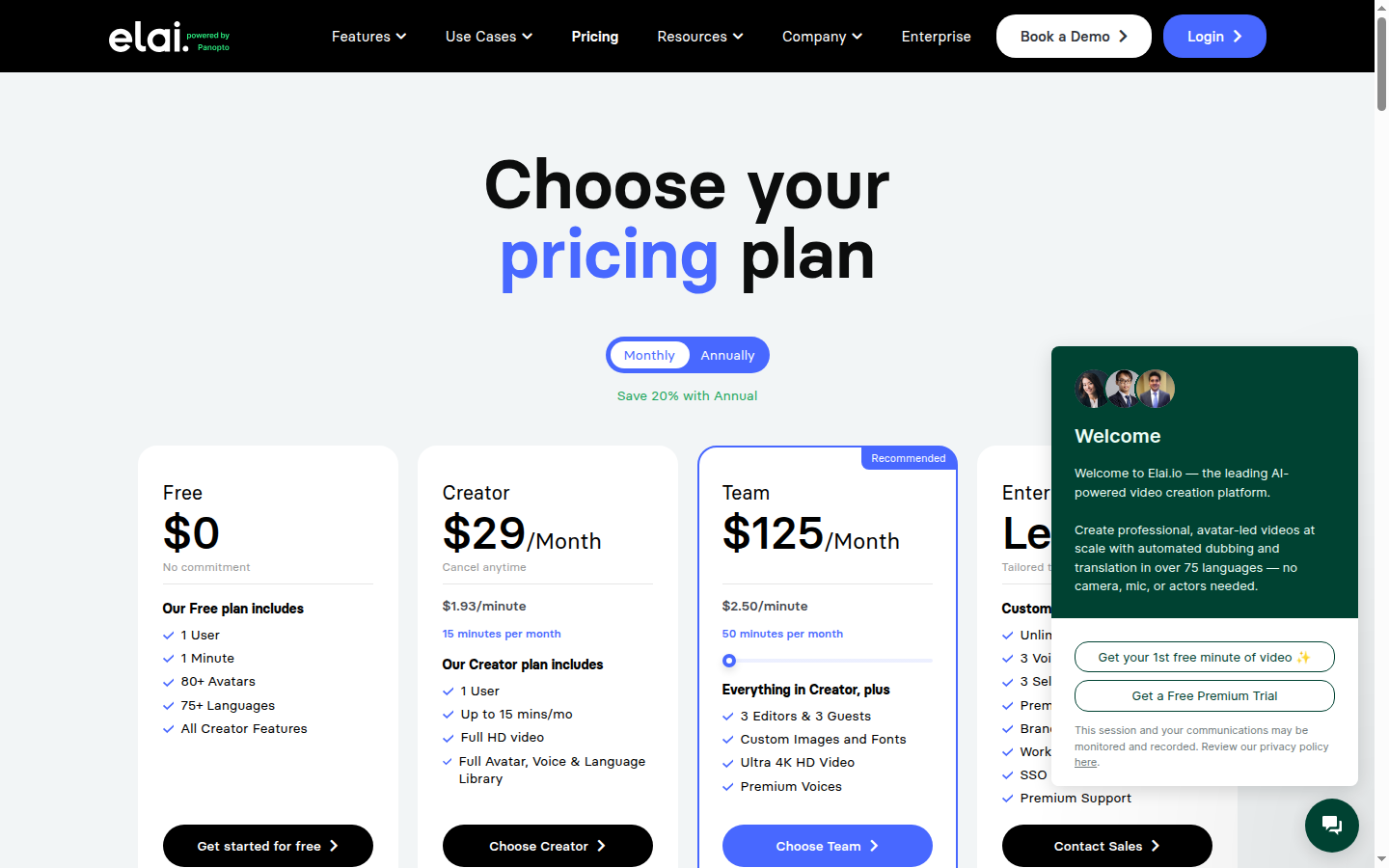
Elai is the closest active alternative to Synthesia: both generate AI avatar videos from a script, but Elai's Creator plan starts at $23/mo (annual) versus Synthesia's $18/mo — lower avatar count (80+ vs 230+) but a shorter learning curve and a free 1-minute trial plan.
**Elai** is the closest direct competitor to Synthesia for enterprise avatar video. Elai offers 80+ avatars across 75 languages at a starting price of $23/mo, which is slightly higher than Synthesia's Starter but includes slide-based editing, a script assistant, and a free trial with 1 free video. Elai's avatar realism is a step behind Synthesia's Express-2 model, but for teams that don't need 140+ languages or SCORM export, Elai's pricing structure (per-project rather than per-minute credits) is more forgiving for variable production volumes. See the full Elai review for a hands-on breakdown.
**Fliki** takes a different approach: text-to-video with AI voices rather than photorealistic avatars. At $21/mo (Standard, annual), Fliki is the most affordable option for teams that need unlimited AI-voiced video without the per-minute credit ceiling. It supports 75+ languages, includes 2,000+ text-to-speech voices, and integrates with stock footage libraries to build rich B-roll sequences. Fliki lacks avatar realism comparable to Synthesia and has no interactive video or SCORM export, but for marketing teams producing blog-to-video or social content at volume, it is significantly more cost-effective. Explore our AI video generators guide for a broader comparison.
**Opus Clip** solves a fundamentally different problem: it takes existing long-form video (webinars, interviews, podcasts) and automatically generates 10–15 short clips optimised for TikTok, Instagram Reels, and YouTube Shorts. It is not an avatar or script-to-video tool, but for teams that already produce long-form content and want to repurpose it at scale without manual editing, Opus Clip is the specialist choice. At $18/mo (Starter), it delivers clip generation, auto-captions, and a virality score for each clip — functionality Synthesia doesn't offer. See our AI avatar video generators guide for a structured comparison across all three tools.
Avatar video at enterprise scale → Synthesia. Multilingual text-to-speech video at volume → Fliki. Automated short-clip repurposing from long-form content → Opus Clip. Avatar video with flexible credit pricing → Elai.
The right alternative depends almost entirely on your production model. If you need photorealistic avatars + enterprise compliance, Synthesia is the clear winner. If you need affordable multilingual voice-over at scale, Fliki wins on cost. If you need automated short-clip repurposing from long-form content, Opus Clip is purpose-built for that workflow. For a direct feature-for-feature breakdown, see our HeyGen vs Synthesia comparison.
Use our [HeyGen vs Synthesia comparison](/compare/heygen-vs-synthesia) and [AI avatar video generators guide](/best/ai-avatar-video-generators) to shortlist the right tool for your team's production volume and budget before signing an annual plan.
Final Verdict
After 30+ days of hands-on testing, Synthesia is the strongest avatar video platform for business teams that need professional output, multilingual reach, and enterprise-grade security in a single tool. The Express-2 avatar realism, 1-Click translation with lip-sync dubbing, and interactive video features collectively justify the price premium over lower-cost alternatives — provided your production volume fits within the credit model.
4.5/5
Our overall score after 30+ days of testing
9.1/10
G2 realism score — highest in the avatar video category
80+
Languages with lip-sync dubbing (1-Click translation)
60–80%
Video production cost reduction vs. traditional studio workflow
The primary friction points are real: the Starter plan's 10 credits/month is tight for anyone producing more than one or two videos monthly, and the $46/mo jump to Creator is a significant ask for SMBs. Enterprise pricing starts a conversation rather than giving buyers a number upfront. But for L&D teams, corporate communications leads, and marketing teams managing multilingual campaigns, Synthesia saves 60–80% of traditional video production costs on a per-project basis — a return that becomes obvious after the first quarter of regular use.
If you're evaluating Synthesia for a specific use case — training videos, product demos, or multilingual marketing — the Free plan's 10 minutes per month is a genuine risk-free trial. Start there, produce one real deliverable under production conditions, and the credit economics and avatar quality will clarify the decision. For teams already at Creator or Enterprise scale, Synthesia is difficult to displace once the brand kit and avatar library are configured. Visit the Synthesia tool page for the full spec, pricing table, and quick-fact breakdown. Check our AI avatar video generators guide before committing.
Our verdict
Synthesia is the category leader for enterprise avatar video. The Express-2 avatars, 140+ language support, interactive video, and SOC 2 / ISO 42001 compliance make it the default choice for L&D teams and corporate communications. The credit model and Creator price jump are real constraints, but for teams where video quality and multilingual scale are non-negotiable, Synthesia delivers a return that justifies the investment.
Plans & pricing
| Plan | Price | Features |
|---|---|---|
| Free | Free No credit card required | 10 minutes of video per month, 25 AI-generated video assets, 9 AI avatars, 160+ languages and voices, Auto-generated captions, PowerPoint import, MP4 downloads, AI chat support |
| Starter | $18/mo $18/mo billed annually ($216/yr) or $29/mo monthly | 120 video minutes per year (annual) or 10 min/mo, 125+ AI avatars, 3 personal avatars, AI Video Assistant, AI Dubbing, Remove Synthesia logo, Voice cloning, 1 editor and 3 guests, Chat and email support, Limited Synthesia API |
| Creator | $64/mo $64/mo billed annually ($768/yr) or $89/mo monthly | 360 video minutes per year (annual) or 30 min/mo, 180+ AI avatars, 5 personal avatars, Interactive videos (CTAs, quizzes, branching), Brand Kits, Live collaboration, 1-Click translations (80+ languages), Branded video pages, API access (360 min/yr included), Priority support |
| Enterprise | Custom pricing Custom pricing - contact sales | Unlimited video minutes, 240+ stock AI avatars, Unlimited personal avatars, SAML/SSO authentication, SCORM export, Custom onboarding, Dedicated Customer Success Manager, SLA and compliance support |
Final verdict
Final verdict
Synthesia delivers the most realistic AI avatars on the market, backed by 140+ languages and enterprise-grade compliance. The credit model and Creator-tier price jump are real trade-offs, but the output quality and multilingual reach are unmatched in this category. Best for: L&D teams, corporate communicators, and marketing teams producing multilingual video at scale.
If Synthesia is not for you
Alternatives worth considering:

Elai.io
AI avatar video platform with 80+ avatars and 75+ languages for creating training and marketing videos without cameras
Try Elai.io →
Opus Clip
AI short-form video clipper trusted by 16 million creators to repurpose long videos into viral clips automatically
Try Opus Clip →
Fliki
AI text-to-video platform with 2,000+ ultra-realistic voices and 80+ languages for turning scripts into videos
Try Fliki →Head-to-head comparisons
Featured in 4 best lists
Compared with
Alternative to
Frequently Asked Questions
How many AI avatars does Synthesia offer?
Synthesia currently offers 230+ stock AI avatars across all paid plans. Starter unlocks 125+ avatars with 3 personal avatar slots; Creator expands to 180+ avatars with 5 personal slots; Enterprise gives you 240+ stock avatars and unlimited personal avatar creation. Custom avatar creation takes 10+ business days after you submit the consent recording.
How many languages does Synthesia support?
Synthesia supports 140+ languages and over 1,000 AI voices on all paid plans. The 1-Click translation feature with lip-sync dubbing covers 80+ languages, meaning the avatar's mouth movements sync automatically to the dubbed audio rather than just swapping the voice track. The Free plan also includes 160+ voices, making it one of the most multilingual options in the category.
What is a Synthesia credit and how many do you get?
One Synthesia credit equals one minute of finished video. Starter includes 10 credits per month (120 on annual billing), Creator includes 30 credits per month (360 annually), and Enterprise offers unlimited minutes. Credits do not roll over monthly on the monthly billing cycle, so a single 12-minute onboarding video would consume the entire Starter monthly allowance in one go.
Does Synthesia offer a free plan?
Synthesia offers a Free plan with 10 minutes of video per month, 9 AI avatars, 25 video asset downloads, and 160+ languages — no credit card required. It is one of the most generous free tiers in the avatar video category. However, it excludes brand kits, voice cloning, collaboration, and API access, which are reserved for Starter ($18/mo) and above.
Is Synthesia GDPR compliant and safe for enterprise use?
Synthesia is SOC 2 Type II certified, ISO 42001 (AI Management) certified, and GDPR compliant. Data is encrypted in transit (TLS 1.2+) and at rest (AES-256). Enterprise plans include SAML/SSO, dedicated data residency options in the EU or US, and a custom data processing agreement. The platform is used by 90% of Fortune 100 companies, making it one of the most audited AI video tools for enterprise security requirements.
Can Synthesia export to SCORM for LMS platforms?
SCORM export is available exclusively on the Enterprise plan. It allows you to export Synthesia videos as SCORM 1.2 or 2004 packages that integrate directly with LMS platforms such as Workday, Cornerstone, SAP SuccessFactors, and Moodle. Creator plan users can export MP4 and embed via URL in most LMS platforms, but native SCORM packaging requires upgrading to Enterprise.
Which avatar video tool has better realism: Synthesia or HeyGen?
Both tools score similarly on avatar realism — Synthesia holds a 9.1/10 realism score on G2, while HeyGen averages around 4.8/5 on Capterra. In our 30-day test, Synthesia's Express-2 avatars showed more natural micro-gestures and head movement variance, while HeyGen's photo-realistic avatars occasionally produced uncanny-valley stillness in longer videos. For multilingual lip-sync accuracy across 80+ languages, Synthesia leads the category. See our full HeyGen vs Synthesia comparison for a side-by-side feature breakdown.
What is the difference between Starter and Creator plans?
The Starter plan at $18/mo gives you 10 video credits/month, 125+ avatars, 3 personal avatar slots, AI dubbing, voice cloning, and chat/email support. The Creator plan at $64/mo triples your credits to 30/month, adds brand kits, live collaboration for your team, interactive video elements (CTAs, quizzes, branching), 1-Click translation across 80+ languages, and full API access. For solo creators, Starter is sufficient; for teams of 2+ or anyone who needs brand consistency, the Creator plan is the practical minimum.