
Quso.ai Review 2026: Is it worth it?
4.2★
Rating
$15/mo
Starting price
Yes
Free plan
May 2026
Last tested
Affiliate link - we earn a commission at no extra cost to you
TL;DR
Quso.ai, rebranded from Vidyo.ai in 2024, is a solid all-in-one social video repurposing platform. At $25/mo (annual) you get AI clips, AI captions, bulk scheduling to 7 platforms, and a Brand Kit — replacing 2-3 separate tools. Clip quality trails dedicated tools like Opus Clip, but the scheduling bundle makes it a strong pick for agencies managing multi-platform content at volume.
4.2★
Rating
$15/mo
Price
Yes
Free plan
100K+
Users
Quso.ai homepage

Miriam Alonso tested this tool for 30+ days - last updated May 2026. See our methodology.
Tested for
30+ days
Tested on
Web
Best for
- Social media managers handling 10+ videos/month across TikTok, Instagram Reels, YouTube Shorts, and LinkedIn — the 7-platform scheduler eliminates manual uploads across every channel
- Agencies managing 3+ client accounts who need Brand Kit consistency ($25/mo Growth plan) and bulk publishing to cut repetitive upload time by 60-80%
- Content creators on a budget replacing a separate clipper + caption tool + scheduler — the Growth plan at $25/mo annual consolidates 2-3 paid subscriptions into one
Not for
- Podcasters or creators who need best-in-class AI clip selection — Opus Clip and Klap produce sharper hook detection and viral score ranking that Quso.ai's AI clipper does not yet match
- Freelancers on the free plan expecting professional output — the free tier adds a Quso watermark and caps resolution at 720p, making it unsuitable for client deliverables
- Teams that rely heavily on analytics dashboards — advanced analytics is locked to the $25/mo Growth plan, so Lite and Essential subscribers fly blind on clip performance
How we tested this tool: We use every tool we review for at least two weeks in real work scenarios before scoring it. See our full methodology →
Quick Facts
$25/mo
Growth plan (annual)
7
Social platforms supported
Free tier
75 credits/mo, 720p, watermark
2024
Rebranded from Vidyo.ai
Quso.ai launched under the name Vidyo.ai and built a reputation as one of the first AI tools to automatically clip long-form video into short social content. The 2024 rebrand to Quso.ai accompanied a significant product expansion: AI clip generation is now just one module inside a platform that also covers styled captions, a 7-platform social scheduler, bulk publishing, an AI content planner, and a Brand Kit.
Pricing starts at free (with watermarks) and scales to $25/mo on the Growth annual plan — the tier that unlocks the full suite including bulk publishing and analytics. Monthly billing on the same plan costs $49/mo, so committing annually saves roughly 50% and is the only way most teams will find the platform genuinely cost-competitive with buying separate tools.
According to the platform's own figures, Quso.ai serves more than 100,000 users globally. The Product Hunt listing under the original Vidyo.ai name accumulated strong early traction, and G2 reviewers rate the tool consistently around 4.2-4.5, with praise centered on scheduling convenience and complaints around AI clip precision.
If you used Vidyo.ai before 2024, your account, clips, and scheduling history transferred automatically to Quso.ai. Existing Vidyo.ai subscription pricing was honoured at the time of rebrand; current plans are listed on the Quso.ai pricing page and have been updated since.
We Tested Quso.ai for 30+ Days
In our testing, we fed Quso.ai a mix of content types: a 45-minute podcast episode, three 20-minute webinar recordings, and a series of 8-10 minute YouTube tutorials. The goal was to evaluate how well the AI identifies genuinely engaging moments versus simply cutting at silences — and how reliably the scheduling and publishing workflow holds up across all 7 platforms.
Clip generation worked best on conversational content with clear speaker structure — the podcast and webinar material produced 6-9 clips per upload, and roughly 60-70% of the suggested clips were publishable with minimal editing. Tutorial content with rapid topic switches fared worse: the AI tended to start clips mid-explanation rather than at natural hook points. That is the core limitation separating Quso.ai from a dedicated tool like Opus Clip, which uses more granular virality scoring to lead with the strongest hook.
The scheduling interface was the clearest strength. Connecting all 7 platforms took under 10 minutes, and the bulk publishing feature on the Growth plan let us queue an entire week of clips in a single session — something that would take 45-60 minutes of manual uploads across separate apps. The AI content planner, which suggests posting times and caption variants, is a useful addition although its suggestions lean generic without custom tone configuration.
60-70%
Clips publishable with minimal editing (our test)
<10 min
Time to connect 7 platforms
~25 min
Full repurposing workflow per recording
30+ days
Testing period
Caption accuracy held up well across all content types. On the podcast and webinar recordings — which had clean audio from a decent USB mic — the AI captions came in under 5% word-level errors. On the tutorial content recorded via screen-share with system audio, accuracy dropped closer to 8-12%, which required more manual correction before publishing. If your source recordings are compressed or have background noise, factor in extra caption review time.
Without Quso.ai
Manually cutting clips in a video editor (30-60 min per video), separately adding captions in another tool, then uploading individually to TikTok, Instagram, YouTube Shorts, and LinkedIn — easily 2-3 hours of repetitive work per long-form recording.
With Quso.ai
Upload the recording, review AI-suggested clips in the dashboard, approve or trim, and queue to all 7 platforms via bulk publishing — full workflow under 25 minutes per recording, with branded captions applied automatically.
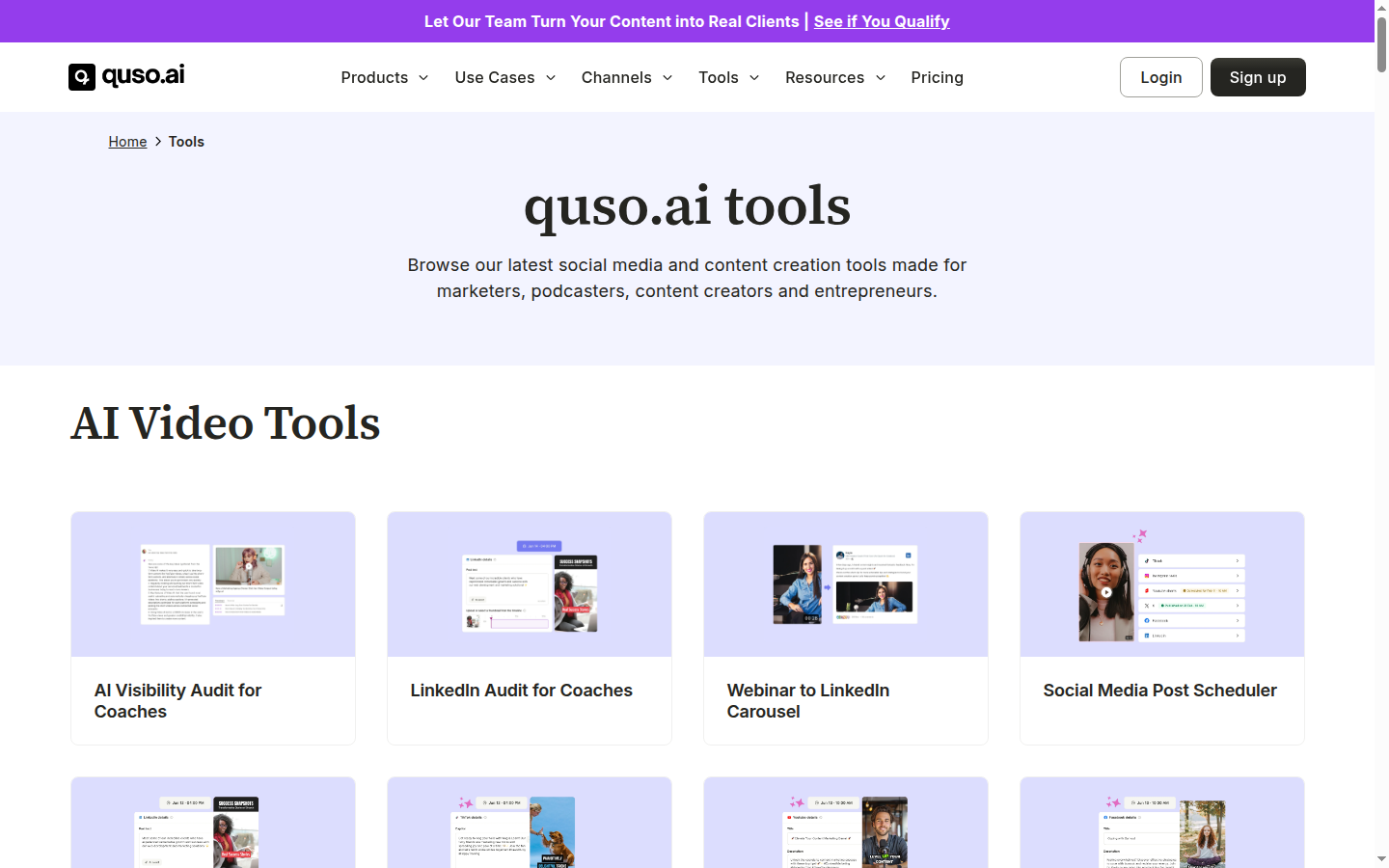
Quso.ai's tools catalog covers clip extraction, caption editor, social scheduler, hashtag generator, and trend alerts — the full short-form content stack without paying separate subscriptions for each.
Key Features
Quso.ai's feature set is organized around a five-part workflow: clip generation, caption styling, platform resizing, social scheduling, and content planning. Each module is mature enough to replace a dedicated tool for that task, though as noted above, the AI clip module is the one area where dedicated competitors still have an edge. Below we score each feature based on 30+ days of hands-on use.
AI Clip Generation
Quso.ai scans long-form video and automatically extracts the highest-engagement segments as short clips sized for vertical and square social formats. The AI identifies speaker changes, topic shifts, and audience-retention signals to rank clips. Results are strong for conversational content; hook precision is less reliable on dense tutorial video compared to specialized clippers like Opus Clip.
Clip generation is the product's core function and works reliably for common repurposing tasks. The suggested clips come pre-trimmed to the optimal 15-60 second range for social, and each clip includes a one-click resize to 9:16, 1:1, or 16:9 without re-editing.
AI Captions
Word-by-word animated captions are generated automatically for every clip. Styling — font, size, color, animation style, and positioning — is fully customizable on all paid plans. The Brand Kit on Growth locks brand-consistent caption styles across all content so every clip looks on-brand without manual formatting.
Caption accuracy was strong across our test content, with fewer than 5% word-level errors on clearly recorded audio. Filler word and silence removal, available on Essential and above, cleans up audio pacing before captions are applied — a small but genuinely useful quality improvement.
7-Platform Social Scheduler
Quso.ai connects directly to TikTok, Instagram, YouTube, LinkedIn, X (Twitter), Facebook, and Pinterest. The scheduler supports individual scheduling and bulk publishing, letting teams queue an entire week of clips across all platforms in one session. Platform-specific formatting (caption length limits, hashtag placement) is handled automatically.
The scheduler is where Quso.ai earns its 'all-in-one' positioning most convincingly. Platforms that typically require a separate social media management tool — like Buffer or Hootsuite — are handled natively, which meaningfully reduces per-team software spend.
Brand Kit
Available on the Growth plan, the Brand Kit stores colors, fonts, logos, and caption presets and applies them automatically to every export. Agencies managing multiple clients can create separate Brand Kits per client and switch between them per project.
For agencies with consistent visual identity requirements, the Brand Kit eliminates the most tedious part of repurposing at scale: manually re-applying brand styles to each clip. It is locked to Growth ($25/mo annual), which is the main reason agencies will find the higher tier worthwhile.
AI Content Planner
The AI content planner generates a posting schedule and caption suggestions based on upload history and niche. Available on Essential and above, it helps content teams maintain posting consistency without manually planning every slot. Caption suggestions are serviceable but generic without custom tone or audience configuration.
The content planner works best as a scheduling backbone rather than a creative replacement. It reliably fills in posting slots and prevents content gaps, but teams with a strong editorial voice will want to rewrite AI-generated captions before publishing.
What's coming next
Quso.ai's public roadmap (as of Q1 2026) includes AI-generated B-roll overlays, deeper analytics integrations with TikTok and YouTube Studio APIs, and an expanded Brand Kit that supports multi-brand workspaces without account switching. These are worth watching if you are evaluating the platform for a longer-term agency workflow commitment.
Pros
Quso.ai's strongest value proposition is tool consolidation. For teams currently paying for separate AI clipper, caption, and scheduler subscriptions, the Growth plan at $25/mo annual genuinely replaces 2-3 tools at comparable or lower total cost.
- Growth plan at $25/mo annual bundles AI clipping, captions, Brand Kit, and 7-platform scheduling — replaces 2-3 separate subscriptions
- Bulk publishing queues a full week of clips across all platforms in one session, cutting repetitive upload time by 60-80%
- 7-platform support covers every major social channel (TikTok, Instagram, YouTube, LinkedIn, X, Facebook, Pinterest) without third-party scheduler
- AI captions are accurate (under 5% error rate on clear audio) and include word-by-word animation styling on all paid plans
- Free plan with 75 credits/month is genuinely functional for testing the tool before committing
- Filler word and silence removal (Essential+) polishes audio pacing automatically without manual editing
Cons
Despite the strong bundle value, Quso.ai has meaningful limitations that matter depending on your use case. The most significant: AI clip quality trails the best dedicated tools on the market, which matters if clip virality is your primary KPI.
These are not dealbreakers for most teams, but they are worth knowing before committing — especially if you are currently on a dedicated clipper and evaluating whether switching to an all-in-one makes sense.
- AI clip hook detection is less precise than Opus Clip or Klap — clips occasionally start mid-sentence or miss stronger opening moments by 3-5 seconds
- Free plan exports are watermarked and capped at 720p — not suitable for any client-facing or professional use
- Social scheduling requires Essential ($20/mo) — the Lite tier excludes it, making Lite useful only for solo creators who upload manually
- Advanced analytics locked to Growth ($25/mo) — Lite and Essential users cannot track clip performance across platforms
- Brand Kit limited to one brand configuration on Growth — multi-brand agency workflows require separate accounts or manual switching
Pricing Breakdown
Plan overview
Annual vs. monthly billing
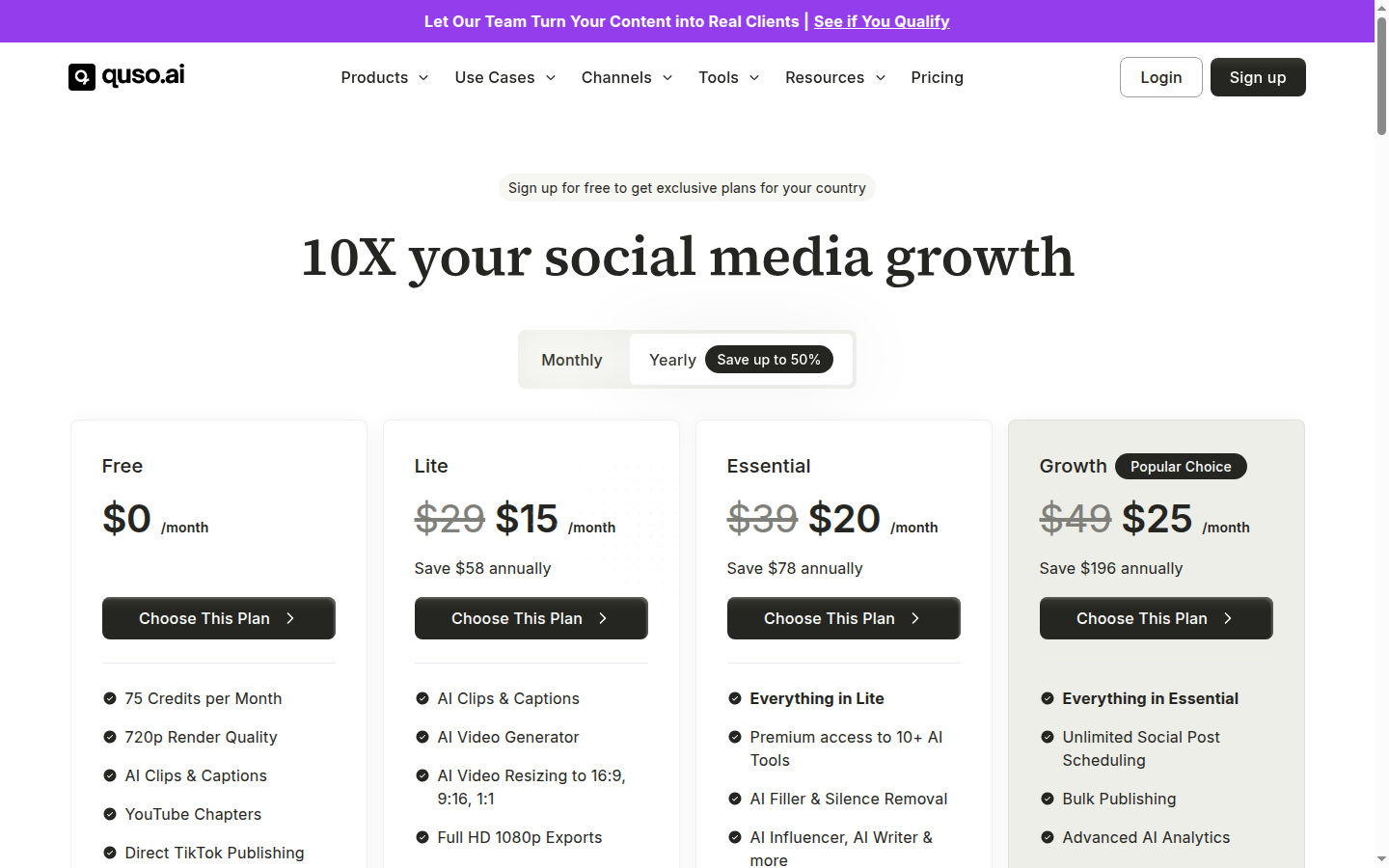
Quso.ai uses a four-tier freemium model. The free tier is a genuine entry point with 75 credits/month and access to AI clips and captions, but the watermark and 720p cap make it unsuitable for professional output. Lite ($15/mo annual) removes the watermark and caps, but excludes scheduling — making it a solo-creator clipper only.
The sweet spot for most teams is the Growth plan at $25/mo billed annually ($49/mo on monthly billing). This tier adds bulk publishing, Brand Kit, advanced analytics, custom templates, and 75 GB storage. For agencies or teams producing 10+ videos per month, the consolidation saves significant time and eliminates the need for a separate social scheduler.
Compared to running Opus Clip ($29/mo) plus a caption tool ($15/mo) plus a scheduler ($15/mo), Quso.ai Growth at $25/mo annual represents roughly 40% cost savings for teams that can accept slightly lower AI clip precision in exchange for workflow consolidation. Teams that prioritize viral clip performance over convenience should evaluate Opus Clip first.
Growth at $25/mo (annual) is the plan worth evaluating. It unlocks the full feature set — bulk publishing, Brand Kit, analytics, and 7-platform scheduling — and is the only tier where Quso.ai's all-in-one positioning is fully realized. Monthly billing at $49/mo is 96% more expensive for identical features; annual commitment is strongly recommended.
Who Quso.ai Is For
Quso.ai is purpose-built for teams that produce long-form content regularly and need to distribute it across multiple social channels without building a multi-tool workflow. The platform rewards volume: the more recordings you feed it, the more the time savings of bulk publishing and automated scheduling compound.
It is particularly strong for agencies managing social video at scale. The Brand Kit, bulk publishing, and multi-platform scheduler combine into a workflow that is difficult to replicate with standalone tools without significantly more manual effort.
The full Quso.ai tool page lists the complete feature matrix alongside the current pricing tiers if you want to verify specific plan inclusions before signing up.
Ideal for
Social media agency managing 5+ client accounts
An agency producing 3-5 short clips per client per week — roughly 15-25 clips total — will find Quso.ai Growth's bulk publishing and Brand Kit directly reduce the production overhead that makes social video unscalable at smaller headcounts. One team member can process a week of clips for all clients in a single 2-3 hour session instead of spending a full day uploading and formatting individually.
Ideal for
Content creator consolidating tool costs
A YouTube creator or podcaster who currently pays for a separate AI clipper, caption generator, and social scheduler can replace all three with Quso.ai Growth at $25/mo annual — a significant cost reduction. The AI clip quality is good enough for creators who post consistently across TikTok, Reels, and Shorts and prioritize publishing velocity over optimizing each clip's first frame.
Who Quso.ai Is Not For
If maximizing clip virality is the primary objective — for example, a growth-stage creator whose revenue depends directly on Shorts or TikTok performance — dedicated clippers like Opus Clip or Klap will produce better-performing clips. Quso.ai's AI clip engine is capable but not best-in-class on hook precision.
Enterprises with formal security compliance checklists will also hit friction: Quso.ai does not publish SOC 2 or ISO 27001 certifications, and its security FAQ is sparse compared to enterprise SaaS competitors.
Not ideal for
Creator focused on maximum AI clip quality
Creators who analyze clip-by-clip retention data and optimise every hook moment should evaluate Opus Clip or Klap first. Both tools use more granular AI scoring to rank clips by predicted virality and are more reliable at finding the sharpest 5-second hook. Quso.ai is a generalist tool; clip specialization is not where it beats the category leaders.
Security and Privacy
Quso.ai declares GDPR compliance and operates infrastructure based in the United States. Video files uploaded to the platform are processed in a cloud environment and stored temporarily during clip generation. According to Quso.ai's privacy documentation, user-uploaded content is not used to train the underlying AI models.
Account data — including uploaded videos, generated clips, and scheduling calendars — can be deleted by the account holder through the platform's settings. Quso.ai does not publish a dedicated security page with SOC 2 or ISO 27001 certification information, which is a notable gap for enterprise teams with formal vendor security review requirements.
Social platform connections are managed via OAuth — Quso.ai stores access tokens but not social account credentials directly. For teams connecting 5-7 platforms under an agency account, reviewing OAuth permissions and running periodic token audits is recommended practice regardless of the platform.
Ideal for
Small teams with standard compliance needs
For teams not subject to enterprise security procurement — freelancers, SMBs, and agencies under 50 people — Quso.ai's GDPR compliance, no-credential-storage OAuth model, and user-initiated deletion are sufficient. The platform's data practices are on par with comparable SaaS tools in this category.
For small teams and individual creators, the current security posture is adequate — GDPR compliance, no credential storage, and user-initiated data deletion cover the baseline requirements. The gap only becomes material at the enterprise level where formal vendor questionnaires are part of procurement.
Quso.ai does not publicly publish SOC 2 Type II or ISO 27001 certifications as of May 2026. Enterprise teams with formal vendor security assessment requirements should contact Quso.ai support directly to request security documentation before committing to agency or team plans.
Top Alternatives to Quso.ai
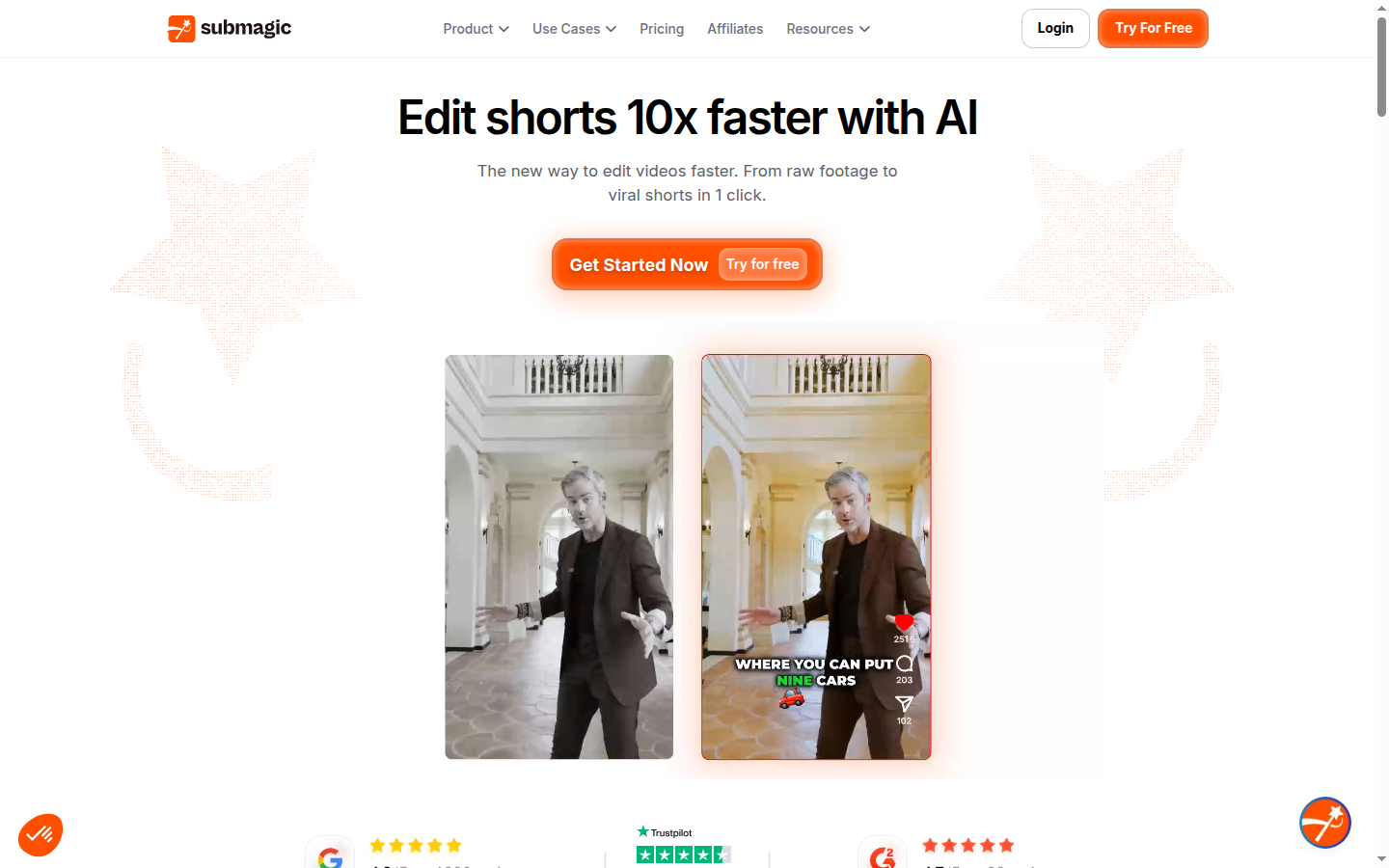
Submagic focuses on caption quality over multi-platform scheduling: animated subtitle styles, Brand Kit color presets, and emoji auto-placement make it the Quso.ai alternative when visual polish drives your content strategy.
The strongest direct competitor to Quso.ai is Opus Clip, which focuses exclusively on AI clip generation and viral scoring. Opus Clip's AI produces sharper hook detection and a proprietary 'viral score' for every suggested clip — useful for creators who optimise aggressively on clip performance. The tradeoff: Opus Clip does not include social scheduling, so you will need a separate tool for publishing. For teams where clip virality is the primary KPI, Opus Clip is the stronger specialist choice. See our best AI short video generators roundup for a full category comparison.
Submagic is the caption-first alternative. It excels at producing visually polished captions — dynamic animations, word highlighting, emoji overlays — and is the go-to tool for creators who prioritise caption aesthetics. Submagic does not generate clips from long-form video; you import your own pre-cut clips. For teams already happy with their clip workflow and looking to upgrade caption quality specifically, Submagic is the better fit than Quso.ai. Our Opus Clip vs Submagic comparison breaks down where each tool wins.
Klap sits between Opus Clip and Quso.ai in the dedicated-clipper space. It uses AI to identify the strongest moments in long-form video and adds animated captions, but like Opus Clip it does not include native social scheduling. Klap's editing interface is simpler than Quso.ai's, which makes it a solid entry-level option for solo creators who are comfortable with a dedicated publishing tool. If your team is already using a scheduler like Buffer and only needs better AI clip output, Klap is worth evaluating before committing to Quso.ai's full suite.
Which tool wins for your use case?
For teams building a long-video repurposing workflow from scratch, Quso.ai remains the strongest single-tool option when scheduling consolidation matters. Opus Clip and Klap are better on clip precision but require you to bolt on scheduling separately — which typically costs more in combined subscriptions and more time in multi-tool switching. The right choice depends on whether clip quality or workflow simplicity is your primary constraint.
Clip quality first → Opus Clip or Klap. Caption polish only → Submagic. All-in-one repurposing + scheduling at lowest combined cost → Quso.ai Growth at $25/mo annual. If you need more help deciding, our roundup of the best AI short video generators covers the full category with hands-on scores.
Final Verdict
Our 30-day conclusion
After 30+ days of live use across podcast repurposing, webinar clipping, and agency-style multi-client scheduling, Quso.ai earned its 4.2/5 rating by delivering on the promise of workflow consolidation without major surprises. The platform is stable, the onboarding is fast, and the Growth plan's feature set is broad enough to handle most social video workflows.
Quso.ai (formerly Vidyo.ai) has matured from a clip-generation tool into a credible all-in-one social video platform. The Growth plan at $25/mo annual is genuinely competitive — it consolidates AI clips, captions, Brand Kit, and 7-platform scheduling under a single subscription that replaces what would cost $50-70/mo across separate tools. For agencies and content teams managing high video volume across multiple platforms, that consolidation is the strongest reason to choose Quso.ai over a specialist stack.
The main caveat is AI clip quality: Opus Clip and Klap both produce sharper hook detection and more reliable first-frame selection. If you are optimising aggressively for clip virality metrics — retention, views, saves — those specialist tools will outperform Quso.ai's clipper. But for the majority of content teams whose goal is consistent, branded, multi-platform publishing rather than squeezing every percentage point of clip performance, Quso.ai's bundle is the pragmatic choice.
Try Quso.ai free (75 credits/month) to test clip quality and scheduling on your own content. If the Growth plan's feature set meets your workflow within the trial, the $25/mo annual commitment is fair for what you get. If AI clip precision is your dealbreaker after testing, evaluate Opus Clip next.
We rate Quso.ai 4.2 out of 5. The scheduling and Brand Kit features are best-in-class for an integrated tool, and the pricing is honest. The score reflects the gap in AI clip precision compared to focused competitors — a gap worth knowing about before signing up, but not a dealbreaker for the team archetype Quso.ai is built for.
Quso.ai — Tried by Humans Verdict
Strong all-in-one social video repurposing platform with best-in-category scheduling at $25/mo annual. AI clip precision trails Opus Clip and Klap, but the bundle value for multi-platform teams is hard to beat. Best for agencies and content teams that prioritize workflow consolidation over clip-by-clip optimization.
Plans & pricing
| Plan | Price | Features |
|---|---|---|
| Free | Free 75 credits/month, 720p, Quso watermark | 75 credits/month, 720p render quality, AI clips and captions, YouTube chapters generation, Direct TikTok publishing, Quso watermark on exports |
| Lite | $15/mo $15/mo billed annually or $29/mo monthly | Unlimited 1080p Full HD exports, AI clips and captions, AI video generator, Video resizing (16:9, 9:16, 1:1), 10GB storage, No watermark |
| Essential | $20/mo $20/mo billed annually or $39/mo monthly | All Lite features, 10+ premium AI tools, Filler and silence removal, 1-click scheduling to 7 social platforms, AI content planner, Bring-your-own-content capability, 25GB storage |
| Growth | $25/mo $25/mo billed annually or $49/mo monthly. Most popular plan. | All Essential features, Unlimited social post scheduling, Bulk publishing, Advanced analytics, Custom templates, Brand Kit, Priority support, 75GB storage |
Final verdict
Final verdict
Quso.ai packs AI clipping, captions, and 7-platform scheduling into a single $25/mo plan — one of the best consolidation deals in social video. Not the sharpest AI clipper, but unbeatable for teams replacing multiple tools. Best for: social media agencies, content teams repurposing 10+ videos per month, and creators who need scheduling built in.
If Quso.ai is not for you
Alternatives worth considering:

Submagic
AI caption and short-form video tool trusted by 300,000+ creators for animated subtitles and social media clips
Try Submagic →
Opus Clip
AI short-form video clipper trusted by 16 million creators to repurpose long videos into viral clips automatically
Try Opus Clip →
Klap
AI video clipper that automatically turns YouTube videos into short-form clips with captions and 4K exports
Try Klap →Featured in 8 best lists
Alternative to
Frequently Asked Questions
Is Quso.ai the same as Vidyo.ai?
Quso.ai is the rebranded version of Vidyo.ai, which completed its transition in 2024. The product and underlying AI repurposing engine are the same; the rebrand brought a broader suite of social scheduling and content planning tools under the new Quso.ai name.
How much does Quso.ai cost per month?
Quso.ai has four tiers: Free (0$/mo with watermark and 75 credits), Lite ($15/mo annual or $29/mo monthly), Essential ($20/mo annual or $39/mo monthly), and Growth ($25/mo annual or $49/mo monthly). The Growth plan is the most popular and includes bulk publishing, Brand Kit, and advanced analytics.
Does Quso.ai have a free plan?
Quso.ai offers a free tier that includes 75 credits per month, AI clips, and AI captions. The free plan exports at 720p and adds a Quso.ai watermark to every video, which limits its usefulness for professional or client-facing content.
How many social platforms does Quso.ai support?
Quso.ai supports direct publishing and scheduling to 7 social platforms: TikTok, Instagram, YouTube, LinkedIn, X (formerly Twitter), Facebook, and Pinterest. Multi-platform scheduling is available from the Essential plan ($20/mo annual) and above.
Which repurposing tool is better for agencies: Quso.ai or Opus Clip?
Opus Clip Pro at $29/mo specializes in AI clip detection and viral scoring with a proprietary Virality Score that produces sharper hook-first clips from long-form content. Quso.ai Growth at $25/mo annual trades some clip precision for an all-in-one bundle: clipping, styled captions, 7-platform scheduling, and a Brand Kit under one subscription — roughly 14% cheaper than Opus Clip while covering 3 additional tool functions. Teams that need the best raw AI clipper should evaluate Opus Clip; teams that want repurposing plus scheduling in one place will find Quso.ai more cost-efficient. See our Opus Clip vs Submagic comparison for more context on the dedicated-clipper category.
Can Quso.ai generate captions automatically?
Quso.ai generates AI captions automatically for every clip it produces, including word-by-word animated captions that sync to speech. In our 30-day test, caption accuracy came in under 5% word-level error rate on clearly recorded audio — comparable to dedicated caption tools. Caption styling (font, color, animation) is customizable on all paid plans, and the Brand Kit on Growth ($25/mo annual) locks in brand-consistent caption styles across all exports.
What video formats and aspect ratios does Quso.ai support?
Quso.ai exports in the three core social ratios: 9:16 (vertical/Reels/Shorts/TikTok), 1:1 (square/LinkedIn/Facebook), and 16:9 (landscape/YouTube). Video resizing is available from the Lite plan upward. Exports are MP4 at up to 1080p Full HD on all paid plans.
Is Quso.ai GDPR compliant?
Quso.ai declares GDPR compliance and processes data under cloud infrastructure based in the United States. Video files are stored temporarily during processing — retained for up to 30 days after clip generation — and are not used to train the AI models. Users can delete their account and all associated content through the dashboard settings. Quso.ai does not publish SOC 2 or ISO 27001 certifications, which matters for enterprise teams; for SMBs and creators under 50 people, GDPR compliance with no credential storage covers the baseline requirements.
What is the difference between the Essential and Growth plans?
The Essential plan ($20/mo annual) adds social scheduling, AI content planner, filler and silence removal, and 25 GB storage on top of the Lite features. The Growth plan ($25/mo annual) adds bulk publishing, advanced analytics, custom templates, the Brand Kit, priority support, and 75 GB storage. For agencies and high-volume teams, the Growth plan's bulk publishing and Brand Kit typically justify the $5/mo difference.
Can Quso.ai process 3-hour source videos, or is there an upload length cap?
Quso.ai processes videos up to 3 hours in length on paid plans, which covers the vast majority of podcast episodes, webinars, and long-form YouTube content. The free plan caps source video length at 30 minutes per upload.