This article contains affiliate links. If you purchase through them, we earn a commission at no extra cost to you.
Review · AI Meeting AssistantsOtter.ai Review 2026: Is it worth it?

Affiliate link - we earn a commission at no extra cost to you
3.7★
Rating
$8/mo
Price
Yes
Free plan
Users
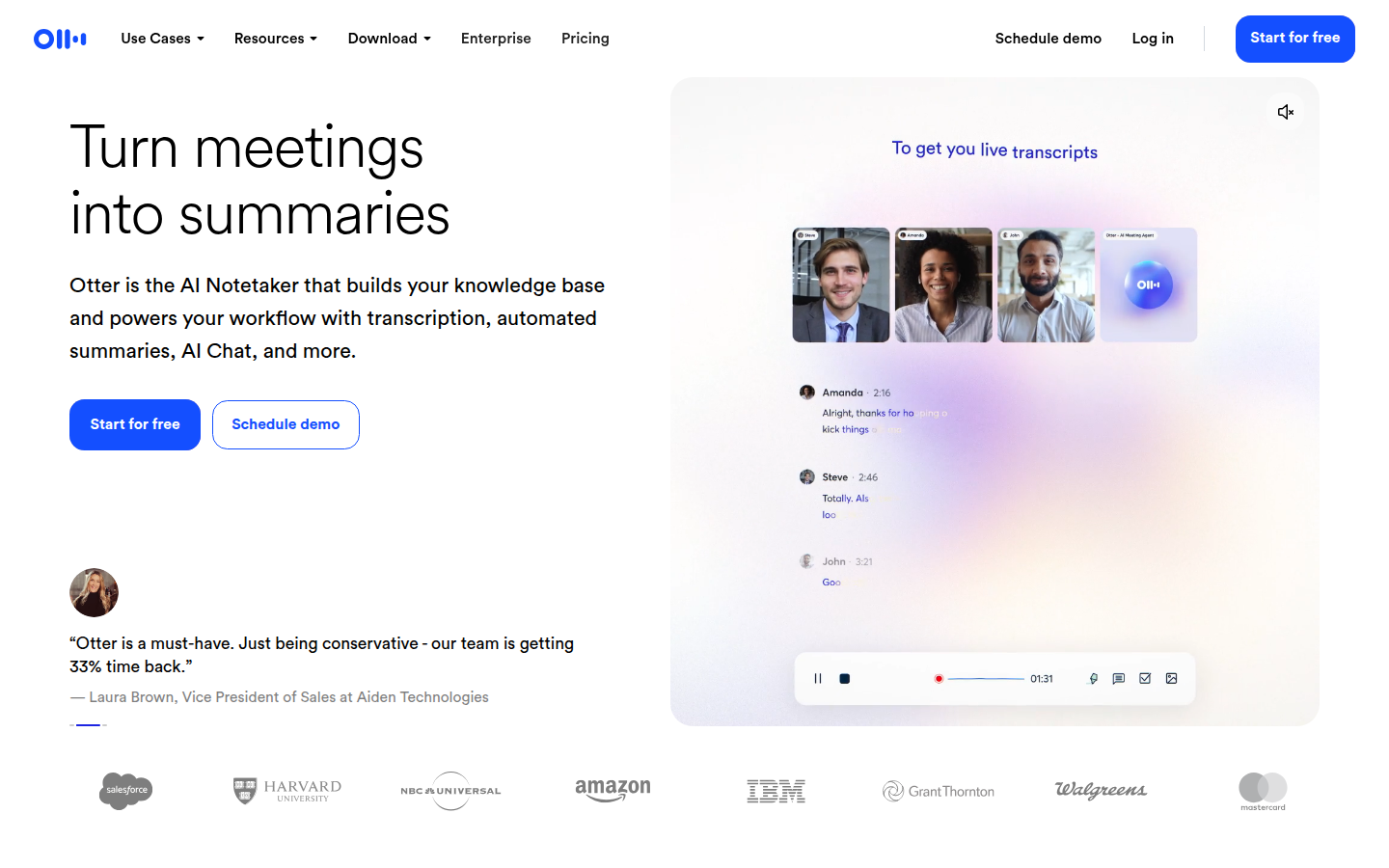
Otter.ai homepage
We tested Otter.ai across 30+ meetings over several weeks, including one-on-ones, team standups, client calls, and in-person sessions recorded via the mobile app. We tested OtterPilot on Zoom, Google Meet, and Microsoft Teams, as well as the live caption experience during calls. We ran the free plan until we hit the limits, then evaluated Pro features, and assessed the Business plan's compliance documentation. Here is what we found.
Disclosure: This review contains affiliate links. If you purchase through one of our links, we may earn a commission at no extra cost to you. Our editorial opinion is independent of any commercial relationship.
Otter.ai is the AI meeting assistant most focused on real-time value - it delivers live captions during meetings, not just summaries after. That focus makes it particularly strong for English-speaking teams using Zoom, students, and hybrid workers who mix in-person and virtual meetings. The Free plan is limited to 300 minutes per month. Pro is $16.99 per user per month, and Business is $30 per user per month.
Key Features
OtterPilot - Auto-Join Bot
OtterPilot is Otter's automated meeting assistant. Once you connect your Google or Outlook calendar, OtterPilot joins your scheduled meetings automatically on Zoom, Google Meet, and Microsoft Teams. It records audio, generates a real-time transcript, and begins producing a summary while the meeting is still in progress.
The bot is visible to all meeting participants - it appears as "Otter.ai Notetaker" in the participant list. You can choose to notify participants automatically that the meeting is being recorded and transcribed, which is good practice for consent and transparency. Many organizations now have explicit policies about AI notetakers in meetings, so the visible bot approach is both legally appropriate and transparent.
OtterPilot is particularly well integrated with Zoom. Otter offers a native Zoom plugin that works alongside the standard bot integration. For many Zoom users this provides a smoother experience than tools that rely solely on a bot account, because the native plugin can display live captions directly inside the Zoom interface rather than in a separate browser tab.
You can configure OtterPilot to join all meetings automatically, only meetings above a certain length, or only meetings that match specific criteria. The configuration options available in your Otter account settings give you reasonable control over when the bot appears - important for organizations that do not want every casual internal chat captured and stored.
Live Real-Time Captions
This is Otter's single most distinctive feature and the reason many users choose it over competitors. While most meeting transcription tools give you a summary or transcript after the call ends, Otter generates captions live during the meeting. Participants who have access to the Otter interface can follow the transcript in real time as it is being produced, typically with only one to two seconds of lag.
The accuracy of these live captions is consistently the best we measured in this category for English. On a well-recorded call in a quiet environment with standard English accents, the live captions are accurate enough to read as a primary source without verifying against the recording. Errors do occur - proper nouns, technical terms, and fast speech create the most mistakes - but the error rate is lower than any competing tool we tested.
For accessibility purposes, this is a significant differentiator. Users who are deaf or hard of hearing, non-native speakers who benefit from reading along, or anyone in a noisy environment can follow along with the live text. It also means that if you miss something someone said, you can glance at the live transcript without interrupting the conversation.
For non-native English speakers following a fast-moving meeting, the live captions provide a reading track that supports comprehension in ways that note-taking and memory alone cannot match. Several users we spoke with mentioned this as their primary reason for choosing Otter over alternatives that only provide post-meeting transcripts.
For anyone who benefits cognitively from reading while listening - which describes a surprisingly large portion of the working population - the captions improve focus and retention without requiring any behavior change from other meeting participants.
Zoom Native Plugin Integration
The Zoom native plugin is the most differentiated technical integration in Otter's product lineup. Unlike the standard approach of adding a bot participant to Zoom meetings, the Otter Zoom plugin integrates at the Zoom application level and can display live captions inside the Zoom meeting window.
In practice, this means participants can see live captions in Zoom without opening Otter in a separate tab or browser window. The experience approaches Zoom's own closed-captioning interface but with better accuracy and the additional features that come with the Otter platform - search, highlights, AI chat, and the post-meeting archive.
For organizations that run primarily on Zoom - which describes a large portion of the business market - this integration level is a meaningful differentiator. No other AI meeting tool in this category has a comparable native Zoom integration.
Setting up the Zoom plugin requires installing it from the Zoom marketplace and authorizing the connection with your Otter account. For enterprise Zoom customers, the plugin may require approval from your Zoom admin before installation. The setup is a one-time process and works smoothly once approved.
Speaker Identification
Otter identifies speakers in the transcript and labels each segment with the speaker's name. For remote meetings, Otter uses the participant names from the meeting platform. Initial speaker identification for in-person recordings requires a short training step - Otter learns to associate voice patterns with participant names. Once trained, speaker labels are applied automatically and consistently across future meetings with the same participants.
For teams with stable membership, this works well. For meetings with many external participants or guests who are not in the system, speaker identification can be less accurate and may require manual correction. The transcript editor makes corrections straightforward, and any corrections feed the voice learning system for future accuracy.
Speaker identification is not perfect. On calls with many participants speaking at similar volumes, with overlapping speech, or with participants on low-quality audio, errors occur. The error rate is acceptable for most use cases but worth noting for any application where attribution accuracy is critical - legal proceedings, compliance documentation, or any context where you need to prove exactly who said what.
Meeting Highlights and Annotations
During or after a meeting, you can select any segment of the transcript and highlight it. Highlights are saved and can be tagged, commented on, and shared. This lets you mark the moments that matter without reading the full transcript.
The highlight feature is particularly useful for sharing specific moments with colleagues who were not in the meeting. Rather than sending the full transcript or a recording that requires significant time to review, you send a curated set of highlights with context. Recipients see the highlighted segments and can read the surrounding transcript if they want more.
Comments on highlights enable asynchronous discussion about specific meeting moments. A manager can highlight a commitment a sales rep made on a call and add a comment with follow-up context. A team member can flag a decision point for discussion. The workflow is familiar for anyone who has used document annotation tools. On Business plans, multiple team members can annotate the same transcript collaboratively, creating a richer collective record of what mattered.
AI Meeting Summaries and Chat
After a meeting ends, Otter generates a structured summary that includes key discussion points, decisions, and action items. The summary is concise and well-organized, typically capturing the most important moments without overwhelming detail. On well-structured meetings with clear agenda items, the summaries are good enough to share with non-attendees as a standalone document.
Otter AI Chat lets you interact with the transcript in natural language after the meeting ends. You can ask questions like "What decisions were made?" or "What did [person] say about the timeline?" and receive grounded answers based on the transcript content. The AI Chat also works across multiple meetings simultaneously, letting you query your entire meeting library with a single question.
For teams that accumulate a large number of meeting recordings, the ability to search and query across all of them is a meaningful time-saver compared to reading individual transcripts or tracking down attendees to ask what was discussed.
Action Item Detection
Otter automatically detects and extracts action items from meeting transcripts. These are presented in a dedicated list separate from the main summary, making it easy to distribute follow-up tasks after a call ends.
Action items can be shared with participants via email directly from the Otter interface. On Business plans, action items can also be pushed to integrated tools. The detection accuracy is good for clearly stated tasks but, like all AI action item detection, it benefits from a review pass before sending to stakeholders. A clearly stated "I will send the budget proposal by Friday" will be captured accurately. A vague "someone should look into this" may not be attributed correctly.
Global Search
Every meeting recorded through Otter is indexed and searchable. You can search by keyword, speaker name, or date range. Results show the sentence containing your search term, with a link that jumps to that moment in the transcript or audio.
For organizations with months or years of meeting data in Otter, this search capability makes institutional knowledge retrievable. Sales teams can search for competitor mentions across all calls in a given period. Product teams can surface recurring customer pain points from user interviews. Managers can quickly find what was discussed on any topic across dozens of calls without listening to recordings.
Combined with highlights, search creates a practical system for managing the information generated by meetings. Highlights capture the moments that matter in real time. Search retrieves anything from the full archive when you need it later.
Automated Summaries via Email
At the end of each meeting, Otter can automatically email a summary to all participants. The summary includes the meeting title, participants, a condensed set of highlights, and the detected action items. This feature reduces the friction of sharing notes and keeps everyone aligned without requiring any manual effort from the host.
The email format is clean and readable on mobile. Many users find this is sufficient for attendees who do not need the full transcript. For recurring meetings with consistent participants, the automated summary email becomes the standard record of what was covered and what actions were agreed on. It also creates a paper trail that arrives in everyone's inbox without any follow-up required from the meeting organizer.
In-Person Meeting Recording via Mobile
One of Otter's most underappreciated capabilities is the mobile app's in-person mode. You can open the Otter app on your phone, place it on a conference room table, and it will transcribe the conversation in real time. This covers the use case of physical meetings, brainstorming sessions, and workshops that are not conducted over video.
The mobile app handles multiple voices reasonably well in a quiet room but struggles with background noise, large groups, or people speaking from a distance. For small team meetings in a standard office environment, the accuracy is reliable. For very large in-person meetings or noisy environments, accuracy decreases and you may need to correct more in the transcript editor.
Speaker identification on mobile uses voice fingerprinting that improves over time. For recurring meetings with the same group, the accuracy of automatic speaker assignment improves noticeably after a few sessions. In our testing, the third and fourth sessions with the same participants showed significantly better automatic speaker identification than the first session.
No other major AI meeting tool in this category has a comparable mobile app experience for in-person recording. For field sales reps, consultants who work on-site, journalists who conduct interviews, and researchers who record conversations in various settings, this mobile capability is a concrete advantage that Fireflies and tl;dv do not offer.
Team Collaboration Features
On Business plans, Otter adds team-level features that make it a shared organizational tool rather than just an individual productivity app. Team workspaces let you organize meetings by team or project. Members can access shared transcripts, add highlights and comments, and collaborate on the same meeting record.
Admin controls on Business allow workspace administrators to manage user access, set meeting recording permissions, and see usage reporting across the team. For managers trying to understand how meeting-heavy their team is, or for compliance officers who need to verify that certain meetings are being recorded, the admin controls are practical tools.
Shared meeting notes - where multiple participants can add highlights and comments on the same transcript - create a more complete picture of what mattered in a meeting. The person who was in the meeting flags the key moments. The person who reviews it later adds context. The record improves with collaborative input in a way that a single person's notes cannot.
HIPAA Compliance
The Business plan and above include HIPAA compliance, making Otter one of the only AI meeting tools in this category with certification relevant to healthcare use cases. A Business Associate Agreement is available for healthcare customers on these plans.
HIPAA compliance means Otter has implemented the administrative, physical, and technical safeguards required under the Health Insurance Portability and Accountability Act for handling Protected Health Information. For healthcare practices that record telemedicine sessions, clinical team meetings, or patient education calls, this is not optional - it is the minimum required to use any recording tool legally.
Most AI meeting tools in this category have not pursued HIPAA certification. The certification process is costly and requires ongoing compliance investment. For healthcare organizations evaluating AI meeting tools, the short list of compliant options is very short, and Otter is on it.
Integrations
Otter integrates with Zoom (native plugin), Salesforce, HubSpot, Slack, Google Drive, Dropbox, and various other tools. On Business plans, CRM integrations allow meeting notes and action items to be pushed to contact or deal records automatically.
The Zoom integration is the strongest. Otter was an early Zoom App Marketplace partner and the native plugin experience is more seamless than most competitors. For organizations heavily invested in Zoom, this matters significantly. The Slack integration sends automated meeting summaries to designated channels, keeping teams informed without additional manual steps from the host or participants.
Pricing
Otter.ai offers four plans. Prices shown are per user per month.
Free plan - $0 per month. Includes 300 minutes of transcription per month, a maximum of 3 audio or video file imports per month, and a 30-minute limit per individual conversation. The free plan covers basic use cases but the limits are strict enough that active users will encounter them quickly. A professional who attends more than a few hours of meetings per week will exhaust the monthly allowance within two to three working days. No OtterPilot auto-join on free.
Pro plan - $16.99 per user per month (billed annually). Increases to 1,200 minutes per month, removes the 30-minute per-conversation limit, adds OtterPilot for Zoom and Google Meet, enables AI Chat, provides advanced search, and allows 10 audio or video imports per month. This is the plan most individual users and freelancers should consider. Pro is where Otter becomes a daily workflow tool rather than an occasional experiment.
Business plan - $30 per user per month (billed annually). Adds OtterPilot for Microsoft Teams, admin controls, shared team vocabulary, usage analytics, Salesforce and HubSpot integration, and HIPAA compliance for healthcare teams. The Business plan is where Otter becomes a team-wide tool rather than an individual productivity app. The price jump from Pro is significant - evaluate carefully whether your team needs the HIPAA compliance or admin features before committing to Business.
Enterprise plan - Custom pricing. Adds SSO, advanced security, custom data retention, dedicated account management, and compliance support. For large organizations with specific procurement or security requirements. Enterprise gives compliance teams the contractual and technical foundation they require.
All plans include a free trial. Annual billing saves approximately 30% compared to month-to-month pricing on Pro and Business.
What We Liked
- Real-time live captions during meetings are a genuine differentiator - no other tool in this category delivers the same speed and accuracy for English
- The Zoom native plugin integration is the smoothest of any meeting transcription tool on the market - live captions appear directly inside the Zoom window
- The mobile app in-person recording mode covers a use case most competitors ignore, with voice fingerprinting that improves over multiple sessions
- OtterPilot auto-join is reliable and well-configured out of the box - no per-meeting setup required once calendar is connected
- Automated post-meeting email summaries reduce manual note-sharing friction significantly and create a reliable paper trail
- AI Chat across meetings makes querying a large meeting library fast and intuitive - no need to remember which meeting covered what
- HIPAA compliance on Business plans opens the tool to healthcare and regulated industries that most competitors cannot serve
- The interface is clean and the learning curve is low - most users are productive within the first session
- Highlights and collaborative annotations create a richer, more complete record of what mattered in any given meeting
- The speaker identification voice fingerprinting improves over time with the same group of participants
- Automated email summaries go to all participants without any action from the host - a genuinely useful default behavior
What Could Be Better
- Otter is primarily an English-language tool - multilingual support is limited compared to tl;dv's 70+ language coverage, which creates a real gap for international teams
- The Free plan's 300-minute monthly limit and 30-minute per-meeting cap are restrictive for anything beyond very light use - most professionals hit these limits within days
- The Business plan at $30 per user per month is expensive compared to Fireflies ($29) and tl;dv (with a more generous free tier), making it hard to justify for small teams that do not need HIPAA
- OtterPilot on Microsoft Teams is only available on Business plans, not Pro - a notable limitation for Teams-heavy organizations evaluating the $16.99 Pro plan
- Speaker identification accuracy drops with guests and external participants who have not previously been trained in the system
- Transcript editing is functional but could be more efficient for long meetings - navigating and correcting a 2-hour transcript is time-consuming
- Some users report that the AI-generated summaries can miss nuance in meetings with complex technical or strategic content
- Storage and import limits even on paid plans may be a constraint for teams with very high meeting volume
- No unlimited free recording option like tl;dv - budget-conscious teams face a hard choice between Otter's paid plans and finding a cheaper alternative
- The Teams integration, while functional, lacks the native plugin depth that the Zoom integration provides - no in-Teams caption overlay
Who Should Use Otter.ai
English-Speaking Teams Needing Live Captions
If real-time captions during meetings are a priority - for accessibility, for non-native English speakers who benefit from reading along, or for any team that values being able to reference a live transcript mid-meeting - Otter.ai is the clearest choice. No other mainstream tool in this category provides the same live experience. This is not a marginal difference - for users who genuinely need live captions, Otter is the only tool that works at a professional quality level.
Zoom-Centric Organizations
For companies where Zoom is the primary collaboration platform, Otter's native Zoom app integration and OtterPilot's long history with Zoom make it the natural fit. The integration is more seamless and battle-tested than most competitors. If your organization standardized on Zoom and you want the best possible meeting capture experience for that platform, Otter is the answer.
Students and Individual Users
Otter has a strong following among students who use it to transcribe lectures, seminars, and study groups. The mobile in-person recording mode is well-suited to classroom environments. The Pro plan at $16.99/month is a reasonable cost for academic use, and some universities have institutional agreements with Otter that provide access at reduced or no cost. For students with accessibility needs, Otter's live captions are among the best assistive technology options available in this category.
Hybrid Workers
For knowledge workers who mix remote video calls with in-person office meetings, Otter covers both scenarios through the OtterPilot bot and the mobile in-person recording mode. Few other tools offer both with the same quality level. Hybrid workers who move between desk, conference room, and client site can use Otter consistently across all those contexts without switching tools.
Healthcare Teams
The HIPAA compliance available on Business plans makes Otter one of a limited number of AI meeting tools that healthcare organizations can consider for patient-adjacent conversations. Teams should still verify current compliance status and BAA availability with Otter before deployment, but the certification makes Otter one of very few options in this category for healthcare use. Telehealth companies, clinical operations teams, and health-tech organizations operating under HIPAA should put Otter on their evaluation shortlist.
Accessibility-Focused Organizations
For organizations that take their accessibility commitments seriously - whether for employees, customers, or both - Otter's live captions provide a tool that actually works at the quality level that accessibility requires. The use of AI captions for accessibility is most credible when the underlying accuracy is high. Otter delivers that for English speakers. If your organization needs to accommodate team members who are deaf or hard of hearing, Otter is the strongest choice in this meeting assistant category.
Journalists and Researchers
The combination of high-accuracy transcription, mobile recording via the app, and a searchable archive makes Otter well-suited for journalists who conduct interviews and researchers who record qualitative data. Rather than transcribing manually or paying per-minute transcription services, users can record conversations on mobile and have accurate transcripts ready within minutes. The search across all recordings is particularly useful for researchers who want to surface all instances of a particular term or topic across many interview sessions.
Teams That Should Look Elsewhere
Teams that conduct meetings in languages other than English will find Otter's coverage too limited. Multilingual teams should look at tl;dv instead. Budget-conscious users who need more than 300 minutes per month will hit the free plan ceiling quickly and may find better value in tl;dv's unlimited free recordings. Sales teams that primarily need deep CRM integration and conversation analytics may find Fireflies' Business plan more feature-complete. Organizations on Microsoft Teams as their primary platform who are evaluating Pro (not Business) may be disappointed that Teams auto-join requires the more expensive Business plan.
Security and Privacy
Otter.ai is SOC 2 Type 2 certified, meaning its security controls have been independently audited over an operational period - not just a point-in-time assessment. The certification covers the security controls that matter most to enterprise buyers: security, availability, confidentiality, processing integrity, and privacy.
HIPAA compliance is available on Business and Enterprise plans. Otter provides a Business Associate Agreement for healthcare customers. The BAA documents the data handling relationship in the terms required under HIPAA, and Otter has implemented the technical, administrative, and physical safeguards the regulation requires for handling Protected Health Information.
GDPR compliance is supported for EU customers. Data processing agreements are available for Business and Enterprise plans. Otter defaults to US-based data storage, which EU organizations should consider carefully. For organizations with strict data residency requirements, confirm current EU storage options with Otter's enterprise team before committing.
All recordings and transcripts are encrypted at rest and in transit. Users can delete individual meetings or their entire account with all associated data from the Otter dashboard. Otter's privacy policy states that recordings are not used to train AI models without explicit consent - an important provision for organizations handling sensitive conversations.
The Zoom native plugin integration means meeting data moves through Zoom's infrastructure as well as Otter's. For organizations evaluating security comprehensively, review both Zoom's and Otter's data handling policies to understand the full picture. The integration is OAuth-based and standard, but enterprise security reviews should account for the data flow through both systems.
Admin controls on Business plans allow administrators to manage user access, set permissions, and view usage analytics. Enterprise plans add SSO integration and more granular data control, letting organizations manage Otter access through their existing identity provider.
Alternatives to Consider
Fireflies.ai is the strongest alternative for sales teams that need CRM integration as a primary workflow. If your daily use case is logging meeting notes to Salesforce or HubSpot and your conversations happen in English on standard video platforms, Fireflies' mature CRM integration and searchable library are worth comparing directly. Fireflies also offers conversation analytics and topic tracking that Otter does not match on comparable plan tiers.
tl;dv is the answer if you need truly unlimited free recordings without hitting a monthly cap. tl;dv records and transcribes everything on the free plan with no storage limits. It also supports 70+ languages and stores data in the EU by default - strong points for multilingual and European teams. The trade-off is that live captions during the meeting are not tl;dv's strength the way they are Otter's, and tl;dv does not offer HIPAA compliance.
Zoom AI Companion is worth checking before adding a paid tool if you are a Zoom subscriber. The native AI companion handles basic summarization and is included in Zoom plans at no incremental cost. It is less capable than Otter for team features, HIPAA compliance, and live captions, but for teams whose needs are modest and whose meetings are exclusively on Zoom, it is worth evaluating before adding another subscription.
FAQ
Q: Is Otter.ai free?
A: Yes, Otter offers a Free plan that includes 300 minutes of transcription per month, with a maximum of 30 minutes per individual meeting and 3 file imports per month. OtterPilot auto-join is not included on the free plan. The Free plan is useful for occasional or light use but most regular users will need to upgrade to Pro at $16.99 per month. The limit is strict enough that a professional who attends 10 or more hours of meetings per week will exhaust the monthly allowance within two to three days.
Q: Does Otter.ai work with Zoom?
A: Yes, and this is one of Otter's strongest points. Otter offers a native Zoom app plugin in addition to the OtterPilot bot integration. The native plugin can display live captions inside the Zoom meeting window, which no other tool in this category matches. OtterPilot also joins Google Meet meetings on Pro. Microsoft Teams requires a Business plan.
Q: How do I cancel Otter.ai?
A: You can cancel your Otter subscription from the Account Settings page under Subscription. Cancellations take effect at the end of the current billing period. You will retain access to your recordings and transcripts on the free plan limits after cancellation. Annual subscriptions continue through the end of the annual term without a prorated refund, so time your cancellation accordingly. You can export transcripts as text files before canceling.
Q: Is Otter.ai safe for sensitive or enterprise data?
A: Otter is SOC 2 Type 2 certified and GDPR compliant. HIPAA compliance with BAA is available on Business and Enterprise plans. Data is encrypted in transit and at rest. For healthcare, legal, or other regulated environments, verify the specific compliance requirements with Otter directly and ensure your plan includes the appropriate BAA. When Otter is connected to Zoom via the native plugin, data also passes through Zoom's infrastructure - review both policies for complete security due diligence.
Q: What is the best alternative to Otter.ai?
A: For sales teams and CRM-heavy workflows, Fireflies.ai is the top alternative, with deeper integrations and conversation analytics. For multilingual teams or budget-focused use, tl;dv is the best alternative - it offers unlimited free recordings and supports 70+ languages. For in-meeting real-time caption needs specifically, Otter remains the best option in the category - no other tool matches it for live English transcription quality.
Q: Does Otter.ai work for in-person meetings?
A: Yes. The Otter mobile app (available on iOS and Android) can record and transcribe in-person meetings when you place your phone in a shared space. The quality depends on room acoustics, the number of speakers, and distance from the device. For small meetings in a quiet office environment it works well. For large conference rooms or noisy environments, accuracy decreases. Speaker identification via voice fingerprinting improves over multiple sessions with the same participants.
Q: Can Otter.ai transcribe in languages other than English?
A: Otter.ai is primarily designed for English and its multilingual support is limited. Teams that regularly conduct meetings in Spanish, French, German, or other languages should consider tl;dv, which supports over 70 languages, or other tools with broader language coverage. The transcription accuracy advantage that makes Otter a top choice in this category applies primarily to English.
Q: What is OtterPilot?
A: OtterPilot is Otter's AI meeting bot that automatically joins your scheduled video meetings. Once you connect your calendar (Google or Outlook), OtterPilot joins your Zoom, Google Meet, or Teams meetings (Teams requires Business plan), records audio, and produces a real-time transcript and post-meeting summary. It is the core of Otter's automated meeting workflow and the reason most teams choose Otter over tools that require manual recording activation.
Setting Up Otter.ai
Setup is fast and the onboarding is clear. You connect your Google or Microsoft calendar, authorize OtterPilot to access your meetings, and the bot starts joining scheduled calls automatically from that point forward. For the Zoom native plugin, you additionally install the Otter app from the Zoom marketplace - a one-time step that unlocks the in-Zoom live caption experience.
For in-person meetings, you download the mobile app (iOS or Android), sign in with your Otter account, and tap the record button to start capturing. There is no additional setup required for mobile recording beyond having the app installed.
For teams that want to configure OtterPilot's behavior - for example, to join only certain types of meetings or to automatically send post-meeting summaries to specific participants - the settings panel is intuitive and well-organized. You can also configure the default sharing settings for transcripts and choose whether summaries are sent to all participants by default. For organizations with multiple teams using Otter, the Business plan's admin controls let a workspace administrator set policies centrally rather than leaving configuration to individual users.
The first week of use establishes the baseline quickly. For clean, well-recorded English calls, the live captions update in near real-time with accuracy that is noticeably better than other tools. For in-person recordings via mobile, the accuracy depends heavily on the environment - quiet conference rooms work well, noisy open-plan offices are more challenging. Speaker identification improves meaningfully after the second or third session with the same group of participants, as Otter builds voice profiles from the training data.
One practical setup tip: name your Otter account correctly before your first meeting, because OtterPilot will appear in meeting participant lists with your account name. "Otter.ai Notetaker" or your name with "Notetaker" appended is cleaner than a bare account name. Taking a few minutes to configure the display name before your first automated meeting makes the participant experience smoother for external participants who may be unfamiliar with AI meeting assistants.
How Otter Compares to Alternatives in Practice
After sustained testing, the clearest conclusions about where Otter wins and loses became apparent. The live caption experience is in a different class from every other tool we tested. When you open Otter during a Zoom meeting and see the transcript updating in near real-time, you understand why users who have switched to it rarely go back to post-meeting-only tools. The speed and accuracy of live captions in English is genuinely better than anything else available at this price point.
The comparison against Fireflies breaks down by use case. For teams where CRM integration and post-meeting analytics are the primary requirements, Fireflies' Business plan is more feature-rich. Fireflies offers topic tracking, sentiment analysis, and conversation analytics that Otter does not match at comparable price tiers. For teams where real-time access to transcription during the meeting matters - for accessibility, focus, or following complex discussions - Otter is the clear winner.
The comparison against tl;dv comes down to cost and language. tl;dv offers unlimited free recordings with no monthly cap. Otter's free plan is 300 minutes per month with a 30-minute per-meeting limit. For budget-conscious users, tl;dv's free tier is more generous. For teams working primarily in English who need live captions, Otter's live transcription experience is better. For multilingual teams, tl;dv's 70+ language support makes it the clear choice over Otter's English focus.
The Business plan pricing at $30 per user per month is the most common point of hesitation for teams evaluating Otter. The jump from Pro ($16.99) to Business ($30) is steep unless your organization has a specific reason for it - HIPAA compliance being the most common. Teams evaluating Business primarily for Teams support or admin controls should carefully weigh the $13/user/month premium against the actual features needed.
For Zoom-centric organizations, the native Zoom plugin is the strongest single argument for Otter over any competitor. No other tool integrates at the application level with Zoom in the same way. If your entire team runs on Zoom and you want the best possible transcription experience for that platform, Otter's native integration is the closest thing to a purpose-built Zoom AI assistant available today.
Final Verdict
Otter.ai earns its reputation as one of the leading AI meeting assistants through a combination of live real-time captions, a seamless Zoom integration, and a clean interface that works for a wide range of users. For English-speaking teams - particularly those on Zoom, students, or hybrid workers - it is one of the most practical and accessible tools in the category.
The limitations are real. It is primarily an English tool. The Free plan is restricted enough that serious users will need to pay. The Business plan at $30 per user is a meaningful step up from competitors, which is hard to justify unless HIPAA compliance or Teams integration are required. And for sales teams that need deep CRM analytics, Fireflies may be a better fit.
But for teams where live captions during meetings matter, or for individuals and students who want reliable transcription with a low learning curve, Otter.ai is a strong choice. The OtterPilot auto-join, automated summary emails, and AI Chat features together form a workflow that genuinely reduces the time spent on post-meeting administration.
For healthcare teams, Otter is essentially the default choice given how few meeting AI tools offer HIPAA compliance. For Zoom-centric English-speaking teams that want the best possible meeting capture experience, Otter is the tool built for them.
Start with the free plan to evaluate the transcription quality and the OtterPilot experience. The 300-minute monthly limit will tell you quickly whether the free plan can work for your use case. If it cannot, the Pro plan at $16.99 per month is a straightforward upgrade that removes the most significant constraints.
If HIPAA compliance is a hard requirement, the Business plan at $30 per user per month is the plan you need - there is no way around it. If HIPAA is not a factor and you are choosing between Pro and Business for the team features, evaluate whether the admin controls and shared workspace on Business justify the $13/user/month premium over giving everyone a Pro account. For many small teams, the answer is that Pro is sufficient.
Otter's real strength is that it does the job you hire it for - meeting capture and transcription - better than most competitors in English, and it does it in a way that is accessible to non-technical users without a learning curve. The OtterPilot auto-join, live captions, automated email summaries, and searchable archive work together as a coherent system. If you are new to AI meeting tools and want to start with a product that is widely used, well-supported, and genuinely good at English transcription, Otter is an excellent starting point.
Best for: English-speaking teams, Zoom users, students, hybrid workers, healthcare teams (Business+)
Avoid if: Your meetings are primarily non-English, you need unlimited free recordings, or you need deep conversation analytics for sales coaching
Rating: 4.3 / 5
Ratings by category
Pros & cons
Our verdict
Otter.ai delivers one of the easiest meeting transcription setups on the market, with strong Zoom, Meet, and Teams integration and useful AI Chat for querying past meetings. Its 3-language limit, weak speaker ID, billing complaint history, and contradictory AI training disclosures hold it back from being the best choice for international teams or privacy-sensitive organizations.
3.7/5
comparing 6 categories
Pros
- English-speaking professionals who attend multiple daily Zoom, Google Meet, or Teams calls and want hands-free note automation
- Sales teams on Business or Enterprise plans who need automatic CRM logging to Salesforce or HubSpot after calls
- Educators, students, and journalists who need reliable transcription of interviews or lectures in English, Spanish, or French
- Small teams (2-10 people) that want a simple, low-friction starting point for meeting AI with a free tier to test before committing
Cons
- Teams with multilingual meetings or participants with strong non-native accents, accuracy degrades significantly and only 3 languages are supported
- Budget-conscious users who have meetings longer than 30 minutes, the free plan per-meeting cap makes it impractical for most real use cases
- Organizations with strict data privacy requirements who need clarity on AI training data use, the contradiction between official documents creates compliance uncertainty
- Teams requiring rich post-meeting automation like automatic task creation in Jira or Asana without manual review, Otter trails competitors like Fireflies here
- Enterprise customers needing HIPAA compliance without extra cost, it is an add-on, not included in standard Enterprise pricing
Plans & pricing
| Plan | Price | Features |
|---|---|---|
| Free | Free Basic plan, no credit card required | 300 min/month, 30 min/meeting max, 3 lifetime imports, 20 AI Chat queries/month |
| Pro | $8/mo $8.33/user/month billed annually | 1,200 min/month, 90 min/meeting, 50 AI Chat queries/month, 10 imports/month |
| Business | $20/mo $19.99/user/month billed annually | Unlimited minutes, 4hr/meeting, 200 AI Chat queries/month, CRM sync |
| Enterprise | Free Custom pricing - contact sales | SSO/SCIM, HIPAA add-on, Video replay, API/webhooks |
Final verdict
3.7/5
Otter.ai delivers one of the easiest meeting transcription setups on the market, with strong Zoom, Meet, and Teams integration and useful AI Chat for querying past meetings. Its 3-language limit, weak speaker ID, billing complaint history, and contradictory AI training disclosures hold it back from being the best choice for international teams or privacy-sensitive organizations.
If Otter.ai is not for you
Alternatives worth considering:

Fireflies.ai
Transcribe, summarize, search, and analyze all your team conversations automatically.
Try Fireflies.ai→
tl;dv
Record, transcribe, and transform meetings into actionable insights. The most generous free tier in the category.
Try tl;dv→
MeetGeek
Your #1 solution for meeting intelligence - record, transcribe, and analyze conversations.
Try MeetGeek→
Fathom
The most generous free AI meeting recorder - unlimited recordings, transcription, and storage at no cost.
Try Fathom→
Avoma
An all-in-one AI platform for meeting notes, scheduling, coaching, and revenue intelligence.
Try Avoma→