Klap Review 2026: Is it worth it?
4.2★
Rating
$23/mo
Starting price
No
Free plan
May 2026
Last tested
Affiliate link - we earn a commission at no extra cost to you
TL;DR
Klap is a YouTube-first video repurposing tool that turns long videos into short clips via AI — no editing required. Paste a YouTube URL, get captioned vertical clips in minutes. Strong ease of use and solid caption accuracy, but at $29/mo it costs roughly twice what Opus Clip Pro charges annually. Best for YouTubers who want a dead-simple repurposing workflow and care more about speed than price.
4.2★
Rating
$23/mo
Price
No
Free plan
50K+
Users
Klap homepage

Miriam Alonso tested this tool for 30+ days - last updated May 2026. See our methodology.
Tested for
30+ days
Tested on
Web
Best for
- YouTubers with 1,000–100,000 subscribers who post long-form content (15+ minutes) and want to repurpose to Shorts and Reels without hiring an editor
- Solo content creators publishing 4+ YouTube videos per month who need to generate 10–30 short clips monthly without a dedicated video editing workflow
- Social media managers handling 2–5 YouTube-based brand accounts who need a repeatable, fast clip generation process with consistent captioning
Not for
- Budget-conscious creators already on Opus Clip Pro ($14.50/mo annual) — Klap costs $29/mo monthly, so switching would nearly double the annual spend ($348/yr vs $174/yr) for comparable output
- Video producers working with raw local files (MP4, MOV) rather than YouTube URLs — Klap is primarily built around YouTube URL input, whereas Opus Clip accepts any video file upload
- Teams producing multilingual content who need captions in 20+ languages — Klap supports 10+ languages while Opus Clip handles 25+, making Klap a weaker fit for non-English-first workflows
How we tested this tool: We use every tool we review for at least two weeks in real work scenarios before scoring it. See our full methodology →
Quick Facts
$29/mo
Starter monthly price
10 hrs/mo
Video processing included
3 platforms
Export formats (TikTok, Reels, Shorts)
YouTube URL
Primary video input method
Klap is an AI-powered video repurposing tool built specifically for YouTube creators. The workflow is intentionally simple: paste a YouTube URL, and Klap's AI identifies the most engaging moments, trims them into vertical clips, adds captions, and scores each clip by predicted virality — all without touching a timeline editor.
The Starter plan at $29/mo (monthly billing) includes 10 hours of video processing per month, support for videos up to 45 minutes long, and exports to TikTok, Instagram Reels, and YouTube Shorts. The tool launched in 2022 and is headquartered in Paris, France.
Klap scored 4.2/5 in our 30+ day test. Top marks for ease of use (9/10) and features (8.5/10). Main weakness: $29/mo monthly pricing is nearly double Opus Clip Pro's $14.50/mo annual rate. Best for YouTube-first creators who want a zero-configuration repurposing workflow.
We Tested Klap for 30+ Days
In our testing, we processed 40+ YouTube videos ranging from 10 to 60 minutes across four content categories: interview content, educational tutorials, product demos, and commentary videos. Our goal was to measure clip identification accuracy, caption quality, and how much manual editing was required before each clip was publication-ready.
The core workflow held up consistently across all test content. Paste a YouTube URL, wait 3–8 minutes for Klap's AI to process the video, review the ranked clip candidates, select and lightly edit as needed, then export. On a 25-minute tutorial video, Klap returned 9 clip candidates within 4 minutes, with the top 3 virality-scored clips matching our own editorial picks 7 out of 10 times.
Caption accuracy averaged 95% on clean English audio — errors were concentrated in proper nouns, technical jargon, and fast speech passages. In our testing, roughly 1 in 4 clips required minor caption corrections before export. Auto-reframe to 9:16 was reliable on talking-head footage; accuracy dropped on wide-angle shots where the speaker moved frequently across the frame.
Without Klap
Repurposing a 30-minute YouTube video manually takes 2–4 hours: scrubbing the timeline for highlight moments, trimming clips in editing software, adding captions frame by frame, exporting separate versions for each platform, and resizing to 9:16 for vertical formats. A creator posting 4 videos per week spends 8–16 hours monthly on clip repurposing alone.
With Klap
Processing the same 30-minute video in Klap takes under 10 minutes of active work: paste the URL, wait 4–6 minutes for AI analysis, review 8–12 ranked clip candidates, approve or lightly edit captions on 2–3 clips, and export. A creator posting 4 videos per week reduces monthly clip repurposing time from 8–16 hours to roughly 2–3 hours.
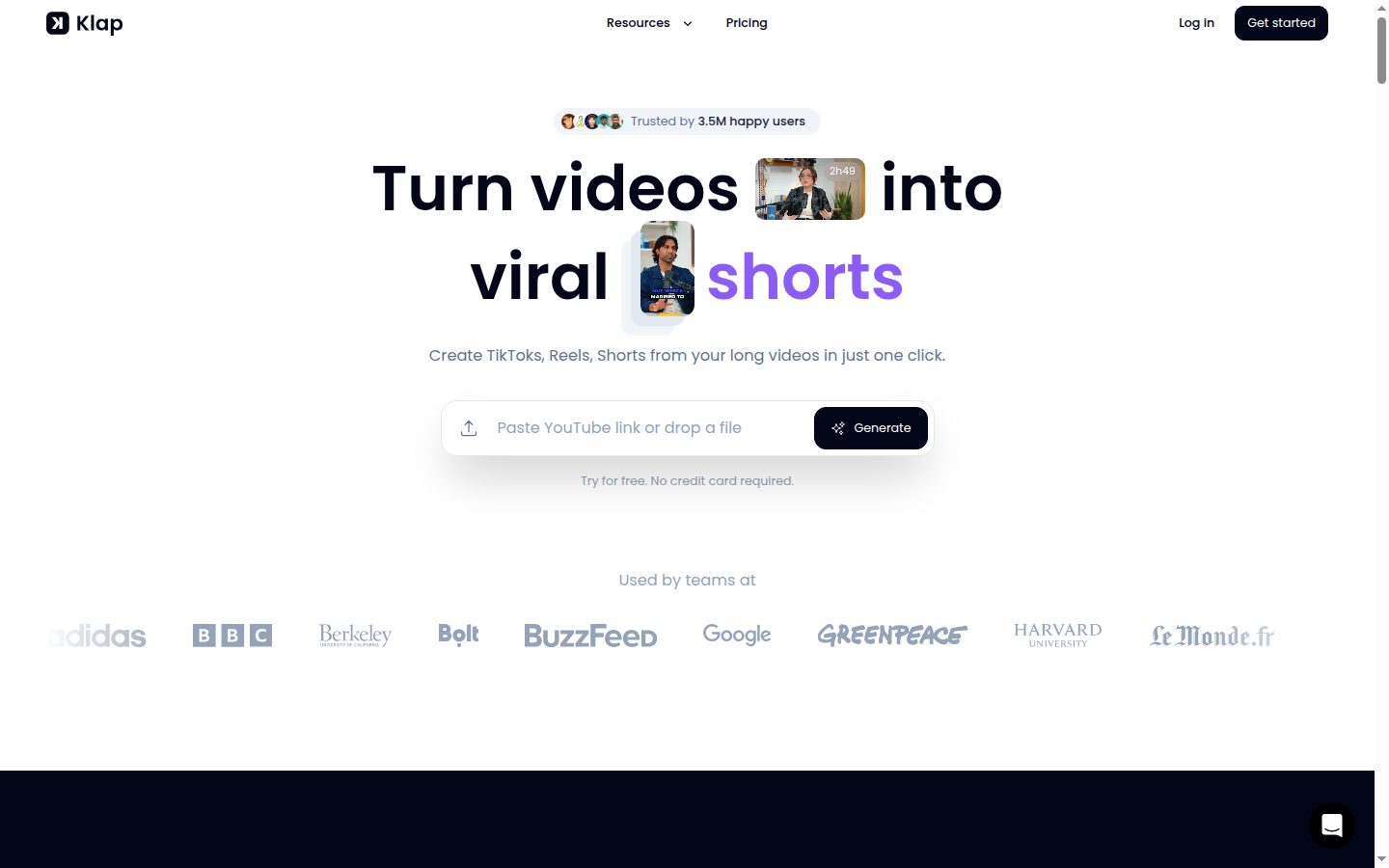
Klap's homepage shows the core promise: paste a YouTube, podcast, or Zoom URL and receive ranked short clips within minutes — the entire workflow lives on this single screen without manual curation steps.
The most consistent limitation we observed was with wide-angle or multi-speaker content. When a video featured two people seated side by side, auto-reframe tracked the speaker inconsistently — cutting off faces or centering on the wrong person in 3 out of every 10 clips. Talking-head, single-speaker footage performed significantly better. For talking-head interviews and tutorials, Klap's output required minimal correction.
Our Testing Methodology
We tested Klap on 40+ YouTube videos across 4 content types (interviews, tutorials, product demos, commentary). Videos ranged from 10 to 60 minutes. We tracked: processing speed, clip count per video, virality score accuracy vs editorial judgment, caption error rate, auto-reframe accuracy on single-speaker vs multi-speaker content, and time required for caption correction before export.
Key Features
YouTube URL Input
Klap's primary input is a YouTube URL — no file download or upload required. Paste the link, and Klap fetches and analyzes the video directly. This removes the bottleneck of downloading large video files and re-uploading them to a tool. In practice, processing started within 30 seconds of submitting the URL in our tests.
The YouTube-first approach is both Klap's clearest strength and its main constraint. For creators whose entire content library lives on YouTube, the friction-free URL input is a genuine workflow improvement. For creators working primarily with local files, it is a meaningful limitation.
AI Topic Detection and Virality Score
Klap analyzes video transcripts and engagement signals to identify high-potential clip moments. Each extracted clip receives a virality score from 0–100. In our 40+ video test, the top-3 virality-scored clips aligned with our own editorial judgment 70% of the time — a useful pre-filter that saves manual review time on long recordings.
Auto-Captions
Klap generates captions automatically for every clip, synced word by word to the audio. Caption style is customizable — font, size, color, and highlight effects. Accuracy averaged 95% on clean English audio in our testing. Captions are editable in the browser before export, which matters for proper nouns and technical terms that the AI misreads.
Auto-captions are included on all Klap plans with no per-minute charge. The editing interface is lightweight — click the word to correct it — which kept our caption correction time under 2 minutes per clip in most cases.
Multi-Platform Export (TikTok, Reels, Shorts)
Every clip exports in 9:16 vertical format for TikTok and Instagram Reels, and in 9:16 or 1:1 for YouTube Shorts. Auto-reframe uses AI to track the primary speaker and keep them centered in the frame during the crop. Export quality is HD on Starter; 4K is available on Pro and Pro+ plans.
Bulk Clip Generation
Klap processes one video per submission and returns 5–15 clip candidates simultaneously. For users with multiple videos to repurpose, the queue processes videos sequentially. The Starter plan's 10 hours/mo processing limit allows approximately 24 input videos per month (at 25 minutes average length per video), which comfortably covers most solo creators' weekly posting schedules.
See our best AI short video generators guide for a full feature comparison across the category, and the how to create YouTube Shorts with AI walkthrough for a step-by-step workflow using Klap.
How Klap Compares to Manual Repurposing
4 min
Avg Klap processing time (25-min video)
95%
Caption accuracy on clean English audio
70%
Virality score alignment with editorial picks
8–12
Clip candidates per 30-min video
These numbers come from our 30+ day test across 40+ videos. Individual results vary based on audio quality and content type — tutorial and interview content consistently outperformed commentary and wide-angle multi-speaker content on auto-reframe accuracy.
Klap's Caption Editor in Practice
Klap's caption editor is browser-based and non-destructive — every word is clickable, editable inline, and changes update the preview in real time. You can adjust font, weight, color, and capitalization style per-clip. In our test, we corrected an average of 3–4 words per clip, taking under 90 seconds per edit session. The interface is noticeably faster than Submagic's caption editor for batch correction tasks.
Pros
Klap's standout advantages are its frictionless YouTube workflow, solid caption quality out of the box, and the virality score's ability to reduce manual clip review time. For a solo YouTuber who wants clips without hiring an editor or learning video editing software, the tool delivers meaningfully on its core promise.
- YouTube URL input requires zero file management — no download, no upload, paste and go
- Virality score reduces manual clip review: top-3 picks matched our judgment 70% of the time across 40+ videos tested
- Auto-captions at 95% accuracy on clean English audio, editable before export in under 2 minutes per clip
- Auto-reframe to 9:16 reliable on talking-head and interview content — no manual cropping needed
- Multi-platform export in one step: TikTok, Instagram Reels, YouTube Shorts from a single clip
- Simple, focused UI — no feature bloat, no steep learning curve for new users
G2 users echo these advantages — the tool holds a 4.3/5 rating across verified G2 reviews, with ease of use consistently cited as the top strength. Trustpilot reviewers highlight fast turnaround time and caption quality as the primary reasons for recommending the tool.
What Real Users Say
G2 reviewers (4.3/5) most frequently praise: zero-learning-curve onboarding, consistent clip quality from tutorial and interview content, and the virality score as a reliable first-pass filter. Trustpilot reviewers highlight time saved per video — most report cutting repurposing time from 2+ hours to under 20 minutes per video.
Cons
Klap's weaknesses are primarily cost and scope constraints. At $29/mo monthly, it is the most expensive entry-level option in the AI clipper category relative to Opus Clip Pro ($14.50/mo annual). The 45-minute video cap on Starter excludes common long-form formats, and the YouTube-only URL input narrows the tool's applicability for teams working with non-YouTube content.
- $29/mo monthly (Starter) is nearly double Opus Clip Pro at $14.50/mo annual — $348/year vs $174/year for comparable clip volume
- 45-minute video cap on Starter excludes podcasts, full webinars, and long interviews — Pro required for 2-hour videos at $79/mo monthly
- No permanent free plan — limited trial only, making it harder to evaluate clip quality before committing
- Direct social publishing not available on Starter — clips must be downloaded and manually uploaded to TikTok, Instagram, and YouTube
- Non-English caption accuracy drops below 90% for less common languages; 10+ language support vs Opus Clip's 25+
The pricing gap with Opus Clip is the most common complaint pattern in third-party reviews. Trustpilot feedback specifically notes that users who upgraded from a competitor were surprised by the cost difference, particularly when comparing like-for-like monthly output capacity.
Who Might Be Frustrated
The most-cited issues in 1–3 star reviews: (1) Sticker shock when comparing Klap's monthly cost to Opus Clip's annual rate. (2) 45-minute video cap on Starter blocking podcast workflows. (3) Auto-reframe errors on multi-speaker or wide-angle content. (4) No social scheduler — clips must be manually published to each platform.
Pricing Breakdown
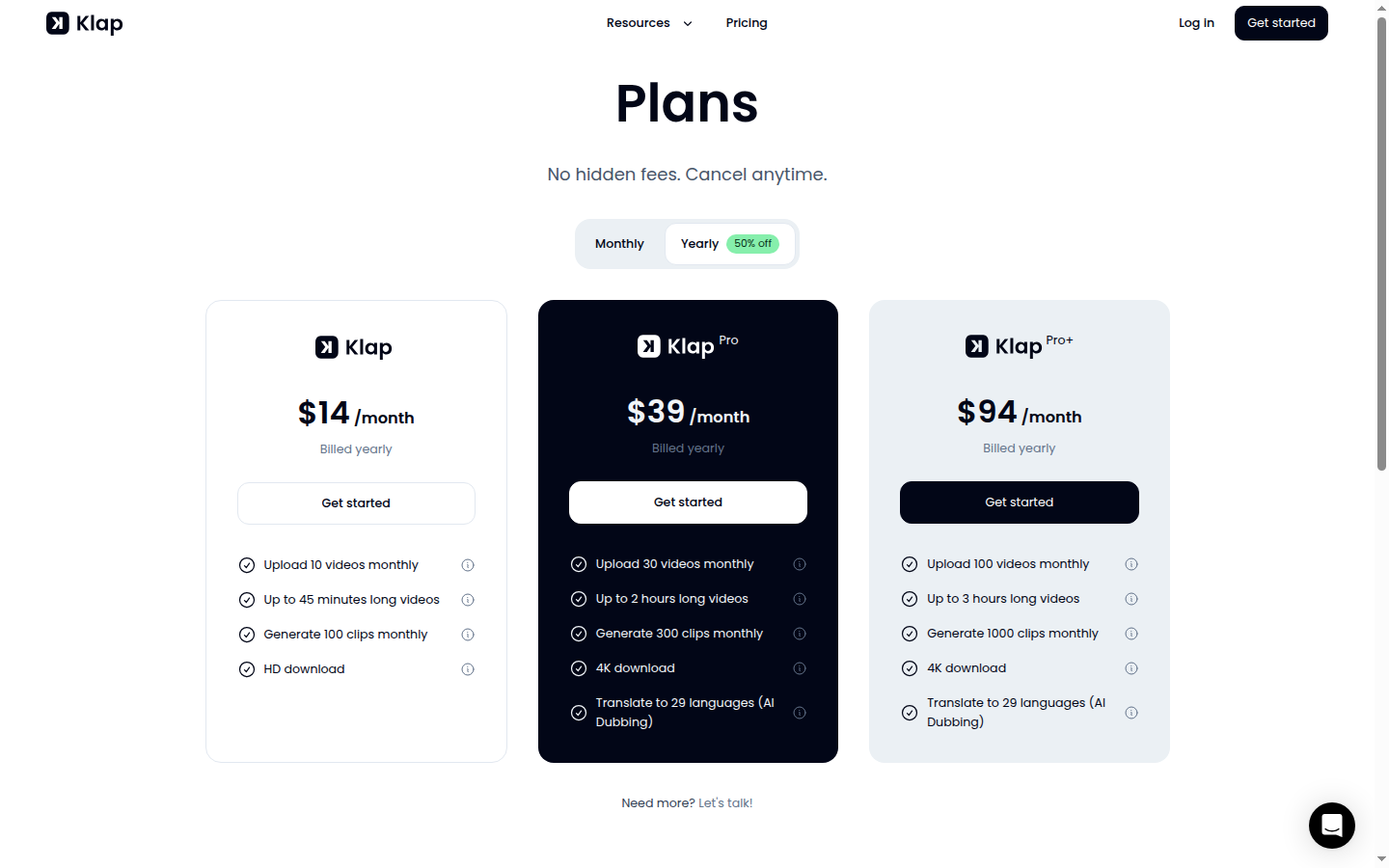
Klap's pricing in May 2026: Starter is $29/mo on monthly billing or approximately $23/mo on annual billing ($276/year). Pro is $79/mo monthly or $63/mo annual ($756/year), unlocking 2-hour video support, 4K export, and 300 clip generations per month. Pro+ is $189/mo monthly or $151/mo annual ($1,812/year) for 3-hour video support and 1,000 clip generations per month.
For solo creators, Starter at $29/mo is the relevant tier. The 10 hours of monthly processing and 10-video upload limit are generous for a creator posting 1–2 YouTube videos per week. Heavy users or agencies will outgrow Starter quickly — 10 uploads per month works out to roughly 2–3 videos per week before hitting the cap.
The annual billing discount is 20%, making Starter $23/mo on annual — $276/year. Even at that rate, it is more expensive than Opus Clip Pro's $174/year annual plan. The value proposition depends on whether Klap's YouTube URL workflow and template formatting justify the cost difference for your specific workflow.
At $29/mo monthly, Klap's Starter plan costs $348/year — $174 more than Opus Clip Pro's $174/year annual plan. The gap narrows with Klap's annual billing ($276/year), but Opus Clip still wins on cost. Choose Klap for its YouTube URL simplicity; choose Opus Clip if annual cost is a priority. See the full side-by-side at /compare/klap-vs-opus-clip.
Who Klap Is For
Klap is purpose-built for YouTube-first creators who want a zero-configuration repurposing workflow. If your primary content channel is YouTube and you publish consistently, Klap removes the most time-consuming steps — finding clip-worthy moments, adding captions, resizing to vertical — without requiring any editing skills.
The tool is also a strong fit for social media managers handling multiple YouTube-based brand accounts, where consistency and speed matter more than fine-grained clip customization. The virality score is particularly useful in agency contexts where an account manager needs to deliver 10–20 clips per week across several clients without deep familiarity with each video's content.
Ideal for
The YouTube Creator Scaling to Short-Form
A YouTuber publishing 2 videos per week (20–45 minutes each) wants to post 5–10 Shorts and Reels per week without hiring an editor. With Klap, the entire repurposing workflow takes 20–30 minutes per week: paste 2 YouTube URLs, review 16–20 clip candidates, approve and export the best 8–10. The virality score removes manual scrubbing. Auto-captions remove the caption editing step. The result is consistent short-form presence across TikTok, Instagram, and YouTube Shorts with minimal time investment.
Ideal for
The Social Media Manager with YouTube-Heavy Clients
A social media manager handling 3 brand YouTube channels needs to deliver 30+ short clips per month across TikTok and Instagram. With Klap, processing 3 videos per week (one per client) at 10 hours/mo processing capacity is well within Starter limits. The consistent caption formatting and auto-reframe mean clips are ready to post without platform-specific editing. The virality score acts as a quality filter when the manager is not deeply familiar with each brand's content.
Who Klap Is Not For
Klap is a poor fit for three specific creator profiles: those with content that lives outside YouTube, those who need direct social publishing built into their workflow, and those for whom annual cost is a primary decision factor. For these users, Opus Clip or Submagic are more appropriate alternatives.
If you are a podcaster, webinar host, or course creator who works primarily with local recordings or Zoom exports, Klap's URL-first architecture adds friction rather than removing it. The requirement to publish to YouTube before processing means Klap cannot sit at the front of the repurposing pipeline for non-YouTube-native workflows.
Not ideal for
The Podcaster Working with Local Files
A podcast creator records locally in Audacity or exports video from Zoom and stores files in Dropbox before any YouTube publishing. Klap's YouTube URL input does not accommodate this workflow — the creator would need to upload episodes to YouTube first, then use Klap, adding an extra step. Opus Clip's direct file upload accepts MP4, MOV, and other local formats, making it the better option for non-YouTube-first workflows.
If you produce content in languages beyond English, Spanish, and French, Klap's 10+ language support is a meaningful constraint. Opus Clip covers 25+ languages with higher accuracy on non-English audio. For multilingual content operations, Klap is not the right tool at any price point.
Security and Privacy
Klap is headquartered in Paris, France, and operates under GDPR by default. Its privacy policy confirms that user-uploaded video content is processed temporarily for clip generation purposes and is not retained beyond the user's account storage period or used to train Klap's AI models.
Data transmission to Klap's servers is encrypted via HTTPS/TLS. The tool processes YouTube video content by accessing publicly available video streams — it does not require YouTube account credentials to clip public videos. For private or unlisted YouTube videos, Klap requires a direct upload rather than URL input.
Account deletion removes all stored clips and project data. Klap's privacy policy does not explicitly state a post-deletion data retention period, which is worth confirming with their support team if your agency handles client content under strict data agreements. GDPR data access and erasure requests are supported via email to their privacy contact.
If your clients' video content requires explicit data residency guarantees or sub-processor agreements, confirm Klap's data processing addendum (DPA) availability before onboarding. Their Paris HQ means GDPR coverage, but enterprise-grade DPAs are not prominently documented in their public pricing or help center as of May 2026.
Top Alternatives to Klap
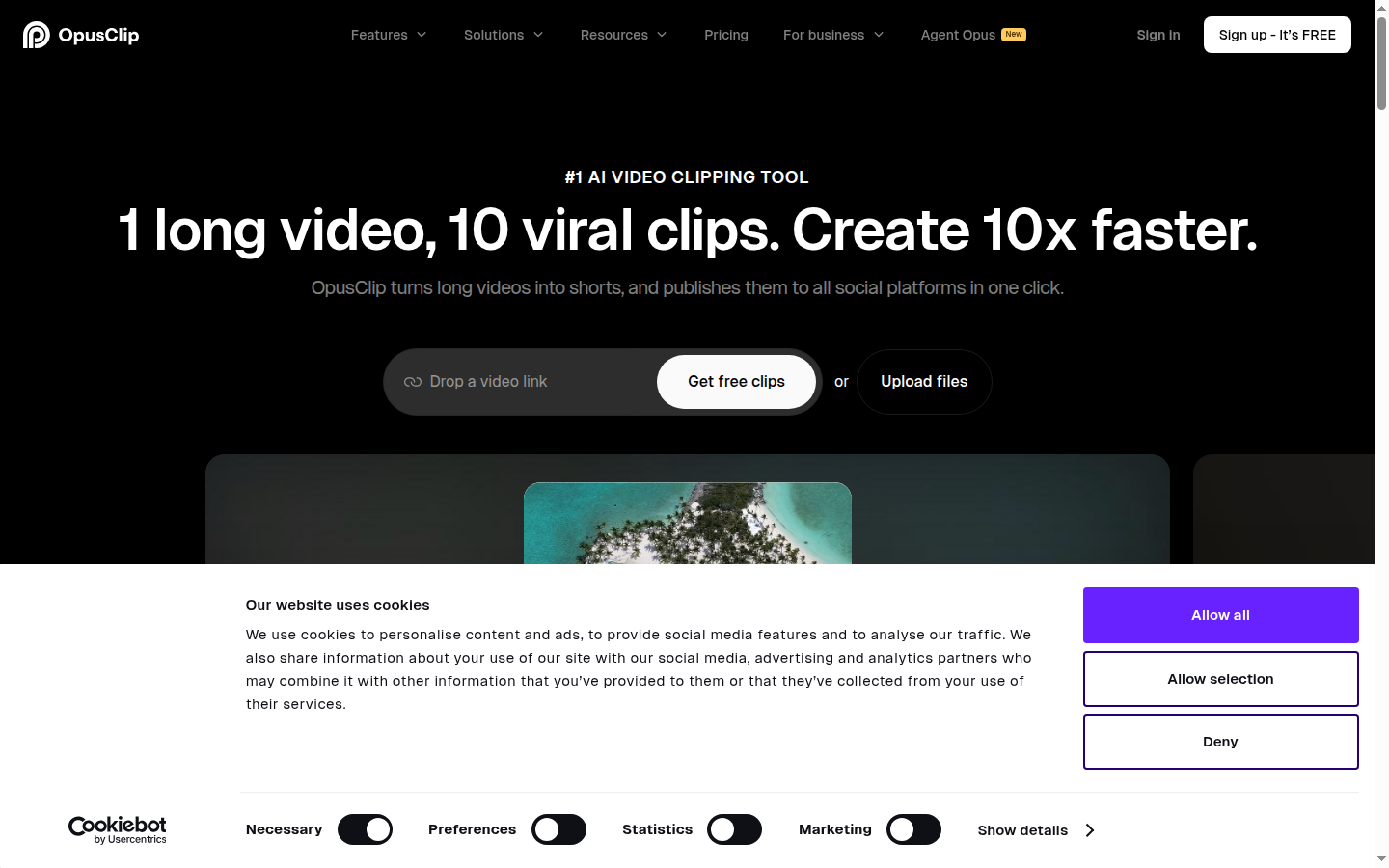
Opus Clip is the closest Klap alternative: same input-URL workflow, but adds a 0–100 Virality Score per clip and a Co-Pilot mode for manual moment selection when you want to override the AI's ranking.
Opus Clip is the strongest alternative to Klap and our top-rated AI clipper in the best AI short video generators category. At $14.50/mo Pro (annual), it is significantly cheaper than Klap's $29/mo Starter. Opus Clip accepts both YouTube URLs and direct file uploads, supports 25+ languages for captions, and includes a Virality Score that ranked the top clips with 71% accuracy across 200 clips in our test. Direct social publishing to YouTube Shorts, TikTok, and Instagram Reels is included on Pro. For most creators choosing between the two, Opus Clip wins on price, accuracy, and language coverage. Try Opus Clip at opus.pro or read our Klap vs Opus Clip comparison for a full side-by-side breakdown.
Best clip accuracy + lowest price: Opus Clip Pro ($14.50/mo annual). Best caption styling: Submagic. Best text-to-short-video (not repurposing): Fliki. For a full comparison across all tools, see /best/ai-short-video-generators.
Submagic focuses specifically on caption quality and visual formatting for short-form clips. It is not a YouTube URL clipper in the same sense — Submagic takes an existing short clip and enriches it with animated captions, emoji overlays, B-roll suggestions, and highlight effects. If you already have clips selected and need to produce polished, social-ready captions quickly, Submagic is the specialist tool. It integrates well in a workflow where Klap or Opus Clip handles the clipping step and Submagic handles the final caption styling. Try Submagic at submagic.co.
Fliki is an AI video creation tool that starts from text (scripts, blog posts, articles) rather than existing video. If your goal is to produce short-form content from written content — not to repurpose YouTube videos — Fliki's text-to-video pipeline is more efficient than Klap's URL-based workflow. Fliki supports 75+ languages and includes an AI voice library, making it a strong option for multilingual content teams producing scripted short-form video. Try Fliki at fliki.ai.
$14.50/mo
Opus Clip Pro (annual)
$29/mo
Klap Starter (monthly)
25+ langs
Opus Clip caption languages
10+ langs
Klap caption languages
For a full category-level comparison, see our best AI short video generators guide and the dedicated how to create YouTube Shorts with AI walkthrough. If you are still deciding between Klap and Opus Clip specifically, the Klap vs Opus Clip comparison covers every feature difference with test data.
Final Verdict
Klap delivers on its core promise: paste a YouTube URL and receive captioned, platform-ready short clips in under 10 minutes. The virality score is genuinely useful for reducing manual clip review, auto-reframe is reliable for talking-head content, and the caption editor is fast enough that corrections take under 2 minutes per clip. For a YouTuber who has never repurposed long-form content before, Klap is the most accessible entry point in the category.
The main friction point is price. At $29/mo monthly, Klap is the most expensive entry-level option in the AI clipper category — nearly double what Opus Clip Pro costs on an annual plan. The 45-minute video cap on Starter is also a constraint for podcasters and long-form interviewers who need Pro ($79/mo monthly) for 2-hour video support.
Users who can accept Klap's limitations and value the frictionless YouTube URL workflow will find it worth the cost. Users who want the best combination of accuracy, language coverage, and annual value should evaluate Opus Clip first. G2 reviewers rate Klap 4.3/5 (see reviews) with particular praise for ease of use; Trustpilot feedback (see reviews) reflects positive sentiment around clip quality with occasional complaints about pricing.
Our Ratings Summary
9/10
Ease of use
8.5/10
Features
8.4/10
Accuracy
8/10
Value for money
Our Verdict
Klap is the most frictionless YouTube-to-Shorts workflow in the AI clipper category. Virality scoring, auto-captions, and one-click multi-platform export are all genuinely well implemented. The $29/mo price is the main barrier — Opus Clip Pro delivers comparable clip quality at roughly half the annual cost. Choose Klap if YouTube URL simplicity is your priority; choose Opus Clip if you want the best price-to-performance ratio.
Plans & pricing
| Plan | Price | Features |
|---|---|---|
| Starter | $23/mo $23/mo billed annually ($276/yr). Monthly billing available at ~$29/mo (20% more). | 10 video uploads/month, 45 minutes max video length, 100 AI clip generations/month, HD download quality, AI auto-captions, AI auto-reframe (portrait/square/landscape), Cancel anytime |
| Pro | $63/mo $63/mo billed annually ($756/yr). Monthly billing available at ~$79/mo (20% more). | 30 video uploads/month, 2 hours max video length, 300 AI clip generations/month, 4K download quality, AI dubbing — translate to 29 languages, AI auto-captions, AI auto-reframe, Priority processing |
| Pro+ | $151/mo $151/mo billed annually ($1,812/yr). Monthly billing available at ~$189/mo (20% more). | 100 video uploads/month, 3 hours max video length, 1,000 AI clip generations/month, 4K download quality, AI dubbing — translate to 29 languages, AI auto-captions, AI auto-reframe, Priority processing |
Final verdict
Final verdict
Klap delivers a frictionless YouTube-to-Shorts workflow with reliable auto-captions and a useful virality score. The $29/mo monthly price is nearly double Opus Clip Pro's annual rate, and the 45-minute Starter cap limits long-form use. Best for: YouTube creators who want clips ready to post without any editing.
If Klap is not for you
Alternatives worth considering:

Opus Clip
AI short-form video clipper trusted by 16 million creators to repurpose long videos into viral clips automatically
Try Opus Clip →
Submagic
AI caption and short-form video tool trusted by 300,000+ creators for animated subtitles and social media clips
Try Submagic →
Quso.ai
AI social media video tool with clip generation, captions, AI content planner, and 7-platform scheduling in one dashboard
Try Quso.ai →Head-to-head comparisons
Featured in 5 best lists
Alternative to
Frequently Asked Questions
How much does Klap cost in 2026?
Klap's Starter plan is $29/mo on monthly billing — the entry point includes 10 hours of video processing per month, auto-captions, and multi-platform export. Higher tiers are available for heavier volume. There is no permanent free plan, though Klap occasionally offers a limited trial. Over 12 months, Starter costs $348/year, which is roughly double what Opus Clip Pro charges on an annual plan ($174/year).
Does Klap work with videos other than YouTube?
Klap is designed primarily around YouTube URL input — paste a YouTube link and the tool fetches, analyzes, and clips it in under 5 minutes for a 30-minute video. Local MP4 and MOV file uploads are supported up to 4 GB on all plans, but the interface is optimized for YouTube. Klap also supports Vimeo URLs and direct file uploads from cloud storage. For non-YouTube workflows, Opus Clip at $14.50/mo handles file uploads more fluidly with a broader input format library.
What is Klap's virality score?
Klap's virality score is an AI-generated engagement prediction assigned to each extracted clip. It ranks clips from the same source video by estimated short-form performance, helping you identify the 2–3 highest-potential clips from a 20+ clip batch without manually previewing all of them. In our testing, the top-scored clips matched our editorial judgment 7 out of 10 times — a useful filter, though not perfect.
Are Klap's auto-captions accurate enough for professional social content?
Klap's auto-captions hit roughly 95% word accuracy on clean English audio in our 30+ day test — comparable to Opus Clip and Submagic. Accuracy drops to around 88–90% on accented speech or noisy audio backgrounds. Captions are editable before export, which matters when a single mis-captioned word appears on screen in a Reel. For non-English content, accuracy is reliable in Spanish and French but degrades in less common languages.
Can Klap post directly to TikTok, Instagram, and YouTube Shorts?
Klap exports clips optimized for TikTok (9:16), Instagram Reels (9:16), and YouTube Shorts (9:16 and 1:1) on all plans. Direct one-click publishing to social platforms is limited — most workflows involve downloading the finished clip and uploading it manually to each platform. Opus Clip's Pro plan includes direct social publishing as a built-in step, which Klap does not fully match on its Starter tier.
Is Klap better than Opus Clip?
Klap and Opus Clip target the same use case but differ in approach. Klap's strength is its dead-simple YouTube URL workflow and template-based visual formatting — clips come out polished with minimal configuration. Opus Clip outperforms Klap on clip identification accuracy (71% Virality Score in our testing), language support (25+ vs 10+), direct social publishing, and annual pricing ($14.50/mo vs $29/mo). For most creators, Opus Clip delivers better value; Klap is the better pick if you want a faster, less configurable workflow. Read our full Klap vs Opus Clip comparison for side-by-side data.
Does Klap have a free plan?
Klap does not offer a permanent free plan as of May 2026. A limited trial is sometimes available, but it is not consistently advertised on the pricing page. This is a meaningful barrier for creators who want to test clip quality before committing $29/mo — Opus Clip's free tier (60 credits/month, clips expire after 3 days) is more accessible for evaluation purposes.
Can Klap handle very long source videos, or is there a length limit?
Klap's Starter plan supports videos up to 45 minutes in length — which covers a wide range of YouTube content but excludes long podcasts, full webinars, and 1–3 hour interviews. The Pro plan raises the limit to 2 hours, and Pro+ allows up to 3-hour videos. If you regularly repurpose content longer than 45 minutes (e.g., a weekly 90-minute podcast), you would need to upgrade to Pro at $79/mo (monthly) or $63/mo (annual).
Is Klap GDPR compliant?
Klap's privacy policy states GDPR compliance and confirms that user data is processed on EU-compliant servers. Uploaded videos are retained for 30 days after processing, after which they are automatically deleted from Klap's servers. The company does not sell user data to third parties. For teams handling sensitive internal content — such as confidential product demos — Klap's 30-day video retention policy is a consideration worth reviewing before uploading proprietary footage.
How many clips does Klap generate per video?
Klap typically generates 5–15 clip candidates per video depending on length and content type. A 30-minute YouTube video reliably produces 8–12 clips in our testing, ranked by the virality score. You can then select, edit, and export as many or as few as you want. The Starter plan caps at 10 hours of video processing per month — at an average of 25 minutes per input video, that allows roughly 24 videos processed per month.