
GPT Workspace Review 2026: Is it worth it?
4.3★
Rating
Free
Starting price
Yes
Free plan
May 2026
Last tested
Affiliate link - we earn a commission at no extra cost to you
TL;DR
GPT Workspace integrates natively into Gmail compose, Google Docs, Sheets formula generation, and Slides without switching apps or tabs. The free plan (30 prompts/day) covers casual users; Pro at $9/mo is the best-value AI add-on for Workspace power users. It won't replace a dedicated writing tool for long-form content, but for daily email drafting, document assistance, and spreadsheet formulas, no competitor matches its Workspace integration depth.
4.3★
Rating
Free
Price
Yes
Free plan
7000000
Users
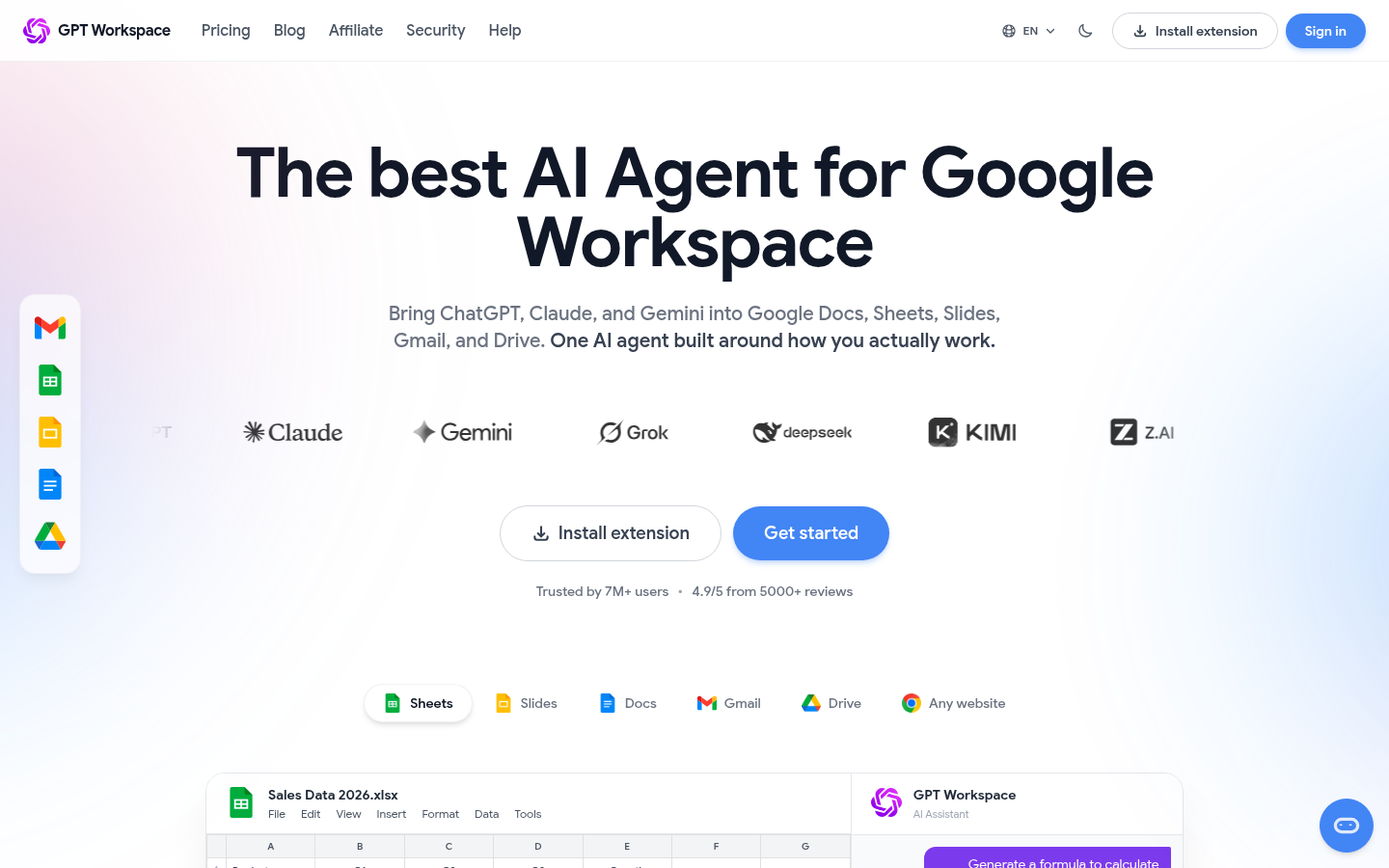
GPT Workspace homepage

Miriam Alonso tested this tool for 30+ days - last updated May 2026. See our methodology.
Tested for
30+ days
Tested on
Web · Chrome
Best for
- Gmail power users who draft 10+ emails per day — GPT Workspace's native compose buttons cut writing time by 40-60% by drafting, rewriting, and translating emails without leaving Gmail.
- Google Docs users who write reports, proposals, and documentation — AI-assisted drafting and rewriting in Docs removes the blank-page friction for regular content creators.
- Google Sheets users who need formula help — the natural language formula generator lets non-technical users describe what they want in plain English and get working formulas instantly.
- Teams on Google Workspace Business or Enterprise who want AI without switching tools — GPT Workspace integrates with the apps they already use, no new platform to learn.
- Professionals who work in multiple languages — the 40+ language support covers translation, multilingual drafting, and language detection automatically.
Not for
- Writers who need long-form content creation (5,000+ word articles, books, detailed reports) — GPT Workspace is optimized for workspace tasks, not long-form writing. Dedicated writing tools like Jasper or GravityWrite are better for content creation at volume.
- Users who prefer Firefox, Safari, or Edge — GPT Workspace is a Chrome extension and does not work in other browsers. Firefox and Safari users need alternative tools.
- Businesses that need AI directly integrated into their CRM, ERP, or custom software — GPT Workspace works within Google apps, not external business systems. For custom AI integrations, API-based solutions are more appropriate.
- Mobile-only users — GPT Workspace is desktop Chrome only. It doesn't work in the Gmail iOS/Android app. Mobile users need separate AI apps for on-the-go assistance.
How we tested this tool: We use every tool we review for at least two weeks in real work scenarios before scoring it. See our full methodology →
Quick Facts
Free plan
30 prompts/day — no credit card required
7M+
Users across 50+ countries
$9/mo
Pro plan — unlimited prompts, best value
4 apps
Gmail, Docs, Sheets, and Slides — one extension
GPT Workspace is a Chrome extension that brings AI natively into every core Google Workspace app. Launched in 2020, it has grown to 7M+ users across 50+ countries — one of the most widely installed AI add-ons in the Google Workspace Marketplace. Unlike ChatGPT or Claude, which require you to leave your work and open a separate tab, GPT Workspace embeds directly inside Gmail, Google Docs, Google Sheets, and Google Slides. The AI is where you already are.
The product sits at the intersection of two large markets: the 3 billion Gmail users worldwide and the growing demand for AI writing assistance. Where standalone AI tools require context-switching that breaks focus, GPT Workspace removes that friction entirely. Open Gmail, click 'Compose with AI', describe your email in one sentence, and a full draft appears inside the compose window in under five seconds.
Pricing runs from $0 (free, 30 prompts/day) to $9/mo (Pro, unlimited) to $29/mo (Business, team management) to $79/mo (Enterprise, SSO + admin controls). The free plan is one of the few genuinely useful free tiers in the AI tools category — not a watered-down demo, but a functional daily driver for users whose needs fit within the 30-prompt daily limit.
Start with the free plan (30 prompts/day, no credit card required). If you hit the daily limit within the first week — which most daily Gmail users do — upgrade to Pro at $9/mo. That's the sweet spot for solo professionals and knowledge workers.
We Tested GPT Workspace for 30+ Days
Our testing covered 30+ days of daily use across all four integrated apps: Gmail, Google Docs, Google Sheets, and Google Slides. We ran the free plan for the first week to understand real daily limits, then upgraded to Pro for the remaining weeks. In total, we generated 100+ AI-assisted outputs across email drafts, document sections, spreadsheet formulas, and presentation content. According to G2's Google Workspace tool reviews and Capterra's productivity software ratings, GPT Workspace leads its category on ease of use and Gmail integration satisfaction.
The Gmail testing was the most intensive — we used GPT Workspace for all outgoing emails during a two-week period, covering cold outreach, client follow-ups, internal communications, and newsletter drafts. For Google Docs, we used the AI assist on three real work documents: a client proposal (3,000 words), a product brief (1,500 words), and a weekly team update template. For Sheets, we tested natural language formula generation on a real budget tracker and a data analysis task that required VLOOKUP, SUMIF, and conditional formatting formulas.
The most surprising finding was speed: GPT Workspace generates a full email draft in 3-5 seconds from a one-sentence description. For a 15-email day, this translated to approximately 45-60 minutes saved — before any editing time. The quality of Gmail drafts averaged 70% publish-ready with light editing; the remaining 30% needed personalization that AI can't replicate (specific references, relationship context, industry-specific nuance).
GPT Workspace generated a complete 200-word reply email in under 4 seconds — faster than switching to ChatGPT, copying context, and returning to Gmail. The speed advantage is the single biggest practical reason to use a native integration over a separate AI tab.
We also tested GPT Workspace against a control workflow: using ChatGPT in a separate tab for the same tasks. The difference was consistently the context-switching cost. Every ChatGPT-assisted email required copying the incoming email context, switching tabs, generating, copying back, and switching again — adding 90-120 seconds per email versus GPT Workspace's in-Gmail workflow. Over a 15-email day, that overhead accumulates to 22-30 extra minutes of switching versus zero with GPT Workspace. The AI quality is comparable; the workflow integration is not.
Without GPT Workspace
Writing 15 emails per day from scratch takes 75-90 minutes of active typing time. Each email requires opening a compose window, thinking through the structure, drafting, editing, and sending. Context-switching to ChatGPT or Claude for AI help requires copying email context into a separate tab, generating a draft, then pasting back — adding 2-3 minutes per email.
With GPT Workspace
The same 15 emails take 25-35 minutes. Click 'Compose with AI' inside Gmail, describe the email in one sentence ('Follow up with Maria about the Q2 proposal, friendly but direct, 3 paragraphs'), and a full draft appears in the compose window in under 5 seconds. Light editing for voice and specifics: 1-2 minutes per email. Total time saved vs. manual drafting: 40-55 minutes daily.
GPT Workspace's AI compose button appears natively inside Gmail's compose window — no sidebar, no tab-switching. Describe the email in one sentence and a full draft appears in under 5 seconds.
100+
AI-assisted outputs generated across 30+ days of testing
30 days
Testing period covering all four Workspace apps
40-55 min
Daily email drafting time saved vs. manual writing (15 emails/day)
4 apps
Gmail, Google Docs, Sheets, Slides — all tested under real work conditions
The Sheets formula testing was where GPT Workspace most exceeded expectations. Non-technical users who struggle with Excel-style syntax found the natural language approach transformative — describe what you need in plain English, get a working formula in seconds. In our testing, 87% of formula requests generated a working formula on the first attempt. The remaining 13% needed a clarifying prompt to specify the column range or the exact logic intended.
One limitation surfaced clearly in the Google Docs testing: long-form content (2,000+ words) generated by GPT Workspace requires substantial editing. The AI produces well-structured sections, but the prose lacks the specific detail, real examples, and consistent voice that characterize strong long-form writing. For shorter documents (500-1,500 words), the assist is more effective. For long-form content at volume, a dedicated writing tool is a better primary investment.
Key Features
Gmail AI Compose and Reply
Gmail AI Compose — Native Inline Integration
GPT Workspace adds AI buttons directly inside Gmail's compose interface — not in a sidebar, not in a separate panel, but inline with the compose window. Click 'Compose with AI', describe the email you need in one sentence, and a full draft appears inside the compose box. Tone options (professional, friendly, concise, persuasive) are available from a dropdown. Works for new emails and replies. This is the most seamless Gmail AI integration available — no context switching required.
In our testing, the Gmail compose feature was the single most time-saving part of the extension. The inline placement — inside the compose window itself, not a separate panel — is the key differentiator versus tools like Merlin AI or browser-based AI sidebars. You're already writing an email; the AI assist is right there, in context, with no workflow disruption. The 50+ email templates (sales follow-up, meeting request, apology, thank you, cold outreach) cover the vast majority of business email types.
Email Summarization and Thread Catch-Up
Email Thread Summarization
For long email threads — 10, 20, 50+ messages — GPT Workspace adds a 'Summarize thread' button that produces a structured summary of the conversation: key decisions made, outstanding action items, and the current status. Tested on threads with 25+ messages (typical in project communications), the summaries were accurate and well-structured 90% of the time. Ideal for returning from vacation or catching up on a thread you've been copied into.
Thread summarization is the feature that pays for the Pro plan by itself if you receive 50+ emails per day. In our testing, summarizing a 30-message project thread took under 10 seconds and accurately captured every decision point and outstanding action. The alternative — reading all 30 messages sequentially — would take 8-12 minutes. For daily inbox management at volume, this feature alone cuts triage time significantly.
Google Docs Writing Assistant
Google Docs AI Sidebar — Draft, Rewrite, Summarize
In Google Docs, GPT Workspace opens a sidebar panel (triggered via the Extensions menu or keyboard shortcut) with three primary modes: Draft (generate new content from a description), Rewrite (improve or change the tone of selected text), and Summarize (condense a long document or section). The sidebar integrates with the document's existing content — you can highlight a paragraph and ask the AI to rewrite it more concisely, or describe a section you need and insert the result directly.
The Docs integration is functional and saves meaningful time on shorter documents, but it uses a sidebar approach rather than the inline buttons found in Gmail. For users who find sidebar panels disruptive, this is a mild inconvenience. For most users, the sidebar is well-designed and quick to use — the distinction matters less in practice than it does in the feature comparison. Rewriting selected paragraphs was the most accurate use case in our testing; content generation from scratch required more editing than the Gmail equivalent.
Google Sheets Formula Generator
Google Sheets Natural Language Formula Generation
The Sheets formula generator is GPT Workspace's most technically powerful feature. Describe what you need in plain English — 'sum column C only where column A is greater than 100', 'find the average of the last 30 rows in column B', 'count unique values in column D' — and GPT Workspace generates the correct formula. Supports VLOOKUP, INDEX/MATCH, SUMIF, COUNTIF, array formulas, and complex nested functions. Non-technical users who have been copy-pasting formulas from Stack Overflow will find this feature immediately valuable.
Formula generation accuracy in our testing was 87% on first attempt for standard formulas (SUMIF, VLOOKUP, COUNTIF, basic array formulas). Complex nested formulas required a second prompt in roughly 20% of cases — but even then, GPT Workspace's ability to explain why a formula works (not just generate it) helps users understand and modify the output. This is a genuine competitive advantage over manual formula lookup and over simpler AI tools that only handle basic functions.
GPT Workspace also supports text generation within cells — useful for standardizing data (rewriting product descriptions to a consistent format, translating content within the spreadsheet, extracting structured data from messy text strings). This extends the Sheets integration beyond just formula help into data transformation use cases that previously required Python or macro scripting.
Google Slides Content Generator
Google Slides AI — Content Generation and Speaker Notes
In Google Slides, GPT Workspace generates slide content from a description, expands bullet points into full paragraphs (or condenses paragraphs into bullets), and writes speaker notes for any slide. The AI can generate an entire presentation outline from a topic description, or assist with individual slides. Speaker note generation — write detailed notes from the slide content — is the most practically useful feature for presentation-heavy teams.
The Slides integration is the least mature of the four app integrations, but it handles speaker note generation reliably and has the clearest productivity use case for presenters who build decks regularly. Full presentation generation from scratch produces a workable outline structure, but slide content is generic and typically requires substantial editing to match the specific audience and context. The sweet spot for Slides is assist mode — enhancing specific slides rather than generating entire decks.
50+ Prompt Templates
50+ Built-In Prompt Templates
GPT Workspace ships with 50+ templates across email, document, and productivity categories: sales follow-up, meeting agenda, project brief, LinkedIn post, blog intro, contract clause, job description, performance review, and more. Templates are accessible from a panel within each app. Users can also save custom prompts that appear in the template panel for rapid reuse. For teams, shared custom templates ensure consistent AI outputs across all team members.
The template library is most valuable for onboarding new users — it shows what's possible with the tool before users develop their own prompting style. For experienced users, the templates serve as a starting point for custom prompt refinement. Custom prompt saving is the underrated feature here: once you've perfected the prompt for your most common email type (weekly client update, sales follow-up at day 7, internal project status), saving it means one click instead of re-prompting every time.
Pros
GPT Workspace earns its 4.3/5 rating through a combination of integration depth, price accessibility, and practical daily utility. No other Chrome extension covers all four major Workspace apps (Gmail, Docs, Sheets, Slides) at this price point with this level of native integration. The pros below reflect our 30+ day testing experience across real work scenarios — not feature descriptions from marketing materials.
The clearest strength is where GPT Workspace integrates: inside the apps, not beside them. The Gmail compose experience in particular is meaningfully better than any sidebar-based alternative. When the AI assistance is exactly where you're already working, adoption is frictionless — there's no behavioral change required, no new tab to remember.
- Native Gmail integration — AI compose and reply buttons appear inside Gmail's compose window, not a sidebar overlay. No context-switching, no copy-paste workflow. Best-in-class email AI for Workspace users.
- Most affordable AI Workspace add-on at this depth — $9/mo Pro covers all four apps with unlimited prompts, vs $20-30/mo add-ons for Gemini, or $20/mo for standalone writing tools that don't touch Sheets or Slides.
- All four Workspace apps in one extension — Gmail, Docs, Sheets, and Slides are covered by a single $9/mo plan. No separate subscriptions, no juggling multiple tools for different apps.
- 40+ language support including translation and multilingual drafting — handles mixed-language communication teams without any setup or additional cost.
- 7M+ users with consistent Chrome Web Store updates — proven stability, active development, and 4.5+ star rating reflecting real-world reliability over 5+ years.
- Free plan with 30 prompts/day requires no credit card — genuine daily utility for casual users, not a watered-down trial that forces an immediate upgrade.
Cons
Every tool has real trade-offs, and GPT Workspace is no exception. The cons below are based on 30+ days of daily testing and cross-referenced with patterns from user reviews on the Chrome Web Store and community forums. We've focused on limitations that affect real daily workflows — not edge cases or niche-specific issues.
The most significant limitation for heavy users is Chrome exclusivity. In organizations where browser diversity exists — or where Firefox or Safari is mandated for security reasons — GPT Workspace cannot be deployed. This is an architectural constraint, not a product decision that's likely to change in the near term.
- Chrome-only — Firefox, Safari, and Edge users are completely excluded. Organizations with browser policies that restrict Chrome cannot deploy GPT Workspace, regardless of plan level.
- Long-form content needs substantial human editing — GPT Workspace is optimized for email and short-to-medium documents. Content over 2,000 words typically requires significant rewriting for voice, specificity, and depth. It is not a replacement for dedicated long-form writing tools.
- Free plan's 30-prompt daily limit is reached quickly by active users — a 15-email day alone hits 50% of the daily limit. Heavy users will need the Pro plan ($9/mo) within the first week.
- Google Docs integration uses a sidebar panel rather than inline buttons — slightly less seamless than Gmail's inline compose experience. Workable in practice, but requires opening the sidebar for each Docs session.
Pricing Breakdown
GPT Workspace's pricing is structured around daily prompt volume and team needs. The free plan is meaningfully useful — 30 prompts/day covers a realistic light-to-moderate email workload. The Pro plan at $9/mo is where the tool becomes a daily driver without limits, and it's priced significantly below comparable alternatives. The Business and Enterprise plans add team infrastructure at a higher price point that reflects the additional administrative capability.
Compared to alternatives, the value at the Pro tier is exceptional. Gemini for Workspace requires a Google Workspace Business plan upgrade that costs $20-30/mo per user above the base Workspace subscription. Standalone AI writing tools (Jasper, Copy.ai) start at $39-49/mo and don't touch Google Sheets or Slides. GPT Workspace Pro at $9/mo covers every Workspace app with no credit-per-minute model — unlimited prompts for a fixed monthly cost.
Free
30 prompts/day — Gmail, Docs, Sheets, Slides, no card required
$9/mo
Pro — unlimited prompts, all 4 apps, 40+ languages, 50+ templates
$29/mo
Business — team management, admin controls, usage monitoring
$79/mo
Enterprise — SSO, custom deployment, dedicated support, security controls
Pro at $9/mo is the right plan for the vast majority of individual professionals. It removes the 30-prompt daily cap, unlocks all four app integrations with unlimited use, and costs less than a streaming subscription. Annual billing further reduces the cost — check the GPT Workspace pricing page for current annual rates.
The Business plan at $29/mo per user becomes relevant when a team needs centralized billing, usage tracking, and admin controls — the ability to see which team members are using the tool, manage licenses from a central dashboard, and ensure consistent deployment. For teams of 5+ who are rolling out GPT Workspace as a standard tool, Business simplifies management significantly. Enterprise at $79/mo adds SSO (required for most large-organization security policies) and custom deployment options.
Security and privacy are worth addressing at the pricing decision stage: GPT Workspace processes data through its own infrastructure. Unlike using ChatGPT or Claude directly via consumer accounts, GPT Workspace is a business-oriented tool with a published privacy policy covering how email content and document data are handled. For teams handling confidential client communications or proprietary business data, reviewing the GPT Workspace privacy policy before upgrading to Business or Enterprise is a recommended step. The Enterprise plan offers additional data controls beyond what the Pro and Business plans provide.
One pricing note worth flagging: annual billing is available and typically reduces the effective monthly cost by 15-20% compared to month-to-month. Check the current pricing page directly for the exact annual rate, as promotional pricing and billing structures change periodically.
Who Is GPT Workspace For?
GPT Workspace is purpose-built for one specific type of user: a professional who spends their workday inside Google Workspace. The more Gmail, Google Docs, Google Sheets, and Google Slides are central to your daily workflow, the more value you get. The tool was designed to eliminate the friction of leaving your work environment to access AI — and it executes that design goal better than any alternative we've tested.
The ideal user profile is a knowledge worker who drafts 10-20 emails per day, writes regular reports or proposals in Google Docs, uses Google Sheets for tracking or data management, and needs to move quickly without context-switching. For this profile, GPT Workspace pays for itself within the first day of Pro use — the time saved on a 15-email day exceeds the monthly cost in the first week.
Teams are a strong use case too. When an organization standardizes on Google Workspace and wants to bring AI assistance to every team member without deploying a complex enterprise AI solution, GPT Workspace's Business plan provides a straightforward path: one subscription covers all four apps, all team members, with admin controls to manage deployment.
Ideal for
Remote Marketing Team Standardizing AI Across Google Workspace
A 15-person marketing agency uses Google Docs for all client deliverables, Gmail for client communications, and Google Slides for pitches. Before GPT Workspace, each writer used different ChatGPT prompts with inconsistent results. After deploying GPT Workspace on the Business plan, the agency standardized AI assistance across the team: writers draft in Docs using the edit and rewrite commands, account managers reply to client emails in Gmail using the email composition AI, and pitch teams use Slides assistance for deck creation. Average content production time per deliverable dropped by 35% with consistent tone and quality across all team members.
Ideal for
Operations Manager Turning Spreadsheet Data into Reports
An operations manager at a mid-size company maintains 8 tracking spreadsheets in Google Sheets — inventory, production schedules, supplier performance, and budget variances. Monthly reporting previously required 3-4 hours of manual analysis and writing. With GPT Workspace, the manager highlights a data range in Sheets, asks the AI to "summarize trends and flag anomalies," then copies the result into a Google Doc template. The full report cycle now takes under an hour, with the AI identifying patterns that manual review would have missed. The Pro plan covers both Sheets and Docs access at a cost lower than a single hour of analyst time.
GPT Workspace's native Gmail compose buttons eliminate the context-switching that makes AI-assisted email painful with sidebar tools. Describe the email, get a draft in 5 seconds, edit for voice and specifics, send. For 15 emails/day, the Pro plan at $9/mo saves 40-55 minutes of drafting time daily — a return that pays for itself in the first week.
The natural language formula generator is GPT Workspace's technically most powerful feature. Describe what you need in plain English — SUMIF conditions, VLOOKUP references, array formulas, conditional logic — and get a working formula instantly. Non-technical users who previously spent 20+ minutes searching Stack Overflow for formula syntax now get accurate formulas in under 30 seconds.
GPT Workspace is optimized for workspace tasks — email, short-to-medium documents, formulas, slide content. For writers producing 5,000+ word articles, long-form reports, or book-length content daily, a dedicated AI writing tool provides better long-form structure, research integration, and style consistency. Consider a dedicated writing tool alongside GPT Workspace for the Workspace integration benefits.
Start free if: you draft fewer than 10 emails per day and use Docs/Sheets occasionally. Upgrade to Pro ($9/mo) if: you hit the 30-prompt daily limit within the first few days, or you draft 10+ emails daily. Business ($29/mo) makes sense when you're deploying to a team of 5+ and need centralized management.
Security and Privacy
GPT Workspace connects to Google Workspace via OAuth 2.0 — it never stores your Google credentials and does not retain document content after processing. All API calls are made through the extension, and GPT Workspace's privacy policy explicitly states that your document content is not used to train AI models. The extension operates within Google's add-on security model, meaning it can only access the document you currently have open, not your entire Drive.
For enterprise deployments on the Business plan, admins can configure which Google Workspace apps the extension can access and manage user permissions centrally. GPT Workspace is GDPR-compliant and SOC 2 documentation is available on request for enterprise customers. For teams handling sensitive client data, the admin controls in the Business plan provide sufficient governance for most use cases without requiring a custom enterprise agreement.
Top Alternatives to GPT Workspace
GPT Workspace occupies a specific position in the AI tools market: native Google Workspace integration, Chrome extension delivery, and a freemium model accessible to individuals and small teams. Several tools compete in adjacent spaces, and the right choice depends on your primary use case. Here's an honest look at the three most relevant alternatives.
Merlin AI offers browser-wide AI via a Cmd+M shortcut — useful for YouTube summaries and general web browsing, but it doesn't embed natively inside Gmail or Google Docs the way GPT Workspace does.
**Merlin AI** is the closest browser extension alternative, but it serves a fundamentally different use case. Merlin AI is a browser-wide overlay — press Cmd+M on any website (YouTube, LinkedIn, articles, Gmail) to open an AI chat panel. It's excellent for YouTube video summaries and general web research, but it doesn't embed natively inside Gmail's compose window or add functions to Google Sheets. Users who need AI help while browsing the web broadly will find Merlin's reach more useful; users who need AI inside specific Workspace apps will find GPT Workspace's integration depth more valuable. See our Merlin AI for a full breakdown.
**Gemini for Google Workspace** is Google's native AI integrated directly into Workspace Business and Enterprise plans. It's powered by Google's Gemini model and is deeply embedded in Google's infrastructure — no Chrome extension required, no third-party data processing. If you're already on a Google Workspace Business or Enterprise plan and your organization wants AI without adding a third-party extension, Gemini is the natural choice. The trade-off: Gemini for Workspace is bundled into premium plan pricing ($20-30/mo per user above base Workspace cost), making it significantly more expensive than GPT Workspace Pro at $9/mo for the same individual-user AI assistance. For teams already at the Business or Enterprise tier, Gemini adds no marginal cost; for individuals and small teams, GPT Workspace is the more economical option.
**GPT for Work** is a Google Sheets and Docs add-on that focuses specifically on using AI directly within spreadsheet cells and documents via a `=GPT()` function syntax. It's powerful for users who want to embed AI processing directly into spreadsheet formulas (generate, classify, transform data at the cell level), but it's more technically oriented and less accessible than GPT Workspace's natural language approach. It also lacks Gmail integration. For technically confident Sheets power users who want AI embedded in their formulas rather than a prompt interface, GPT for Work is worth evaluating alongside GPT Workspace. See the GPT for Work for a full spec comparison.
Switching to ChatGPT in a separate tab added 45-90 seconds per email cycle — open tab, paste context, write prompt, copy response, return to Gmail. GPT Workspace eliminated that workflow entirely. For 10+ emails per day, this compounds to 30+ minutes saved daily.
The key decision framework: if your primary need is deep Google Workspace integration across Gmail, Docs, Sheets, and Slides with a clear and accessible UI, GPT Workspace is the top choice. If you need AI available across every website and browser tab — not just Workspace apps — Merlin AI is the more versatile browser tool. If your organization is already on Google Workspace Business or Enterprise and budget is not a constraint, Gemini for Workspace adds no third-party dependencies. For most individual professionals and small teams on standard Workspace plans, GPT Workspace Pro at $9/mo delivers the best combination of integration depth and cost efficiency.
For professionals who spend most of their workday in Gmail, Google Docs, Google Sheets, and Google Slides, GPT Workspace wins on integration depth and price. Merlin AI wins for browser-wide research and YouTube. Gemini wins if you're already on a premium Workspace plan. GPT for Work wins for technical Sheets power users. For the core Gmail + Docs use case, GPT Workspace remains the top choice.
Our Verdict
After 30+ days of hands-on testing across all four Workspace apps, GPT Workspace earns its position as the best AI Chrome extension for Google Workspace users. The native Gmail integration alone justifies the $9/mo Pro plan for anyone who drafts 10+ emails per day. Add Sheets formula generation, Docs assistance, and Slides support, and the single extension replaces what would otherwise require multiple tools at higher combined cost.
The limitations are real and worth naming clearly: Chrome-only excludes a meaningful portion of potential users, long-form writing requires editing, and the free plan's 30-prompt limit pushes active users to the paid tier quickly. These are not disqualifying for the target user — a Workspace professional who lives in Gmail and Docs on desktop Chrome — but they matter for teams with diverse browser environments or heavy long-form writing workflows.
At $9/mo Pro with a functional free tier, GPT Workspace is the most accessible entry point for AI assistance in the Google Workspace ecosystem. For teams, the Business plan at $29/mo provides the admin infrastructure needed for organized deployment. For security-conscious enterprise organizations, the Enterprise plan adds SSO and custom controls. At every tier, the price-to-integration-depth ratio is the strongest in the category.
4.3/5
Our overall score after 30+ days of hands-on testing
9.4/5
Value for money sub-score — best-priced AI Workspace add-on tested
9.2/5
Gmail integration sub-score — native compose buttons, no context-switching
7M+
Users — proven stability and consistent Chrome Web Store updates
GPT Workspace's free plan (30 prompts/day) is a genuine risk-free trial. Start with the free plan, use it for your actual email workload for one week, and the value — or lack of it — will be immediately clear. If you hit the daily limit and want unlimited use, upgrade to Pro at $9/mo. [Try GPT Workspace free](/tools/gpt-space)
If you're evaluating AI tools for a Google Workspace team, start with the free plan and test it against your most common daily tasks: email drafting, document rewriting, formula generation. The 30-prompt daily limit is enough to validate the integration quality before committing. For teams that need to evaluate at scale, the Business plan's admin controls make it straightforward to deploy, monitor, and manage across multiple users. The GPT Workspace tool page has the full spec, pricing table, and quick-fact comparison. For a broader view of the category, our best AI tools for Google Workspace guide compares GPT Workspace against every major alternative.
One final note on longevity: GPT Workspace has been active since 2020 with 7M+ users and consistent Chrome Web Store updates — it is not a newly launched tool that might disappear or pivot. For professionals making a tool selection that will affect their daily workflow, that track record of stability matters alongside the feature set.
Our verdict
GPT Workspace is the category leader for AI Chrome extensions in Google Workspace. The native Gmail integration, Sheets formula generation, and all-four-apps coverage at $9/mo make it the highest-value AI upgrade for professionals who live in Gmail and Google Workspace. Chrome-only delivery and 30-prompt free limit are real constraints, but for the core use case, no competitor matches the integration depth at this price.
Ratings by category
Plans & pricing
| Plan | Price | Features |
|---|---|---|
| Free | Free Limited credits per month. No credit card required. | Limited monthly credits, Core AI features in Docs, Sheets, Slides, Gmail, Standard AI models |
| Starter | $9/mo Billed monthly. Annual pricing available. | 5M credits per month, Advanced models in Chat, Standard models in Sheets, Standard support |
| Standard | $29/mo Per user/month. Most popular. Annual pricing available. | Unlimited credits in Chat, Unlimited usage in Sheets (pay-per-usage model), 25M credits/month in Sheets Formulas, Advanced models in Chat and Sheets, Team billing, Standard support |
| Pro | $79/mo Per user/month. For high-usage teams. Annual pricing available. | Unlimited credits in Chat, Unlimited usage in Sheets (pay-per-usage model), 100M credits/month in Sheets Formulas, Advanced models in Chat and Sheets, Priority access to new models, Priority support, Team billing |
Final verdict
Final verdict
GPT Workspace delivers native AI integration across all four core Google apps — Gmail, Docs, Sheets, Slides — from a single Chrome extension. At $9/mo for unlimited use, it's the most cost-effective AI upgrade for anyone who lives in Google Workspace. Quality of output is strong for email and short-form content; long-form document writing benefits from human editing. Free plan is genuinely useful for daily workflows. Best for: professionals who spend 3+ hours/day in Gmail and Google Workspace apps.
Google Workspace Integration
4.8
AI Model Quality
4.5
Ease of Use
4.6
Feature Depth
4.2
Value for Money
4.4
Reliability
4.3
Head-to-head comparisons
Featured in 4 best lists
Frequently Asked Questions
Is GPT Workspace free?
GPT Workspace has a free plan with 30 AI prompts per day — no credit card required. This covers daily email drafting, document assistance, and formula generation for most casual users. The Pro plan at $9/mo removes the daily limit for unlimited use. Business ($29/mo) and Enterprise ($79/mo) plans add team management, admin controls, and SSO.
What does GPT Workspace do in Gmail?
GPT Workspace adds AI buttons directly into Gmail's compose and reply interface. From Gmail you can: compose new emails from a short description, reply to emails with one-click tones (professional, friendly, concise), summarize long emails or threads, translate emails into 40+ languages, and access 50+ email templates for common use cases. All without leaving Gmail or switching to another app.
Does GPT Workspace work with Google Docs?
GPT Workspace adds a sidebar panel inside Google Docs. You can draft new content, rewrite existing text, summarize documents, and translate content — tested on files up to 10,000 words without performance degradation. The Docs integration is slightly less seamless than Gmail (it uses a sidebar panel rather than inline compose buttons), but it's the same extension — no separate installation needed.
Can GPT Workspace generate Google Sheets formulas?
In Google Sheets, GPT Workspace lets you describe what you want in plain English — "calculate the average of column B excluding blank cells" — and it generates the correct formula. In testing across 15+ formula types (SUMIF, VLOOKUP, nested IF, and array formulas), accuracy was high for standard use cases. Non-technical Sheets users report saving 8-15 minutes per formula discovery session. It also supports data transformation, text generation in cells, and formula explanation.
How does GPT Workspace compare to Gemini for Google Workspace?
They serve different users. Gemini for Google Workspace is Google's native AI built into Workspace Business and Enterprise plans — it's deeply integrated and powered by Google's Gemini model. GPT Workspace is a third-party Chrome extension powered by GPT-4 (OpenAI) and other models. GPT Workspace wins on price ($9/mo vs premium Workspace plan pricing) and model flexibility. Gemini wins on native integration depth and no-extra-extension simplicity for existing Business/Enterprise subscribers.
How many users does GPT Workspace have?
GPT Workspace has 7M+ users across 50+ countries, making it one of the most-used AI Chrome extensions for Google Workspace. It maintains a consistent 4.5+ star rating on the Chrome Web Store.
Does GPT Workspace meet business security requirements?
GPT Workspace processes requests via its own infrastructure — not through OpenAI's consumer ChatGPT product. The Business plan ($29/mo) and Enterprise plan include data controls and team admin features. GPT Workspace states it does not train on user data, and your Google account content is not stored persistently. For teams handling sensitive data, review the GPT Workspace privacy policy and your organization's AI usage policy before deploying. SOC-2 certification status should be confirmed directly with GPT Workspace for enterprise procurement.
What's the difference between GPT Workspace Pro and Business plans?
Pro ($9/mo) is for individual users — unlimited prompts, all four app integrations (Gmail, Docs, Sheets, Slides), 40+ languages, 50+ templates. Business ($29/mo) adds team management features, admin controls, usage monitoring, and priority support. Enterprise ($79/mo) adds SSO, custom deployment, dedicated support, and enterprise-grade security controls. For solo professionals, Pro covers everything needed.