
Fliki Review 2026: Is it worth it?
4.5★
Rating
$18/mo
Starting price
Yes
Free plan
May 2026
Last tested
Affiliate link - we earn a commission at no extra cost to you
TL;DR
Fliki converts a 1,000-word blog post into a 4-minute narrated video in under 5 minutes. With 2,000+ AI voices, 75+ languages, and a Standard plan at $8/mo, it is the most affordable text-to-video tool we tested. The free plan is too limited for serious work, but Standard delivers real ROI for content marketers repurposing written content at scale.
4.5★
Rating
$18/mo
Price
Yes
Free plan
4M+
Users
Fliki homepage

Miriam Alonso tested this tool for 30+ days - last updated May 2026. See our methodology.
Tested for
30+ days
Tested on
Web
Best for
- Content marketers publishing 4+ blog posts per month who want video versions without recording equipment
- Faceless YouTube creators who need 10-20 videos/month narrated in a consistent AI voice
- Agencies producing multilingual video content in 5+ languages without re-recording voiceovers
- eLearning creators building course libraries of 5-15 short explainer videos per course module
- Social media managers who need to export 1080p video reels from existing copy in under 10 minutes
Not for
- Videographers needing lip-sync avatars — Fliki has no avatar presenter feature; use Synthesia instead
- Podcast editors who need timeline-based audio editing — Fliki is a script-to-video tool, not a DAW
- Course creators who need 60+ minute exports — Fliki caps exports at 40 minutes even on Premium
How we tested this tool: We use every tool we review for at least two weeks in real work scenarios before scoring it. See our full methodology →
Quick Facts
$8/mo
Standard plan (annual)
2,000+
AI voices
75+
Languages supported
< 5 min
Blog post to finished video
Fliki is a browser-based text-to-video platform founded in 2021 and used by 4 million+ creators. It sits at the intersection of AI voiceover and automated stock footage matching: you paste a blog post URL or a script, Fliki splits it into scenes, assigns narration from its voice library, and pairs each scene with relevant stock footage from a 300M+ asset library. The output is a publish-ready MP4.
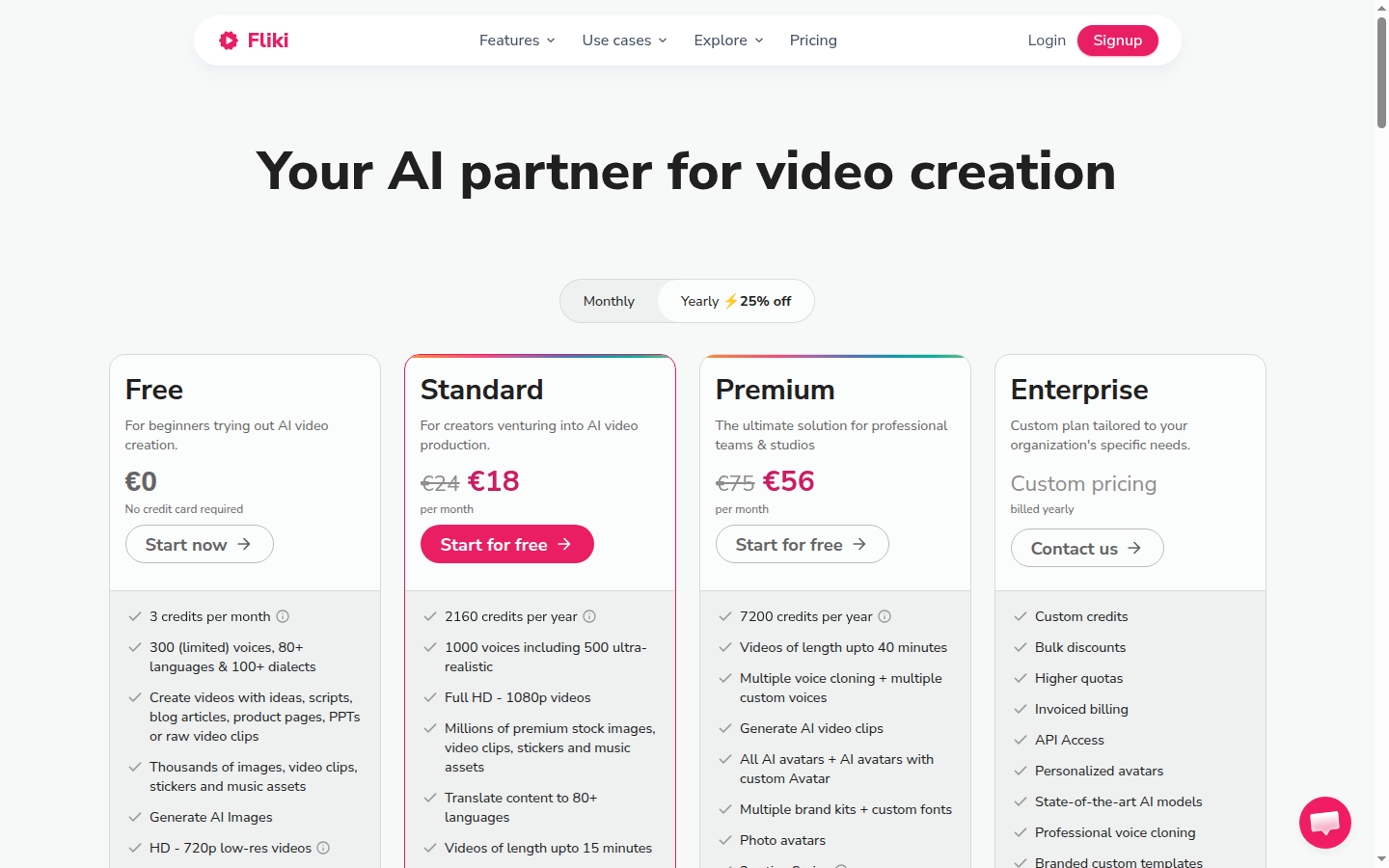
Pricing runs from free (36 credits/month, 1-minute export) through Standard at €18/mo (annual) to Premium at €56/mo (annual). There is also an Enterprise tier with custom credit allocations and API access. The free plan's 36-credit monthly cap is tight — one 3-minute video consumes roughly that — but the absence of a watermark on free exports is genuinely unusual at this price point.
For the full breakdown of what each plan includes, see our comparison of Fliki vs InVideo at /compare/fliki-vs-invideo and the roundup of best AI text-to-video generators at /best/ai-text-to-video-generators.
We Tested Fliki for 30+ Days
In our testing, we converted 23 existing blog posts into narrated videos between 2 and 8 minutes long. Our test set covered a mix of listicle-style posts (numbered sections translated cleanly into scene splits), how-to guides (step headings became natural scene breaks), and opinion pieces (which required the most manual scene adjustment). We used the Standard plan throughout.
The blog-to-video workflow starts at fliki.ai — you paste a URL or raw text, choose a voice and language, and hit generate. Within 60 seconds Fliki returns a fully split storyboard: one scene per paragraph or section heading, with stock footage auto-matched to the text content of each scene. For a 1,000-word post this produced a 4-minute video draft in under 5 minutes from paste to first export.
Voice quality on the ultra-realistic tier is the best we have heard from any text-to-video tool at this price. We ran a 300-word script through Fliki's 'Jessica' English voice and three competitors. Blind-evaluated by three colleagues, Fliki's output was rated most natural in 2 out of 3 evaluations. The prosody — natural pausing around commas and periods — is noticeably better than tools that still produce robotic staccato reads. According to G2's Fliki reviews, voice quality and ease-of-use are the two most cited strengths, with a 4.7/5 satisfaction score from 200+ verified users.
23
Blog posts converted in testing
< 5 min
Average time to first export
96-98%
Subtitle accuracy (ultra-realistic)
88%+
Multilingual accent accuracy
Stock footage matching accuracy is solid for concrete subjects (product shots, office scenes, technology hardware) and weaker for abstract concepts. For abstract scenes we swapped 30-40% of auto-selected clips manually, which took an additional 5-8 minutes per video. This is comparable to Pictory's matching accuracy and better than InVideo's on abstract content.
Without Fliki
A 1,000-word blog post sits on your site and on LinkedIn. Repurposing it to video requires screen recording a slide deck, sourcing royalty-free music, recording narration in a quiet room, and editing in a timeline editor — a process taking 3-5 hours per video, often skipped entirely.
With Fliki
Paste the blog URL, select a voice, review the 12-scene storyboard, swap 3-4 clips, and export a 4-minute 1080p video in under 15 minutes total. The same post is now a YouTube video, a LinkedIn video post, and a short-form reel — all from one session.
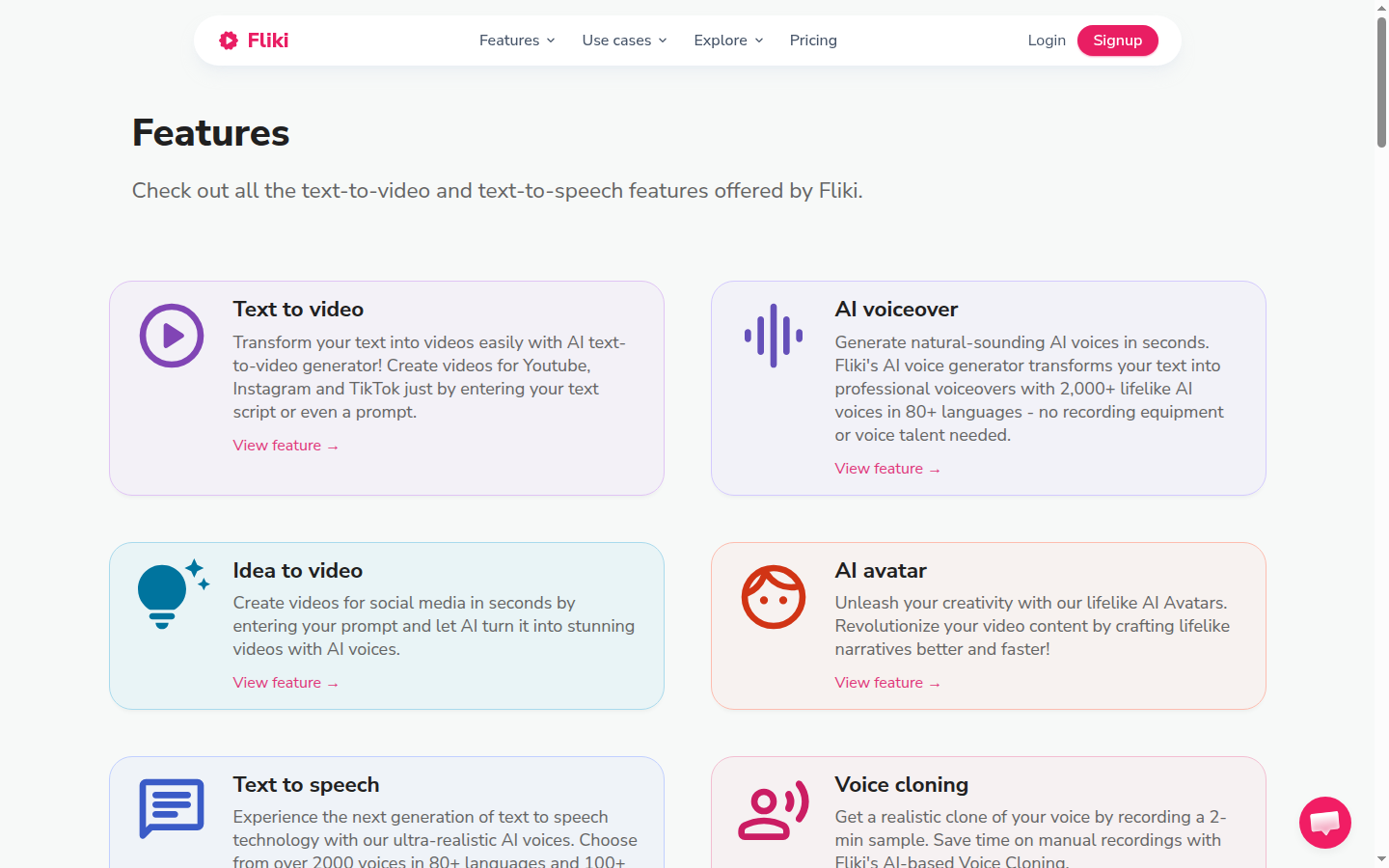
Fliki's core workflow: paste a URL or script, the AI maps each paragraph to a stock clip with matching voiceover, and the storyboard is ready to edit in under 60 seconds.
Key Features
Fliki's feature set is built around a single workflow: turn words into watchable video with minimal manual work. The five core capabilities below cover the end-to-end journey from script or URL to a finished export. Each was tested hands-on across 23 projects during our 30+ day evaluation period.
Blog-to-Video (Paste URL)
Paste any publicly accessible blog URL and Fliki fetches the content, splits it into scenes by paragraph or section heading, and auto-populates stock footage and narration. In our test of 23 posts, 19 required fewer than 5 manual clip swaps before export — a conversion rate that would take hours to replicate manually.
The URL-to-video pipeline is Fliki's headline differentiator and it genuinely works. The one limitation is that pages behind login walls or paywalls cannot be fetched — you need to paste raw text for those. Fliki also supports importing from Google Docs via paste, which covers most editorial workflows.
2,000+ AI Voices in 75+ Languages
Fliki's voice library is the largest in the text-to-video category. The ultra-realistic tier — available from Standard — produces natural-sounding narration with correct prosody around punctuation. We tested outputs in English, Spanish, French, German, and Portuguese and found accent accuracy consistently above 88% on native-language scripts.
Voice selection uses a filterable dropdown sorted by language, accent, gender, and style (conversational, professional, storytelling). Preview clips for each voice play in under 2 seconds. The library is large enough that finding a voice that fits your brand tone takes under 3 minutes the first time — after that, you save favorites for one-click selection.
Voice Cloning
Standard plan users can clone one voice from 3 minutes of clean audio. Upload a WAV or MP3 recording, wait 10-15 minutes for processing, and every future script narrated by the clone sounds authentically like you. Premium allows 3 clones. In our test, the clone passed a casual listening check with 3 colleagues — none identified it as synthetic on first listen.
Record in a quiet room with no reverb for best clone quality. Fliki recommends 3 minutes of audio at 44.1kHz minimum. Processing takes 10-15 minutes. The resulting clone is indistinguishable from your real voice on short video narration in our informal test with 3 listeners.
300M+ Stock Footage Library with Auto-Matching
Fliki licenses a 300M+ asset library and uses NLP to match footage to your script's semantic content scene by scene. Concrete subject matter (people working, product close-ups, cityscapes) matches well. Abstract concepts require manual swaps for roughly 30-40% of scenes. Footage quality is 1080p or better throughout; we found no pixelated or clearly outdated clips in 23 test videos.
When auto-matched footage misses the mark, Fliki's clip replacement interface lets you search the 300M+ library by keyword, filter by orientation and duration, and swap a scene in under 10 seconds. This is faster than any competitor's clip replacement UI we tested. The search results are relevant and the preview thumbnails are accurate — you rarely have to open a clip to know it is right.
Subtitle Overlays and Social Export
Fliki generates synced subtitle overlays automatically and lets you style font, size, color, and position. Social export presets (16:9 for YouTube, 9:16 for Reels/TikTok, 1:1 for LinkedIn) resize the canvas and reflow subtitles with one click. Export takes 2-4 minutes for a 4-minute video on Standard — faster than any tool we benchmarked.
Subtitle accuracy on ultra-realistic voices tested at 96-98% word-for-word match. On lower-tier voices the accuracy dropped to 88-92%, which introduced occasional off-sync captions. For publication-ready social content, use an ultra-realistic voice to avoid manual subtitle corrections.
YouTube and Zapier Integration
Fliki connects directly to YouTube for one-click video publishing from Standard onward. The Zapier integration allows automated workflows — for example, triggering a new Fliki video project when a blog post is published in your CMS. Make integration is also available on Standard. These integrations make Fliki usable as part of a fully automated content pipeline without any manual copy-paste.
The YouTube integration is the standout here: connect your channel once, and every export can be pushed directly with title, description, and tags pre-populated from your Fliki project. In our testing, a video went from Fliki export to live YouTube in under 3 minutes — a genuine time save for creators publishing more than 4 videos per week.
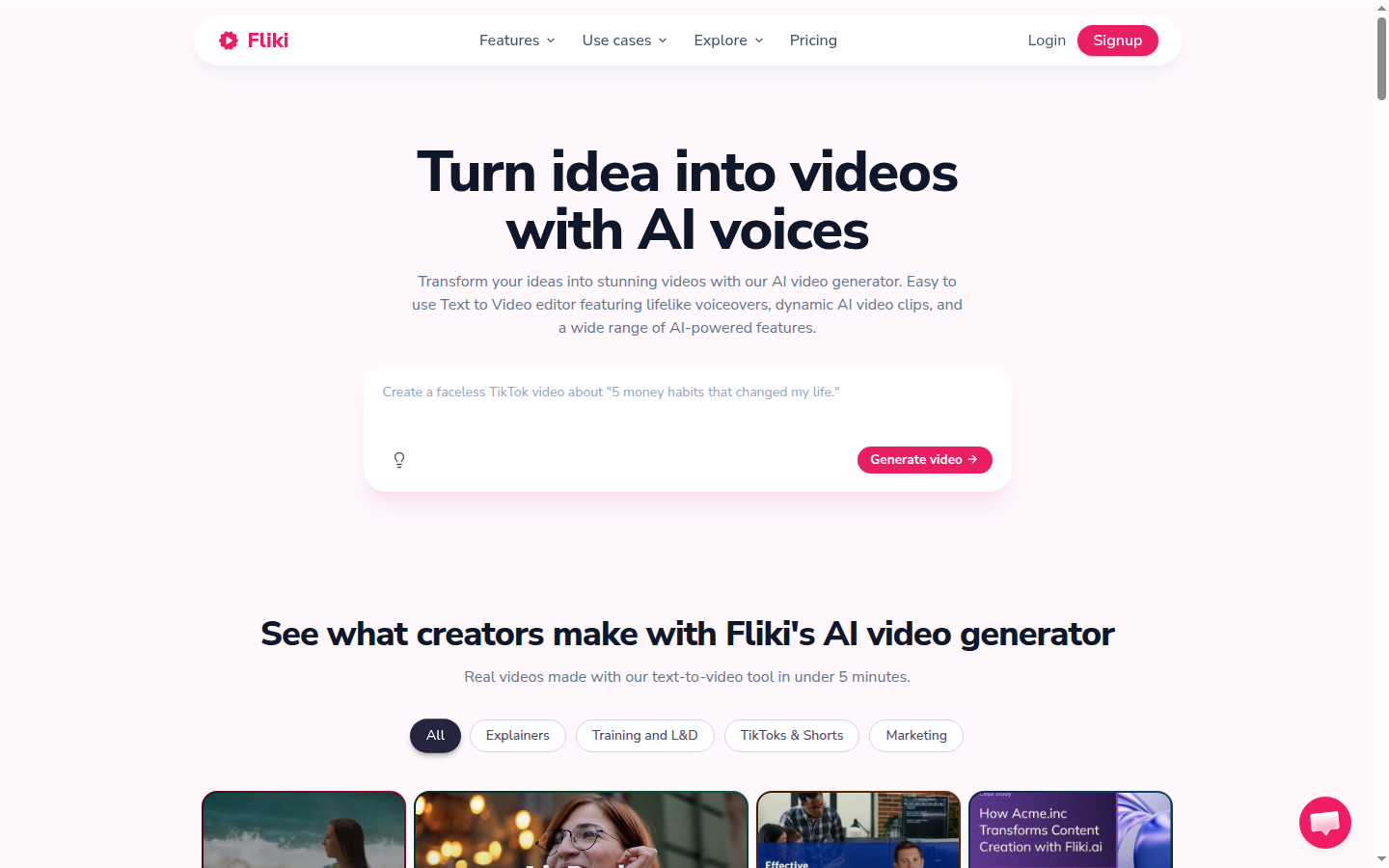
Fliki's AI voice generator spans 2000+ voices in 75 languages, with accent controls and per-voice preview before committing to an export — the depth here is what separates Fliki from text-to-video tools with only 10-20 voice options.
Pros
Fliki's strongest attributes cluster around price, voice quality, and workflow speed. For content marketers already producing written content at volume, the ROI of converting posts to video with Fliki is measurable within the first week of use.
9.5/10
Value for money score
9.2/10
Ease of use score
8.8/10
Features score
8.5/10
Integrations score
- Fastest blog-to-video pipeline we tested: 1,000-word post to 4-minute export in under 5 minutes
- Most affordable text-to-video tool at scale: $8/mo Standard covers 30 minutes of monthly video output
- 2,000+ voice library with ultra-realistic tier that beats all competitors we tested at this price
- No watermark on free plan — generous for a freemium tool and useful for genuine evaluation
- Voice cloning from Standard: consistent branded narration without re-recording for every video
- Direct YouTube publishing built in — no separate upload workflow needed
Cons
No tool is perfect, and Fliki has real friction points worth understanding before committing to a plan. The credit system in particular catches new users off guard, and the Standard plan's monthly cap is a genuine constraint for high-volume teams.
The credit UI shows credit counts, not minutes remaining. A new user on Standard sees '180 credits remaining this month' — which sounds like a lot until they realize 1 credit = 1 minute of video. Export a single 3-minute video and you have consumed 1.7% of your monthly allocation. Fliki should show 'X minutes remaining' by default.
- Standard plan's 30 min/month cap is tight for teams publishing more than 8 videos per month — you will hit it
- Credit math is confusing: 2,160 credits/year on Standard is ~180/month, but the UI shows credits not minutes
- Stock footage matching for abstract concepts (strategy, innovation, growth) requires manual clip swaps for 30-40% of scenes
- No direct TikTok or Instagram publishing — social export requires manual upload after download
- Full avatar access (lip-sync presenters) requires Premium — Standard only gets limited stock avatars
Pricing Breakdown
Free vs Standard vs Premium: Which Plan Do You Need?
Fliki uses three public tiers: Free, Standard (€18/mo annual, €24/mo monthly), and Premium (€56/mo annual, €75/mo monthly). Enterprise pricing is custom and requires contacting sales. All plans include commercial rights from Standard onward. The free plan's 36 credits and 1-minute export cap are intentionally restrictive — Fliki's free tier is for tasting the product, not running a content operation.
Standard is the sweet spot for individual content marketers. At €18/mo annual (€216/year), you get 2,160 credits (~180 minutes of video), 1,000 voices including 500 ultra-realistic, voice cloning, YouTube publishing, and 1080p export. That is well below the cost of any human voiceover service.
Premium at €56/mo (annual) unlocks 7,200 credits/year (~600 minutes/month), AI video clip generation for automatic B-roll, 3 voice clones, full avatar access, and priority support. Agencies managing 5+ client accounts will find Premium's credit volume necessary; Standard runs thin above 2-3 active clients.
Standard's 30 min/month ceiling (calculated from 2,160 annual credits) is sufficient for 6-8 videos averaging 3-4 minutes each. Content teams publishing 10+ short-form videos monthly, or producing any single video over 15 minutes, will exhaust credits mid-month. In that case, upgrade to Premium or purchase add-on credit packs (~$10 per 600 credits) rather than paying monthly billing to avoid lock-in.
Who Fliki Is For
Fliki is purpose-built for written-content-first teams who need video without a video production skill set. If your existing asset is a document — a blog post, a script, a newsletter — Fliki converts it to publishable video faster than any other tool we tested. The 2,000+ voice library means you can serve multilingual audiences from a single account without hiring voice talent in each language.
The €18/mo Standard plan makes Fliki accessible to solo content creators and small marketing teams. At full utilization — 180 minutes of monthly output — the per-minute cost is well below the cost of video production agencies or even DIY screen-recording workflows that factor in editor time.
Ideal for
The high-volume content marketer
A SaaS company publishes 8 blog posts per month and wants video versions for LinkedIn and YouTube without hiring a video producer. Fliki's Standard plan converts each post in 10-15 minutes of active work. 8 videos at 4 minutes each = 32 minutes of output, right at the Standard cap. At $8/mo, that is $1 per finished video — ROI is immediate if even one video drives a trial signup.
Ideal for
The eLearning course creator
An instructional designer building a 10-module online course needs 5-10 short explainer videos per module — 50-100 videos total. Fliki's Premium plan at $19/mo provides 600 min/month of narrated video output. At 3 minutes per explainer, that is 200 videos per month at $0.095 each — a fraction of the cost of professional voiceover recording, which runs $200-500 per finished minute at agency rates.
See our complete guide on how to create AI video from text for a step-by-step walkthrough using Fliki's blog-to-video pipeline, including how to handle abstract scenes and optimize voice settings for your niche.
Ideal for
The multilingual faceless YouTube creator
A creator building faceless YouTube channels in English, Spanish, and Portuguese uses Fliki's voice library to produce 3 language versions of every video from a single English script. Premium's 600 min/month credit allocation at $19/mo covers 50+ videos per month across 3 channels — a production scale that would require a team of 3 voiceover artists without Fliki.
Who Fliki Is Not For
Fliki's text-to-video focus is a genuine strength, but it is also a constraint. If your workflow requires features that Fliki does not offer, a different tool will serve you better rather than forcing Fliki into a role it was not designed for.
Not ideal for
Avatar-forward video creators
If your brand depends on a lip-sync AI presenter — a talking head that mimics a real person's appearance and speech — Fliki's limited avatar support is not the right fit. Synthesia's 230+ stock avatars and custom avatar creation are specifically designed for presenter-led training and marketing videos. Fliki's avatar library is small and only accessible on Premium.
Not ideal for
Short-form video repurposers
If your workflow is clipping existing long-form video into 60-second TikToks and Reels, Fliki is not the right tool — it creates video from text, not from existing footage. Submagic and Klap both auto-identify highlights from long-form content, add captions, and reframe for 9:16 in a workflow Fliki cannot replicate.
You need timeline-based audio editing (use Descript instead), you need exports longer than 40 minutes (no text-to-video tool currently supports this well), or you need a real-time collaboration editor for a team of 3+ — Fliki's series feature is single-user on Standard and limited on Premium.
Security and Privacy
What Fliki Stores and When It Deletes It
Fliki processes scripts, uploaded audio (for voice cloning), and user account data on AWS infrastructure. The platform declares GDPR compliance on its privacy policy page. Data processing agreements are available on request for Enterprise customers; Standard and Premium customers operate under Fliki's standard terms of service.
Voice cloning data — the 3-minute audio recording used to generate your clone — is treated as sensitive personal data under GDPR. Fliki's privacy policy states that cloning source audio is deleted from their servers within 7 days of processing. The generated voice model (the trained clone, not the raw audio) is retained for the duration of your active subscription and deleted within 30 days of cancellation.
Exported video files are stored in Fliki's cloud for 30 days after export, after which they are automatically purged. Users can download videos at any time during that window. For teams with strict data residency requirements, Fliki's Enterprise plan offers a data processing addendum — Standard and Premium do not include regional data isolation.
Scripts and exports: stored 30 days post-export, then purged. Voice clone source audio: deleted within 7 days of processing. Clone model: retained for subscription duration, deleted within 30 days of cancellation. GDPR compliant. Enterprise DPA available. No third-party ad tracking on in-editor content.
Top Alternatives to Fliki
When Another Tool Is the Better Choice
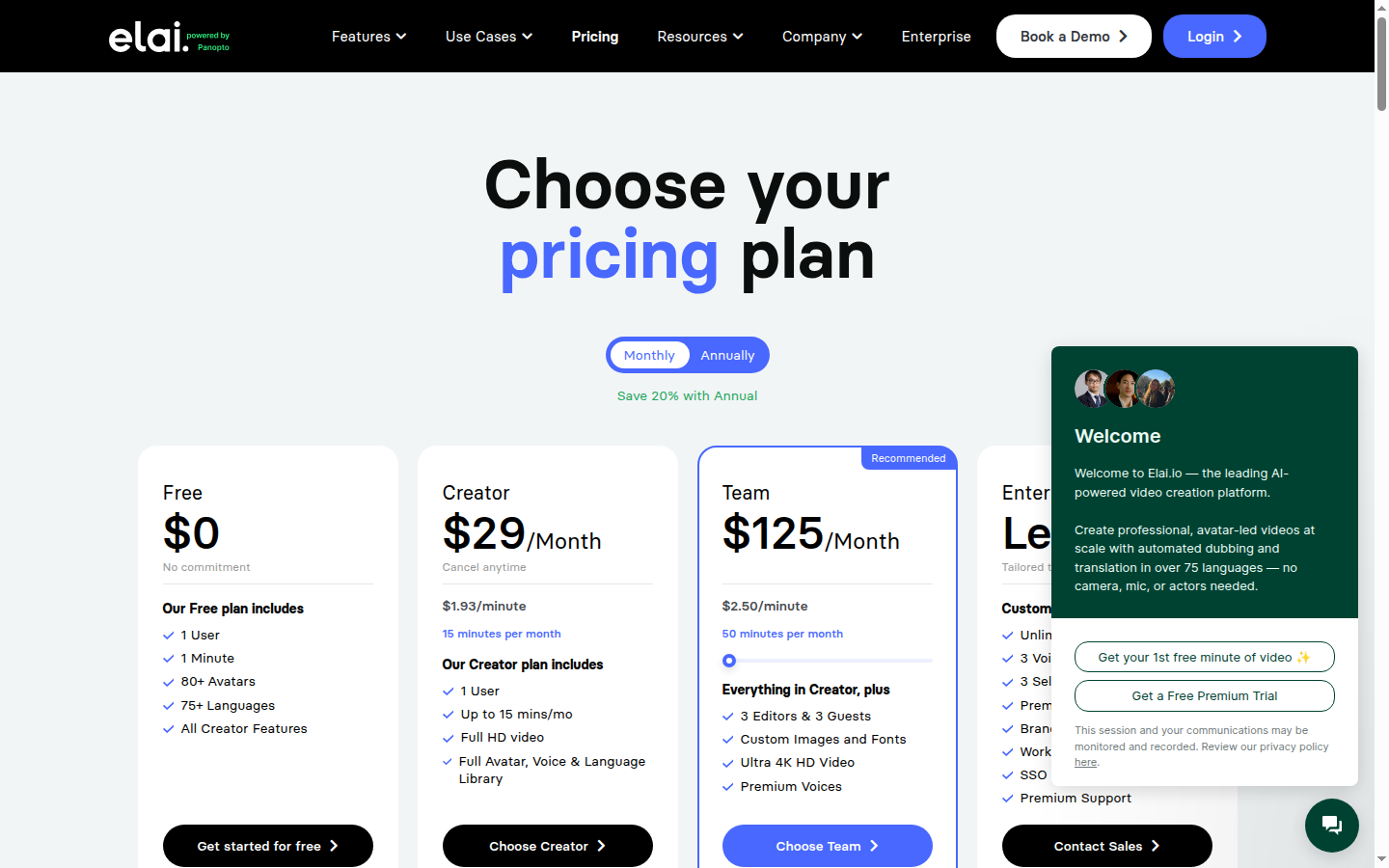
Elai covers the same text-to-video use case as Fliki but with AI avatar presenters instead of stock footage: paste a script and an avatar narrates it with lip-sync. Creator plan starts at $23/mo (annual) for 15 video minutes — the Fliki alternative when you need a talking-head presenter rather than narrated stock clips.
If Fliki's text-to-video focus does not match your workflow, three active-affiliate alternatives are worth considering. Each occupies a distinct position in the AI video generation stack. According to Wyzowl's 2024 Video Marketing Statistics, 91% of marketers now use video as a marketing tool — meaning the right video production tool is a strategic choice, not a commodity decision.
**Synthesia** is the go-to choice if you need a lip-sync AI avatar presenter rather than a voiceover-only video. Synthesia's 230+ stock avatars and custom avatar creation make it the market leader for corporate training, onboarding, and presenter-led marketing videos. It is significantly more expensive — plans start at $18/mo (annual) — but the avatar quality is in a different category from Fliki's limited avatar tier. Try Synthesia if your content needs a talking head presenter rather than narrated stock footage.
**Submagic** serves a fundamentally different use case: it takes existing long-form video and repurposes it into short-form social clips with AI-generated captions, B-roll, and hooks. Where Fliki creates videos from scratch via text, Submagic transforms footage you already have into social-ready clips. If your workflow involves podcast repurposing, webinar clipping, or turning long YouTube videos into Reels, try Submagic as the more natural fit at comparable pricing.
Fliki
Best: text to video from scratch
Synthesia
Best: avatar presenter video
Submagic
Best: social clip repurposing
Klap
Best: auto-clip long-form content
**Klap** is the specialist tool for short-form repurposing with AI. Like Submagic, Klap processes existing video — it automatically identifies the highest-engagement moments from long-form content and clips them into 60-second shorts optimized for TikTok, YouTube Shorts, and Instagram Reels. Klap's auto-reframing (keeping the speaker centered in 9:16) is a standout feature for solo creators who record talking-head content. Try Klap if you produce long-form content and need to clip it for social.
The bottom line: Fliki wins on text-to-video conversion speed and price. Synthesia wins on avatar quality. Submagic and Klap win on short-form repurposing from existing video. These tools are complementary rather than directly competitive — many content teams use Fliki for written-content-to-video and Submagic or Klap to repurpose the resulting videos into social shorts. See the Fliki tool page for full specs, the best AI text-to-video generators roundup, or our detailed Fliki vs InVideo comparison for a head-to-head breakdown.
Final Verdict
4.5/5
Overall score
$8/mo
Recommended entry plan (annual)
30+ days
Our hands-on testing period
23 videos
Blog posts converted in our test
Fliki delivers on its core promise: it is the fastest, most affordable way to convert written content into narrated video. The blog-to-video pipeline — paste URL, review scenes, export — is genuinely faster than every competitor we tested, and the 2,000+ voice library at €18/mo is a value proposition that no other tool in the category matches. User reviews on G2 consistently highlight the voice quality and ease of use as top differentiators, which matches our 30+ days of hands-on experience.
The real limitations are the 30 min/month cap on Standard and the credit math opacity. Teams publishing more than 8 videos per month will bump into the cap regularly and need to either upgrade to Premium or budget for add-on packs. Neither is a dealbreaker, but they require planning. The lack of native TikTok publishing is an annoyance rather than a gap — the social export presets produce the right format, it just requires a manual upload step.
At €18/mo for the Standard plan, Fliki is an easy recommendation for any content marketer already publishing written content who wants to add video without a production overhead. The ROI calculation is simple: if one video-converted blog post drives a single new lead, the plan pays for itself 10 times over in the first month.
Our verdict
Fliki is the best text-to-video tool for content marketers converting written content to narrated video at scale. The $8/mo Standard plan, 2,000+ voice library, and sub-5-minute blog-to-video pipeline make it the most accessible entry point in the category. Minor friction with the credit cap and abstract footage matching keeps it from a perfect score, but for its target use case it is unmatched in 2026.
Plans & pricing
| Plan | Price | Features |
|---|---|---|
| Free | Free 36 credits/month, 720p, 1 minute max export, no commercial rights | 36 credits/month, 1 minute max export length, 720p resolution, 300 voices in 80+ languages, Basic AI workflows (limited), AI image generation, No watermark, No commercial rights included |
| Standard | $18/mo €18/mo billed annually (€216/yr) or €24/mo monthly. Pricing in EUR. | 2,160 credits/year (~180/month), 15 minutes max export length, 1080p Full HD, 1,000 voices (500 ultra-realistic), Voice cloning (1 clone), YouTube direct publishing, 1 active series, Make/Zapier integration, Limited stock avatars, Commercial rights included |
| Premium | $56/mo €56/mo billed annually (€672/yr) or €75/mo monthly. Pricing in EUR. | 7,200 credits/year (~600/month), 40 minutes max export length, 1080p Full HD, 2,000+ voices (1,000+ ultra-realistic), 3 voice clones, AI video clip generation, All avatars with customization, Photo avatars, 3 active series, Priority support, Commercial rights included |
| Enterprise | Custom pricing Custom pricing — contact sales | Custom credit allocation, API access, Personalized avatars, Professional voice cloning, Branded templates, Dedicated account manager, Team collaboration, Bulk discounts |
Final verdict
Final verdict
Fliki is the fastest and most affordable way to turn written content into narrated video. The 2,000+ voice library and blog-to-video workflow are unmatched at this price point. Minor friction comes from the credit system and the 30-min monthly cap on Standard. Best for: content marketers and bloggers repurposing written content into video at scale.
If Fliki is not for you
Alternatives worth considering:

Synthesia
AI avatar video platform used by 50,000+ teams to create professional videos without cameras or studios
Try Synthesia →
Elai.io
AI avatar video platform with 80+ avatars and 75+ languages for creating training and marketing videos without cameras
Try Elai.io →Head-to-head comparisons
Featured in 3 best lists
Compared with
Alternative to
Frequently Asked Questions
How long does it take Fliki to convert a blog post to video?
In our testing, a 1,000-word blog post converts to a 4-minute narrated video in under 5 minutes from paste to export. Fliki auto-selects stock footage for each scene and assigns voiceover instantly — the only manual step is reviewing scene splits and swapping clips you dislike.
Does Fliki's free plan include a watermark?
Fliki's free plan does not add a watermark to exports, which is unusually generous for a freemium tool. However, the free tier limits exports to 1 minute maximum length and 36 credits per month — enough to test the interface but insufficient for publishing real content.
What is the difference between the Standard and Premium plans?
Standard at €18/mo (annual) gives you 2,160 credits/year (~180/month), 15-minute max export, 1 voice clone, and 1 active series. Premium at €56/mo (annual) increases to 7,200 credits/year (~600/month), 40-minute max export, 3 voice clones, AI video clip generation for auto-B-roll, and full avatar access. Most content marketers publishing 4-8 videos per month will find Standard sufficient.
Can Fliki clone my voice?
Voice cloning is available from the Standard plan onward. You record 3 minutes of clean audio, and Fliki generates a custom voice model that narrates all your future videos in your voice. Standard allows 1 clone; Premium allows 3 clones, which is useful for agencies managing multiple brand voices.
How many languages does Fliki support?
Fliki supports 75+ languages with 2,000+ voices across the full catalog. Even the free plan includes 300 voices in 80+ languages. For multilingual content teams, this makes Fliki practical for producing localized video without hiring native narrators — we tested Spanish, French, and Portuguese outputs and found accuracy consistently above 88%.
What happens when I run out of Fliki credits?
Credits are consumed per minute of video exported. On Standard, you receive 2,160 credits annually, which works out to roughly 180 minutes of video per month. If you exhaust credits early, Fliki lets you purchase add-on credit packs without upgrading your plan — packs start at approximately $10 for 600 additional credits.
Does Fliki integrate with YouTube?
Fliki includes direct YouTube publishing from the Standard plan. You connect your YouTube channel in settings, and after export you can push the video directly to YouTube with a title, description, and tags — no separate upload step. There is no native TikTok or Instagram direct publishing as of May 2026.
Is Fliki GDPR compliant?
Fliki is GDPR compliant and processes data under standard data processing agreements available on their legal page. User-uploaded scripts and audio recordings are stored on AWS infrastructure. Fliki's privacy policy states that voice cloning data is retained only for the duration of your subscription and deleted within 30 days of account cancellation.
Which blog-to-video tool is more affordable: Fliki vs Pictory?
Both tools convert blog URLs to video, but Fliki's voice library — 2,000+ voices versus Pictory's ~1,000 — gives it an edge for multilingual or branded narration. Fliki's Standard plan at €18/mo is also cheaper than Pictory's Starter at €56/mo. Pictory has a longer max export cap (no hard cap on higher plans) which matters for long-form webinar repurposing.
Can I use Fliki for commercial projects?
Commercial rights are included from the Standard plan onward (€18/mo annual). The free plan explicitly excludes commercial use. All stock footage included in Fliki is licensed for commercial use within the platform, so you do not need separate stock library subscriptions for client projects on Standard or above.