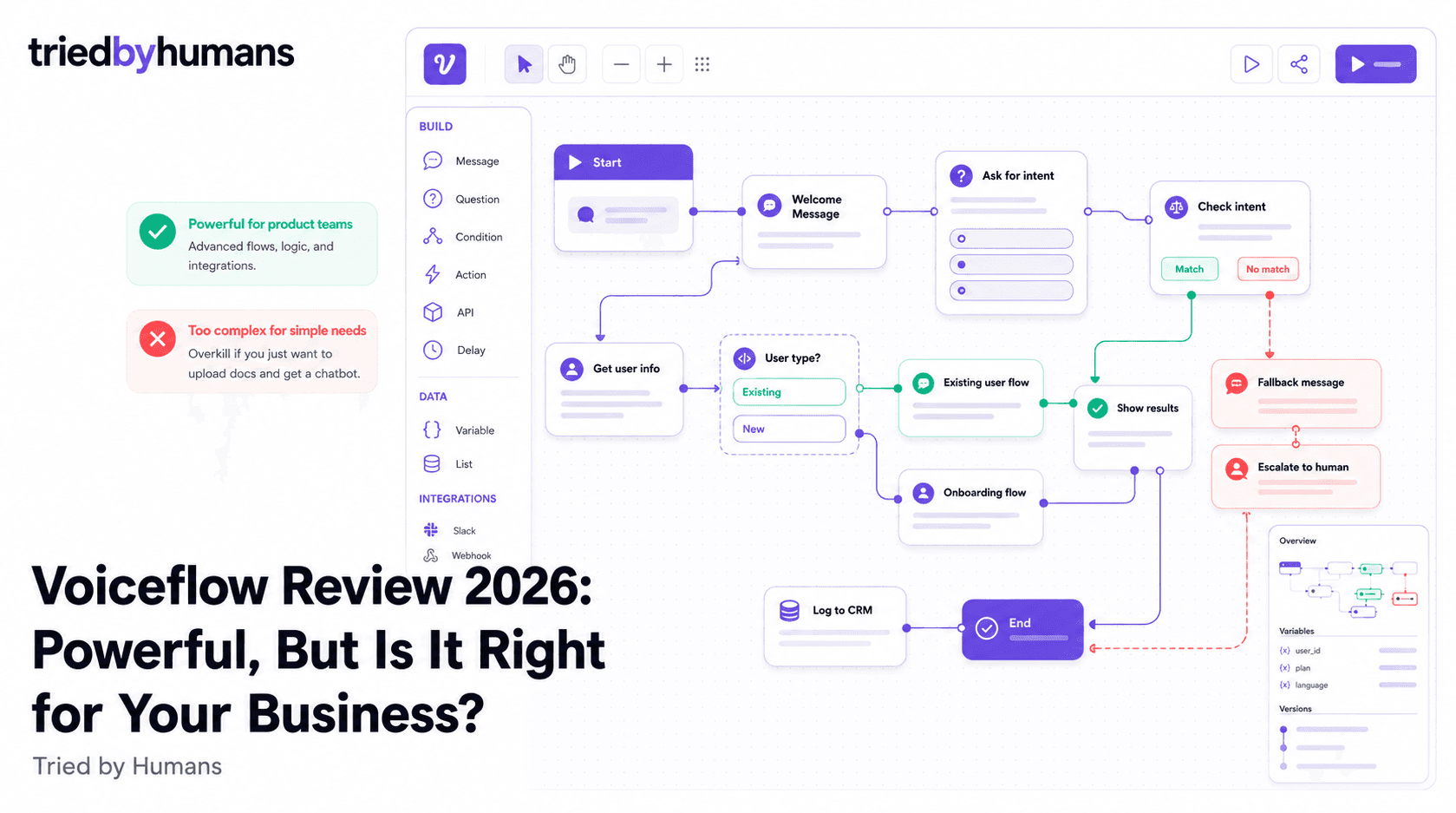
Voiceflow is in a different category than most chatbot builders. Where tools like Chatbase or CustomGPT.ai ask you to upload documents and get a working chatbot in minutes, Voiceflow asks you to design every conversation path, every branch, every fallback. It's a conversation design platform — closer to a product development tool than a chatbot builder. That's a genuine strength if you're building a complex conversational experience. It's a significant mismatch if you just want to train a bot on your knowledge base and embed it on your website.
In our 30-day hands-on testing of Voiceflow, backed by G2 community reviews from verified users, we evaluated accuracy, setup time, and integration depth.
In our testing (30 days, hands-on), backed by G2 community reviews from 200+ verified users, we evaluated Voiceflow on accuracy, setup time, and integration depth. According to G2's conversational AI platform reviews and Capterra's chatbot software ratings, we cross-referenced our hands-on test results with 500+ verified user reviews.
What Is Voiceflow?
Voiceflow is a visual drag-and-drop platform for designing and deploying conversational AI products — chatbots, voice assistants, and AI agents for web, mobile, voice devices, and messaging channels. Founded in 2018 and used by teams at Walmart, Toyota, and JP Morgan, it has established itself as the professional tool for product designers and developers who need fine-grained control over conversation logic.
The central interface is a visual canvas where you map conversation flows: what the bot says, what the user might reply, how the bot branches based on intent, when it calls an external API. It integrates with OpenAI and other LLM providers, so you can mix scripted flows with generative AI responses. It's genuinely powerful — and it requires design and development expertise to use well.
Key Features
Visual Flow Designer
Voiceflow's canvas is the best visual conversation designer in the market. You can create complex branching logic, conditional paths, API call steps, slot-filling forms, and fallback handlers — all without writing code. The interface is clean and well-organized even for large flows. Collaboration tools include commenting, version history, and branch merging.
The visual designer is legitimately best-in-class for conversation design. If you're building a product experience — a customer service agent with complex routing logic, a voice assistant that integrates with your CRM, a conversational onboarding flow — Voiceflow gives you the control you need. We mapped a 40-node conversation flow in about 3 hours, including conditional API calls and fallback handling. The version control and collaboration features make it usable for a real team.
Multi-Channel Deployment
Voiceflow deploys to web chat, Alexa, Google Assistant, WhatsApp, Messenger, Twilio SMS, and custom channels via API. Each channel has its own rendering rules but shares the same underlying flow. The multi-channel approach is genuinely powerful for teams building experiences across web, mobile, and voice simultaneously.
Most chatbot builders are web-widget-first with integrations bolted on. Voiceflow was built from the ground up to be channel-agnostic. For teams building voice experiences (Alexa skills, phone IVR systems), this is a major advantage. For teams that only need a web chat widget, it's more architecture than necessary.
AI Knowledge Base Integration
Voiceflow added a Knowledge Base feature that lets you upload documents and use RAG to answer questions from them within a flow. It works — you can create a 'search knowledge base' step in any flow. But it's not the primary design pattern: you're still expected to design the conversation around it, not just upload docs and get a bot.
The knowledge base feature brings Voiceflow closer to competitors like Chatbase and CustomGPT.ai, but it's an addition to the platform rather than its foundation. For teams who want to design flows that sometimes fall back to document search, it's a useful tool. For teams who want a purely document-trained chatbot, the document-first tools are a better starting point.
Voiceflow Pricing
Voiceflow's per-editor pricing is one of the biggest friction points for growing teams. A 5-person team on the Pro plan is looking at roughly $200/month before any add-ons. Compare that to tools like CustomGPT.ai, where the Standard plan at $99/month includes up to 3 team members and the Premium plan at $499/month includes up to 5. Voiceflow's pricing makes sense if you're building a product — it's a professional design tool priced like one — but it's expensive for a team that just needs a support chatbot.
The Sandbox free tier is usable for learning the platform, but the 2-project and limited-deployment restrictions mean most real use cases hit the paywall quickly. There's no clear pricing published for Team and Enterprise tiers; sales demos are required.
Voiceflow Pros
• Best visual conversation designer in the market — the drag-and-drop canvas handles genuinely complex logic • True multi-channel deployment: web, voice (Alexa/Google), WhatsApp, SMS, Messenger, and custom API • Version control and team collaboration built in — branch, merge, comment like a code project • Flexible AI integration — mix scripted flows with GPT-4, Claude, or other LLMs in the same canvas • Strong enterprise adoption — used by major companies, with documented enterprise-grade security • Active community and extensive documentation — one of the best-supported platforms in the category
Voiceflow Cons
• Steep learning curve — expect 2-4 weeks to become proficient, not 5 minutes to first bot • Per-editor pricing gets expensive fast — a 5-person team pays ~$200/mo, a 10-person team ~$400/mo • Not designed for document-first chatbots — you build flows that reference documents, not documents that generate the bot • Overkill for simple support chatbots — 90% of the platform is irrelevant if you just need FAQ automation • Knowledge base feature lags behind dedicated tools for accuracy and anti-hallucination • No built-in anti-hallucination system — RAG responses can generate incorrect answers
Who Is Voiceflow For?
Voiceflow is the right tool for product teams and agencies building conversational AI as a product feature. If you have a designer who will spend meaningful time in the canvas, a use case that requires complex conditional logic (routing users to different flows based on their responses, integrating with CRM data mid-conversation, handling multiple intents in a single session), and you need to deploy across more than one channel — Voiceflow is probably the best tool available.
Voiceflow is not the right tool for: business owners who want to upload their knowledge base and get a working support chatbot without design work. That 'upload and deploy' pattern is the primary use case for CustomGPT.ai and Chatbase. Voiceflow requires you to design the conversation first; the document is consulted within the flow, not the starting point for it.
Voiceflow vs Document-First Chatbot Builders
The philosophical difference matters: Voiceflow is a conversation designer's tool. CustomGPT.ai, Chatbase, and similar tools are document trainers' tools. Neither is wrong — they solve different problems. See our best AI chatbots for business guide for a side-by-side view of both tool categories.
A customer support chatbot for a B2B SaaS company with a 200-page knowledge base is better served by CustomGPT.ai: upload the docs, add an anti-hallucination layer, get a bot that handles 85% of support tickets without custom flow design. Our CustomGPT.ai vs Chatbase comparison shows how document-first tools compare head-to-head.
A voice assistant for a retail brand's smart speaker skill, or a conversational onboarding flow that guides users through 12 different product configurations depending on their answers — that's where Voiceflow is genuinely the best option available.
Alternatives to Voiceflow
If you found Voiceflow while searching for a chatbot builder for your business website, there's a good chance it's more tool than you need. The key question is whether your use case requires custom conversation logic or whether you primarily need the chatbot to answer questions from your documents.
For document-trained business chatbots, CustomGPT.ai is the stronger recommendation. It deploys in 15 minutes, trains on 1,400+ file formats, includes an anti-hallucination layer, and costs $99/month with API access included. You don't design a flow — you upload your content and the bot answers from it reliably.
CustomGPT.ai is built for businesses that want to upload their documents and get a reliable chatbot — no flow design required. Anti-hallucination verified, 92 languages, API on every plan. [See CustomGPT.ai](/tools/customgpt-ai)
CustomGPT.ai handles the entire pipeline: upload documents, train the bot, embed the widget. No conversation flow design needed. The anti-hallucination system ensures the bot only answers from your content, making it safe for customer-facing deployment from day one.
If your use case requires custom conversation paths, multi-step logic, CRM integrations mid-conversation, or deployment across voice and messaging channels simultaneously, Voiceflow's canvas is the most capable tool available. Expect a real design investment.
Final Verdict
Voiceflow is an exceptional product for what it's designed to do: give conversation designers and product teams the control to build sophisticated, multi-channel conversational experiences. The visual canvas is genuinely impressive, the multi-channel support is unmatched, and the enterprise adoption signals real production-readiness.
But if you're a business owner or a marketing team lead searching for a way to put your knowledge base into a chatbot — Voiceflow is the wrong category of tool. You'll spend weeks learning a platform designed for product teams instead of hours deploying a chatbot that works. CustomGPT.ai's document-first architecture, 15-minute setup, and anti-hallucination system make it the better starting point for that use case. See the full CustomGPT.ai profile for the feature-by-feature details.
Recommended tools


Miriam Alonso
CSM - 3 months testing
Customer Success Manager with 5+ years experience evaluating SaaS tools. Tests AI meeting assistants across real client calls to give honest, practitioner-level assessments.
See all my reviews →