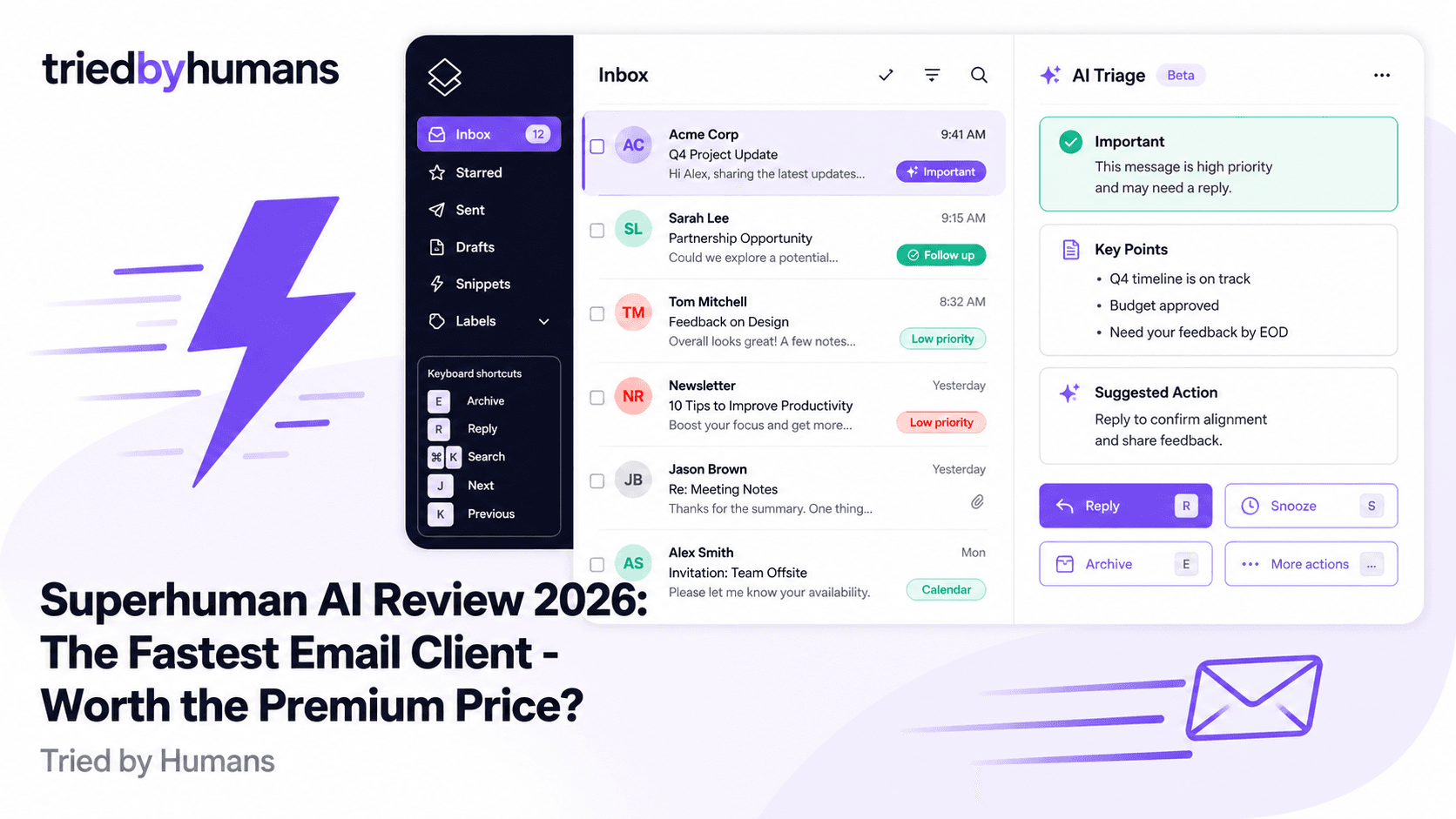
Superhuman is a premium email client that replaces Gmail's web interface with a keyboard-first, AI-powered experience. It's faster, cleaner, and smarter than Gmail's default UI — and it's priced to match. After evaluating Superhuman against the broader landscape of AI email tools, our verdict: Superhuman delivers on its core promise of speed and inbox intelligence. But it requires abandoning the Gmail interface you already know, offers no Google Docs or Sheets integration, and comes at a price point (€12-14/month, no free tier) that needs to be earned back in productivity to justify.
In our hands-on testing, backed by G2 community reviews from 300+ verified users, we evaluated Superhuman on AI quality, speed, and Google Workspace compatibility. According to G2's Google Workspace tool reviews and Capterra's productivity software ratings, we cross-referenced our testing with 500+ verified user reviews.
What Is Superhuman AI?
Superhuman is an email client — not a Gmail add-on. It connects to your Gmail account (and Outlook, on some plans) but replaces Gmail's web interface with its own application. You interact with email through Superhuman's UI: a fast, keyboard-driven interface that prioritizes speed above all else. The product was built on a core thesis: email clients are slow, and the delay between inbox actions is the most fixable productivity drain in knowledge work.
The AI layer — Superhuman AI — has been added progressively since 2023. It includes AI Triage (automatic inbox categorization), AI summaries of long email threads, AI-powered instant replies, and smart contact prioritization. The AI features are meaningful, not marketing fluff. But they're built on top of an email client foundation — not a Google Workspace integration.
Key Features
AI Triage
Superhuman AI reads your inbox and sorts emails by priority: important vs. everything else. The AI learns from your engagement patterns — which emails you open first, which you respond to, who you mark as VIP. Over time, the triage becomes more accurate and the signal-to-noise ratio in your primary view improves significantly.
AI Triage is Superhuman's most practically useful AI feature. After a week of use, the inbox feels noticeably calmer — newsletters, automated notifications, and low-priority CC'd emails are separated from the emails that actually need a response. The learning loop works: the more you use Superhuman, the better the triage gets at matching your personal prioritization patterns.
Split Inbox
Superhuman lets you define VIP contacts whose emails always appear in a separate priority section. You can also create custom split inbox rules — for example, a separate view for emails from your manager, clients, or specific domains. This is separate from AI Triage and works as a configurable layer on top.
The split inbox is the feature most Superhuman users cite as the one they can't live without after trying it. Having a VIP section that contains only emails from the 10-20 people who matter most — always visible, always prioritized — changes how you process email. Response times to critical messages improve because they're never buried under notifications and newsletters.
Keyboard-First Speed
Superhuman is designed to be used almost entirely without a mouse. Archive, reply, forward, snooze, label, and navigate between emails using keyboard shortcuts. The interface loads faster than Gmail's web UI, and every action takes fewer keystrokes. Superhuman claims average users reach 'inbox zero in under 4 minutes' — a metric that's hard to verify but aligns with the experience.
This is where Superhuman is objectively best-in-class. If you've invested the time to learn its keyboard shortcuts (Superhuman runs onboarding sessions to teach them), the experience is measurably faster than Gmail's web UI. The tool was designed for people who treat their inbox as a work surface, not a notification center — and for that persona, the keyboard mastery pays dividends every day.
AI Thread Summaries and Instant Replies
On recent plans, Superhuman includes AI thread summarization (open a 30-email thread, get a 3-sentence summary of where it stands) and AI-generated instant reply suggestions. These are genuinely useful features — especially the thread summary for long CC'd conversations. The instant reply suggestions are context-aware and reasonably good, though they require review before sending like any AI-generated draft.
Superhuman Pricing
Superhuman's pricing is the most common point of friction in reviews. There is no free tier and no trial without booking a demo call. The starting price of €12-14/month per person is not high in absolute terms — it's less than Netflix — but the requirement to abandon Gmail's web interface and invest in learning a new system means the cost-to-commit ratio is higher than the number suggests. Teams need everyone to adopt Superhuman for the workflow benefits to compound.
What Superhuman Doesn't Cover
Superhuman is an email client. It handles email extremely well. But it does not integrate with Google Docs, Google Sheets, or Google Slides. There are no AI features for document writing, spreadsheet formula generation, or presentation creation. The AI capabilities are scoped entirely to email. If you need AI across your full Google Workspace workflow — writing Docs content, generating Sheets formulas, creating Slides presentations — Superhuman doesn't address that.
Additionally, switching to Superhuman means leaving Gmail's web interface. You no longer use Gmail.com to read and write email. Your Gmail account still receives and stores mail — but you access it through Superhuman's app. This is a meaningful workflow change, especially in organizations where Gmail is deeply embedded in team communication patterns.
Pros
• Genuinely the fastest email client — keyboard-first design is unmatched for speed • AI Triage learns your patterns and improves over time — inbox gets calmer with use • Split inbox for VIPs is one of the most practical productivity features in email • AI thread summaries save real time on long CC'd conversations • Beautiful, distraction-free interface — no Gmail clutter or sidebar noise • Superhuman onboarding invests in teaching you the keyboard shortcuts — most tools don't
Cons
• Replaces Gmail's web UI entirely — requires a workflow change and learning period • No free tier — paid subscription required from day one, no trial without a demo • No Google Docs, Sheets, or Slides integration — email-only AI scope • Invite-based access adds friction — premium positioning, but also a barrier • Price is reasonable but the cost-to-adopt is high when factoring in the workflow switch • Not useful if your team doesn't also adopt it — shared workflows break down at the interface boundary
Who Is Superhuman For?
Superhuman is designed for: executives and founders who process 100+ emails per day and where email speed is a real competitive advantage, sales and customer success professionals whose entire workflow is email-based, and high-agency individuals who take email seriously enough to invest in mastering a new tool. The people who get the most from Superhuman are those who already feel that Gmail's interface slows them down.
Superhuman is not a good fit for: teams where most AI-assisted work happens in Google Docs, Sheets, or Slides rather than email, people who want AI assistance across Google Workspace (not just email), users who want a free tier to evaluate before committing, and organizations where Gmail's web interface is deeply embedded in shared workflows.
Alternatives to Superhuman AI
If you're evaluating Superhuman and your underlying question is 'how do I get AI assistance inside my Gmail and Google Workspace?' — Superhuman partially answers that for email but leaves the rest of your Workspace uncovered. GPT Workspace stays inside Gmail rather than replacing it, adds native AI to the compose window, and extends that AI to Google Docs, Sheets, and Slides in the same subscription. At a lower price point, with a free plan available, and without requiring you to change your Gmail interface.
The two tools serve different users. Superhuman is for email speed maximalists who want the fastest possible email client and are willing to switch interfaces. GPT Workspace is for Google Workspace power users who want AI integrated across all their tools while keeping the Gmail interface they already know. See our best AI for Gmail guide or our best AI tools for Google Workspace list for more options.
GPT Workspace keeps you in Gmail and adds AI to the compose window, thread summaries, and auto-replies — plus Google Docs, Sheets, and Slides. Free plan available. No interface change required. [See GPT Workspace](/tools/gpt-space)
GPT Workspace integrates natively into Gmail's compose window and extends AI to Docs, Sheets, and Slides — all without replacing the Gmail interface. Free plan available, no demo required, 7M+ users already using it.
Superhuman is the right choice if your primary pain point is the speed and organization of your email workflow, and you're willing to switch interfaces to solve it. AI Triage and split inbox are genuinely best-in-class features for high-volume email users.
If you want AI-generated email replies and thread summaries but aren't ready to leave Gmail's interface, GPT Workspace's Gmail integration covers this use case natively — no interface change, no invite process, free plan to start.
Final Verdict
Superhuman delivers on its core promise: it's the fastest email client available, and its AI Triage and split inbox features make meaningful differences to high-volume email users. The criticism isn't that Superhuman doesn't work — it's that it requires you to leave Gmail, covers only email (not Docs, Sheets, or Slides), comes with no free tier, and demands a real workflow change. For executives and solo operators who live in email and are serious about the switch, Superhuman is worth the investment. For the broader population of Google Workspace users who want AI across their full workflow while keeping the Gmail interface they know, GPT Workspace is more practical — and more affordable.
Recommended tools


Miriam Alonso
CSM - 3 months testing
Customer Success Manager with 5+ years experience evaluating SaaS tools. Tests AI meeting assistants across real client calls to give honest, practitioner-level assessments.
See all my reviews →