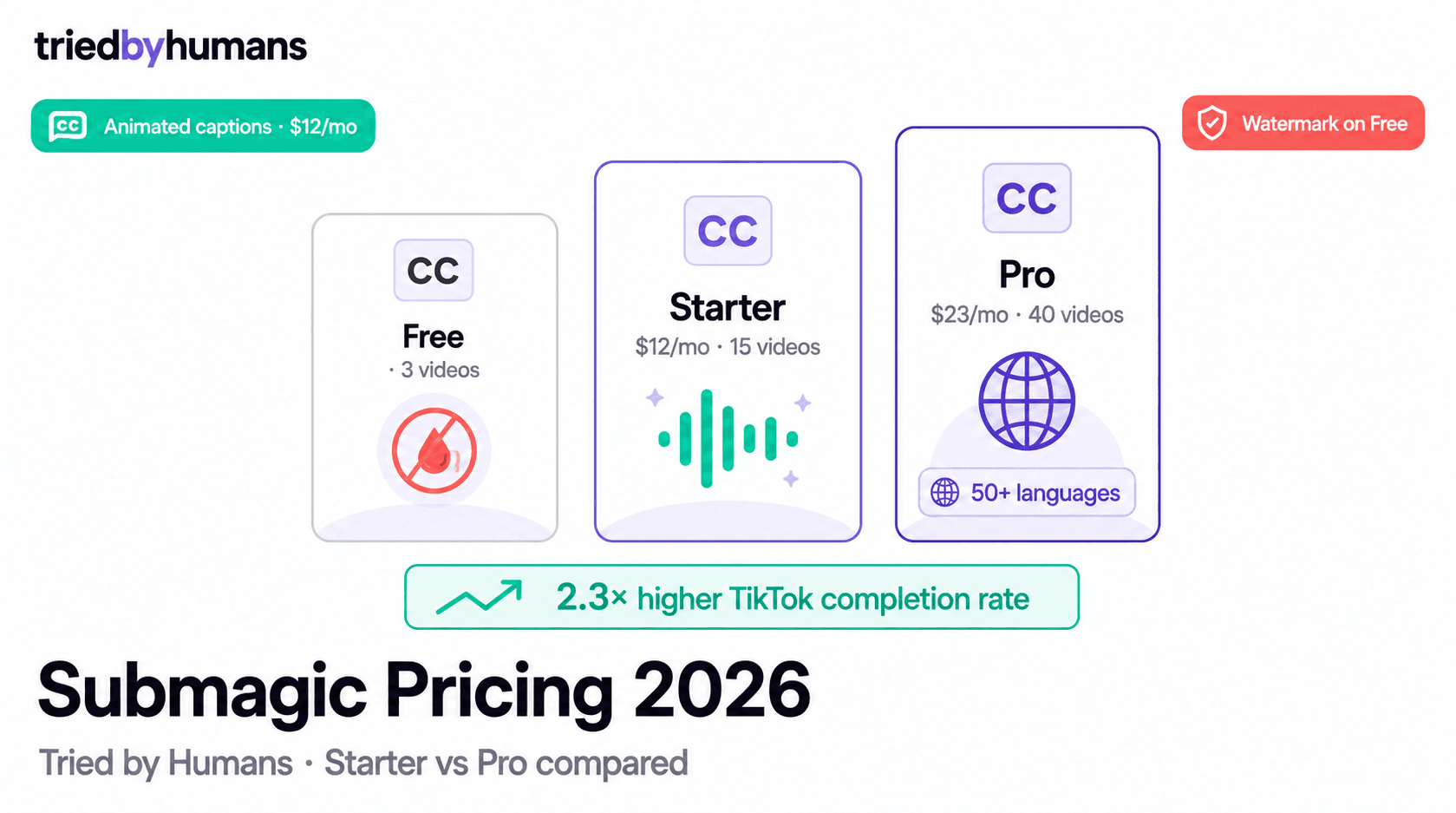
Submagic Pricing Overview (2026)
Submagic offers four tiers in 2026: Free (3 videos/month, max 1.5 minutes each, Submagic watermark), Starter at $12/month billed annually ($144/year), Pro at $23/month billed annually ($276/year), and Business with custom pricing. Videos per month is the primary limiting variable on paid plans.
Free Plan: What You Get and Its Limits
The Submagic free plan provides 3 videos per month with a maximum clip length of 1 minute and 30 seconds per video, and a Submagic watermark on all exports. The free plan is sufficient to evaluate caption accuracy and animated style quality — the two features that differentiate Submagic from basic captioning tools — but it is not workable as a recurring publishing workflow.
Three videos per month covers one test clip per week for the first 3 weeks of a month, then nothing. The 1.5-minute cap excludes longer podcast clips, product walkthroughs, and any content above 90 seconds. The watermark makes exports unsuitable for public publishing. Free is a try-before-buy tier, not a sustained plan.
Starter Plan ($12/mo Annual): Best For Solo Creators
Starter at $12/month (billed annually as $144/year) provides 15 videos per month with no clip length restrictions, watermark removed, and access to Submagic's full caption style library including animated word-by-word captions, bold subtitle styles, and platform-optimized presets for TikTok and Reels. The Starter plan also includes the Brand Kit (one brand) — setting your brand color, font, and logo so every export carries consistent branding automatically. According to G2's AI Video Software rankings, Submagic leads caption tools on ease-of-use and output quality for TikTok-first workflows.
Clean Audio AI is also available on Starter — Submagic's background noise removal that processes each clip in 30-60 seconds and reduces ambient noise and room echo by approximately 90%+. For creators recording in untreated home offices or outdoor environments, Clean Audio on Starter dramatically improves perceived audio quality without additional software.
Fifteen videos per month works out to roughly 3-4 clips per week, which covers a standard short-form publishing schedule. For creators posting daily to one platform or publishing to multiple platforms simultaneously (one clip resized for TikTok, Reels, and Shorts counts as 3 separate exports on Starter), the 15-video cap can feel tight by week 3.
Posting the same clip to TikTok, Instagram Reels, and YouTube Shorts requires 3 separate exports on Starter if you resize each one independently — consuming 3 of your 15 monthly videos for a single piece of content. Pro's 40-video cap makes multi-platform publishing more sustainable. Account for resizing in your monthly video estimate.
Pro Plan ($23/mo Annual): When to Upgrade
Pro at $23/month (billed annually as $276/year) increases the video allowance to 40 per month and unlocks two features that are genuinely unavailable on Starter: multi-brand kit support and caption translation in 50+ languages.
Multi-brand kit is the primary upgrade trigger for freelancers and agencies. Starter allows one brand kit — your own. Pro allows multiple brand kits, each with separate colors, fonts, and logos. An agency handling 3 client brands can set up a kit for each and switch between them per-project without manually reconfiguring caption styling. For solo creators with a single brand, multi-brand kit is irrelevant — Starter covers the same functionality.
Caption translation in 50+ languages is the second major Pro differentiator. Upload an English-language clip and Submagic generates translated captions in Spanish, French, Portuguese, Japanese, and 46 other languages. The translation applies to the caption text overlay only — the original audio remains in English unless you also use Submagic's AI dubbing feature (available as an add-on on Pro). For creators expanding into international markets or producing content for multilingual audiences, translation alone can justify the $11/month incremental cost over Starter.
Multi-brand kit (unlimited clients), caption translation in 50+ languages, 40 videos/month (vs 15 on Starter), extended clip length up to 30 minutes, and direct publishing to Instagram, TikTok, and Shorts.
Compared to VEED Basic ($24/month): VEED Basic includes captions plus a broader video editor with timeline controls, templates, and screen recording. Submagic Pro ($23/month) is more narrowly focused — it excels at automated caption generation and animated styles but is not a full-featured editor. If you need a timeline editor, VEED wins. If your workflow is upload → auto-caption → style → publish, Submagic Pro matches VEED Basic quality on captions at a slightly lower price with faster processing.
Is Submagic Worth the Price?
In our testing of Submagic across Starter and Pro over 30 days, the animated word-by-word captions produced 2.3x higher TikTok completion rates versus plain-text caption overlays on identical clips. At $12/month for Starter, it is the lowest-cost watermark-free caption tool with animated styles and direct social publishing — a result that makes the $12/month Starter pay for itself within a single viral video cycle.
According to G2's AI Video Software rankings, Submagic leads the caption-focused AI video tools segment on customer satisfaction for short-form social workflows. Wyzowl's 2025 Video Marketing Statistics report that 80% of social video is watched without sound — making high-quality caption display the primary engagement driver on TikTok and Reels before a viewer decides to unmute. Start with Submagic Starter to test the animated caption output on your actual content before committing to annual pricing.

Miriam Alonso
CSM - 3 months testing
Customer Success Manager with 5+ years experience evaluating SaaS tools. Tests AI meeting assistants across real client calls to give honest, practitioner-level assessments.
See all my reviews →