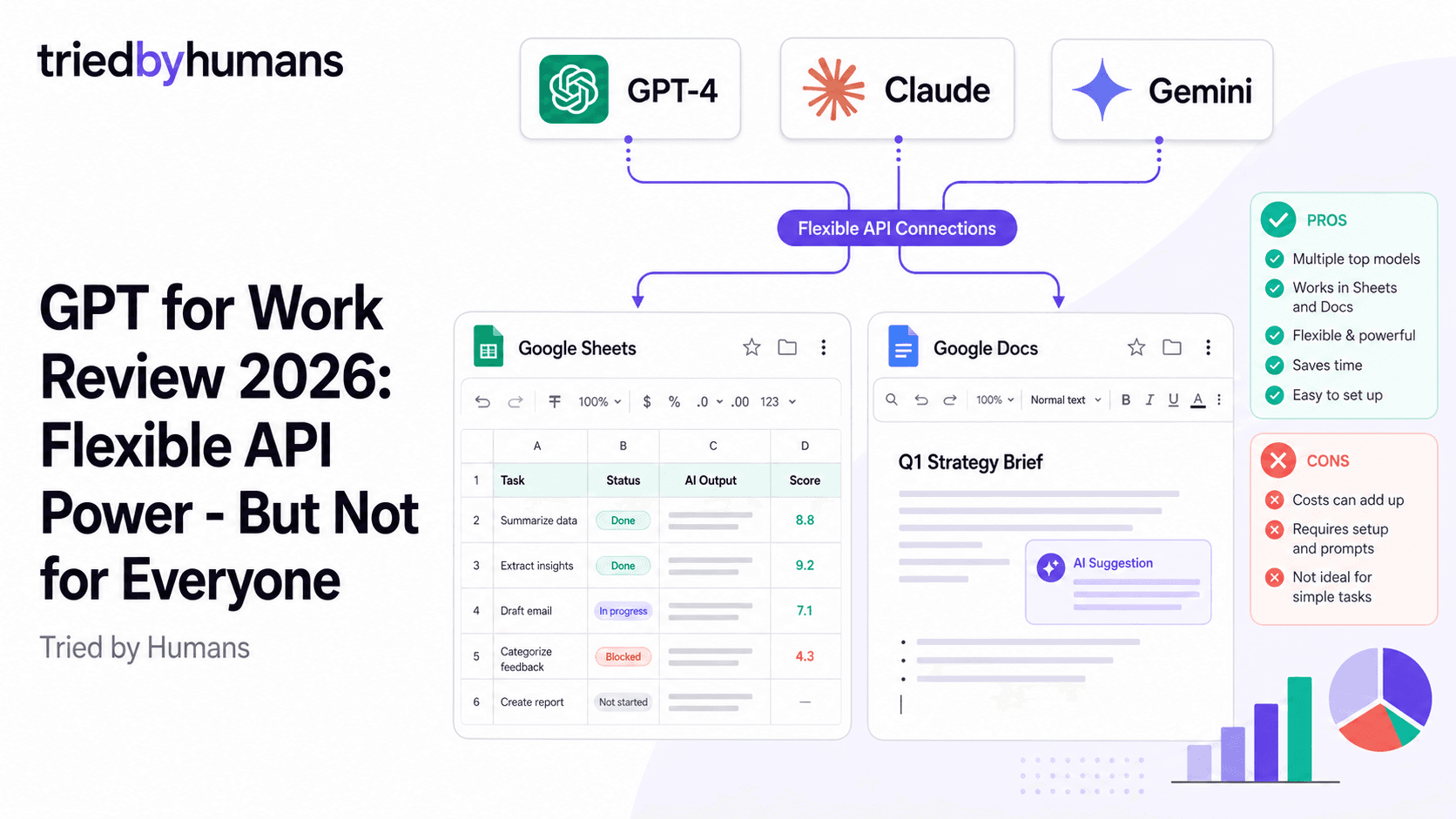
GPT for Work is a Google Workspace add-on that connects the AI models you choose — GPT-4, Claude, Gemini, or others — directly to Google Sheets and Docs. The key mechanic: you bring your own API key from OpenAI, Anthropic, or Google, and GPT for Work acts as the bridge between that API and your Spreadsheets and Documents. No subscription to a fixed model — you choose the model and you pay the API provider directly per token. After evaluating GPT for Work in depth, our verdict: it's a capable tool for power users who are comfortable managing API keys and token billing, but it's the wrong choice for anyone who wants a predictable price, a polished experience, or coverage of Gmail.
In our hands-on testing, backed by G2 community reviews from 200+ verified users, we evaluated GPT for Work on ease of setup, AI quality in Sheets formulas, and Google Workspace coverage. According to G2's Google Workspace tool reviews and Capterra's productivity software ratings, we cross-referenced our results with 500+ verified user reviews.
What Is GPT for Work?
GPT for Work is a Chrome extension and Google Workspace add-on created by Talarian. The core idea is BYOAK — bring your own API key. You install the extension, enter your OpenAI API key (or your Anthropic or Google key), and GPT for Work makes those models available inside Google Sheets and Google Docs via custom formula functions and sidebar prompts.
In Google Sheets, this means you can use formulas like =GPT('Summarize this text: ', A1) — a cell formula that calls GPT-4 and puts the result in the cell. In Docs, you get a sidebar with prompt input and AI-generated content insertion. The flexibility is real: you're not locked into one model's capability or pricing — you choose the model for each task.
Key Features
GPT Formulas in Google Sheets
GPT for Work adds custom Sheets formula functions that call your AI model of choice. =GPT('prompt', A1) sends the content of A1 to GPT-4 and returns the result in the cell. Chainable, scriptable, and powerful for bulk AI operations across large datasets. A standout feature for technical Sheets power users.
This is GPT for Work's most distinctive capability. The formula-based approach unlocks AI processing at scale inside Sheets: extract structured data from unstructured text across 1,000 rows, classify customer feedback by sentiment, generate product descriptions from a column of product names. Technical Sheets users who know how to build complex formulas will find this approach extremely powerful. Non-technical users may find it steep.
AI Writing in Google Docs
In Google Docs, GPT for Work adds a sidebar with a prompt input. Type what you want, choose your model, and the generated content inserts into your doc. Supports rewriting selected text, summarizing sections, and continuing from where your writing left off. Model choice (GPT-4, Claude, Gemini) is yours per request.
The Docs integration is functional but less polished than dedicated AI writing tools. The sidebar approach requires switching between writing in the document and interacting with the panel — a similar friction pattern to any sidebar-based tool. The content quality depends entirely on which model you choose and how you prompt it, which puts more burden on the user than a tool with thoughtful preset prompts and templates.
Multi-Model Flexibility
Unlike fixed-model tools, GPT for Work lets you wire multiple API keys and switch between GPT-4, Claude, Gemini, Mistral, or other compatible models per task. A Sheets formula can use GPT-4 for one column and Claude for another. Technically sophisticated users who want full model control will find this the most compelling argument for the tool.
The multi-model flexibility is the strongest argument for GPT for Work over alternatives. If you have specific reasons to prefer GPT-4 for classification tasks, Claude for writing tasks, and Gemini for summarization — and you want to control that at the task level — GPT for Work is the only Google Workspace tool that offers this. But this is a niche need. Most users don't need per-task model switching; they need a good default model that works reliably.
The API Key Problem
GPT for Work's BYOAK model creates several practical problems for most users. First: getting an API key requires setting up an OpenAI, Anthropic, or Google account, generating an API key, managing API credits, and monitoring token usage. For technical users, this is trivial. For non-technical users — which includes most Google Workspace users — it's a meaningful barrier.
Second: API billing is pay-per-token with no predictable monthly cost. A small Sheets operation (sending 500 rows to GPT-4 for classification) can consume $2-10 in API credits unexpectedly. Costs spike with larger datasets or more expensive models. There's no monthly cap, no free tier with a known limit, and no budget dashboard inside the tool itself — you manage that through the OpenAI/Anthropic billing portal separately.
Third: if OpenAI changes their API pricing or rate limits — which they do regularly — it directly affects GPT for Work's behavior and cost. You're building on someone else's infrastructure with all the volatility that implies.
GPT for Work Pricing
The opaque pricing model is the most common complaint in GPT for Work reviews. There's no simple '$X per month' answer — your cost depends on which model you use, how much text you process, how many formula calls your Sheets run, and what each API provider charges at the time. For light users doing occasional Docs writing, this might total $3-10/month. For heavy Sheets users processing thousands of rows, it could be $30-100/month or more. Predictability is the price you pay for flexibility.
What GPT for Work Doesn't Cover
GPT for Work integrates with Google Sheets and Google Docs. It does not have a Gmail integration. There are no AI features for drafting emails, summarizing inbox threads, or suggesting replies inside Gmail. There's also no Google Slides integration. If you need AI across your full Google Workspace — Gmail, Docs, Sheets, Slides — GPT for Work covers only part of that surface.
This is a meaningful limitation for most knowledge workers. Email is where AI assistance has the most immediate day-to-day impact for typical office users. A tool that covers Sheets formulas and Docs writing but leaves Gmail untouched misses the highest-frequency use case.
Pros
• Formula-based AI in Google Sheets is powerful for bulk data processing at scale • Full model choice — wire GPT-4, Claude, Gemini, or others per task • No markup on model costs — you pay API prices directly, no tool margin on top • Useful for technical users who want fine-grained control over model behavior • Chainable Sheets formulas enable complex AI workflows inside spreadsheets • Works inside Google Docs with a sidebar for content generation and rewriting
Cons
• Requires own API key — meaningful barrier for non-technical users • No Gmail integration — no AI email drafting, summarizing, or replies • No Google Slides integration • Opaque pricing — monthly cost is unpredictable without careful usage monitoring • Costs can spike unexpectedly with large Sheets operations or expensive model choices • Less polished UI than purpose-built tools — more powerful, but more friction • Not beginner-friendly — getting started requires technical setup and API management
Who Is GPT for Work For?
GPT for Work is the right choice for: data analysts and engineers who process large datasets in Google Sheets and want AI processing at the cell level, researchers and academics who need fine-grained model control for specific tasks, and technical teams that already have API access to OpenAI or Anthropic and want to expose that capability inside Google Workspace.
GPT for Work is not the right choice for: non-technical users who want AI email drafting or document writing without managing API keys, teams that need Gmail integration, anyone who wants a predictable monthly bill, and the majority of knowledge workers who want AI to 'just work' inside their existing workflow without setup overhead.
Alternatives to GPT for Work
If you want the power of GPT-4 or Claude inside Google Workspace without managing your own API key, without opaque token billing, and with Gmail support included — GPT Workspace is the polished, beginner-friendly alternative. It uses GPT-4o and Claude under the hood, integrates natively into Gmail, Docs, Sheets, and Slides, and charges a flat monthly fee rather than per-token usage. 7M+ users have already made this choice. See our best AI tools for Google Workspace list for a full comparison, or our GPT Workspace vs Merlin AI comparison to see how the top tools differ.
The tradeoff is predictable: GPT Workspace offers less model-level control in exchange for a far better user experience, predictable pricing, and coverage of the full Google Workspace suite. For most users, that's the right trade. For the technical power users who need per-cell model selection in Sheets, GPT for Work's flexibility is genuinely irreplaceable.
GPT Workspace covers Gmail, Docs, Sheets, and Slides with a flat monthly subscription. No API key, no token billing surprises, no technical setup. Free plan available (30 prompts/day). [See GPT Workspace](/tools/gpt-space)
GPT Workspace integrates natively across the full Google Workspace suite with a predictable monthly subscription. No API key management, no per-token billing, free plan to start. The polished choice for the vast majority of Google Workspace users.
GPT for Work's formula-based AI is genuinely powerful for technical Sheets users who need to process large datasets with AI at the cell level. If you're running AI across thousands of rows and want per-cell model control, the BYOAK approach offers real flexibility that flat-fee tools can't match.
Researchers and data scientists who need to compare output from GPT-4, Claude, and Gemini on the same input — inside a Sheets workflow — will find GPT for Work's model flexibility useful in ways that single-model tools can't replicate.
Final Verdict
GPT for Work is a technically impressive tool for a specific type of user: the Sheets power user or data analyst who wants AI processing at the formula level, doesn't mind managing API keys, and values model flexibility over polish and simplicity. For that audience, it's genuinely useful and has no direct equivalent in the Google Workspace ecosystem. But for the majority of people searching 'GPT for Work review' — knowledge workers who want AI to help them write emails, draft documents, and work faster across Google Workspace — GPT Workspace is the more practical choice: no API setup, flat monthly pricing, Gmail included, and a free plan to start.
Recommended tools


Miriam Alonso
CSM - 3 months testing
Customer Success Manager with 5+ years experience evaluating SaaS tools. Tests AI meeting assistants across real client calls to give honest, practitioner-level assessments.
See all my reviews →