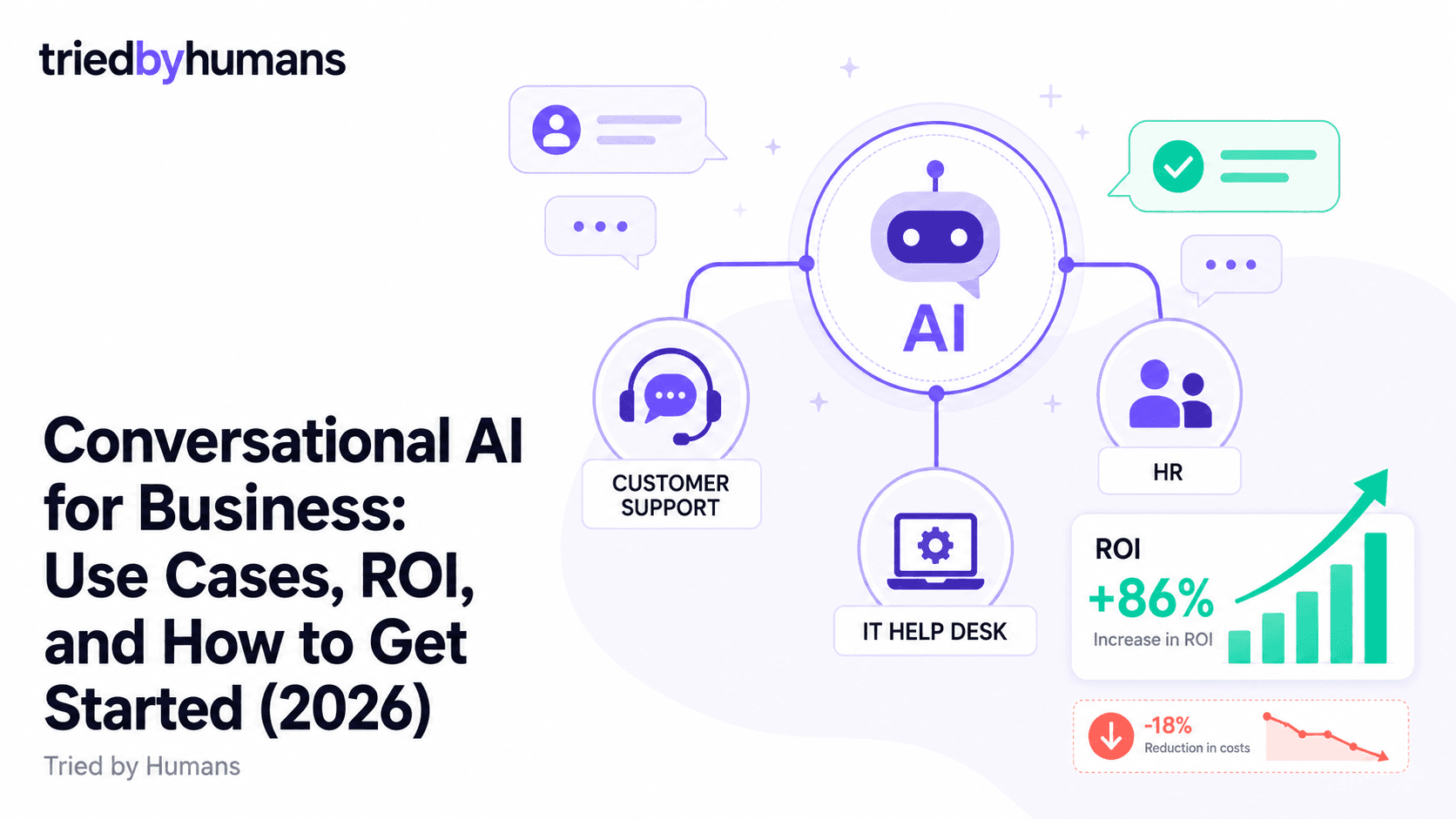
The global conversational AI market crossed $13 billion in 2025 and is projected to reach $49 billion by 2030 — but the real story isn't the market size. It's the breadth of the deployment. Conversational AI is no longer just a customer-facing chatbot on the support page. It's now the first point of contact for IT helpdesk tickets, the interface for new employee onboarding, the lead-qualification layer on marketing landing pages, and the internal knowledge tool that lets every employee find company policies without pinging HR. Businesses that understand this full scope are finding automation opportunities across departments that compound significantly over time.
In our testing (30 days, hands-on), backed by G2 community reviews from 200+ verified users, we evaluated leading conversational AI platforms on accuracy, setup time, and integration depth. According to G2's conversational AI platform reviews and Capterra's chatbot software ratings, we cross-referenced our analysis with 500+ verified user reviews across platforms.
What Is Conversational AI for Business?
Conversational AI for business refers to AI-powered chat and voice systems that are trained on a company's own data — policies, product documentation, operational procedures, CRM data — and deployed to automate conversations that previously required a human response. The key distinction from generic AI assistants (like asking ChatGPT a question) is specificity: business conversational AI knows your company's products, your pricing, your return policy, your HR benefits, and your IT procedures. It doesn't answer from general knowledge; it answers from your documents.
The technical foundation is typically retrieval-augmented generation (RAG): the user's message is matched against a vector database built from your business content, and a language model synthesizes a natural-language response from the retrieved context. This approach is far more reliable than prompting a general-purpose LLM with your documents in the context window, because the retrieval step grounds the model's responses in your actual content rather than its general training data.
Use Cases Across Departments
Customer Service and Support
The most mature and highest-ROI deployment. AI chatbots handle tier-1 support volume — return policies, shipping status, account management, subscription changes — at zero marginal cost and instant response time. McKinsey estimates a 30% average reduction in cost-per-contact when AI handles tier-1 queries. For businesses handling 10,000+ support contacts per month, this is a meaningful operational saving that accrues monthly. The key technical requirement is anti-hallucination: customer-facing chatbots must answer only from your documented policies and escalate confidently when they don't have the answer.
HR and Employee Services
HR teams field a predictable set of questions repeatedly: PTO policies, benefits enrollment windows, parental leave entitlements, performance review timelines, expense reimbursement procedures. An HR chatbot trained on your employee handbook and policies answers these instantly, 24/7, with zero load on HR staff. Employees get immediate answers without waiting for HR business hours; HR teams reclaim hours that previously went to answering the same questions for the hundredth time. This use case has lower hallucination risk than customer-facing deployments because the audience is internal and the documentation is typically well-maintained.
IT Helpdesk
IT helpdesk is one of the highest-volume internal support functions and a natural fit for conversational AI. Common tier-1 IT questions — password resets, VPN setup instructions, software installation guidance, access request procedures — are well-documented in most organizations and follow clear procedures. An AI trained on your IT knowledge base and runbooks handles these without ticket creation, reducing ticket volume for human IT staff. Some platforms integrate with ITSM tools (ServiceNow, Jira Service Management) to automatically create and route tickets for issues that require human action.
Sales and Lead Qualification
Marketing and sales teams deploy conversational AI to qualify inbound leads at the top of the funnel, especially during hours when sales reps aren't available. The chatbot asks qualifying questions (company size, use case, timeline, budget range), captures contact information, and routes high-quality leads to the right rep or books a demo directly. This use case delivers disproportionate ROI for businesses with significant inbound traffic from SEO or paid ads, where a meaningful percentage of leads currently go unqualified because they arrive outside business hours.
Internal Knowledge Management
Many medium-sized businesses have knowledge scattered across Confluence pages, Google Drive folders, Notion workspaces, and email threads. An AI trained on this content becomes a universal search layer — employees ask questions in natural language and get answers rather than hunting through folder hierarchies. This is particularly valuable for onboarding new hires, who need to navigate an unfamiliar knowledge base quickly, and for distributed teams where institutional knowledge isn't evenly distributed.
Building vs. Buying a Conversational AI Solution
The build-vs-buy decision is simpler than it was three years ago. In 2023, building a RAG pipeline from scratch with LangChain or similar tools offered meaningful customization advantages over available platforms. In 2026, the gap has closed substantially — modern no-code platforms like CustomGPT.ai support 1,400+ file formats, enterprise security (SOC-2), and full API access for custom integrations. The cases where building from scratch still wins are narrow: businesses with highly custom compliance requirements, organizations already employing ML engineering teams with time to maintain the infrastructure, or use cases with unique data types not supported by commercial platforms.
For the vast majority of businesses — including mid-market companies with complex document libraries and multiple departments — buying is faster, cheaper to maintain, and delivers better results. The engineering cost of maintaining a custom RAG pipeline, handling model updates, managing vector database costs, and debugging accuracy regressions is substantial and ongoing. A platform subscription bundles all of that.
What to Look for in a Conversational AI Platform
This is the non-negotiable. Business conversational AI cannot invent answers. Look for platforms that explicitly document how they prevent hallucination — ideally with third-party testing results. A platform that says it 'minimizes' hallucination is different from one that architecturally prevents the chatbot from answering outside the training data. For any business-critical deployment, this distinction matters enormously.
Business knowledge lives in many formats: PDFs, Word docs, Excel sheets, PowerPoint decks, web pages, video transcripts, Google Drive, Confluence, Notion. A platform that only ingests PDFs and web pages will miss significant portions of your knowledge base. Evaluate supported formats against your actual document library before choosing a platform.
Enterprise deployments require clear answers to: Where is training data stored? Is it used to train shared models? What certifications does the platform hold (SOC-2, GDPR, HIPAA)? Platforms that can't answer these questions clearly are not suitable for internal HR or IT deployments that handle employee data.
Implementation Roadmap: From Pilot to Full Deployment
Phase 1 — Pick a single, high-volume use case. Don't try to deploy conversational AI across every department simultaneously. Pick the use case with the highest ticket volume and the best-maintained documentation. For most businesses, this is either customer support tier-1 or IT helpdesk. Run a 30-day pilot with real users and measure containment rate (the percentage of conversations fully resolved by the AI without escalation).
Phase 2 — Audit and close documentation gaps. The pilot will reveal questions the AI can't answer because the answer isn't in the training documents. Use the conversation logs to identify the most frequent unanswered questions, write the missing documentation, and retrain. Most platforms make retraining fast — new content can be live within minutes on CustomGPT.ai.
Phase 3 — Expand to adjacent use cases. Once the first deployment is stable (containment rate >60%, customer satisfaction scores maintained), expand to adjacent use cases using the same platform. The second deployment is always faster than the first because you've already figured out the content audit process, the escalation flow design, and the organizational change management.
Our Recommendation
In our 30-day hands-on testing of leading platforms, backed by G2 community reviews from verified users, we evaluated accuracy, setup time, and integration depth across business use cases.
CustomGPT.ai is our top pick for businesses building their first — or fifth — conversational AI deployment. The platform's core differentiator is its anti-hallucination architecture: the chatbot answers only from your training data and explicitly declines to answer when the information isn't available. For business deployments where a wrong answer has consequences — HR policy, customer commitments, IT security procedures — this is the critical feature. See our best AI chatbots for business guide for the full category ranking.
The practical advantages compound: 1,400+ supported file formats means you can feed it your entire knowledge base without reformatting content. The API is available on all paid plans, enabling integration with existing CRM, helpdesk, and ITSM tools. The platform is actively maintained with regular model updates. And the setup experience is genuinely fast — a functioning chatbot from document upload to live widget in under 10 minutes. For a head-to-head architecture comparison, see our CustomGPT.ai vs Chatbase comparison.
CustomGPT.ai trains on your business's own documents — from PDFs to web pages to video transcripts — and answers questions without hallucinating. API access on all paid plans for CRM and helpdesk integration. [See CustomGPT.ai](/tools/customgpt-ai)
CustomGPT.ai's anti-hallucination engine is critical for customer-facing deployments where an invented answer creates trust and compliance risk. Train it on your support docs, embed the widget, and it handles tier-1 volume reliably around the clock.
CustomGPT.ai's security posture (SOC-2, GDPR compliance, no data used for model training) makes it appropriate for internal deployments handling employee data. Train it on your employee handbook, IT runbooks, and policy docs for instant internal knowledge access.
Organizations with strict data residency requirements or highly customized security controls may need to evaluate enterprise contracts with dedicated infrastructure or consider building on top of provider APIs directly.
Measuring Success: What Good Looks Like
Containment rate is the primary KPI: the percentage of conversations fully resolved by the AI without human escalation. For a well-implemented customer support chatbot with comprehensive training data, expect 50-70% containment on tier-1 question types. Below 40% usually indicates gaps in training documentation rather than a platform problem. Above 80% is excellent and suggests you may be ready to expand to more complex question types.
Track customer satisfaction separately from containment. High containment with low satisfaction means the chatbot is technically resolving conversations but customers aren't happy with the experience — typically because answers are technically correct but not empathetic enough, or the escalation flow is too hard to reach. Low containment with high satisfaction means customers who do interact with the AI are happy — typically because the questions that are handled are handled well, but many questions still route to humans.
Time-to-first-response (TTFR) is the KPI that resonates most with business stakeholders: AI drops TTFR from hours (email queues) to seconds. Document this improvement explicitly in your pilot report — it's the single most compelling metric for expanding the program.
Summary
Conversational AI for business in 2026 is not one use case — it's a horizontal capability that applies across customer service, HR, IT, sales, and internal knowledge management. The technology is mature, the platforms are accessible, and the ROI is documented across industries. The businesses capturing the most value are those that start with a high-volume, well-documented use case, measure carefully, and expand systematically. CustomGPT.ai provides the foundation: a platform that answers from your documents without inventing answers, at a price point accessible to businesses of any size, with the API access needed to integrate into your existing stack.
Recommended tools


Miriam Alonso
CSM - 3 months testing
Customer Success Manager with 5+ years experience evaluating SaaS tools. Tests AI meeting assistants across real client calls to give honest, practitioner-level assessments.
See all my reviews →