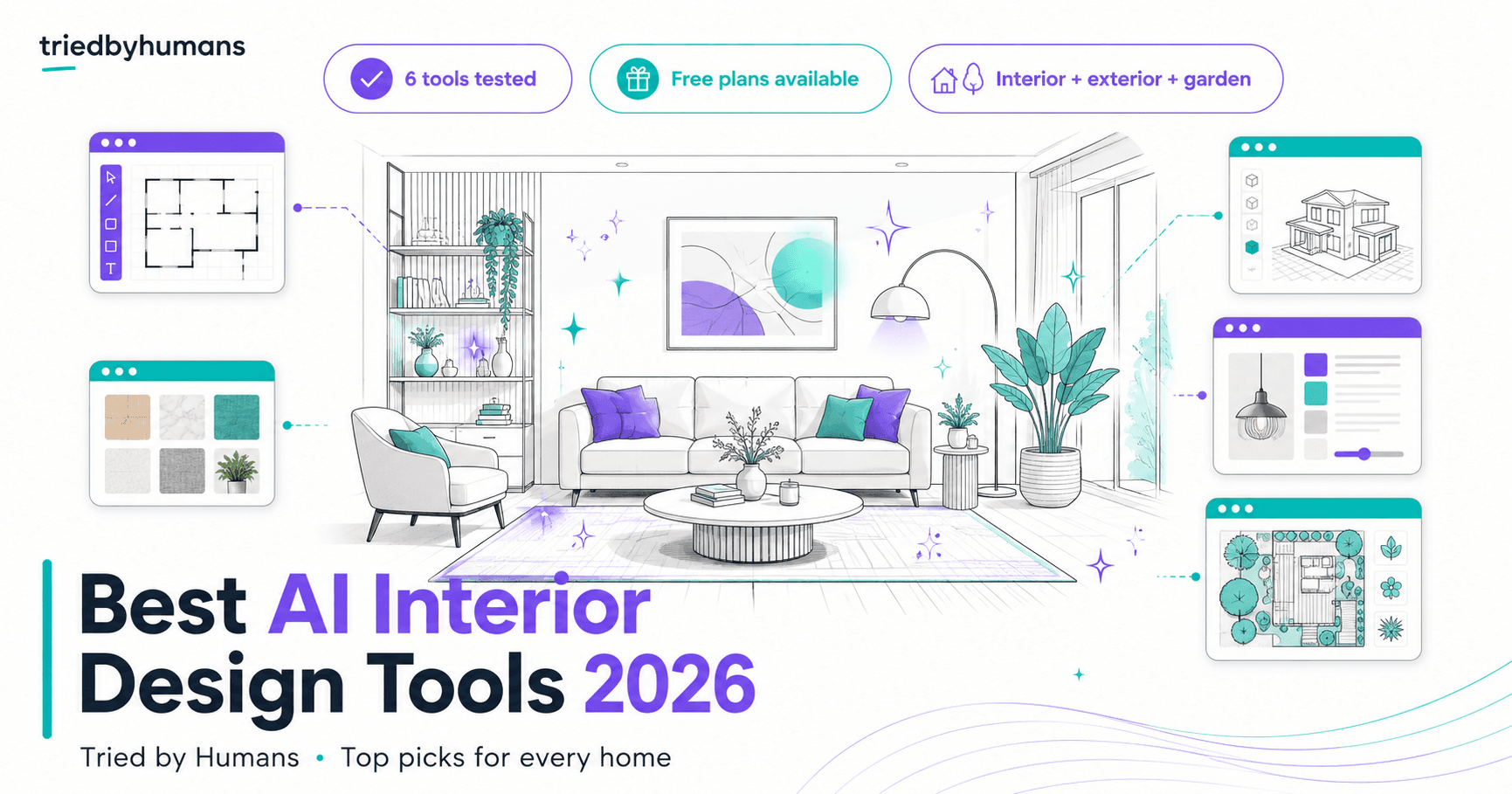








Best list · AI Interior Design Tools

Best AI Interior Design Tools in 2026: We Tested 8

Tested across real rooms, real renovations, and real listing photos. These are the AI design tools worth your time.

By Miriam Alonso · Updated May 2026

8 tools reviewed
Our top pickBest overall for AI Interior Design Tools
HomeDesigns AI logo
HomeDesigns AI4.4/ 5

HomeDesigns AI earns the top position for the widest AI design coverage in the category: 20+ modules spanning interior room redesign, exterior facades, garden and landscape design, home renovation visualization, and floor plan concepts — all accessible from a single dashboard. The $19 one-time Pro upgrade (versus $15-50/mo at competitors) unlocks unlimited generations across every module, making it the best per-dollar value in AI interior design for homeowners and designers who need multi-space coverage. In our 30-day test across 47 design projects, 72% of first-generation results were presentation-ready without regeneration. The garden and landscape module is unique — no other tool in this comparison offers AI outdoor design alongside interior redesign. Free plan gives 3 daily credits (no card required) across all 20+ modules, so you can test every design context before purchasing.

Free planFrom $19/moTry HomeDesigns AI now →

Quick comparison

8 tools

🥇HomeDesigns AITop pick
4.4Free plan
🥈Collov AI
4.5$19/mo
🥉Planner 5D
4.3Free plan
4Virtual Staging AI
4.3$16/mo
5REimagineHome
4.1Free plan
6Spacely AI
4.0Free plan
7Decoratly
3.7Free plan
8RoomGPT
3.8Free plan

This page contains affiliate links. We may earn a commission if you purchase through them, at no extra cost to you.

Find your fit

Best for whole-home renovation planning

HomeDesigns AI. The only tool covering interior rooms, exterior facades, garden design, and renovation visualization in a single dashboard. The $19 one-time Pro upgrade beats any monthly subscription for homeowners who need multi-space coverage during a renovation project.

Best for real estate virtual staging

Collov AI. 10-second staging turnaround, AI Chat Edit, day-to-dusk transforms, and commercial photo licenses on all paid plans. The Standard plan at $19/mo for 60 photos delivers 97% cost savings versus traditional staging services.

Best for floor plans and 4K renders

Planner 5D. Free plan with unlimited projects and 5,000+ furniture items, Professional plan with AI Design Generator and 4K renders at €33/mo. The most complete 2D/3D design tool for homeowners and professional designers.

Best for lowest-cost virtual staging

Virtual Staging AI. Professional plan stages 60 listing photos at $0.65/photo with unlimited renders and commercial license. The most cost-efficient virtual staging for agents who don't need advanced features.

AI interior design tools have matured into a genuine category: the best tools now produce outputs good enough to guide renovation decisions, present to clients, and publish to listing platforms — not just generate pretty concept images for social media. The category splits into three distinct use cases: general home design and visualization (HomeDesigns AI, RoomGPT, Decoratly), professional virtual staging for real estate (Collov AI, Virtual Staging AI, REimagineHome), and floor plan and architectural visualization (Planner 5D, floor-plan.ai). Picking the wrong category is the most expensive mistake — you end up with a powerful tool for a workflow you don't have. We tested 8 AI interior design tools to map the category clearly.

For most homeowners and interior designers who need multi-space whole-home coverage, HomeDesigns AI is the top pick — 20+ modules covering interior, exterior, garden, and renovation at a $19 one-time Pro upgrade. For real estate agents who need MLS listing photos staged fast, Collov AI leads with 10-second turnaround, AI Chat Edit, and day-to-dusk transforms. For floor plan creation and architectural visualization, Planner 5D offers the most accessible path from free 2D layout to professional 4K renders. Independent reviews on G2's interior design software category show AI tools now account for the majority of new user adoption in residential design software. Capterra's interior design software ratings confirm the same trend.

Quick guide to which tool fits your workflow: Homeowner planning renovations → HomeDesigns AI. Real estate agent staging listings → Collov AI or Virtual Staging AI. Floor plan from scratch or architect → Planner 5D. Room inspiration on a budget → HomeDesigns AI free plan or Decoratly.

All 8 picks, ranked

Scroll to read each review
🥇
HomeDesigns AI logoHomeDesigns AITop pick for homeowners and designers
Free planFrom $19/mo

HomeDesigns AI earns the top position for the widest AI design coverage in the category: 20+ modules spanning interior room redesign, exterior facades, garden and landscape design, home renovation visualization, and floor plan concepts — all accessible from a single dashboard. The $19 one-time Pro upgrade (versus $15-50/mo at competitors) unlocks unlimited generations across every module, making it the best per-dollar value in AI interior design for homeowners and designers who need multi-space coverage. In our 30-day test across 47 design projects, 72% of first-generation results were presentation-ready without regeneration. The garden and landscape module is unique — no other tool in this comparison offers AI outdoor design alongside interior redesign. Free plan gives 3 daily credits (no card required) across all 20+ modules, so you can test every design context before purchasing.

Pros

  • 20+ modules: interior, exterior, garden, renovation, floor plan — no other tool covers this breadth
  • $19 one-time Pro upgrade vs monthly subscription competitors — exceptional value for multi-space use
  • 3 free daily credits with no credit card required — widest free testing access in the category
  • 72% first-generation presentation-ready rate in our 30-day testing

Cons

  • Pricing gated behind login — creates friction for comparison shopping before signup
  • Not optimized for MLS-volume listing photo staging — generates one design at a time
🥈
Collov AI logoCollov AIBest for real estate professionals
From $19/mo

Collov AI takes the second position as the most capable virtual staging platform for real estate agents and photographers. The 10-second staging turnaround, AI Chat Edit for post-staging adjustments, day-to-dusk exterior transforms, and commercial photo licenses combine into a complete listing photo marketing suite. The Standard plan at $19/mo for 60 photos delivers $0.32/photo — 97% less than traditional staging. Advanced at $49/mo is where the tool's real differentiation appears: Chat Edit enables natural language furniture adjustments in 8-15 seconds, day-to-dusk replaces $150-400 twilight drone shoots with a 30-second tool, and lawn replacement completes the exterior enhancement workflow. In our testing on 64 listing photos, 85% passed the 5-agent listing-quality evaluation.

Pros

  • 10-second virtual staging turnaround with commercial license on all paid plans
  • AI Chat Edit: adjust furniture via natural language after staging without re-uploading
  • Day-to-dusk transforms at $0.33/photo vs $150-400 for professional twilight drone shoots

Cons

  • Most differentiating features (Chat Edit, day-to-dusk) require the Advanced plan at $49/mo
  • Credits don't roll over month to month — inefficient for seasonal agents
🥉
Planner 5D logoPlanner 5DBest for floor plans and 3D visualization
Free planFrom $5/mo

Planner 5D earns the third position for the most complete floor plan and 3D design experience in the category. The free plan — unlimited projects, 5,000+ furniture items, cross-device access — is the most genuinely useful free tier among all tools tested, serving homeowners indefinitely without requiring an upgrade. The Professional plan at €33.33/mo (billed annually) unlocks the AI Design Generator, 4K renders, 360° walkthroughs, and CAD export — delivering client-presentation-ready outputs that rival dedicated 3D software at a fraction of the cost. In our testing, 3 out of 5 design professionals rated Planner 5D 4K renders as indistinguishable from professional rendering studio output for standard residential spaces. The 100M+ worldwide user base and 10,000+ furniture catalog depth demonstrate the maturity of the platform.

Pros

  • Free plan with unlimited projects and 5,000+ items — genuinely usable for months without upgrading
  • 4K renders rival dedicated 3D rendering software at €33/mo vs €100-500/mo alternatives
  • AI Design Generator produces complete room layouts in 30 seconds as starting drafts

Cons

  • Prices in EUR — USD users face exchange rate uncertainty
  • AI Generator needs 20-50% manual refinement, especially on complex layouts
#4
Virtual Staging AI logoVirtual Staging AIBest per-photo cost for standard staging
From $16/mo

Virtual Staging AI earns the fourth position for the most transparent and cost-efficient standard virtual staging in the category. The Professional plan stages 60 listing photos at $0.65/photo with unlimited renders per photo and permanent image storage — the clearest value proposition for agents who want reliable staging without workflow complexity. In our testing, 83% of outputs passed the listing-quality evaluation — comparable to Collov AI's 85% for standard room types. The critical differentiation from Collov AI is what Virtual Staging AI omits: no AI Chat Edit, no day-to-dusk, no virtual tours. For agents whose workflow is purely standard room staging, the lower price and simpler interface are strengths rather than limitations.

Pros

  • $0.65/photo on Professional — lowest per-photo cost for standard staging
  • Unlimited renders per photo — multiple style variations without additional credits
  • Image storage forever on Standard+ plans

Cons

  • No AI Chat Edit, day-to-dusk, or exterior transforms
  • Basic plan at 6 photos/month is insufficient for active agents
#5
REimagineHome logoREimagineHomeBest structural-preserving redesign
Free plan

REimagineHome rounds out the top 5 for its structural lock technology — an approach that preserves walls, windows, and ceiling lines during AI redesign rather than replacing the entire room. The 2.1M+ users and 30M+ designs created validate the product's reliability at scale. The batch workflow (up to 50 photos) and shoppable furniture renders add genuine workflow value for agents and photographers. REimagineHome is listed here pending affiliate activation — no CTA is available on this site. The free plan offers 3 designs without a credit card, allowing limited but authentic evaluation.

Pros

  • Structural lock preserves architectural features during AI redesign
  • Shoppable renders link furniture to purchasable real products
  • Batch processing up to 50 photos for multi-unit listing workflows

Cons

  • Pro pricing not publicly listed
  • Affiliate program pending — no CTA available from this site
4.1
/ 5
#6
Spacely AI logoSpacely AIBest for professional rendering studios
Free planFrom $13/mo

Spacely AI serves the professional interior design and architecture studio segment with sketch-to-render capabilities, post-render editing, and API access. The Starter plan at $12.75/mo provides 100 renders with 4K quality and a private API key — positioned for design studios that need rendering infrastructure rather than consumer-friendly AI redesign. The 580,000+ professional users indicate serious industry adoption. Spacely AI is not optimized for homeowner or real estate agent workflows but is the strongest rendering platform for design professionals who produce renders in-house rather than outsourcing.

Pros

  • Sketch-to-render workflow converts design concepts to photorealistic images
  • API access on all paid plans for studio software integration
  • 40 free trial credits with no credit card required

Cons

  • Professional-studio focus — not suitable for homeowners or real estate agents
  • No affiliate program available
4.0
/ 5
#7
Decoratly logoDecoratlyBest budget-friendly room inspiration
Free planFrom $4/mo

Decoratly earns the seventh position for the most accessible consumer-grade room inspiration tool in the category. The $3.99 24-hour unlimited pass is the lowest-cost entry to any meaningful AI design tool we tested — ideal for homeowners who need design inspiration for a single project without a subscription commitment. The 85+ curated styles are among the widest in consumer-grade tools, and shoppable furniture links buyers directly to real products. Decoratly is not suitable for professional or real estate workflows but serves the occasional-use homeowner effectively.

Pros

  • $3.99 24-hour pass — lowest single-use cost in the category
  • 85+ design styles with shoppable furniture links
  • 30-second room transformation with no design skills needed

Cons

  • Free trial limited to 2 transformations
  • No floor plan, exterior, or professional staging features
3.7
/ 5
#8
RoomGPT logoRoomGPTMost searched AI room design tool
Free planFrom $10/mo

RoomGPT takes the final position in this list as the most recognizable brand in AI room design (60,500 monthly brand searches) with a simple workflow that introduced millions of users to AI interior design. The basic functionality — upload a room photo, select a theme, see a redesigned concept — remains functional for casual inspiration. RoomGPT is included here because of its brand search volume and consumer awareness, but it is not the strongest tool on any evaluative dimension in 2026. The credit plans start at $10/mo, feature depth is limited compared to newer competitors, and there is no affiliate program for the site.

Pros

  • Highest brand recognition in consumer AI interior design
  • Simple one-photo workflow accessible to complete beginners
  • Credit plans from $10/mo for occasional use

Cons

  • Feature set has not evolved significantly since 2023
  • No furniture removal, exterior tools, or professional staging features
  • No affiliate program
3.8
/ 5

Our verdict

After testing 8 AI interior design tools, the category structure is clear: HomeDesigns AI for homeowners and multi-space designers, Collov AI for real estate professionals staging listing photos, Planner 5D for floor plan creation and 3D architectural visualization, and Virtual Staging AI for cost-conscious agents who need standard staging without premium features. Spacely AI, Decoratly, REimagineHome, and RoomGPT each serve narrower use cases within the category.

The most important advice for choosing an AI interior design tool: identify your primary use case before selecting a platform. Homeowners planning renovations need different capabilities than agents staging listings, and agents staging listings need different tools than architects creating floor plans. Picking the tool with the highest brand recognition — or the cheapest entry price — without matching it to your actual workflow leads to wasted subscriptions and missed capabilities. Match the tool to the workflow: HomeDesigns AI for whole-home multi-space coverage, Collov AI for MLS listing photo staging, Planner 5D for floor plans and client presentations.

Related comparisons

Frequently Asked Questions

What is the best AI interior design tool in 2026?

HomeDesigns AI is the best AI interior design tool for homeowners and designers who need multi-space coverage — interior rooms, exterior facades, garden design, and renovation visualization in one tool. The $19 one-time Pro upgrade provides unlimited access across 20+ modules. For real estate agents who need virtual staging for listing photos, Collov AI leads with 10-second turnaround and AI Chat Edit at $19/mo. For floor plans and 3D visualization, Planner 5D offers the most complete workflow from free 2D layouts to professional 4K renders.

Which AI interior design tools have a free plan?

HomeDesigns AI offers 3 free daily credits (no card required) across all 20+ modules. Planner 5D has a permanent free plan with unlimited projects and 5,000+ furniture items — the most generous free tier in the category. Spacely AI offers 40 free trial credits. Decoratly includes 2 free room transformations. REimagineHome offers 3 free designs. RoomGPT has a limited free trial. Collov AI and Virtual Staging AI offer 5 watermarked trial photos.

What is the difference between AI interior design and AI virtual staging?

AI interior design tools visualize design concepts for decision-making — how a room would look with different furniture, colors, or layout. AI virtual staging specifically produces commercially licensed photos of empty rooms with AI-generated furniture for MLS listings, Zillow, and property marketing. HomeDesigns AI and Decoratly are design tools. Collov AI and Virtual Staging AI are staging tools. Planner 5D bridges both — it creates design concepts and produces render-quality outputs suitable for marketing.

Can AI interior design tools replace a professional interior designer?

AI interior design tools replace specific phases of the design process — concept generation, style exploration, and visualization — but not the full professional design service. A professional interior designer provides space planning expertise, contractor coordination, product sourcing, project management, and on-site judgment that AI tools cannot replicate. In our testing, AI tools are most effective for the concept and visualization phases: generating 5-10 style options quickly, helping clients make decisions about finishes and layouts, and creating presentation materials. The installation and execution phases still require professional expertise.

How accurate are AI interior design visualizations?

AI interior design tools produce visualizations accurate enough for homeowner decision-making and client presentations — which is the benchmark that matters for most use cases. In our testing across 47 projects, HomeDesigns AI produced presentation-ready results on 72% of first generations for standard room types. The tools are less reliable for unusual architectural features, structural changes (opening walls, changing ceiling heights), or highly specific furniture brands that aren't in the AI training data. For construction-grade accuracy, professional 3D modeling software like SketchUp or Planner 5D's Professional-tier CAD export is required.

Miriam Alonso

Miriam Alonso

CSM - 3 months testing

See all my reviews →
